Our Top Picks
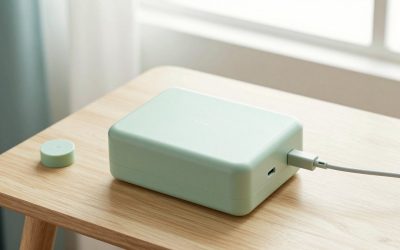
 Upgraded Controller Charger Station with 2x6200mWh Rechargeable BatteryCompact0.6 poundsCheck on Amazon
The best controller charging dock is usually the official or licensed dock for your console: the PowerA Twin Charging Station for two PS5 DualSense controllers, and the 8BitDo Charging Dock for Xbox. Homes with mixed consoles can use a universal multi-controller dock such as the HEATFUN or PURBHE units, but you must confirm your exact controller models are supported. This guide covers the main dock types, the numbers that decide charging speed, and the compatibility traps that catch buyers.
Quick Comparison of Controller Dock Options
| Dock | Best for | Controllers | Notable feature | Price range |
|---|---|---|---|---|
| PowerA Twin Charging Station | PS5 households | 2 DualSense | Licensed, snap-in design | Budget to mid-range |
| PowerA Solo Charging Station | Single PS5 controller | 1 DualSense | Compact, licensed | Budget |
| 8BitDo Xbox Charging Dock | Xbox Series X|S | 1 Xbox controller | Magnetic connection, licensed | Mid-range |
| Dual dock with battery packs for Xbox | Daily Xbox players | 2 controllers | Rechargeable packs replace AA batteries | Mid-range |
| HEATFUN dual dock | Mixed Switch, PS5, Xbox | 2 controllers of select types | Multi-platform support | Budget to mid-range |
| PURBHE 6-in-1 dock | Large households, many controllers | Up to 6 (mixed) | Supports Joy-Cons and Pro Controllers | Mid-range |
Listings change often, so confirm the supported controller list on the product page before buying.
Upgraded Controller Charger Station with 2x6200mWh Rechargeable Battery Packs for Xbox One/One X/S/Elite 1 & Series X|S, Dual Charging Dock for Xbox One Battery Pack (Controller not Included)
Picked as a relevant option in this category.
View on Amazon
Controller Charging Dock for Switch Pro & Switch 2 Pro Controller, PS5 Controller, Xbox Series X|S & Elite 2, 2-Port LED Charging Station (Not for PowerA/3rd-Party Pro), 5V2A Recommended
Chosen because it specifies PS5 Controller and Xbox Series X.
View on Amazon
8BitDo Charging Dock for Xbox Wireless Controllers, Xbox Charging Station with Magnetic Secure Charging for Xbox Series X|S and Xbox One Controller - Officially Licensed (Black)
Chosen because it specifies S and Xbox One Controller and Officially Licensed (Black).
View on AmazonBest for PS5: PowerA Twin Charging Station
The PowerA Twin dock is officially licensed for the DualSense and charges two controllers at once. Controllers snap onto charging contacts rather than using the USB-C port cable, so you place them down like a phone on a stand. The trade-off is that the controller must fit the dock exactly, so thick third-party skins and grips often block the contacts. If you use a case on your DualSense, check clearance first.
A single-controller version, the PowerA Solo, serves a one-controller setup and takes up less desk space.
Best for Xbox: 8BitDo Charging Dock
The 8BitDo dock charges one Xbox controller through a magnetic connection and works with a rechargeable battery pack. It looks neat on a shelf, and the licensed build means a stable fit. It is a single-controller dock, so a household with two Xbox pads needs two docks or a dual design.
Best for Heavy Xbox Use: Dual Dock With Battery Packs
If you use AA batteries in your Xbox pads, a dual dock with two rechargeable packs saves money over time. One pad charges while the other plays. The cost is that the packs add a bit of weight, and they are specific to the Xbox One and Series controller shell.
Best for Mixed Households: HEATFUN or PURBHE
These docks work across Switch Pro, PS5, Xbox and some Joy-Con setups. The HEATFUN-type dual dock lists support for select Switch Pro, Switch 2 Pro, PS5, Xbox Series X|S and Elite Series 2 controllers. One listing warns that it does not fit PowerA or other third-party pro pads, so read fine print. The PURBHE 6-in-1 goes further with Joy-Con and Pro Controller docking and serves family rooms with many controllers.
Charging Speed: The Numbers That Matter
DualSense controllers contain a 1,560 mAh battery per Sony’s spec. At a 5V 1.5A input, a full charge from empty takes roughly 2.5 to 3 hours. Xbox Wireless Controllers use two AA batteries by default, and rechargeable packs commonly hold 1,100 to 1,400 mAh. For a dock that draws power from a TV or console USB port, charging may slow when the console is in rest mode, so a wall adapter outputting 5V 2A is a better bet.
| Controller | Battery | Rough charge time | Notes |
|---|---|---|---|
| PS5 DualSense | 1,560 mAh | About 3 hours | Needs 5V input |
| Xbox rechargeable pack | About 1,100 to 1,400 mAh | About 3 to 4 hours | Varies by pack |
| Switch Pro Controller | 1,300 mAh | About 3 hours | Needs a compatible dock |
How to Choose a Controller Charging Dock
Check the exact controller model
DualSense, DualSense Edge, Xbox Elite Series 2 and third-party pads differ in shape and contacts. A dock that suits one may not work with another.
Decide between contacts and cables
Contact docks are neater but fit-sensitive. USB-C cable docks tolerate cases and skins.
Power source
Use a wall adapter rated for the dock instead of a console USB port when possible, which keeps charging steady when the console sleeps.
Indicator lights
LEDs that change color when full help you avoid leaving a pad on the dock for no reason.
Space and placement
Docks with a weighted base stay still when you grab a controller one-handed. Measure the shelf and keep the dock near the console or TV.
Dock or Spare Battery? A Quick Cost Comparison
A rechargeable controller lasts roughly 6 to 12 hours per charge depending on rumble, lightbar and adaptive triggers. If you play three hours a night, that means a charge about every two to four days. Docks remove the plugging-in step, while a second controller is only worth it for local multiplayer. Disposable AA batteries for an Xbox pad cost a few cents per hour, but a rechargeable pack pays back within a handful of replacement cycles.
Setting Up a Tidy Charging Station
Place the dock within reach of your couch, not behind the TV, so you actually use it. Keep it away from heat sources, and run the cable through a clip so the dock does not slide. If you use a dock with an included headset hook, hang only light headsets. Label controllers with small stickers so each player grabs their own battery-worn pad.
Common Mistakes
- Buying a universal dock without confirming controller support.
- Leaving a skinned controller in a contact dock where it only half connects.
- Using weak USB ports that charge too slowly overnight.
- Ignoring battery health. Lithium batteries age, so do not leave a pad charging for days on end.
Quick Buying Checklist
Before you pay, check the dock against five points: the exact controller models supported, whether it needs a case-free controller, the input power it expects, whether the LED shows full charge, and whether replacement cables or battery packs are sold. Also consider where you will place it. A dock beside a console in a closed media cabinet can trap heat, so leave ventilation. If you rotate several controllers for party games, pick a dock that handles more than two at a time so every pad starts the night at full charge.
Frequently Asked Questions
Do controller charging docks work with any controller?
No. Most are built for specific models, such as the PS5 DualSense or Xbox Wireless Controller. Universal docks list the controllers they support, and third-party pads are often excluded.
Is a charging dock better than a cable?
A dock is more convenient because you just set the controller down. A cable is more flexible with cases and works during play.
Can I leave my controller on the dock all the time?
Most docks stop at full charge, so that is generally fine. Remove it if it feels warm or you will be away for weeks.
Do Xbox controllers need a special dock?
Standard Xbox controllers run on AA batteries, so you need a rechargeable battery pack plus a dock designed for it, or a dock with its own battery pack.
How long does a controller take to charge on a dock?
Most take roughly three hours from empty, depending on the battery and the power source.
FAQ
Do controller charging docks work with any controller?
Is a charging dock better than a cable?
Can I leave my controller on the dock all the time?
Do Xbox controllers need a special dock?
How long does a controller take to charge on a dock?
More from Amazon
Programs that pair well with the guide above. Offers and eligibility are set by Amazon and may change.
Free shipping on eligible items, Prime Video and more. Eligible new members can start with a free trial.
Start a Prime free trialAd-free music streaming. Eligible new subscribers can start with a free trial.
Try Music Unlimited freeA Prime membership for ages 18-24 with a trial period. Eligibility is set by Amazon.
See Prime for Young AdultsAudiobooks and podcasts to listen to on the go. Eligible new members can start with a free trial.
Try Audible freeAs an Amazon Associate we earn from qualifying purchases.