Key takeaways
- Gaming drivers, codecs, and Proton-GE preinstalled with zero setup
- Excellent AMD and NVIDIA performance close to Windows parity
- Friendly Nobara Package Manager simplifies updates and fixes
- Strong handheld and Steam Deck-style support
What's inside
Nobara Project has quietly become one of the most talked-about ways to game on Linux in 2026, and for good reason. Built on top of Fedora but stripped of the rough edges that scare newcomers away, Nobara ships with the codecs, drivers, and tweaks a gamer actually needs already baked in. If you have ever wiped a fresh install only to spend an evening hunting for NVIDIA drivers or wondering why your capture card refuses to work, Nobara feels like someone finally did that homework for you.
In this review we dig into how Nobara actually performs day to day: the installation experience, gaming compatibility through Proton and Steam, the custom Nobara Package Manager, and whether it deserves a spot on your handheld or desktop. We also point you toward a few printed references and bootable tools that make the switch from Windows far less intimidating.
As an Amazon Associate we earn from qualifying purchases at no extra cost to you.


⚡ Save on Your Next PC — Amazon Prime
Prime members get fast free shipping on the systems above, plus early access to Prime Day & Black Friday PC deals. New members get a 30-day free trial.
Watch: Nobara Linux Review — Video Review
Design & Build
Nobara’s identity is refinement rather than reinvention. The KDE Plasma and GNOME editions both look clean out of the box, with a sensible default theme and a welcome app that walks you through driver selection on first boot. Because it leans on Fedora’s foundation, the underlying system feels modern and stable, and if you are coming from Windows a companion like the How Linux Works, 3rd Edition guide fills in the mental model of what is happening beneath that polished desktop. Getting a reliable install started is trivial with a prepared USB such as the 17-in-1 Bootable USB Drive 3.2 for Linux & Windows 11, which spares you the flaky-flash-drive frustration that derails so many first attempts.
Performance
This is where Nobara earns its reputation. The preconfigured Proton-GE builds, patched kernel, and gamescope integration mean most Steam titles simply launch and run, often within a few frames of their Windows numbers. Frame pacing on AMD hardware is excellent thanks to up-to-date Mesa drivers, and NVIDIA users benefit from the automated proprietary driver install. Shader compilation stutter, long a Linux gaming annoyance, is noticeably reduced. For anyone learning the terminal side of tuning, a laminated Linux QuickStudy Reference Guide next to the keyboard turns command lookups into a two-second glance rather than a browser detour.
Pros & Cons
- Gaming drivers, codecs, and Proton-GE preinstalled with zero setup
- Excellent AMD and NVIDIA performance close to Windows parity
- Friendly Nobara Package Manager simplifies updates and fixes
- Strong handheld and Steam Deck-style support
- Smaller community than mainstream distros, so niche issues take longer to solve
- Not an official Fedora spin, so updates can occasionally lag
- Beginners still benefit from a reference book during the learning curve
Alternatives to Consider
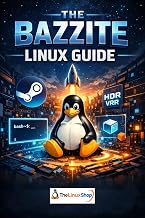
If Nobara’s Fedora base does not click with you, Bazzite offers a similar gaming-first experience with an immutable design, and the Bazzite Linux Guide makes that route approachable. Newcomers who prioritize familiarity over cutting-edge gaming tweaks may prefer Linux Mint, well covered by Linux Mint Made Simple for Beginners. Both are worth a look before you commit, especially if stability matters more to you than having the newest Proton build on day one.
Frequently Asked Questions
Is Nobara good for beginners in 2026?
Yes. Nobara hides most of the traditional Linux setup pain, though a beginner-friendly book such as Linux for Beginners helps you feel confident with basic terminal tasks during the first week.
Does Nobara work on handhelds and the Steam Deck?
Nobara runs well on many handheld PCs and desktop rigs alike, with gamescope and controller support configured by default, making it a strong pick for portable gaming.
Do I need to know the command line to use Nobara?
Most daily tasks are handled through graphical tools, but a laminated command reference speeds up the occasional terminal moment when installing niche software.
How do I create a Nobara install drive?
Flash the ISO to a reliable USB stick; a multiboot drive lets you keep Nobara alongside recovery tools and other distros on a single device.
Verdict
Nobara in 2026 is the closest thing to a plug-and-play gaming Linux for people who want to actually play rather than tinker. It is not flawless, and its smaller community means the occasional odd bug needs patience, but the sheer amount of setup it handles for you is hard to beat. Pair it with a good beginner reference and a solid bootable USB, and you have a genuinely enjoyable path off Windows and into Linux gaming.