Key takeaways
- Coverage vs. mesh: A single powerful router suits apartments and smaller homes, while larger or multi-story spaces are far better served by a mesh system with satellites and wired backhaul.
- Wired ports: Multi-gig 2.5G and 10G ports are the headline WiFi 7 feature. Make sure the router’s fastest port matches or exceeds your internet plan, and check LAN speeds for wired devices.
- Bands: Tri-band routers add a 6GHz band that keeps modern devices on a clear, fast lane, whereas dual-band models are cheaper and fine for lighter households.
- Device capacity: Count your smart-home gadgets, phones, and computers. Flagships handle 100-plus devices comfortably, which matters more than raw speed in a busy home.
- Security and features: Built-in security suites, VPN support, and MLO for stable low-latency connections add real value beyond the base speed rating.
WiFi 7 has crossed the line from early-adopter novelty to smart upgrade, and 2026 is when it makes sense for a lot of homes. With multi-link operation stitching bands together, 320MHz channels, and multi-gig ports becoming standard, a good WiFi 7 router finally lets fast fiber and cable plans reach every device without the old bottlenecks.
Because the standard is new, though, the product range spans everything from affordable dual-band routers to tri-band flagships and whole-home mesh kits. We sorted through the most popular models from TP-Link and NETGEAR to match the right hardware to your internet speed, home size, and device count.
Our top picks



As an Amazon Associate we earn from qualifying purchases at no extra cost to you. Ratings are shown as listed on Amazon.
⚡ Save on Your Next PC — Amazon Prime
Prime members get fast free shipping on the systems above, plus early access to Prime Day & Black Friday PC deals. New members get a 30-day free trial.
Watch: Best WIFI 7 Router 2026 — Video Review
How to Choose a WiFi 7 Router
- Coverage vs. mesh: A single powerful router suits apartments and smaller homes, while larger or multi-story spaces are far better served by a mesh system with satellites and wired backhaul.
- Wired ports: Multi-gig 2.5G and 10G ports are the headline WiFi 7 feature. Make sure the router’s fastest port matches or exceeds your internet plan, and check LAN speeds for wired devices.
- Bands: Tri-band routers add a 6GHz band that keeps modern devices on a clear, fast lane, whereas dual-band models are cheaper and fine for lighter households.
- Device capacity: Count your smart-home gadgets, phones, and computers. Flagships handle 100-plus devices comfortably, which matters more than raw speed in a busy home.
- Security and features: Built-in security suites, VPN support, and MLO for stable low-latency connections add real value beyond the base speed rating.
The Best WiFi 7 Routers Reviewed
TP-Link Archer BE550
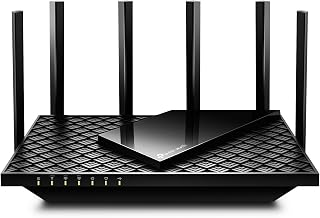
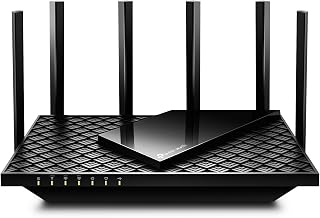
The Archer BE550 hits a genuine sweet spot, a tri-band BE9300 router with full 2.5G ports across the board, six internal antennas, and EasyMesh expansion. It covers up to 2,000 square feet, supports VPN, and delivers the multi-gig performance most homes actually need without stretching into flagship pricing. For most buyers, this is the router to start with.
TP-Link Archer BE600
Step up to the Archer BE600 and you gain a 10G port alongside a 2.5G WAN and triple 2.5G LAN, plus 320MHz channel support and HomeShield security. Rated for up to 2,600 square feet and 120 devices, it is built for households with fast fiber and a lot of hardware demanding bandwidth at once.
NETGEAR Nighthawk RS700S
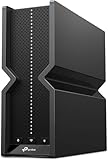
The Nighthawk RS700S is the no-limits flagship, a tri-band BE19000 router promising up to 19 Gbps of wireless throughput and a 10 Gig internet port. It covers up to 3,500 square feet and comes with Armor security and free expert help, making it the pick for power users with the fastest plans and the highest expectations.
TP-Link Deco BE23 (3-Pack)
For whole-home coverage the Deco 7 BE23 mesh system spreads a dual-band BE3600 signal across up to 6,500 square feet with three units and 2.5G wired backhaul ports. MLO, AI-roaming, and HomeShield keep connections stable as you move between rooms, making it an easy way to blanket a larger house in reliable WiFi 7.
TP-Link Archer BE230
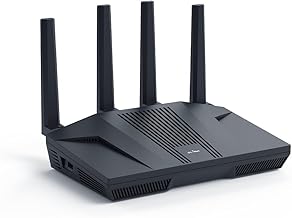
If you want WiFi 7 on a budget, the Archer BE230 is a dual-band BE3600 router with a 2.5G port, USB 3.0, and a quad-core processor. VPN, EasyMesh, HomeShield, and MLO come along for the ride, delivering the core benefits of the new standard at an entry-level price for smaller homes and modest plans.
Frequently Asked Questions
Do I need WiFi 7 if my devices are older?
WiFi 7 is fully backward compatible, so older devices still connect and often benefit from improved traffic management. You will only unlock the fastest speeds with WiFi 7 clients, but the router still future-proofs your network.
Is a mesh system better than a single router?
For larger or multi-story homes, yes. Mesh eliminates dead zones by placing satellites where the signal weakens. In an apartment or small house, a single strong router is usually simpler and cheaper.
What internet speed do I need to benefit from WiFi 7?
You will see the biggest gains on plans above a gigabit, where multi-gig ports and wider channels remove bottlenecks. Even on slower plans, WiFi 7 improves reliability and handles busy device counts better.
What is MLO and why does it matter?
Multi-Link Operation lets a device use multiple bands at once for higher throughput and lower latency. It is one of WiFi 7’s defining features and especially helpful for gaming and video calls.
Final Thoughts
For 2026 the TP-Link Archer BE550 is the best all-around router for most homes, balancing tri-band performance and multi-gig ports at a fair price, while the NETGEAR Nighthawk RS700S serves anyone with the fastest plans and no patience for limits. The Deco BE23 mesh is the answer for whole-home coverage, and the Archer BE230 brings WiFi 7 within reach on a budget. Size your choice to your home and internet plan and your network will be ready for years.