Key takeaways
- Hardware vs open standard: Native G-Sync uses a dedicated module; FreeSync is an open standard built on VESA Adaptive-Sync.
- Cross-compatibility: Most modern FreeSync monitors are G-Sync Compatible, so they sync with NVIDIA cards too.
- Cost: FreeSync displays like the Samsung Odyssey G5 are typically cheaper than native G-Sync models.
- Certification: G-Sync Compatible and FreeSync Premium badges guarantee tested variable-refresh ranges.
- Connection: Adaptive sync works best over DisplayPort; a VESA-certified DP 1.4 cable ensures full bandwidth.
- Low frame-rate handling: Higher-tier certifications add low frame-rate compensation for smoother play below the sync floor.
Screen tearing and stutter can ruin an otherwise gorgeous game, which is why adaptive sync has become a must-have monitor feature. In 2026 the practical choice comes down to AMD FreeSync versus NVIDIA G-Sync, and the good news is that the line between them has blurred so much that most gamers can get tear-free play regardless of their GPU brand.
This guide explains how each technology works, where they still differ, and how to read a spec sheet on monitors like the ASUS TUF VG27AQ3A and the LG 27GS75Q-B, both of which support FreeSync and are G-Sync Compatible.
Our top picks
 Samsung 27” Odyssey G5
- Samsung’s 27” Odyssey G5 QHD Gaming Monitor delivers…
- QHD resolution (2560 x 1440) boasts incredibly detailed,…
- With a wide 178° viewing angle, the IPS…
 Capshi 8K 4K DisplayPort Cable 1.4
- 8K DisplayPort Cable 1.4: This VESA Certified DP…
- Multi-functional Support: The 8K DisplayPort cable supports video…
- Advanced Technology: The cable delivers enhanced bandwidth via…
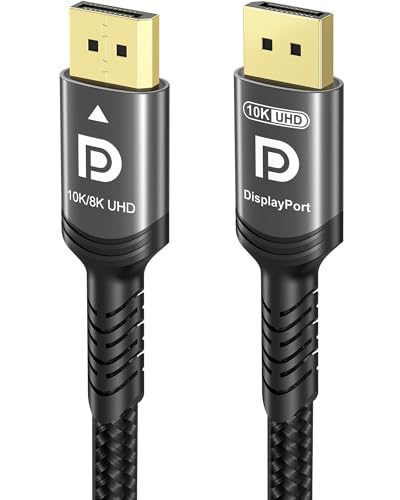 Ubluker 10K 8K DisplayPort 2.1 Cable 54Gbps
- Certify Displayport Cable: Ubluker DisplayPort cable has multiple…
- Meeting High Quality Needs: DisplayPort is a digital…
- Widespread Applications: DisplayPort is a high-speed serial interface…
| Product | Key specs | |
|---|---|---|
| Samsung 27” Odyssey G5 | Samsung’s 27” Odyssey G5 QHD Gaming Monitor delivers… QHD resolution (2560 x 1440) boasts incredibly detailed,… With a wide 178° viewing angle, the IPS… | Check price |
| Capshi 8K 4K DisplayPort Cable 1.4 | 8K DisplayPort Cable 1.4: This VESA Certified DP… Multi-functional Support: The 8K DisplayPort cable supports video… Advanced Technology: The cable delivers enhanced bandwidth via… | Check price |
| Ubluker 10K 8K DisplayPort 2.1 Cable 54Gbps | Certify Displayport Cable: Ubluker DisplayPort cable has multiple… Meeting High Quality Needs: DisplayPort is a digital… Widespread Applications: DisplayPort is a high-speed serial interface… | Check price |
 ASUS TUF Gaming 27” 1440P HDR Monitor ASUS TUF Gaming 27” 1440P HDR Monitor | High-Resolution QHD Gaming Display: 27-inch QHD (2560 x… ASUS Extreme Low Motion Blur Sync Technology: ELMB… Advanced Synchronization Technologies: FreeSync Premium, G-Sync compatible and… | Check price |
 IVANKY VESA Certified 8K DisplayPort Cable 1.4 IVANKY VESA Certified 8K DisplayPort Cable 1.4 | [VESA Certified DP to DP Cable 1.4] This… [Enhanced Gaming Experience] The DisplayPort 1.4 Cable provides… [Anti-Interference & Ultra Durability] Our Display Port cable… | Check price |
 Capshi 8K 4K DisplayPort Cable 1.4 Capshi 8K 4K DisplayPort Cable 1.4 | 8K DisplayPort Cable 1.4: This VESA Certified DP… Multi-functional Support: The 8K DisplayPort cable supports video… Advanced Technology: The cable delivers enhanced bandwidth via… | Check price |
 Maxonar 8K VESA Certified DisplayPort Cable 1.4 Maxonar 8K VESA Certified DisplayPort Cable 1.4 | 【UHD 8K DISPLAYPORT 1.4 CABLE】: HIGH END RESOLUTIONS… 【MAXIMUM PERFORMANCE- Gamer Friendly】: Maxonar Displayport cable supports… 【Reliable Anti-interference Capability】:Our DisplayPort 1.4 Cable Made of… | Check price |
 LG 27GS75Q-B 27-inch Ultragear QHD LG 27GS75Q-B 27-inch Ultragear QHD | Ascend your game with the speed of UltraGear… 200Hz Refresh Rate & 1ms MBR - Gear… SYNC Compatible and AMD FreeSync - Officially validated… | Check price |
As an Amazon Associate we earn from qualifying purchases at no extra cost to you.
⚡ Save on Your Next PC — Amazon Prime
Prime members get fast free shipping on the systems above, plus early access to Prime Day & Black Friday PC deals. New members get a 30-day free trial.
Watch: FreeSync vs G-Sync: Which Is Better? — Video Review
Quick Verdict
For the vast majority of gamers, a quality FreeSync monitor that is also certified G-Sync Compatible is the best value, because it works tear-free with both AMD and NVIDIA cards. Reserve a dedicated G-Sync Ultimate display for enthusiasts who want the strictest variable-refresh range and hardware-verified performance.
Key Differences
- Hardware vs open standard: Native G-Sync uses a dedicated module; FreeSync is an open standard built on VESA Adaptive-Sync.
- Cross-compatibility: Most modern FreeSync monitors are G-Sync Compatible, so they sync with NVIDIA cards too.
- Cost: FreeSync displays like the Samsung Odyssey G5 are typically cheaper than native G-Sync models.
- Certification: G-Sync Compatible and FreeSync Premium badges guarantee tested variable-refresh ranges.
- Connection: Adaptive sync works best over DisplayPort; a VESA-certified DP 1.4 cable ensures full bandwidth.
- Low frame-rate handling: Higher-tier certifications add low frame-rate compensation for smoother play below the sync floor.
NVIDIA G-Sync: The Premium Path
Native G-Sync monitors include a hardware module that NVIDIA validates for a wide variable-refresh range and consistent behavior. If you own an NVIDIA card and want the most rigorously tested tear-free experience, a G-Sync Ultimate panel delivers it, often with better HDR and overdrive tuning.
The downside is price and lock-in. Native G-Sync displays cost more, and the hardware module benefits NVIDIA users specifically. For many players that premium is hard to justify when G-Sync Compatible FreeSync panels get you most of the way.
AMD FreeSync: The Value Standard
FreeSync is built on an open VESA standard, which keeps costs down and support broad. A display like the LG 27GS75Q-B advertises both AMD FreeSync and NVIDIA G-Sync Compatibility, meaning it stays tear-free whether you plug in a Radeon or a GeForce card. FreeSync Premium adds low frame-rate compensation so play stays smooth even when frame rates dip.
Because it is an open standard, FreeSync appears on everything from budget 1080p panels to high-refresh QHD monitors, giving you far more choices at every price point.
Which Should You Buy?
- NVIDIA GPU, best possible sync: A native G-Sync Ultimate monitor.
- Either GPU, best value: A FreeSync Premium monitor that is G-Sync Compatible.
- Budget build: A FreeSync 1080p or QHD panel like the Odyssey G5.
- Might switch GPU brands: A dual-certified panel keeps your options open.
- High-refresh competitive play: Prioritize a wide refresh range and a proper DisplayPort 1.4 cable.
Frequently Asked Questions
Can I use FreeSync with an NVIDIA card?
Yes, if the monitor is certified G-Sync Compatible or supports VESA Adaptive-Sync. Enable it in the NVIDIA Control Panel.
Does adaptive sync add input lag?
Negligibly. Any latency added by variable refresh is far outweighed by the smoothness gained from eliminating tearing and stutter.
Do I need a special cable?
Use a VESA-certified DisplayPort 1.4 cable for the full refresh range and resolution. A poor cable can cause dropouts at high refresh rates.
Should I use HDMI or DisplayPort for sync?
DisplayPort is the most reliable for adaptive sync on PC. HDMI 2.1 also supports it, but DP remains the safer default for monitors.
Final Verdict
The FreeSync-versus-G-Sync war is largely over for practical purposes: buy a FreeSync Premium monitor that is also G-Sync Compatible and you get tear-free gaming with any modern GPU at a friendly price. Choose native G-Sync only if you own an NVIDIA card and want the most tightly validated experience money can buy.