Key takeaways
- Weight capacity: Match the stand’s rated load to your heaviest monitor, and add a buffer — curved and ultrawide screens are often heavier than they look.
- Screen size range: Check the supported diagonal range (e.g., 13–34 inches) against your actual monitors, especially if you’re mixing sizes across a dual setup.
- Adjustability: Look for swivel, tilt, height, and rotation together. A stand that only tilts won’t help much once you’re stacking screens vertically.
- Base footprint and mounting style: Free-standing bases save desk clamps but take up surface area; clamp or grommet mounts save space but require a compatible desk edge.
- VESA compatibility: Confirm your monitor’s VESA pattern (commonly 75×75 or 100×100) matches the stand’s mount before buying, since not all curved or ultrawide monitors support the same spacing.
What's inside
Stacking a second monitor vertically sounds simple until your desk setup turns into a wobbly mess of clamps, cables, and screens that won’t sit level. A poorly built stand can sag under the weight of larger displays, block your VESA ports, or eat up more desk space than it saves — which defeats the whole purpose of going vertical in the first place.
This guide breaks down the top vertical monitor stands on the market right now, what separates a sturdy build from a flimsy one, and which options work best depending on your screen size, monitor count, and desk space. Whether you’re setting up a dual-monitor coding station or mounting one large curved display, you’ll find a pick that fits.
As an Amazon Associate we earn from qualifying purchases at no extra cost to you.


🎮 Get More From Your Setup — Free
Prime Gaming gives you free PC games every month, in-game loot, and a free Twitch channel sub — plus fast free shipping on all the gear above. New members get a 30-day free trial.
Watch: Best Vertical Monitor Stand: Top Picks Reviewed — Video Review
How to Choose a Vertical Monitor Stand
- Weight capacity: Match the stand’s rated load to your heaviest monitor, and add a buffer — curved and ultrawide screens are often heavier than they look.
- Screen size range: Check the supported diagonal range (e.g., 13–34 inches) against your actual monitors, especially if you’re mixing sizes across a dual setup.
- Adjustability: Look for swivel, tilt, height, and rotation together. A stand that only tilts won’t help much once you’re stacking screens vertically.
- Base footprint and mounting style: Free-standing bases save desk clamps but take up surface area; clamp or grommet mounts save space but require a compatible desk edge.
- VESA compatibility: Confirm your monitor’s VESA pattern (commonly 75×75 or 100×100) matches the stand’s mount before buying, since not all curved or ultrawide monitors support the same spacing.
The Best Vertical Monitor Stands Reviewed
Dual Monitor Stand – Vertical Stack Screen Free-Standing Riser
This stacking riser is built specifically for a top-and-bottom dual setup, holding one screen up to 44 lbs while giving each display independent swivel, tilt, and height adjustment. It’s a strong pick if you want two screens in a true vertical stack without sacrificing desk space for a second base.
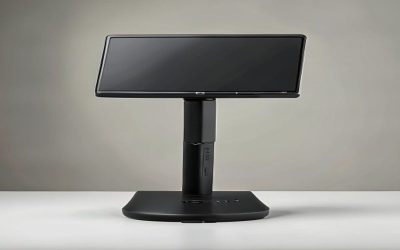
Single LCD Monitor Free-Standing Desk Stand (HT05B-001)
With a 77 lb weight capacity and support for screens up to 32 inches, this single-monitor stand is one of the sturdiest options here for heavier displays. The VESA base and full range of swivel, height, and rotation adjustments make it a solid choice for anyone running a single large monitor that needs rock-solid support.
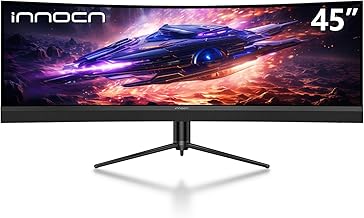
Single Monitor Stand Freestanding for 27-43 Inch Curved Screens (HT05B-003)
Designed for large curved and ultrawide monitors, this stand pairs a tempered glass base with generous tilt (-15° to 10°) and a full 360° rotation range. If you’re running a big curved display and want stability plus flexibility, this is the most capable single-monitor option in the lineup.
VIVO Dual Monitor Desk Stand (STAND-V002L)
VIVO’s stacked stand is built for larger ultrawide displays, supporting two screens up to 34 inches each in a vertical arrangement. The free-standing base keeps both monitors secure without clamping into your desk, making it a good fit for people who frequently rearrange their setup.
HUANUO Dual Monitor Stand
The HUANUO stand offers 13 distinct height settings along with swivel, tilt, and rotation, giving you fine-tuned control over how your stacked screens align. At a 44 lb capacity per screen and support for 13 to 34 inch monitors, it’s a versatile and budget-friendly dual-stand option.
Frequently Asked Questions
Do vertical monitor stands work with any monitor?
Not always. You need to check both the supported screen size range and the VESA mounting pattern on the back of your monitor before buying, since some curved or ultrawide displays use nonstandard mounts.
Is a free-standing stand better than a clamp-mounted one?
Free-standing stands are easier to install and don’t require desk clearance for a clamp, but they take up more desk surface. Clamp mounts save space but need a compatible desk edge and thickness.
Can I stack two different-sized monitors on a dual stand?
Most dual stacking stands support a range like 13 to 34 inches, so mixing sizes within that range typically works, but each screen adjusts independently for height and tilt, so alignment takes a bit of manual fine-tuning.
How much weight capacity do I actually need?
Check your monitor’s actual weight (not just screen size) and choose a stand rated well above it. Curved and 30-inch-plus monitors often weigh more than standard flat panels of the same size.
Final Thoughts
For most dual-monitor setups, the VIVO Dual Monitor Desk Stand and the HUANUO Dual Monitor Stand offer the best mix of stability and adjustability, while the Single Monitor Stand (HT05B-003) is the top choice if you’re mounting one large curved or ultrawide display that needs serious weight capacity and flexibility.