Key takeaways
- Connectivity and Latency: 2.4GHz wireless with a dongle is now standard for budget wireless under $70 and offers 2-8ms lower latency than Bluetooth. Bluetooth 5.0+ is fine for turn-based and casual games but adds variable lag. Wired always wins for zero battery drain.
- Battery Efficiency: Look for rated battery life with backlight OFF, not just with lighting on. LEDs are the biggest power draw on any budget board.
- Charging Method: USB-C with passthrough play is essential. Older Micro-USB boards and those that disable use while charging are a poor fit for portable setups.
- Switch Feel and Noise: Linear switches (Red) are quieter and require less force for rapid presses, better for shared spaces and thin-and-light lap use. Tactile (Brown) gives feedback without the loud click of Blue switches.
- Form Factor: 60% and 65% (like 68-key) and 75% boards save desk space, fit in a backpack, and draw slightly less power than full-size 104+ key boards with extra controllers for media hubs.
What's inside
- How to Choose a Budget Keyboard for Low-Power Gaming
- The Power Budget Calculation Most Spec Sheets Ignore
- Top Budget Gaming Keyboards Ranked for Low-Power Use
- Comparison Table: Latency, Battery, and Charging for Low-Power Setups
- Decision Matrix: Which Board Fits Your Situation
- Settings to Maximize Battery and Stability
- FAQ
The top budget gaming keyboards for low-power setups in 2026 are the Keychron K3 Max, Logitech G515 LIGHTSPEED, Royal Kludge RK61/RK68, and Redragon K552, because they balance low wireless latency, 40+ hour battery life with lighting off, and USB-C charging that won’t drain a laptop or power bank quickly.
- How to Choose a Budget Keyboard for Low-Power Gaming
- The Power Budget Calculation Most Spec Sheets Ignore
- Top Budget Gaming Keyboards Ranked for Low-Power Use
- Comparison Table: Latency, Battery, and Charging for Low-Power Setups
- Decision Matrix: Which Board Fits Your Situation
- Settings to Maximize Battery and Stability
- FAQ
How to Choose a Budget Keyboard for Low-Power Gaming
A low-power setup means you are gaming on a gaming laptop, handheld-connected dock, mini PC, or a living room TV setup where every watt and USB port matters and you are not always near a wall outlet. The keyboard should not force you to stay tethered to a desk or recharge every session.
Rank budget keyboards on these five factors in this order:
- Connectivity and Latency: 2.4GHz wireless with a dongle is now standard for budget wireless under $70 and offers 2-8ms lower latency than Bluetooth. Bluetooth 5.0+ is fine for turn-based and casual games but adds variable lag. Wired always wins for zero battery drain.
- Battery Efficiency: Look for rated battery life with backlight OFF, not just with lighting on. LEDs are the biggest power draw on any budget board.
- Charging Method: USB-C with passthrough play is essential. Older Micro-USB boards and those that disable use while charging are a poor fit for portable setups.
- Switch Feel and Noise: Linear switches (Red) are quieter and require less force for rapid presses, better for shared spaces and thin-and-light lap use. Tactile (Brown) gives feedback without the loud click of Blue switches.
- Form Factor: 60% and 65% (like 68-key) and 75% boards save desk space, fit in a backpack, and draw slightly less power than full-size 104+ key boards with extra controllers for media hubs.
The Power Budget Calculation Most Spec Sheets Ignore
A keyboard’s power draw is small, but it affects total runtime when you game away from an outlet. Use this simple calculation to estimate it:
Worked example: Gaming on a 60Wh laptop battery
A typical gaming laptop with a 60Wh battery running an indie or esports title at balanced power might average 45W system draw (CPU + GPU + display). The keyboard is extra.
- With backlight OFF: A wireless budget keyboard draws about 0.05W to 0.15W average. Even 0.15W is 0.3% of the 45W load. Runtime = 60Wh / 45.15W = 1.33 hours (1 hour 20 minutes). Impact is negligible.
- With backlight ON full RGB: The same keyboard can draw 0.8W to 1.8W. At 1.5W average: Total draw = 46.5W. Runtime = 60Wh / 46.5W = 1.29 hours (1 hour 17 minutes). You lose 3-4 minutes per hour.
- With wired RGB keyboard powered from the laptop USB: The draw shifts directly to the laptop’s 5V rail, often 0.5W to 2.5W continuous, with spikes to 5W on full white brightness. That can cut 5-8 minutes per hour versus wireless with lights off.
The takeaway: For maximum battery life away from a desk, run any keyboard with brightness at 0% or 30% and turn off per-key rainbow effects. You will gain more time than any switch from wireless to wired can save. If you must have lighting, set it to single-color static at low brightness instead of animated RGB.
Top Budget Gaming Keyboards Ranked for Low-Power Use
1. Keychron K3 Max – Best Low-Profile Wireless for Portability
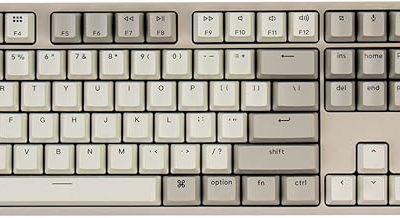
Usually $80-$110, the K3 Max is a 75% low-profile wireless board with 2.4GHz, Bluetooth 5.1, and wired USB-C modes. Its Gateron low-profile mechanical switches use less travel and are more comfortable for lap or couch use than tall switches. Battery is rated around 45 hours with backlight off on 2.4GHz and over 100 hours on Bluetooth with backlight off. It supports QMK/VIA remapping, so you can disable lighting presets entirely to save power. Low-profile design fits easily in a laptop bag.
2. Logitech G515 LIGHTSPEED TKL – Best Battery Efficiency on a Budget TKL
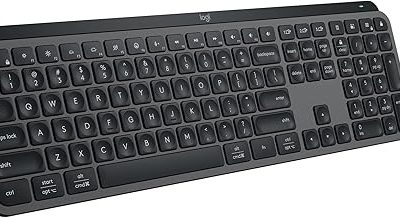
Usually $80-$100 when discounted, the G515 LIGHTSPEED is a thin tenkeyless (TKL) board with Logitech’s LIGHTSPEED 2.4GHz and Bluetooth. Logitech rates it at up to 36 hours with full RGB and up to 120 hours with lighting off, which is class-leading for budget wireless. It charges via USB-C and can be used while charging. The low-profile GL Clicky, Tactile, or Linear switches are quieter than standard mechanical and reduce finger fatigue during long sessions on a coffee table.
3. Royal Kludge RK61 / RK68 (RK-G68) – Best Ultra-Compact Value
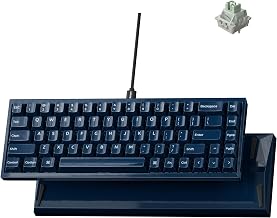
Usually $40-$60, the RK61 (60%) and RK68 (65%) are the most affordable true wireless mechanical options. Both offer 2.4GHz, Bluetooth 5.0, and wired USB-C with hot-swappable switches. Battery on the 60% models is typically 13-15 hours with RGB on and 28-35 hours with RGB off, from a 1000mAh cell. The smaller size means less weight to carry and fewer LEDs to power, which helps in low-power setups. Ideal if you need a keyboard that lives in a drawer or backpack.
4. Redragon K552 KUMARA – Best Wired-Only Budget Pick
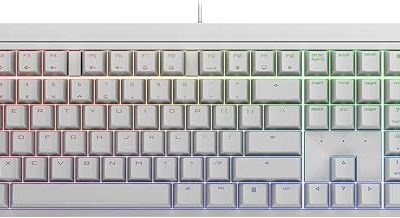
Usually $30-$45, the K552 is a wired TKL/75% mechanical board with Outemu Red, Blue, or Brown switches and USB-A to USB-C cable. It has no battery to manage and draws all power from a single USB port, typically 100-250mA. For docked handhelds like the Steam Deck or low-power mini PCs where you have one USB-C hub, this is the most reliable zero-latency option and it will never need charging. The tradeoff is the cable and brighter rainbow lighting that cannot be fully tuned down without software, so set hardware brightness to the lowest level.
5. HyperX Alloy Origins 60 / SteelSeries Apex 3 TKL – Best Wired Alternatives If You Prefer Membrane or Full Software
Usually $50-$75, the HyperX Alloy Origins 60 is a 60% wired board with HyperX Red linear switches and solid aluminum build, drawing minimal power via USB-C. The SteelSeries Apex 3 TKL, usually $35-$55, uses quiet membrane switches with whisper-quiet gaming switches and an 8-zone RGB instead of per-key RGB, which inherently uses less power than a full per-key array. Both are good if you want wired reliability without the battery variable.
Comparison Table: Latency, Battery, and Charging for Low-Power Setups
| Model | Form Factor | Modes | Approx. Latency (2.4GHz / Bluetooth) | Battery Life RGB Off (Rated) | Battery Life RGB On Low/Med | Charging Port / Use While Charging |
|---|---|---|---|---|---|---|
| Keychron K3 Max | 75% Low-Profile | 2.4GHz / BT 5.1 / Wired | ~3-5 ms / ~15-25 ms | ~100+ hrs (BT), ~45 hrs (2.4GHz) | ~20-30 hrs | USB-C / Yes |
| Logitech G515 LIGHTSPEED | TKL Low-Profile | LIGHTSPEED / BT / Wired | ~2-4 ms / ~12-20 ms | ~120 hrs | ~36 hrs at 100% brightness | USB-C / Yes |
| Royal Kludge RK61 / RK68 | 60% / 65% | 2.4GHz / BT 5.0 / Wired | ~5-8 ms / ~18-30 ms | ~28-35 hrs | ~10-15 hrs | USB-C / Yes |
| Redragon K552 | TKL Wired | Wired only | ~1-2 ms wired | N/A (bus powered) | N/A (~120-250mA draw) | USB-C detachable / N/A |
| HyperX Alloy Origins 60 | 60% Wired | Wired only | ~1-3 ms wired | N/A (bus powered) | N/A (~100-200mA draw) | USB-C detachable / N/A |
Latency values are typical ranges at 1000Hz polling for 2.4GHz and vary by device interference and Bluetooth stack. Wired is always the lowest and most consistent.
Decision Matrix: Which Board Fits Your Situation
| Your Setup | Best Choice | Why |
|---|---|---|
| Gaming on laptop battery or power bank, no desk | Logitech G515 LIGHTSPEED or Keychron K3 Max with lighting OFF | Highest hours-per-charge and Bluetooth option to connect to tablets/phones without dongle |
| Docked handheld or mini PC with one USB-C hub | Redragon K552 or HyperX Alloy Origins 60 | No charging needed, single cable, no extra dongle to lose |
| Tight backpack / dorm / living room couch | Royal Kludge RK61 / RK68 | Smallest footprint, light, hot-swap lets you fit quiet linear switches |
| Competitive FPS where every millisecond matters | Any wired option or 2.4GHz mode (not Bluetooth) | 2.4GHz is 10-20ms faster than Bluetooth in practice |
| Shared room where noise matters | Linear Red or low-profile linear, avoid Blue clicky | Linear is ~5-10 dBA quieter than clicky Blues |
Settings to Maximize Battery and Stability
Apply these after you connect any budget wireless board, regardless of brand:
- Set polling rate to 1000Hz for 2.4GHz gaming, but drop to 125Hz if you are only browsing. Higher polling uses marginally more power.
- Turn backlight brightness to 0 for battery mode, or to 30% static single color if you need visibility. Disable reactive and wave effects, which keep the controller awake.
- In the keyboard software or via FN shortcut, set sleep timer to 5 or 10 minutes. Default 30 minutes wastes hours of idle drain.
- For Bluetooth, disable it on the keyboard when using the 2.4GHz dongle. Leaving both radios scanning increases standby drain.
- On Windows, go to Device Manager > Human Interface Devices > USB Input Device > Power Management and uncheck “Allow the computer to turn off this device to save power” for the dongle if you get stutter. This prevents Windows from suspending the receiver to save power, which creates lag spikes.
- Charge from a 5W USB-A port or laptop USB-A, not a fast-charge phone brick. Most budget boards have 1000-2000mAh cells that charge in 3-4 hours at 0.5A. Fast bricks do not speed this up and can generate heat that degrades the battery.
FAQ
Is wireless latency noticeable on budget keyboards?
On modern 2.4GHz budget boards, no for most players. The difference between a good 2.4GHz connection (2-8ms) and wired (1-3ms) is below the variance of most displays and game netcode. Bluetooth is where budget boards feel sluggish, especially in fast shooters. Switch to 2.4GHz or wired for those games.
How long does a budget wireless keyboard actually last per charge?
With lighting off, expect 30 to 120 hours depending on model and battery size. With RGB at 50-100%, expect 10 to 36 hours. If you game 2 hours per night with lights off, even an RK61 can last over two weeks before charging.
Can I charge a wireless keyboard from my laptop while gaming?
Yes. All models listed support USB-C play-and-charge. Use a short USB-C to USB-C or USB-A to USB-C cable to the laptop. While charging, the keyboard runs as wired, so power comes from the laptop battery instead of its internal cell. For the lowest laptop drain, charge the keyboard overnight from wall power and run it wireless with lighting off.
Are compact 60% keyboards bad for gaming?
No, they only remove function row, navigation cluster, and numpad. All gaming keys remain and most support FN-layer access to F-keys. The benefit for low-power setups is significant: less space, less weight, and fewer LEDs. If you use F-keys constantly for MMOs, choose a 75% or TKL instead.