Key takeaways
- Stock glass layer (Deck OLED/Switch 2): roughly 0.5–0.7mm, tuned for the touch sensor underneath
- Quality tempered glass protector: adds about 0.2–0.3mm, negligible signal loss, touch latency unaffected
- Thick or multi-layer “military grade” glass: can add 0.4mm+, which measurably reduces touch sensitivity on edge taps and diagonal swipes
What's inside
- Tempered Glass vs. Matte PET: The Core Trade-Off
- Why Anti-Glare Film Softens OLED Sharpness
- Hardness Ratings: What 9H Actually Means
- Touch Responsiveness: Does It Actually Change Input Lag?
- Exact Cutout Fit: Deck OLED (7.4″) vs. Switch 2 (7.9″)
- Bubble-Free Install: Step-by-Step
- Decision Matrix: Which One Should You Buy
Tempered glass gives you better scratch resistance and a glass-like feel, while matte PET film kills glare and fingerprints at the cost of some sharpness and touch precision — and which one wins depends on whether you’re protecting the Steam Deck’s 7.4-inch OLED or the Switch 2’s 7.9-inch LCD/OLED panel. Here’s how to pick the right material and get a bubble-free install on either handheld.
- Tempered Glass vs. Matte PET: The Core Trade-Off
- Why Anti-Glare Film Softens OLED Sharpness
- Hardness Ratings: What 9H Actually Means
- Touch Responsiveness: Does It Actually Change Input Lag?
- Exact Cutout Fit: Deck OLED (7.4″) vs. Switch 2 (7.9″)
- Bubble-Free Install: Step-by-Step
- Decision Matrix: Which One Should You Buy
Tempered Glass vs. Matte PET: The Core Trade-Off
Both materials protect against scratches, but they solve different problems. Tempered glass is a thin layer of chemically hardened glass (usually rated 9H on the pencil hardness scale) bonded to an adhesive backing. Matte PET is a flexible plastic film with a textured anti-glare coating.
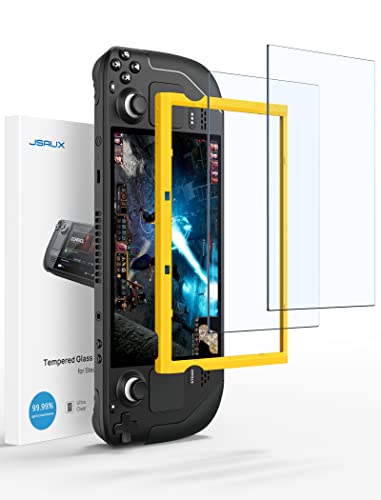
JSAUX 2-Pack Ultra HD Screen Protector for Steam Deck OLED/LCD
Included for 'Best Screen Protectors for Steam Deck and Switch 2 (2026 Picks)' as a relevant option in this category; details come from the product listing.
View on Amazon
amFilm Auto-Alignment OneTouch for Steam Deck OLED Screen Protector
Included for 'Best Screen Protectors for Steam Deck and Switch 2 (2026 Picks)' as a relevant option in this category; details come from the product listing.
View on Amazon
Spigen GlasTR EZ FIT Screen Protector for Steam Deck OLED/LCD
Included for 'Best Screen Protectors for Steam Deck and Switch 2 (2026 Picks)' as a relevant option in this category; details come from the product listing.
View on Amazon
ivoler Matte Anti-Glare Screen Protector for Steam Deck OLED/LCD 2-Pack
Included for 'Best Screen Protectors for Steam Deck and Switch 2 (2026 Picks)' as a relevant option in this category; details come from the product listing.
View on Amazon| Factor | Tempered Glass (9H) | Matte PET Film |
|---|---|---|
| Scratch resistance | Very high — resists keys, grit, pocket debris | Moderate — fine scratches show over time |
| Glare under sunlight | Low reduction, mirror-like | High reduction, diffuses reflections |
| Touch responsiveness | Near-native, no added drag | Slightly draggy “paper-like” feel |
| Visual sharpness on OLED | No loss, full contrast and black levels preserved | Softens micro-contrast slightly, light haze on fine text |
| Install difficulty | Easy with alignment frame, rigid and self-centering | Harder — flexible film shows every bubble and fiber |
| Typical price range | Usually $9–$18 for a 2-pack | Usually $8–$15 for a 2-pack |
The practical takeaway: if you play mostly indoors or in low light, tempered glass preserves the Deck OLED’s and Switch 2’s contrast and color accuracy with zero compromise on touch input. If you play on trains, patios, or near windows, matte PET’s glare reduction will matter more to you than the slight softness it adds.
Why Anti-Glare Film Softens OLED Sharpness
Matte coatings work by scattering light across a microscopically rough surface instead of letting it reflect in a single direction. That same scattering effect also diffuses the light coming up from the screen itself. On an LCD panel this is barely noticeable because LCD subpixels are already slightly diffused by the backlight layer. On OLED — like the Steam Deck OLED’s panel — each pixel is a point source of light, so the scattering effect is more visible as a faint halo around high-contrast edges, like small text or thin HUD elements.
This isn’t a defect in the film; it’s an inherent trade-off of anti-glare texture. If you’re running the Deck OLED at native 800p or playing text-heavy games (strategy titles, visual novels), a tempered glass protector will keep text crisper. If you mostly play action or platformer games where glare control matters more than reading fine print, the softening is rarely noticeable in motion.
Hardness Ratings: What 9H Actually Means
Pencil hardness ratings (7H, 8H, 9H) measure resistance to being scratched by pencil leads of increasing hardness, not real-world durability. A 9H-rated protector only guarantees that a 9H pencil won’t scratch its surface — it says nothing about impact resistance or how it holds up to actual pocket sand or keys, which can exceed 9H in localized hardness. In practice, the difference between a 7H and 9H glass protector is small; both will outperform any PET film against sand or grit, but neither is “scratch-proof.” Treat the hardness number as a baseline sanity check, not a deciding factor between two glass protectors.
Touch Responsiveness: Does It Actually Change Input Lag?
Capacitive touchscreens detect the electrical field of your finger through the glass or film layer. Adding thickness attenuates that signal slightly, which is why cheap, thick protectors feel “laggy” or require harder presses. Here’s the rough budget:
- Stock glass layer (Deck OLED/Switch 2): roughly 0.5–0.7mm, tuned for the touch sensor underneath
- Quality tempered glass protector: adds about 0.2–0.3mm, negligible signal loss, touch latency unaffected
- Thick or multi-layer “military grade” glass: can add 0.4mm+, which measurably reduces touch sensitivity on edge taps and diagonal swipes
For the Deck’s touchscreen keyboard and Switch 2’s menu navigation, stick to protectors advertised as “ultra-thin” or under 0.3mm total thickness. Thicker glass marketed for “drop protection” is overkill for a handheld that already lives in a case.
Exact Cutout Fit: Deck OLED (7.4″) vs. Switch 2 (7.9″)
These two panels are close in size but not interchangeable, and generic “universal” protectors are the most common cause of bad fits.
| Spec | Steam Deck OLED | Switch 2 |
|---|---|---|
| Panel size | 7.4 inches | 7.9 inches |
| Bezel style | Flush glass edge-to-edge | Slightly recessed panel with raised bezel lip |
| Protector cutout needed | Full-width, minimal border | Inset slightly to clear the bezel lip without trapping dust |
| Alignment risk | Low — flat surface, frame sits flush | Moderate — frame must account for lip height or glass will rock |
Buy protectors sold specifically for “Steam Deck OLED” or “Switch 2,” not the original LCD Deck or Switch/Switch OLED — the cutouts and curvature differ enough that a protector made for the older models will leave gaps along the edges or overhang the bezel.
Bubble-Free Install: Step-by-Step
Most install failures come from dust and misalignment, not the protector itself. This method uses the alignment frame included with most kits.
- 1. Power off the device and clean the screen. Use the included microfiber cloth, then the alcohol wipe, then the dry cloth again. Residual moisture is the top cause of cloudy spots under glass.
- 2. Use the dust-removal sticker. Dab the screen repeatedly before placing the frame — this picks up fibers a cloth leaves behind, which is why bubbles tend to appear right at the edges first.
- 3. Clip the alignment frame to the device. It should snap against the shoulder buttons or bezel edges. If it rocks or doesn’t sit flush, dust or a case lip is in the way — recheck before proceeding.
- 4. Peel the backing and lower the glass slowly from one edge. Let it drop flat under its own weight rather than pressing it down — pressing first traps air pockets in the center.
- 5. Push bubbles out from center to edge with the included card. Small bubbles under 2mm usually clear within a few hours as the adhesive settles; anything larger needs to be pushed out immediately before the adhesive sets.
- 6. Remove the frame last. Removing it early is the most common cause of a shifted, crooked install on the Switch 2’s recessed bezel.
Decision Matrix: Which One Should You Buy
| Your situation | Recommended protector |
|---|---|
| Play mostly indoors, want max OLED contrast | Ultra-thin tempered glass (under 0.3mm) |
| Play outdoors/near windows often | Matte PET anti-glare film |
| Heavy touchscreen keyboard use (Deck) | Tempered glass — preserves tap accuracy |
| Prioritize fingerprint resistance over sharpness | Matte PET film |
| Device lives in a hard case most of the time | Either works — glass gives better long-term clarity |
If you’re unsure, tempered glass is the safer default for both the Deck OLED and Switch 2: it preserves the panels’ contrast advantage and doesn’t compromise touch input, and the glare issue it doesn’t solve can usually be managed by adjusting screen angle or brightness instead.