Our Top Picks
“Value” is the slipperiest word in gaming laptops. It does not mean the cheapest machine, and it does not mean the fastest one per dollar of some abstract formula. A value gaming laptop is the one where the graphics card, memory, storage, and screen are balanced so that no single component wastes the others. A laptop with a strong GPU but 8GB of RAM, or a fast screen with a weak graphics chip, only looks like a bargain on the spec sheet.
This guide is for buyers who want playable performance without stepping into flagship territory. It compares six laptops that span the budget-to-mid-range zone, from older RTX 3050 hardware to current RTX 5060 machines, and it judges each only on what its listing title states. If you are shopping in 2026, the key is to read the GPU tier, RAM, SSD size, and refresh rate together, then ask what each model skimps on to hit its tier.
Quick Picks

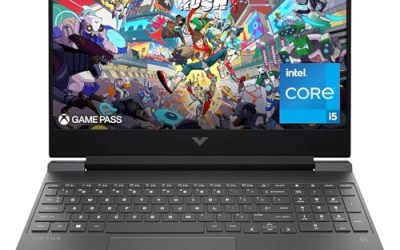
HP Victus 15.6" Full HD 144Hz Gaming Laptop, Intel Core i5-12450H, NVIDIA GeForce RTX 3050,16GB RAM, 512GB PCIe SSD, Wi-Fi 6, Backlit Keyboard,Windows 11 Pro, Performance Blue
One of the consumer electronics options compared in this guide.
View on Amazon
Acer Nitro V 16S AI Gaming Laptop | AMD Ryzen 7 260 Processor | NVIDIA GeForce RTX 5060 Laptop GPU (572 AI Tops) | 16" WUXGA IPS 180Hz Display | 32GB DDR5 | 1TB Gen 4 SSD | Wi-Fi 6 | ANV16S-41-R2AJ
One of the consumer electronics options compared in this guide.
View on Amazon
Lenovo LOQ Gaming Laptop, GeForce RTX 4050, AMD Ryzen 5 7235HS Processor | 15.6" 144Hz FHD Display, 16GB DDR5, 512GB SSD, Wi-Fi 6, Ethernet, USB-C, HDMI, Backlit Keyboard, Windows 11 Home
One of the consumer electronics options compared in this guide.
View on Amazon
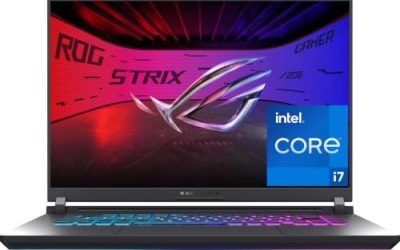
ASUS ROG Strix G16 (2025) Gaming Laptop, 16” FHD+ 16:10 165Hz/3ms, NVIDIA® GeForce RTX™ 5060, Intel® Core™ i7 Processor 14650HX, 16GB DDR5, 1TB Gen 4 SSD, Wi-Fi 7, Windows 11 Home, G615JMR-AS74
One of the consumer electronics options compared in this guide.
View on Amazon
Acer Nitro V Gaming Laptop | Intel Core i5-13420H Processor | NVIDIA GeForce RTX 4050 Laptop GPU | 15.6" FHD IPS 165Hz Display | 8GB DDR5 | 512GB Gen 4 SSD | Wi-Fi 6 | Backlit KB | ANV15-52-586Z
One of the consumer electronics options compared in this guide.
View on Amazon
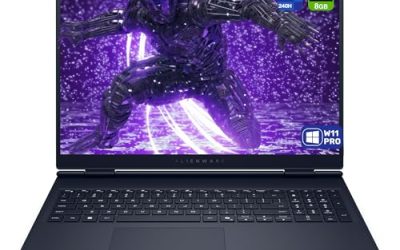
ASUS ROG Strix G16 Gaming Laptop, 16” 16:10 FHD+ 165Hz/3ms, NVIDIA GeForce RTX 5050 Laptop GPU, Intel Core i5 Processor 14450HX, 16GB DDR5-5600, 512GB PCIe Gen 4 SSD, Wi-Fi 7, Win11 Home, G615JHR-DS53
One of the consumer electronics options compared in this guide.
View on Amazon| Product | Best for | Key spec from the title |
|---|---|---|
| HP Victus 15.6-inch | Entry-level 1080p gaming | Full HD 144Hz, Core i5-12450H, RTX 3050, 16GB RAM, 512GB SSD |
| Acer Nitro V 16S AI | Newest graphics with lots of memory | 16-inch WUXGA IPS 180Hz, Ryzen 7 260, RTX 5060, 32GB |
| Lenovo LOQ | Well-connected 1080p play | 15.6-inch 144Hz FHD, Ryzen 5 7235HS, RTX 4050, 16GB DDR5, Ethernet |
| ASUS ROG Strix G16 (RTX 5060) | Storage-rich midrange gaming | 16:10 FHD+ 165Hz, RTX 5060, Core i7 14650HX, 16GB DDR5, 1TB Gen 4 |
| Acer Nitro V 15 | Budget-tier gaming with a fast panel | 15.6-inch FHD IPS 165Hz, Core i5-13420H, RTX 4050, 8GB DDR5 |
| ASUS ROG Strix G16 (RTX 5050) | Newer-generation entry GPU | 16:10 FHD+ 165Hz, RTX 5050, Core i5 14450HX, 16GB DDR5-5600 |
How to Choose
Rank the GPU first, then verify everything else
The graphics card drives gaming performance more than any other part. In this list the ladder runs from the RTX 3050 up through the RTX 4050, the RTX 5050, and the RTX 5060. For 1080p play, an RTX 4050 or RTX 5050 is the sensible entry line, and an RTX 5060 gives extra headroom for newer games. Once you have chosen a GPU tier, check that the processor and memory are not so weak that they hold the card back.
Treat 16GB of RAM as the floor
Eight gigabytes was fine years ago, but modern games and background apps make 16GB the practical minimum, with 32GB useful if you stream or multitask. Memory type matters as well: DDR5, found on most of these models, is faster than older DDR4. Budget laptops commonly cut corners with a single 8GB module, so a model that ships with 8GB may need a memory upgrade to feel balanced.
Check screen refresh rate and resolution
A 144Hz screen is the baseline for fast games, and 165Hz or 180Hz adds a small but noticeable smoothness. Resolution matters too: the Full HD panels here suit these GPUs well, while the 16:10 FHD+ and WUXGA screens add a bit more vertical space for browsing and work. Do not pay extra for a very high refresh rate if the GPU cannot produce matching frames, as the extra hertz will not show in the games you play.
Storage, ports, and where budget models cut corners
A 512GB SSD works as a starting point, but a few large games can fill it quickly, so 1TB is more comfortable. Check ports as well. Ethernet, USB-C, and Wi-Fi 6 are listed on several models here and matter for stable online play and for connecting peripherals. Budget-tier machines typically trade away RAM, storage, or display quality, so identify which compromise you can live with before you buy. A useful test is to ask what you would upgrade first: if the answer is RAM or storage, the model is cheaper to fix later than one whose weak point is the graphics card, which is soldered to the board and stays for the life of the machine.
The 6 Best Options
HP Victus 15.6-inch
The HP Victus pairs a 15.6-inch Full HD 144Hz display with a Core i5-12450H, an RTX 3050, 16GB of RAM, and a 512GB PCIe SSD. It also lists Wi-Fi 6 and a backlit keyboard. This is the older-generation entry choice, aimed at 1080p play without stretching the budget.
- Strength: 16GB of RAM and a 144Hz screen give a balanced baseline.
- Strength: a backlit keyboard and Wi-Fi 6 round out the practical features.
- Trade-off: the RTX 3050 is the oldest and weakest graphics card in this group.
Skip it if you want to play newer demanding games at higher settings. Buyers who still prefer this model usually do so because the older hardware generation sits in the budget tier, and the listing shows no obvious gaps in memory or display.
Acer Nitro V 16S AI
This Nitro V 16S AI pairs a Ryzen 7 260 processor with an RTX 5060 laptop GPU, a 16-inch WUXGA IPS display at 180Hz, and 32GB of memory according to the title. It stands out by combining a current-generation GPU with more RAM than most competitors in this list.
- Strength: 32GB of memory suits gaming alongside streaming or multitasking.
- Strength: the 180Hz IPS panel is the fastest screen in this group.
- Trade-off: a newer GPU and higher RAM put it in the upper part of the value range.
Skip it if you only play at modest settings and want the lowest price tier. It is also the only listing here to name an AI performance figure for the GPU, which matters mainly if you plan to run local AI tools rather than games alone.
Lenovo LOQ
The Lenovo LOQ combines an RTX 4050 with a Ryzen 5 7235HS, a 15.6-inch 144Hz Full HD display, 16GB of DDR5, and a 512GB SSD. It also lists Wi-Fi 6, Ethernet, and USB-C, which gives it a more complete connection set than some rivals.
- Strength: Ethernet support helps with stable online gaming.
- Strength: 16GB of DDR5 and an RTX 4050 form a well-matched midrange pair.
- Trade-off: 512GB of storage is on the small side for a growing library.
Skip it if you want the newest GPU generation or a larger drive out of the box. Because the drive is a standard SSD capacity, many buyers plan to add storage later, and the listing does not rule that out.
ASUS ROG Strix G16 (RTX 5060)
This ROG Strix G16 offers a 16-inch 16:10 FHD+ screen at 165Hz with a 3ms response rate, an RTX 5060, a Core i7 14650HX, 16GB of DDR5, and a 1TB Gen 4 SSD. It is the storage-rich, higher-performance choice among the models here.
- Strength: 1TB of Gen 4 storage leaves space for several large games.
- Strength: an RTX 5060 and Core i7 HX processor offer strong performance for the tier.
- Trade-off: 16GB of RAM matches the budget options even though the rest of the build is stronger.
Skip it if you want the lowest possible spending, since it sits at the upper end of this list.
Acer Nitro V 15
The Acer Nitro V 15 uses a Core i5-13420H, an RTX 4050, a 15.6-inch Full HD IPS display at 165Hz, 8GB of DDR5, and a 512GB Gen SSD. It is the leanest option on memory, which is where it makes its compromise.
- Strength: a 165Hz IPS screen paired with an RTX 4050 suits fast 1080p games.
- Strength: DDR5 memory is faster than older DDR4 designs.
- Trade-off: only 8GB of RAM limits multitasking and may call for an upgrade.
Skip it if you stream, run many apps while gaming, or want to avoid a memory upgrade. Treat it as the entry tier of this list: the screen and GPU are sound for the tier, but the memory is where the savings came from.
ASUS ROG Strix G16 (RTX 5050)
This version of the ROG Strix G16 uses an RTX 5050, a Core i5 14450HX, 16GB of DDR5-5600, and a 512GB drive behind a 16:10 FHD+ 165Hz screen with a 3ms response rate. It offers a newer graphics generation at the entry tier.
- Strength: 16GB of DDR5-5600 is a solid memory configuration for the tier.
- Strength: the 16:10 FHD+ 165Hz display provides smooth motion and extra vertical space.
- Trade-off: 512GB of storage will fill quickly with modern games.
Skip it if you need a lot of storage or the extra graphics power of an RTX 5060. Compared with the RTX 5060 version of the same laptop, the main differences listed are the GPU, the processor tier, and the drive size, so the choice comes down to how much you value storage and graphics headroom.
Which One Fits Your Situation
You want the lowest entry point into PC gaming
The HP Victus is the starting point. Its RTX 3050, 16GB of RAM, and 144Hz screen cover 1080p play in less demanding titles.
You want the best balance of GPU, memory, and screen
The Acer Nitro V 16S AI is the strongest all-around fit, with an RTX 5060, 32GB of memory, and a 180Hz display. It reads as the most complete package for buyers who plan to keep the laptop several years.
You play online and care about a stable connection
The Lenovo LOQ is the sensible choice because it lists Ethernet alongside Wi-Fi 6 and USB-C. Combined with an RTX 4050 and 16GB of DDR5, it suits ranked online matches.
You want a big library and plenty of storage
The ASUS ROG Strix G16 with the RTX 5060 is the one to pick, since its 1TB Gen 4 SSD offers far more room than the 512GB drives elsewhere in this list.
Common Mistakes
- Buying on the lowest tier and ignoring that 8GB of RAM will likely need an upgrade.
- Chasing a 180Hz screen while pairing it with a graphics card that cannot reach those frame rates.
- Choosing an older RTX 3050 laptop and expecting it to handle the latest games at high settings.
- Skipping the storage size and discovering that a few big titles fill a 512GB drive.
- Judging by brand name alone instead of reading the GPU, RAM, and display together.
Related guides
- How To Extend Battery Life On A Handheld Gaming Pc
- Gen4 Nvme M2 Ssds For High Performance Pc
- Racing Wheels And Flight Sticks For Pc
Frequently Asked Questions
Is an RTX 4050 laptop still a good value?
For 1080p gaming it remains a capable choice, especially when paired with 16GB of RAM and a 144Hz screen. Newer RTX 5050 and 5060 models add more headroom for future titles.
Is 8GB of RAM enough for a gaming laptop?
It can run many games, but it leaves little room for background apps and is the most common place budget models cut corners. Plan on 16GB or an upgrade.
Does a higher refresh rate make a cheap laptop better?
Only if the GPU can reach those frame rates. A balanced 144Hz or 165Hz screen is usually a better use of budget than a faster panel on weak hardware.
Should I prioritize storage or graphics?
Graphics first, because you cannot easily upgrade a laptop GPU. Storage is easier to expand later with a larger drive.