Our Top Picks
Picking the best laptop from ASUS is harder than it sounds because the brand sells almost every kind of machine under one name. The same logo sits on an entry-level Vivobook with a modest processor, a Windows-on-Arm thin-and-light, a TUF Gaming midweight, and ROG Strix and SCAR flagships with desktop-class graphics. The decision is less about whether ASUS is a good brand and more about which ASUS line matches what you will actually do on the machine.
This guide is for shoppers who have already settled on ASUS and need to choose between product families. It compares seven laptops, from basic everyday models to high-end gaming rigs, and it judges each strictly on the specifications named in its listing title. If you are shopping in 2026, the biggest dividing lines are graphics card tier, display refresh rate, memory, and whether you need a gaming-grade machine at all.
Quick Picks

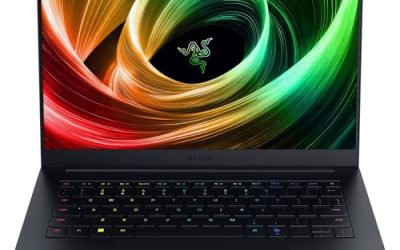
ASUS ROG Strix G16 (2025) Gaming Laptop, 16” FHD+ 16:10 165Hz/3ms, NVIDIA® GeForce RTX™ 5060, Intel® Core™ i7 Processor 14650HX, 16GB DDR5, 1TB Gen 4 SSD, Wi-Fi 7, Windows 11 Home, G615JMR-AS74
One of the gaming product options compared in this guide.
View on Amazon
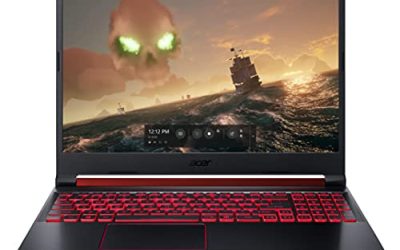
ASUS ROG Strix G18 (2025) Gaming Laptop, 18” FHD+ 16:10 144Hz/3ms Display NVIDIA® GeForce RTX™ 5070, Intel® Core™ i9 Processor 14900HX, 32B DDR5-5600, 1TB PCIe Gen 4 SSD, Wi-Fi 7
One of the gaming product options compared in this guide.
View on Amazon
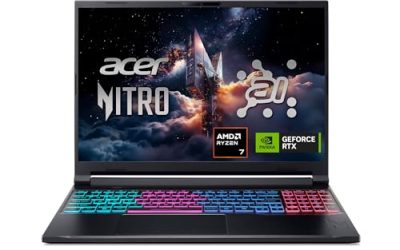
ASUS 2023 Vivobook Go 15 Laptop, 15.6" FHD Display, AMD Ryzen 5 7520U Processor, 8GB RAM, 512GB SSD, Windows 11 Home, Mixed Black, E1504FA-AS52
One of the gaming product options compared in this guide.
View on Amazon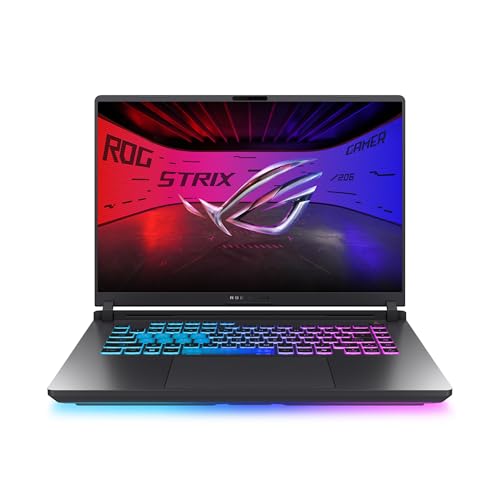
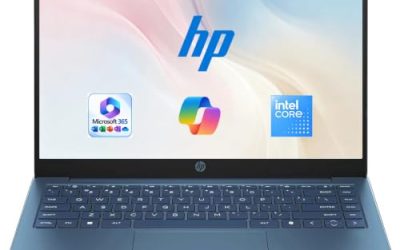
ASUS ROG Strix G16 Gaming Laptop, 16” 16:10 FHD+ 165Hz/3ms, NVIDIA GeForce RTX 5050 Laptop GPU, Intel Core i5 Processor 14450HX, 16GB DDR5-5600, 512GB PCIe Gen 4 SSD, Wi-Fi 7, Win11 Home, G615JHR-DS53
One of the gaming product options compared in this guide.
View on Amazon
ASUS ROG Strix SCAR 18 (2025) Gaming Laptop, 18” ROG Nebula HDR 16:10 2.5K 240Hz/3ms, NVIDIA GeForce RTX 5090, Intel Core Ultra 9 275HX, 32GB DDR5, 2TB PCIe Gen 4 SSD, Wi-Fi 7, Win 11 Pro, G835LX-XS97
One of the gaming product options compared in this guide.
View on Amazon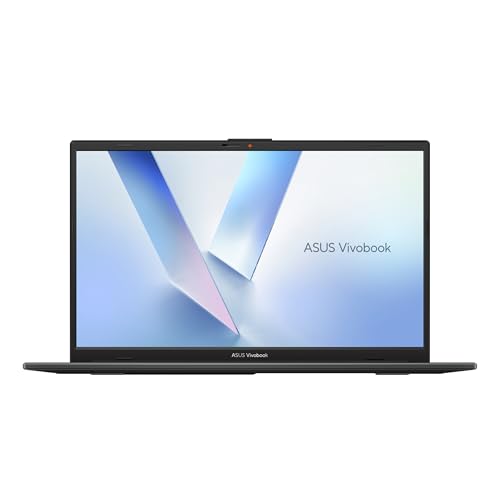
ASUS Vivobook Go 15 15.6” FHD 60Hz Laptop with Intel Processor N150, Intel UHD Graphics, 4GB RAM, 128GB SSD, Mixed Black
One of the gaming product options compared in this guide.
View on Amazon
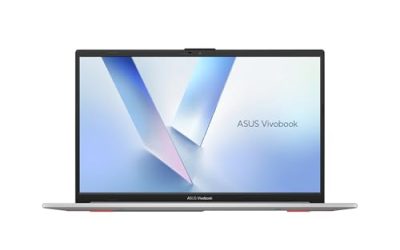
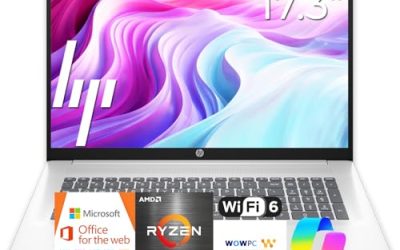
ASUS Vivobook 16” Laptop 2026 PC, 10-Core Intel i7, 24GB RAM, 1TB Storage | AI Computer, 512GB SSD+500GB Ext, Iris Xe Graphics, Backlit Keyboard, Fingerprint, HubxcelAcces, Win 11 Pro, Office Suite
One of the gaming product options compared in this guide.
View on Amazon| Product | Best for | Key spec from the title |
|---|---|---|
| ASUS ROG Strix G16 (RTX 5060) | Balanced 16-inch gaming | 16-inch FHD+ 165Hz, RTX 5060, Core i7 14650HX, 16GB DDR5 |
| ASUS ROG Strix G18 (RTX 5070) | Big-screen gaming and heavy multitasking | 18-inch FHD+ 144Hz, RTX 5070, Core i9 14900HX, 32GB DDR5-5600 |
| ASUS Vivobook Go 15 (Ryzen 5) | Students and everyday browsing | 15.6-inch FHD, Ryzen 5 7520U, 8GB RAM, 512GB SSD |
| ASUS ROG Strix SCAR 18 (RTX 5090) | No-compromise flagship gaming | 18-inch 2.5K 240Hz Nebula HDR, RTX 5090, Core Ultra 9 275HX |
| ASUS Vivobook 16 (Intel i7) | Home office with lots of storage | 10-core Intel i7, 24GB RAM, 1TB storage, backlit keyboard |
| ASUS TUF Gaming A16 | Midrange gaming with an AMD processor | 16-inch FHD+ 145Hz, Ryzen 7 7445HS, RTX 4050, 16GB DDR5 |
| ASUS Vivobook 16 (Snapdragon X) | Light productivity on an Arm chip | 16-inch WUXGA 60Hz, Snapdragon X, 16GB RAM, 512GB SSD |
How to Choose
Decide whether you need a gaming laptop at all
ASUS splits its range cleanly. Vivobook models target documents, streaming, and schoolwork. TUF Gaming sits in the middle, and ROG Strix and SCAR are the premium gaming tiers. If your heaviest task is a browser with twenty tabs, a dedicated graphics card adds weight and cost you will never use. If you play current 3D games or edit video, look for a GeForce RTX card named in the title, because integrated graphics like Intel UHD or Iris Xe will struggle.
Read the graphics card and display together
A strong GPU paired with a 60Hz screen wastes potential, and a 240Hz panel on a weak GPU is the reverse. The listings here show a useful ladder: a 144Hz or 165Hz display with an RTX 5060 or 5070 is a sensible match, while a 240Hz 2.5K panel makes sense mainly with a very high-end card like the RTX 5090. For competitive shooters, aim for 144Hz or higher. For general use, 60Hz is fine. Also check the response time and panel aspect ratio: the 16:10 screens on the Strix models show more vertical content than a 16:9 panel, which helps in documents and creative apps as well as games.
Set memory and storage minimums
For current software, treat 16GB of RAM as the practical floor for gaming and creative work, and 8GB as acceptable only for light everyday use. A 512GB SSD fills quickly once a few modern games are installed, so gamers should favor 1TB where possible. Budget models tend to cut corners here, shipping with 4GB of RAM and 128GB of storage that feel cramped within a year.
Choose the processor platform for your software
Intel Core i7 and i9 HX chips, AMD Ryzen 7 parts, and Qualcomm Snapdragon X processors all appear in this list. Snapdragon X uses an Arm architecture, which suits battery-friendly productivity but can run into compatibility questions with some legacy Windows software and games. If you rely on specialized programs, confirm they run on Arm before buying. HX-series Intel chips are aimed at performance and typically come in heavier gaming designs.
The 7 Best Options
ASUS ROG Strix G16 (RTX 5060)
This 16-inch ROG Strix pairs a 16:10 FHD+ display running at 165Hz with an RTX 5060, a Core i7 14650HX processor, 16GB of DDR5 memory, and a 1TB Gen 4 drive. It sits in the sweet spot for players who want modern graphics without stepping up to flagship territory.
- Strength: 165Hz and a 3ms response rate suit fast-paced games.
- Strength: 1TB of Gen 4 storage leaves room for a larger game library.
- Trade-off: 16GB of RAM is adequate now but leaves little headroom for heavy multitasking.
Skip it if you only need a laptop for office work, since the graphics hardware would go unused.
ASUS ROG Strix G18 (RTX 5070)
The G18 steps up to an 18-inch FHD+ 16:10 screen at 144Hz, an RTX 5070, a Core i9 14900HX, and 32GB of DDR5-5600 memory. The larger panel and doubled memory make it better suited to long sessions and demanding workloads.
- Strength: 32GB of fast DDR5 handles gaming plus streaming or editing.
- Strength: the 18-inch display gives a more immersive view.
- Trade-off: an 18-inch gaming laptop is large and best treated as a semi-stationary machine.
Skip it if you carry your laptop daily or have limited desk space.
ASUS Vivobook Go 15 (Ryzen 5)
This is the sensible everyday model: a 15.6-inch FHD display, a Ryzen 5 7520U processor, 8GB of RAM, a 512GB SSD, and Windows 11 Home. It targets students and household users who need reliable basics.
- Strength: 512GB of SSD storage is generous for an entry-tier machine.
- Strength: Full HD resolution on a standard 15.6-inch screen suits documents and video.
- Trade-off: 8GB of RAM can feel tight with many browser tabs open.
Skip it if you plan to play recent 3D games or run heavy creative software.
ASUS ROG Strix SCAR 18 (RTX 5090)
The SCAR 18 is the flagship of this group, with an 18-inch ROG Nebula HDR 2.5K panel at 240Hz and a 3ms response rate, an RTX 5090, a Core Ultra 9 275HX processor, and 32GB of DDR5 memory. It is built for players who want the top of the range.
- Strength: the RTX 5090 and 240Hz HDR display deliver a premium visual ceiling.
- Strength: Core Ultra 9 275HX gives strong processing for gaming and creation.
- Trade-off: a premium-tier machine, so the cost far exceeds the other options here.
Skip it if you are budget-conscious or do not play demanding games.
ASUS Vivobook 16 (Intel i7)
This 16-inch Vivobook lists a 10-core Intel i7, 24GB of RAM, and 1TB of total storage, described as a 512GB SSD plus a 500GB external drive. It uses Iris Xe graphics and includes a backlit keyboard.
- Strength: 24GB of RAM is generous for a non-gaming laptop.
- Strength: the large 16-inch screen and backlit keyboard suit long work sessions.
- Trade-off: Iris Xe graphics are for light tasks, not demanding games.
Skip it if you need a dedicated GPU, or if you want all storage inside the machine, because part of it is external.
ASUS TUF Gaming A16
The TUF Gaming A16 mixes a Ryzen 7 7445HS processor with an RTX 4050, a 16-inch Full HD+ 145Hz display, 16GB of DDR5 RAM, and a 512GB SSD. It offers a middle path between everyday laptops and premium ROG hardware.
- Strength: an RTX 4050 with a 145Hz screen covers mainstream gaming.
- Strength: a backlit keyboard and Windows installation are included per the listing.
- Trade-off: the 4050 is an older, lower-tier GPU than the RTX 50-series cards elsewhere in this list.
Skip it if you want the newest graphics generation or more than 512GB of storage.
ASUS Vivobook 16 (Snapdragon X)
This Vivobook 16 uses a Qualcomm Snapdragon X processor with Adreno graphics, 16GB of RAM, a 512GB SSD, and a 16-inch WUXGA 60Hz display, running Windows 11. It targets light productivity with an Arm chip.
- Strength: 16GB of RAM is solid for multitasking in office and web apps.
- Strength: a larger 16-inch WUXGA screen gives more working space than a 15.6-inch panel.
- Trade-off: Arm architecture can create compatibility questions with certain legacy programs.
Skip it if you depend on specialized Windows software or want to game.
Which One Fits Your Situation
You are a student on a tight budget
The ASUS Vivobook Go 15 (Ryzen 5) is the clear fit. It covers writing, research, and streaming with 512GB of storage and a full HD screen. Buyers who want the cheapest possible ASUS should be aware that the other Vivobook Go 15 variant with a smaller processor, 4GB of RAM, and 128GB of storage cuts much deeper, so the Ryzen 5 model is the safer long-term choice.
You want a gaming laptop you can carry
The ASUS TUF Gaming A16 or the ROG Strix G16 both suit this. Choose the Strix G16 for newer RTX 5060 graphics and 1TB of storage, or the TUF A16 if you prefer an AMD processor at a gentler tier.
You want the strongest ASUS laptop available
The ASUS ROG Strix SCAR 18 is the pick. Its RTX 5090, Core Ultra 9, and 240Hz HDR panel put it above the rest of this list, and the ROG Strix G18 is the more restrained step down. Both share the 18-inch form factor, so plan for a bigger bag and a desk that can hold the machine and its power brick comfortably.
You work from home and want plenty of memory
The ASUS Vivobook 16 (Intel i7) gives you 24GB of RAM and large storage for a spreadsheet-heavy or multitasking routine, without paying for a gaming GPU. If you also want a lighter option for travel, the Snapdragon X Vivobook 16 offers the same screen size with 16GB of RAM, though you give up some software compatibility.
Common Mistakes
- Paying for a gaming card when daily work is email, documents, and video calls.
- Pairing a high-end GPU with a 60Hz display and losing the benefit of smooth motion.
- Buying 8GB of RAM for a laptop expected to last several years of heavier software.
- Overlooking that Arm-based Snapdragon laptops may not run every Windows program.
- Choosing an 18-inch gaming laptop and then discovering it is too large for a backpack.
ASUS Line Names Decoded
Vivobook: everyday computing
Vivobook is the mainstream line for school, office work, streaming, and general browsing. It is aimed at people who value a light chassis and long battery life over frame rates. Within this guide, the Vivobook Go 15, the Vivobook 16 with an Intel chip, and the Vivobook 16 with a Snapdragon X chip all belong in this family, so expect integrated graphics rather than a dedicated gaming card.
TUF Gaming: durable midrange
TUF is the line that pairs gaming hardware with a sturdier, less flashy build. It tends to suit someone who wants a capable gaming laptop without paying for premium styling. The TUF Gaming A16 follows that pattern, and the “A” in the name usually points to an AMD processor.
ROG Strix and SCAR: enthusiast tiers
ROG is the performance brand. The Strix G16 and G18 sit in the broad enthusiast middle, while the SCAR 18 is the flagship tier with the largest screen and the most powerful graphics in the lineup. The number after the letters is typically the screen size, so a G16 is a 16-inch machine and a G18 or SCAR 18 is an 18-inch one.
Reading the suffixes
Letters like “Go” suggest a slimmer, entry-level take. The text in brackets, such as the RTX 5060 or RTX 5070, names the graphics chip and is the best quick indicator of gaming strength. Two laptops with the same name but a different bracket can behave very differently.
Windows on Arm: What the Snapdragon Model Changes
The Vivobook 16 with Snapdragon X uses an Arm-based processor instead of the Intel or AMD chips found elsewhere in this list. Many mainstream programs, including browsers and office suites, run well on it. The caution comes from software that depends on low-level drivers, some anti-cheat systems in online games, and certain older utilities, which may not work or may run through emulation. If your daily programs are web-based and you value battery life, it is a sensible choice. If you rely on specialist or niche software, confirm that it supports Windows on Arm before you commit.
Setup and Care Tips
- Update the system firmware and graphics driver on the first day, since laptops often ship with older versions.
- Use the manufacturer’s control software to switch between quiet, balanced, and performance modes; quiet mode is the better choice on battery or in a library.
- Keep gaming laptops on a hard, flat surface. Blocked vents on a bed or couch raise temperatures and can reduce performance.
- Clean the intake vents occasionally with compressed air, with the laptop off and unplugged.
- For long plugged-in sessions, use the battery-care option if the software offers a charge limit.
Who Should Skip These
Skip the ROG Strix SCAR 18 if you carry your laptop daily; large, powerful machines are heavy and demand a bigger power adapter. Skip the Vivobook models if you want to run modern demanding games, because integrated graphics have clear limits. Skip the Snapdragon version if you depend on specialist software. And skip the G18 if desk space is tight, since an 18-inch body does not fit a small backpack easily.
Related guides
- How To Extend Battery Life On A Handheld Gaming Pc
- Gen4 Nvme M2 Ssds For High Performance Pc
- Racing Wheels And Flight Sticks For Pc
Frequently Asked Questions
What is the difference between ROG Strix, TUF, and Vivobook?
Vivobook is the everyday line for work and school. TUF Gaming is a midrange gaming line, and ROG Strix and SCAR are the high-performance gaming lines with stronger graphics and displays.
Is an RTX 4050 still enough for games?
For mainstream titles at Full HD, the listing for the TUF A16 shows it as a capable entry gaming card. If you want higher settings or future-proofing, step up to an RTX 5060 or above.
Does a higher refresh rate always help?
It helps most in fast games and only if the graphics card can push enough frames. A 144Hz or 165Hz screen is plenty for most players.
Should I buy a Snapdragon X laptop?
It suits light office and web use well. Confirm that your essential programs run on Arm before purchasing, including any printer, VPN, or accounting software your household relies on, because those are the programs most likely to cause trouble.
FAQ
What is the difference between ROG Strix, TUF, and Vivobook?
Is an RTX 4050 still enough for games?
Does a higher refresh rate always help?
Should I buy a Snapdragon X laptop?
More from Amazon
Programs that pair well with the guide above. Offers and eligibility are set by Amazon and may change.
Free shipping on eligible items, Prime Video and more. Eligible new members can start with a free trial.
Start a Prime free trialAd-free music streaming. Eligible new subscribers can start with a free trial.
Try Music Unlimited freeA Prime membership for ages 18-24 with a trial period. Eligibility is set by Amazon.
See Prime for Young AdultsAudiobooks and podcasts to listen to on the go. Eligible new members can start with a free trial.
Try Audible freeAs an Amazon Associate we earn from qualifying purchases.