Our Top Picks
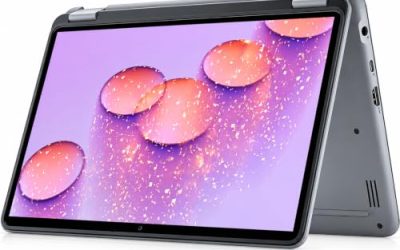
 Dell Latitude 3190 11.6" HD 2-in-1 Touchscreen Laptop3190 2-in-1 128GB/8GB11 x 1 x 3 inches2 PoundsCheck on Amazon
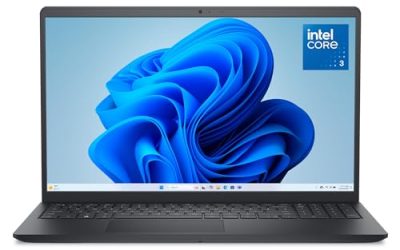
 HP 14" Ultral Light Laptop for Students and8GB RAM | 192GB Storage8.86 x 12.76 x 0.71 inches3.24 PoundsCheck on Amazon
Eight gigabytes of memory is the line where a laptop stops feeling like a compromise. A browser with a dozen tabs, a video call, and a spreadsheet can coexist on 8GB, while 4GB machines start stalling the moment a second app opens. That is why a cheap 8GB RAM laptop is such a common search: buyers want the smallest memory configuration that still runs modern Windows or Chrome OS without constant hiccups, and they want to avoid paying for specs they will never use.
This guide is for students, home-office workers, parents buying a first family computer, and anyone replacing a laptop that has gotten sluggish. The eight models below all list 8GB of RAM in the product title, but they differ a lot in storage type, screen size, processor generation, and whether the unit is new or renewed. Those differences matter more than the RAM number itself, so the sections that follow explain what to check before you commit. Everything here is judged from the listed specs, not from performance claims, and the cost tiers are described loosely because listings change often.
Quick Picks

VIGSENUP15.6 FHD Laptop 8GB RAM 256GB SSD,CPU up to3.4GHz,Office Suite | Numeric Keypad, 5000mAh battery,178°Viewing,WiFi, webcam, work/productivity,Studying /general use,Lightweight travel laptop
One of the consumer electronics options compared in this guide.
View on AmazonDell Latitude 3190 11.6" HD 2-in-1 Touchscreen Laptop Intel N5030 1.1Ghz 8GB Ram 128GB SSD Windows 11 Professional (Renewed)
One of the consumer electronics options compared in this guide.
View on AmazonHP 14" Ultral Light Laptop for Students and Business, Intel Quad-Core, 8GB RAM, 192GB Storage(64GB eMMC+128GB Ghost Manta SD Card), 1 Year Office 365, USB C, Win 11 S
One of the consumer electronics options compared in this guide.
View on Amazon
Acer 15.6” FHD Touch Chromebook, Intel N50, 8GB RAM, 128GB eMMC, Chrome OS | Laptop, DDR5, Sparkling Silver, CB315-7HT-C7GN, Business & Study
One of the consumer electronics options compared in this guide.
View on Amazon
HP 14" Laptop, Intel Processor N150 (Beat i3) 8GB RAM 128GB UFS 1-Year Office 365 Copilot AI Win11 WiFi6 Computer for Creator Business Gaming Student College
One of the consumer electronics options compared in this guide.
View on Amazon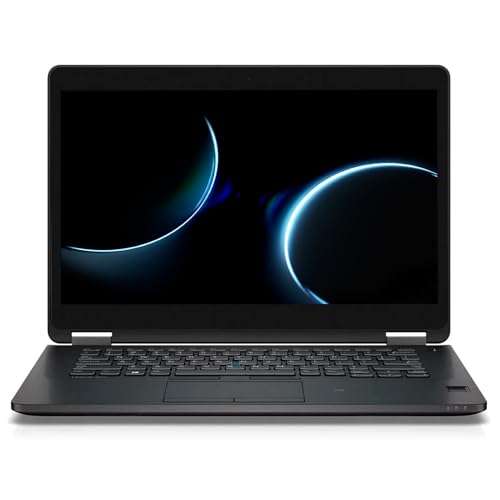
Dell Latitude E7470 Laptop with 14-Inch Screen, Intel Core i5-6300U, 8 GB RAM, 256 GB SSD, Camera, Windows 11 Pro (Renewed)
One of the consumer electronics options compared in this guide.
View on Amazon
HP Everyday Laptop • Microsoft Office 365 Included • Intel Processor • 8GB RAM • 128GB SSD • 1TB Cloud Storage • Windows 11 • Fast Charge and Long Battery Life
One of the consumer electronics options compared in this guide.
View on Amazon
HP OmniBook 3 16 inch Laptop PC, 2K Touchscreen, AMD Ryzen 3 30, 8 GB RAM, 512 GB SSD, AMD Radeon 610M GPU, Windows 11 Home, Mica Silver, 16-by0299nr
One of the consumer electronics options compared in this guide.
View on Amazon| Product | Best for | Key spec from the title |
|---|---|---|
| VIGSENUP 15.6 FHD | Home office with number entry | 8GB RAM, 256GB SSD, numeric keypad, 5000mAh battery |
| Dell Latitude 3190 | Small bag, touch use | 11.6-inch HD 2-in-1 touchscreen, Intel N5030, 128GB SSD |
| HP 14 Ultralight | Students who want Office included | Quad-core Intel, 64GB eMMC plus 128GB card, 1 year Office 365 |
| Acer 15.6 Touch Chromebook | Browser-first schoolwork | 15.6-inch FHD touch, Intel N50, 128GB eMMC, Chrome OS |
| HP 14 N150 | Newer entry-level chip | Intel N150, 128GB UFS, Wi-Fi 6, Windows 11 |
| Dell Latitude E7470 | Business-class build on a budget | Core i5-6300U, 256GB SSD, 14-inch, renewed |
| HP Everyday Laptop | Cloud storage and fast charging | 128GB SSD, 1TB cloud storage, Office 365 included |
| HP OmniBook 3 16 | Largest screen and storage | 16-inch 2K touchscreen, Ryzen 3, 512GB SSD |
How to Choose
Look past the RAM number to the storage type
Two laptops can both say 8GB and feel completely different because of the drive. A true SSD, such as the 256GB and 512GB drives listed on several models here, loads Windows and apps quickly. eMMC and UFS storage, which appear on the Chromebook and one HP model, are slower flash chips soldered to the board. They are fine for light browsing, but app installs and updates take longer. Also notice capacity: 128GB leaves little room once Windows updates and a few programs are installed, so plan on cloud storage or an external drive if you pick that tier.
Match the processor to the job
Entry-level Intel N-series chips such as the N5030, N50, and N150 are built for web pages, documents, streaming, and video calls. They are not meant for photo batches, large spreadsheets, or anything with heavy multitasking. A Core i5 from an older generation, like the i5-6300U in the renewed Latitude, has more headroom for office work but is several generations old. A Ryzen 3 sits above the N-series class for general use. If your workload is mostly a browser, any of these is workable; if you juggle many programs, favor the stronger chip or the larger SSD.
Screen size, resolution, and touch
Look for at least 1920×1080 on a 14-inch or 15.6-inch panel if you will read documents for hours. An 11.6-inch HD screen is easier to carry but cramped for two windows side by side. Touch is useful for 2-in-1 and classroom use, though it adds cost and can reduce battery life. A 16-inch 2K screen gives the most workspace, and it makes the laptop physically larger, so check that it fits your bag and desk.
New, renewed, and what to ignore
Renewed business laptops can pack older but sturdier hardware, yet battery wear and cosmetic marks are possible, so read the return terms. Ignore headline gigahertz numbers that cite a maximum boost, vague phrases like “beats” a competitor chip, and bundled software that expires. Office subscriptions in these titles are time-limited, and cloud storage allotments are not the same as drive space. Budget models cut corners on storage speed, keyboard backlighting, and port selection, so verify those against your daily needs.
The 8 Best Options
VIGSENUP 15.6 FHD Laptop
This 15.6-inch model pairs 8GB of RAM with a 256GB SSD, which is a more comfortable storage tier than most entry-level listings. The title also lists a numeric keypad, a 5000mAh battery, a webcam, Wi-Fi, and an office suite, making it a straightforward pick for paperwork and remote calls. It suits someone who types numbers all day and wants a full-size screen without moving into premium territory.
- Strength: 256GB SSD gives more room and faster loading than eMMC-based rivals.
- Strength: numeric keypad and 15.6-inch FHD screen suit data entry and reading.
- Trade-off: the brand is far less established than Dell or HP, so confirm warranty and support terms.
Skip it if you want a recognizable brand name or a thin, light carry.
Dell Latitude 3190 2-in-1
The Latitude 3190 is a compact 11.6-inch HD touchscreen convertible with an Intel N5030, 8GB of RAM, a 128GB SSD, and Windows 11 Professional. Its renewed status means it is a refurbished unit. The small footprint makes it a natural fit for a student who wants something to toss in a backpack for note-taking and web work.
- Strength: 2-in-1 touchscreen design works for tablet-style reading and note-taking.
- Strength: Windows 11 Professional adds business-oriented management features.
- Trade-off: HD resolution on a small panel and a 128GB drive limit multitasking and storage.
Skip it if you want a large screen or plan to keep many files locally.
HP 14 Ultralight Laptop
This HP 14-inch laptop lists an Intel quad-core processor, 8GB of RAM, and a split storage setup of 64GB eMMC plus a 128GB card, totaling 192GB. A one-year Office 365 subscription is included. It is aimed at students and light business users who want a lightweight machine and bundled productivity software.
- Strength: the 14-inch size and ultralight positioning suit commuting and classrooms.
- Strength: included Office 365 for one year covers documents out of the box.
- Trade-off: the storage is partly an SD card, which is slower and easier to lose than an internal SSD.
Skip it if you want one fast internal drive for installing programs.
Acer 15.6 Touch Chromebook CB315
The Acer CB315-7HT is a 15.6-inch Full HD touchscreen Chromebook with an Intel N50, 8GB of DDR5 memory, and 128GB eMMC storage running Chrome OS. It is built around web apps, streaming, and schoolwork rather than traditional Windows programs, and the touch panel adds flexibility for tablet-like tapping.
- Strength: DDR5 memory and a large touch FHD display are generous for this class.
- Strength: Chrome OS keeps the system simple for browser-based study and work.
- Trade-off: no Windows software, so desktop-only programs will not run.
Skip it if your school or job requires Windows-only applications.
HP 14 Laptop with Intel N150
This 14-inch HP uses the newer Intel N150 processor, 8GB of RAM, and 128GB of UFS storage, with Windows 11, Wi-Fi 6, and a one-year Office 365 subscription. The title also mentions Copilot features, which appeal to buyers who want AI-assisted tools on an entry-level machine.
- Strength: a newer-generation entry chip and Wi-Fi 6 support for faster wireless connections.
- Strength: Windows 11 with Office 365 included covers the basics immediately.
- Trade-off: 128GB of UFS is fast for flash storage but small once updates accumulate.
Skip it if you store large media libraries or need a bigger screen.
Dell Latitude E7470 14-Inch
A renewed business laptop, the E7470 lists a 14-inch screen, an Intel Core i5-6300U, 8GB of RAM, a 256GB SSD, a camera, and Windows 11 Pro. It is the oldest platform in this group, but the i5 and the 256GB SSD give it a stronger office profile than the N-series machines.
- Strength: 256GB SSD with a Core i5 handles everyday office multitasking.
- Strength: business-line Latitude design and Windows 11 Pro.
- Trade-off: a sixth-generation processor and a renewed battery may age faster than new hardware.
Skip it if you want the newest wireless standards or need long, certain battery life.
HP Everyday Laptop
The HP Everyday laptop lists an Intel processor, 8GB of RAM, a 128GB SSD, Windows 11, Microsoft Office 365, and 1TB of cloud storage, along with fast charge and long battery claims in the title. It targets households that want a ready-to-use laptop with cloud backup built in.
- Strength: the title lists 1TB of cloud storage, which offsets the small 128GB SSD.
- Strength: fast charging is useful for quick top-ups between classes or meetings.
- Trade-off: cloud storage and Office are subscription-style extras, not permanent drive space.
Skip it if you dislike subscriptions or want more local storage.
HP OmniBook 3 16
The OmniBook 3 16 is the largest and most upscale configuration here: a 16-inch 2K touchscreen, AMD Ryzen 3, 8GB of RAM, a 512GB SSD, Radeon 610M graphics, and Windows 11 Home. The 512GB SSD and big display make it the most spacious pick for working with several windows open.
- Strength: 512GB SSD is the roomiest storage in this group.
- Strength: 16-inch 2K touchscreen offers the most screen real estate.
- Trade-off: it sits at the upper end of the budget tiers and is bulkier to carry.
Skip it if portability matters more than workspace.
Which One Fits Your Situation
You carry your laptop all day
The Dell Latitude 3190 and the HP 14 Ultralight are the two smaller-footprint choices. The Latitude adds a touchscreen convertible design, while the HP gives you a larger 14-inch panel and an Office subscription.
You need the most local storage
The HP OmniBook 3 16 with a 512GB SSD leads, followed by the VIGSENUP and the Dell E7470 at 256GB each. These make sense if you keep photos, documents, and installed programs on the device.
Your work lives in a browser
The Acer Chromebook fits perfectly: a large touch screen, DDR5 memory, and Chrome OS. It keeps costs down because it does not need a heavy desktop operating system.
You want a newer entry chip with Windows
The HP 14 with the Intel N150 offers Windows 11, Wi-Fi 6, and bundled Office, while the HP Everyday adds 1TB of cloud storage for backup-minded buyers.
Common Mistakes
- Assuming all 8GB laptops perform alike and ignoring whether storage is an SSD, eMMC, or UFS.
- Buying a 128GB model and then running out of space after a few Windows updates.
- Treating bundled Office or cloud storage as permanent when they are time-limited.
- Choosing an 11.6-inch HD screen for long document sessions where a 14-inch or larger FHD display would be easier on the eyes.
- Skipping the return and warranty terms on renewed units, where battery wear is the most common issue.
Related guides
- How To Extend Battery Life On A Handheld Gaming Pc
- Gen4 Nvme M2 Ssds For High Performance Pc
- Racing Wheels And Flight Sticks For Pc
Frequently Asked Questions
Is 8GB of RAM enough in 2026?
For browsing, streaming, documents, and video calls, yes. Heavy photo editing, large spreadsheets, and many simultaneous programs will push past it, so consider 16GB if your work is demanding.
Are renewed laptops worth considering?
They can offer sturdier business hardware for less money. Check the return window, battery condition, and seller warranty, and expect older processors than in new models.
Should I pick a Chromebook or a Windows laptop?
Choose a Chromebook if nearly everything you do happens in a web browser. Pick Windows if you need desktop software such as full-featured Office programs, specialty tools, or certain school applications.
Does eMMC storage matter?
It does. eMMC and UFS are slower than a true SSD and tend to be small, so they suit light use. If you install many programs or move large files, a 256GB or larger SSD is the safer choice.