Key takeaways
- Comfortable, accurate typing that reduces fatigue over long workdays.
- Multi-device wireless on the Logitech and AULA boards for seamless switching.
- Hot-swappable options let you customize switch feel and quiet the board further.
- Durable builds with metal frames and PBT keycaps on several models.
A mechanical keyboard built for work strikes a careful balance: satisfying, accurate keystrokes that keep you productive through long typing sessions, without the loud clacking or gamer aesthetics that feel out of place in an office. The best work keyboards deliver comfort, quiet reliability, and thoughtful connectivity for a clean, distraction-free desk.
In this review we evaluate a strong lineup of mechanical keyboards suited to professional use, from premium wireless productivity boards to affordable hot-swappable options. We look at switch feel, typing comfort, wireless flexibility, and how well each holds up across a full workday.
Our top picks


 Redragon Mechanical Gaming Keyboard Wired
- Product Group: Personal Computer
- Binding: Personal Computers

 Logitech G413 SE Full-Size Mechanical Gaming Keyboard
- Product Group: Personal Computer
- Binding: Personal Computers


As an Amazon Associate we earn from qualifying purchases at no extra cost to you. Ratings are shown as listed on Amazon.
🎮 Get More From Your Setup — Free
Prime Gaming gives you free PC games every month, in-game loot, and a free Twitch channel sub — plus fast free shipping on all the gear above. New members get a 30-day free trial.
Watch: Good Mechanical Keyboard For Work — Video Review
Design & Build
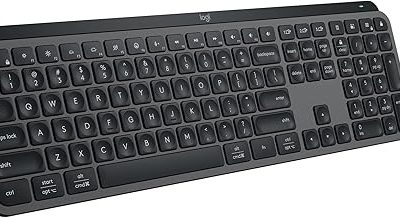
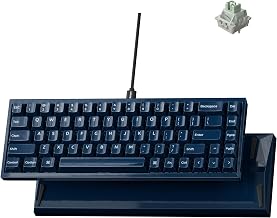
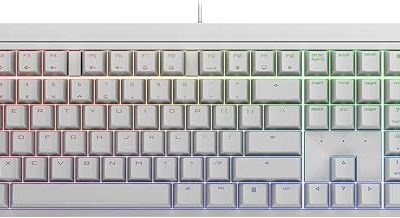
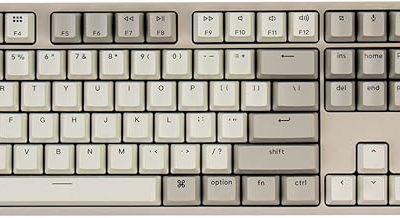
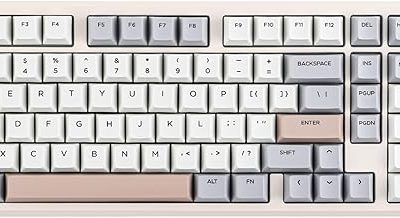
Logitech’s productivity boards anchor the premium end. The Logitech MX Mechanical pairs a low-profile tactile switch with a metal-topped body and multi-device Bluetooth, making it a refined desk centerpiece. The Logitech Alto Keys K98M adds gasket-mounted, vibration-absorbing construction for a softer, quieter typing feel. For those who want tinkering potential, the AULA F99 and F75 Pro offer hot-swappable switches, pre-lubed linear or Reaper switches, and PBT keycaps at a fraction of the price. The Redragon wired board and full-size Logitech G413 SE round out the value tier with durable aluminum builds. Layouts range from compact 75% boards that free desk space to full-size options with a numpad for data work.
Performance
Typing comfort is the deciding factor for work, and the field delivers. The MX Mechanical’s tactile low-profile switches feel fast and controlled, ideal for writers and coders who type all day, while the Alto Keys K98M’s gasket mount and vibration absorption make long sessions gentler on the hands. The AULA F99 and F75 Pro impress with pre-lubed switches that feel smooth and quiet out of the box, and their tri-mode connectivity across Bluetooth, 2.4 GHz, and USB-C lets you juggle a laptop and desktop seamlessly. The Redragon and G413 SE, being wired, offer rock-solid latency and anti-ghosting. Battery life on the Logitech wireless boards spans weeks, and backlighting on most models aids visibility without being garish.
Pros & Cons
- Comfortable, accurate typing that reduces fatigue over long workdays.
- Multi-device wireless on the Logitech and AULA boards for seamless switching.
- Hot-swappable options let you customize switch feel and quiet the board further.
- Durable builds with metal frames and PBT keycaps on several models.
- Some gaming styling on the AULA and Redragon boards may feel bold for formal offices.
- Premium Logitech pricing is steep compared to the value hot-swap options.
- Louder switches on a few models are worth avoiding in shared spaces.
Alternatives to Consider
For a polished, quiet, multi-device experience, the Logitech MX Mechanical or gasket-mounted Alto Keys K98M are the professional picks. If you want more feel for your money and enjoy customizing, the AULA F99 and F75 Pro deliver hot-swap flexibility and tri-mode wireless at a lower price. Those who prefer a simple, reliable wired board should consider the Logitech G413 SE or the Redragon for their durable, no-fuss operation.
Frequently Asked Questions
Which switches are best for a quiet office?
Tactile or pre-lubed linear switches, like those on the MX Mechanical or AULA boards, offer a controlled, quieter typing feel. Avoid clicky switches in shared spaces, and consider hot-swap boards so you can fine-tune the sound.
Are low-profile keyboards better for work?
Many people find low-profile boards like the MX Mechanical more comfortable and less fatiguing for long typing, as the shorter travel feels closer to a laptop keyboard while retaining mechanical precision.
Do I need wireless or wired for work?
Wireless multi-device boards are great for clean desks and switching between a laptop and desktop. Wired boards offer the lowest latency and never need charging, which some professionals prefer for reliability.
What does hot-swappable add for office use?
It lets you replace switches without soldering, so you can quiet a board, change the feel, or fix a faulty key over time. The AULA F99 and F75 Pro make this easy and affordable.
Verdict
The best work keyboard depends on your priorities. For a refined, quiet, multi-device desk the Logitech MX Mechanical is our top pick, with the Alto Keys K98M close behind for its cushioned gasket feel. Value seekers who enjoy customization will find the AULA F99 hard to beat, delivering hot-swap flexibility and versatile wireless connectivity for everyday productivity.