Key takeaways
- One new CR2032 3 volt lithium coin cell, which is the type ASUS lists for its boards.
- A small screwdriver for the case panel and, if the holder requires it, to nudge the clip.
- A phone to photograph your BIOS pages and the board layout first.
- Optional: an anti-static wrist strap.
The motherboard battery is a coin-style CR2032 cell, and replacing it takes about five minutes: unplug the PC, find the coin on the board, release the retaining clip, drop in a fresh cell positive side up, and then reset the clock in BIOS. Nothing on your drives is affected, but custom BIOS settings will be reset to defaults.
Is It Really the Battery?
Before opening the case, rule out other causes. A coin cell that has run flat usually shows up in a few ways, though several of these also have other explanations.
| What you see | Battery suspected? | Also consider |
|---|---|---|
| Time and date reset every time the PC is unplugged or off for a while | Yes, the classic symptom | Time zone or Windows sync problems |
| BIOS asks you to press a key to load defaults at every start | Likely | Failed firmware update |
| Boot order or memory profile forgotten | Likely | A recent BIOS reset on purpose |
| PC will not boot at all | Unlikely by itself; a flat coin rarely blocks boot | Memory, power supply, cabling |
| Random crashes while gaming | Unlikely | Temperatures, drivers, memory stability |
What You Need
- One new CR2032 3 volt lithium coin cell, which is the type ASUS lists for its boards.
- A small screwdriver for the case panel and, if the holder requires it, to nudge the clip.
- A phone to photograph your BIOS pages and the board layout first.
- Optional: an anti-static wrist strap.
The Replacement Procedure
1. Save what you can
Restart into setup and photograph pages with custom values: fan curves, boot priority, memory profile, any overclock. The replacement resets them. Also note your BIOS version.
2. Power down fully
Shut down, flip the power supply switch off, unplug the cable, and hold the power button for a few seconds to bleed off stored charge. Move the PC to a table or clear floor space.
3. Open and ground
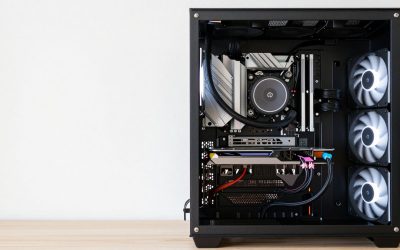
Take off the side panel and touch the bare metal frame before reaching in. If the graphics card blocks the view of the battery, which can happen on boards where the holder sits below the first slot, you may need to remove it, following the card maker’s instructions.
4. Find the cell
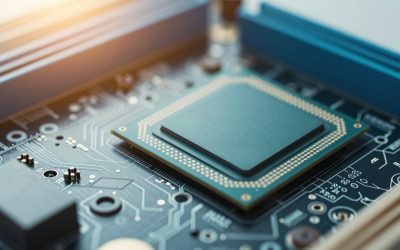
Look for a shiny, round, flat battery about the size of a coin in a small socket. The board manual shows its location if you cannot spot it. Some boards have a rubber plug over it that must come off first.
5. Remove the old one
ASUS describes pressing the latch with a screwdriver until the battery pops up. Other holders have a metal side clip that you push away while the cell lifts out. Support the board with one hand so it does not flex, and do not use force.
6. Fit the new one
Slide the new coin under the clip with the printed positive side up, or whichever way matches the old cell, and press until it seats flat and stays put. Put back any rubber plug.
7. Close and reset settings
Refit the panel, reconnect power, and enter setup. Set the date and time, then restore your photographed settings, starting with boot order and memory profile.
Holder Styles and What to Do
| Holder style | Release method | Watch out for |
|---|---|---|
| Spring latch on one side | Press the latch aside; the cell pops up | Do not bend the latch outward too far |
| Press-down tab | Press the tab with a screwdriver tip | Keep the tip off other components |
| Rubber plug cover | Pull the plug straight up first | Refit it afterward |
| Cell on a short wire with plug | Disconnect the connector at the board | Use the matching battery pack |
| Soldered cell | Not user-serviceable | Contact the maker |
Picking the Cell
CR2032 is the common size, but check the markings on the old one. Choose a recognised brand and a cell with plenty of shelf life remaining, since lithium coin cells slowly discharge in storage. Rechargeable lookalikes carry a different voltage and are not interchangeable unless the board manual says so. If you have small children or pets, keep the old and new coin cells out of reach, as swallowed button cells are a serious emergency and should lead to immediate medical help.
Mistakes That Cause Trouble
- Leaving the PC plugged in, which keeps standby power active on the board.
- Putting the cell in upside down, so it does not make contact and the clock keeps resetting.
- Scratching the board while levering the cell; use plastic tools where possible.
- Not noting settings first, then wondering why games feel slower. Often the memory profile is what disappeared.
- Throwing away the old cell with household waste instead of a battery drop-off.
- Assuming the board is dead if it does not start instantly; some boards take a longer first boot as memory retrains after settings reset.
If Problems Continue After Replacement
If the clock still resets, re-seat the cell and check polarity. Try a second new cell in case the first was dead. If it still fails, the holder contacts or the board may be at fault, and the maker or a technician is the next step. If the PC shows a boot loop after replacement, a BIOS settings reset is usually responsible; the manual explains the clear CMOS procedure, and entering setup to load defaults or the memory profile fixes most cases.
Frequently Asked Questions
Does replacing the motherboard battery erase Windows?
No. Windows and your files are on the storage drive. Only the clock and BIOS settings stored on the board reset.
Which battery does my motherboard use?
Most desktop boards use a CR2032. The type is stamped on the old cell, and the board manual lists it too.
Can a dead CMOS battery stop the PC from starting?
It can lead to boot setting errors and prompts at start-up, but it normally does not stop a PC from running once settings are loaded. Other faults are more likely when a PC will not power on.
How often should I replace it?
There is no fixed schedule. Replace it when the clock or settings start to reset. Guides commonly cite several years of service.
Is it safe to replace while the PC is on?
No. Turn the computer off, unplug it, and then open the case. Working powered risks damage to the board.
What is the difference between clearing CMOS and replacing the battery?
Clearing CMOS uses a jumper or button to reset settings and is covered in the manual. Replacing the battery swaps the power source. Both leave you with default settings.
FAQ
Is It Really the Battery?
Does replacing the motherboard battery erase Windows?
Which battery does my motherboard use?
Can a dead CMOS battery stop the PC from starting?
How often should I replace it?
Is it safe to replace while the PC is on?
What is the difference between clearing CMOS and replacing the battery?
More from Amazon
Programs that pair well with the guide above. Offers and eligibility are set by Amazon and may change.
Free shipping on eligible items, Prime Video and more. Eligible new members can start with a free trial.
Start a Prime free trialAd-free music streaming. Eligible new subscribers can start with a free trial.
Try Music Unlimited freeA Prime membership for ages 18-24 with a trial period. Eligibility is set by Amazon.
See Prime for Young AdultsAudiobooks and podcasts to listen to on the go. Eligible new members can start with a free trial.
Try Audible freeAs an Amazon Associate we earn from qualifying purchases.