Key takeaways
- Starlink Mini review: real-world speeds, latency, portability, power draw and plans from independent tests, plus who should buy it and who should skip it.
As an Amazon Associate we earn from qualifying purchases.
The Starlink Mini is SpaceX’s smallest satellite internet terminal: a laptop-sized dish with a Wi-Fi router built into the same flat panel, designed to deliver broadband anywhere with a clear view of the sky. Since its launch in mid-2024, it has become the default connection for van lifers, remote workers, boaters and anyone whose office is a campsite, a job site or a beach with no cell signal. It is not a home internet replacement, and it is not magic. Trees, weather and network congestion all shape what you actually get. What it is, though, is the first genuinely portable way to carry real broadband in a backpack. This review pulls together the published specifications and the most thorough independent tests available as of November 2026 — including one reviewer who ran 142 speed tests across seven environments over five months — to answer the questions that matter: how fast is it really, how much power does it draw, how easy is it to live with, and who should buy one and who should skip it.
How We Chose
A review is only useful if it separates marketing claims from measured reality, so we judged the Mini on the evidence that matters most to people who will actually carry it. Speed and latency come first, and we relied on independent detailed research rather than advertised figures, weighting results from multiple reviewers who tested in different places and at different times of day. Portability is the Mini’s whole reason to exist, so we looked hard at its size, weight and what else you must carry to use it. Power draw matters just as much off-grid, so we compared the published power figures with measured draw and worked out realistic runtimes from common portable power stations and battery banks. We also assessed setup time, the app experience, durability in bad weather, the built-in router’s capabilities and limits, and the real cost of ownership across the available service plans. Finally, we compared the Mini directly with the larger Standard dish, because the choice between the two is the decision most buyers actually face. We also note where the evidence is thin, so you can tell a solid finding from a single anecdote. This review is research-based: it draws on Starlink’s published specifications and independent testing, and where reviewers disagree, we say so rather than picking the most flattering number.
Starlink Mini Review: The Full Breakdown
Speed and Latency
Starlink advertises speeds above 300 Mbps for the Mini, but independent testing tells a more grounded story. Across the most thorough tests available, real-world downloads typically land between 50 and 200 Mbps, with averages in the 100 to 150 Mbps range. One reviewer who ran 142 tests over five months averaged 112 Mbps down and recorded a peak of 187 Mbps in open desert. Another practical test averaged 125 Mbps down, 16 Mbps up and 35 ms of latency. Uploads are the weaker side of the connection, usually 8 to 25 Mbps, and latency generally sits between 20 and 50 ms — dramatically better than old geostationary satellite internet, which often exceeds 600 ms, and close enough to cable for video calls and casual online gaming. Where you use it matters enormously. In open desert and plains, testers averaged close to 147 Mbps; in an open campground that fell to about 108 Mbps; under partial tree cover it dropped to around 75 Mbps; and in dense forest it collapsed to roughly 31 Mbps. Congested areas, such as a busy campground on a holiday weekend, can push downloads down to the 15 to 30 Mbps range with latency climbing toward 100 ms. Side by side with the Standard dish at the same locations, the Mini runs about 10 to 20 percent slower, which Starlink attributes to the smaller antenna. For streaming in 4K, video calls and large downloads, the Mini is comfortably fast. For heavy cloud uploads or competitive gaming at the highest level, its limits show.
Portability and Design
The Mini measures 298.5 by 259 by 38.5 millimetres — roughly the footprint of a thick 15-inch laptop — and the dish alone weighs just 1.1 kg. With the kickstand attached it comes to about 1.45 kg, still less than half the weight of the Standard dish. It fits in an ordinary backpack, which is the point: the whole terminal, router included, is one flat panel with no separate box, no extra cable run and no second power supply to manage. The box includes the kickstand, a pipe adapter and a flat mount, plus a 15-metre DC power cable. That long cable is useful for a van or a cabin roof, but hikers generally leave it at home and swap in a short cable instead. There are no moving parts for aiming. The phased-array antenna steers its beam electronically, so setup means placing the dish, propping it on its kickstand and letting it find the sky. The trade-off for all this compactness is a smaller antenna with a 110-degree field of view, which is why the Mini is more sensitive to obstructions than its bigger sibling and needs a wider patch of open sky to perform at its best.
Power Draw and Battery Life
Power is the Mini’s quiet superpower and its most important limitation at the same time. The dish draws 25 to 40 watts on average, and testers have measured around 20 watts when it is connected but idle. That is roughly a third of what the Standard dish uses, and it is what makes the Mini practical away from mains power. It accepts 12 to 48 volt DC input, so it can run directly from a vehicle battery or a portable power station, and with an adapter cable it can run from a USB-C power bank. There is no internal battery, so you always need an external power source. The runtime maths are straightforward: at a 30-watt average draw, a 500 watt-hour power station runs the Mini for roughly 16 hours, while a 99 watt-hour battery bank — the largest size generally allowed in carry-on luggage — powers it for a little over four hours. Van owners typically wire it to a leisure battery and forget about it, while backpackers treat power as the real weight budget: the dish is light, but the battery to feed it is not. One practical note from testers is that the dish draws more power during its initial boot and while searching for satellites, then settles once it locks on.
Setup and the App
Setup takes under ten minutes, and most of that is finding a good spot. You place the dish with a clear view of the sky, connect power, and open the Starlink app, which walks through alignment and checks for obstructions. The app’s obstruction tool is genuinely useful: it shows where trees or buildings block the sky so you can move the dish before you start working rather than discovering the problem mid-call. There is no technician visit and no permanent installation, which is the whole appeal for travellers. Once aligned, the connection typically comes up within a minute or two. The app also handles firmware updates, lets you pause and resume service, and shows live statistics for speed, latency and obstructions. What it does not offer is much control over the network itself. There is no VLAN support, no granular quality-of-service settings and no built-in VPN server, so anyone who needs advanced networking will want to add their own router through the single Ethernet port. That simplicity is a feature for most buyers and a limitation for a few.
Built-in Wi-Fi and Networking
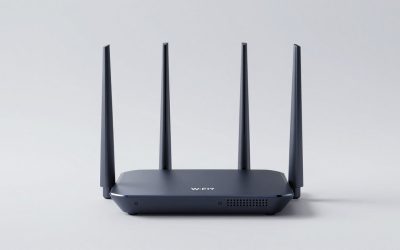
The router is built into the dish, and it is a Wi-Fi 5 dual-band unit with 3 by 3 MU-MIMO, rated for coverage up to about 112 square metres and up to 128 connected devices. In testing, the 5 GHz band delivered 150 to 200 Mbps to a laptop at close range, while the 2.4 GHz band averaged 40 to 60 Mbps — fine for phones, sensors and lower-demand devices. That coverage is plenty for a van, a boat or a small cabin, but the signal has to travel from wherever the dish sits, and if the dish is on a roof while you are indoors, the connection can get inconsistent. Starlink’s answer is the Router Mini, a separate indoor Wi-Fi 6 router sold on its own and bundled with the dish in the newer Mini X kit. The Mini X is worth understanding clearly: it is the same Mini dish in the box, not a new antenna, with the extra router added to improve indoor coverage. The router does not make the satellite connection any faster. For most portable use the built-in Wi-Fi is enough, and the extra router only earns its place when the dish lives permanently outside while people work inside.
Durability and Weather Resistance
The Mini is built to live outdoors. It carries an IP67 rating, meaning it is fully dust-tight and can survive submersion in up to a metre of water for 30 minutes. It operates from minus 30 to 50 degrees Celsius, handles winds of 96 kilometres per hour and can melt up to 25 millimetres of snow per hour. That snow-melting figure is worth noting because it is lower than the Standard dish, so the Mini is a weaker choice for a permanent installation in a snowy region. In rain, dust and heat, reviewers report no problems, and the solid-state design with no moving parts means there is little to break. The weak points are the accessories rather than the dish itself: the power cable and connectors need to be kept clean and dry at the plug, and the kickstand is the most breakable part of the kit. For a device that gets tossed in backpacks, strapped to roof racks and left out in storms, the build quality is one of the least controversial things about it.
Plans and Running Costs
The Mini runs on Starlink’s mobile Roam plans rather than standard residential service in most regions. There is a capped monthly tier with a 50 GB data allowance and an unlimited tier for heavy users, and service can be paused month to month, which matters for seasonal travellers who only need it for part of the year. In-motion use — staying connected while driving — is permitted on the unlimited tier but not on the capped tier, so van lifers who want internet on the move need the higher plan. The capped tier is enough for email, messaging, navigation and occasional video calls, but 50 GB disappears quickly with regular streaming or cloud backups, and heavy users will find the unlimited tier the only realistic option. Hardware and plan prices have moved several times since launch and vary by region, so check the current figures on Starlink’s website before buying rather than relying on any quoted price. The total cost of ownership is the hardware plus the monthly plan, and for occasional travellers the ability to pause service is what keeps the maths reasonable.
Starlink Mini vs the Standard Dish
The choice most buyers face is Mini or Standard, and it comes down to mobility versus performance. The Standard dish is faster, typically 100 to 200 Mbps in real-world testing, and in side-by-side tests at identical locations it averaged about 19 percent higher downloads than the Mini. It has a larger antenna, a wider field of view, a separate and more capable router, and it melts snow faster, which makes it the better fixed installation for a home or a cabin. But it weighs 2.9 kg, draws 75 to 100 watts, and needs mains power or a large power station. The Mini gives up roughly a fifth of the speed in exchange for a dish that weighs a third as much, draws a third of the power, fits in a backpack and runs from a vehicle battery. If the dish will move — between campsites, boats, job sites or countries — the Mini is the right tool. If it will sit on one roof for years, the Standard dish is the better buy and usually the cheaper one over time.
How to Use Them
Getting the most from the Mini is mostly about sky, power and data discipline. Start with the sky: use the app’s obstruction checker before you settle in, and favour ridges, lakeshores, open fields and rooftops over forest clearings. Even partial tree cover can cut speeds in half, and a dish tucked under branches may not connect at all, so a few minutes spent finding open sky pays for itself all day. Mount the dish where it cannot be knocked over or walked on, and remember that the Wi-Fi signal radiates from the dish itself — if you are working inside a metal-roofed van while the dish sits outside, expect weaker indoor coverage unless you add a separate router. For power, a vehicle battery or a portable power station is the simplest setup; for hiking, pair the dish with the largest battery bank you are willing to carry and a short power cable, and switch the dish off when you are not using it rather than letting it idle. On a capped data plan, treat data like fuel: download maps and media over Wi-Fi before you leave, set video to standard definition, pause cloud photo backups until you are on an unlimited connection, and use the app’s usage statistics to catch runaway syncing early. Keep the firmware updated through the app, keep the power connector clean and dry, and store the dish face-down or in a sleeve when it is in transit so the face does not get scratched. Finally, test the whole setup at home before a trip, so any problem shows up where you can fix it.
Frequently Asked Questions
How fast is the Starlink Mini really?
In independent testing, the Mini typically delivers 50 to 200 Mbps down, with averages around 100 to 150 Mbps in open-sky conditions. Uploads usually run 8 to 25 Mbps, and latency sits between 20 and 50 ms. Speeds fall sharply under tree cover or in congested areas, and the Mini runs about 10 to 20 percent slower than the larger Standard dish at the same location.
Can you use the Starlink Mini while driving or hiking?
You can use it in motion on the road with the unlimited Roam plan, and many van lifers do. Hiking with it is a different story: it needs a clear view of the sky, so it works at camp or on a summit, not while walking under trees. One tester walking through tree-lined streets got no connection at all for about twenty minutes, then connected quickly once the sky opened up.
How long does the Starlink Mini run on a power bank?
At its average draw of 25 to 40 watts, a 99 watt-hour bank powers it for a little over four hours, while a 500 watt-hour portable power station runs it for roughly sixteen hours. Actual runtime depends on conditions, since the dish draws more power while searching for satellites and in cold weather. It has no internal battery, so an external power source is always required.
Do you need the Mini X or a separate router?
Most portable users do not. The built-in Wi-Fi 5 router covers a van, boat or small cabin comfortably. The Mini X bundle adds a separate indoor Wi-Fi 6 router to the same dish, which helps when the dish is mounted outside and people work inside a house or cabin. It does not make the satellite connection faster.
Is the Starlink Mini good enough as home internet?
For a cabin or a rural property with no cable or fibre, it can work, but the Standard dish is usually the better home choice: it is faster, handles snow better and has a more capable router. The Mini makes sense at home mainly as a backup connection or a portable one that doubles as a home connection between trips.
Conclusion
The Starlink Mini is the best portable satellite internet you can buy. If you travel, work remotely from places without cell service, live in a van or boat, or need a backup connection, it is hard to beat: broadband speeds from a 1.1 kg panel that runs on a battery and sets up in minutes. Its weaknesses are real but narrow — modest uploads, sensitivity to trees, Wi-Fi 5 only, and data plans that punish heavy use on the capped tier. It is not a replacement for fibre or cable, and anyone with a reliable fixed connection should not buy one as a primary connection. For off-grid use, nothing else in its size class comes close. Buy the standard kit for travel, consider the Mini X bundle if the dish will live on a roof while you work indoors, and check the current plan prices before you commit.
FAQ
How fast is the Starlink Mini really?
Can you use the Starlink Mini while driving or hiking?
How long does the Starlink Mini run on a power bank?
Do you need the Mini X or a separate router?
Is the Starlink Mini good enough as home internet?
More from Amazon
Programs that pair well with the guide above. Offers and eligibility are set by Amazon and may change.
Free shipping on eligible items, Prime Video and more. Eligible new members can start with a free trial.
Start a Prime free trialAd-free music streaming. Eligible new subscribers can start with a free trial.
Try Music Unlimited freeA Prime membership for ages 18-24 with a trial period. Eligibility is set by Amazon.
See Prime for Young AdultsAudiobooks and podcasts to listen to on the go. Eligible new members can start with a free trial.
Try Audible freeAs an Amazon Associate we earn from qualifying purchases.