Our Top Picks
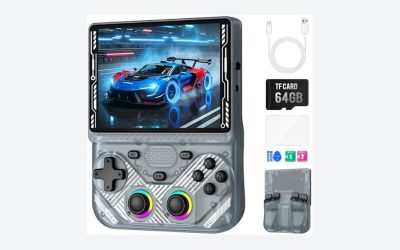
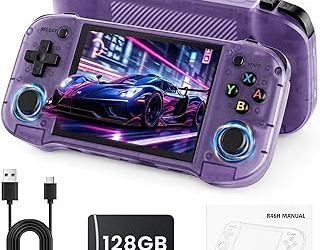
 Retroid Pocket 4/4Pro Retro Game Handheld3.25 x 7.27 x 0.62 inches7.27 x 3.25 x 0.62 InchesCheck on Amazon
No, fangames are not preloaded on the Retroid Pocket 5. The handheld normally comes with Android, Retroid’s setup and launcher software, system utilities, and emulator-related apps, but it does not officially include a library of fan-made games. You must obtain each fangame yourself from a legitimate source and install a version that matches Android or the operating system used by the game.
What software comes with the Retroid Pocket 5?
The Retroid Pocket 5 is an Android gaming handheld rather than a console sold with a built-in licensed game library. Its included software is intended to help you configure the device, launch Android games, and organize emulators and legally obtained game files.

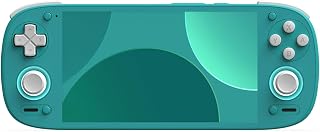
Retroid Pocket 5 Retro Handheld Game Console, 8+128G, 5.5-inch touchscreen 1080p Portable Android Gaming Handheld with Adreno 650 GPU & WiFi 6/BT5.1, Snapdragon 865 Processor, Android 13 (GC)
One of the consumer electronics options compared in this guide.
View on Amazon
Game Card for Retroid Pocket 5, 6, G2, Flip, 30+ Emulators, Retro Classic Games, Multiple Storage Sizes (256, GB)
One of the consumer electronics options compared in this guide.
View on AmazonRetroid Pocket 4/4Pro Retro Game Handheld - Android Console with Multiple Emulators, 4.7 Inch Display, 5000mAh Battery - Classic Games Console (RP4 Pro, Black, D1100)
Chosen because it lists an explicit depth/thickness.
View on Amazon- Android operating system and standard Android settings
- Retroid’s launcher and handheld configuration tools
- Preinstalled emulators or emulator setup utilities, depending on the firmware bundle and region
- File-management and storage tools
- Google Play access or other Android software needed for downloading compatible apps, depending on the installed system image
The exact app list can change with firmware updates, and a factory reset may remove user-installed software. More importantly, the presence of an emulator does not mean that games are included. Emulators are programs that reproduce another platform’s hardware or software environment; they are not game licenses.
You should also distinguish between a fangame and a ROM hack. A fangame is usually a new program inspired by an existing franchise, while a ROM hack modifies an original game image. A fangame may be distributed as an Android APK, a Windows executable, a Linux build, or a source-code project. A ROM hack usually requires an original dump and a patching tool, and downloading a prepatched copyrighted ROM may not be lawful in your country.
Why do some Retroid listings appear to include games?
Third-party sellers sometimes advertise “games included,” “thousands of games,” or a preloaded microSD card. That wording does not describe a standard Retroid Pocket 5 software entitlement. It may refer to a seller-installed collection, public-domain homebrew, trial software, emulator files, or copyrighted game files whose distribution is unauthorized.
A used or modified unit can also contain files left by a previous owner. Those files are not proof that Retroid officially supplies fangames, and they may introduce outdated emulators, malware, broken shortcuts, or legal uncertainty. For a clean setup, copy off any personal saves you need, then use the device’s reset option and install software from sources you trust.
Can a legally obtained fangame run on the Retroid Pocket 5?
Yes, if the developer provides an Android build or the game can run through a compatible Android layer. The Retroid Pocket 5 uses Android hardware based on an ARM mobile processor, so an APK compiled for a compatible ARM Android configuration is the simplest case.
A Windows-only fangame is not automatically compatible. A Windows executable may require an additional compatibility layer, and performance varies with the game engine, graphics API, controls, and required runtime libraries. A Linux x86 build is likewise not a straightforward install on an ARM Android handheld. When possible, choose an official Android release rather than converting a desktop build.
| Fangame format | Expected compatibility | What you need |
|---|---|---|
| Android APK or APK bundle | Best option | Compatible ARM build, Android permissions, and often an expansion-data folder |
| Open-source Android project | Possible | A developer-provided build or the ability to compile it for Android |
| Windows executable | Variable | A compatible Android Windows-game layer, correct graphics settings, and game files |
| Linux x86 executable | Usually inconvenient | An ARM-compatible port or a suitable compatibility environment |
| ROM hack or patched ROM | Depends on the target emulator | A legally dumped original game and a patch from the project author |
How to install a legal Android fangame
1. Confirm the source and file type
Download the game from the project developer, an established indie storefront, or another authorized distribution page. Check whether the download is an APK, an APK bundle, a ZIP containing an Android build, or only a desktop release. Read the project’s license and installation instructions. A fan project being free does not automatically make every included character, soundtrack, image, or game asset legally reusable.
2. Make enough storage available
The Retroid Pocket 5 has internal storage and supports expandable storage through a microSD card. Keep several gigabytes free rather than filling the drive completely; Android needs working space for updates, shader caches, save files, and temporary extraction. Fangames are often small, but games built with engines such as Unity or Godot can occupy hundreds of megabytes or more.
3. Transfer the installer
You can download the file directly on the handheld or transfer it by USB from a computer. A USB cable, local network transfer, or a cloud-storage app can all work. Put large data folders on internal storage first if a game fails to recognize its files from the microSD card; some Android apps have restricted access to removable storage.
4. Allow installation from that source
When installing an APK outside Google Play, Android may ask you to permit the file manager or browser to install unknown apps. Grant that permission only to the specific app you are using, install the game, and then disable the permission again. This reduces the chance of accidentally installing an unrelated APK later.
5. Install and place expansion files correctly
Tap the APK and complete the installation. If the developer supplies an additional data archive, follow the project’s stated folder path exactly. Do not casually rename folders: many games search for a particular directory under Android/data or Android/obb, and newer Android versions restrict direct access to those locations. If Android’s file picker blocks the operation, use the game’s own import option or the method recommended by its developer.
6. Configure controls and graphics
Open the game with the Retroid controls enabled. For a 16:9 game, begin at 1920×1080 or the game’s native resolution if available. For a demanding 3D fangame, use 1280×720, 30 frames per second, medium shadows, and reduced post-processing before increasing quality. This lowers GPU load while keeping the image sharp enough on the Pocket 5’s 1080p-class display.
For games that do not recognize the built-in controls, use the Retroid key-mapping tool or the game’s controller settings. Map the left stick to movement, the right stick to camera control, the four face buttons to confirm or action inputs, and the shoulder buttons to the game’s most frequently used functions. Avoid mapping several buttons to the same touch location unless the game requires it.
Battery and performance expectations for fangames
Performance depends more on the game engine and renderer than on whether a title is called a fangame. A simple 2D project may run for hours, while a 3D game using high-resolution effects can drain the battery much faster.
Here is a practical battery estimate. Assuming a 5,000 mAh battery at an average 3.8 volts:
5.0 Ah × 3.8 V = 19 Wh. If a demanding game draws about 5 watts from the battery and conversion losses leave 85 percent usable energy, estimated runtime is 19 × 0.85 ÷ 5 = about 3.2 hours. At a lighter 3-watt workload, the same calculation gives about 5.4 hours. Screen brightness, Wi-Fi, speakers, frame rate, and battery age can move the real result substantially.
For a longer session, use 60 Hz instead of a higher refresh mode when the game is capped at 60 frames per second, reduce brightness to a comfortable level, disable Bluetooth when unused, and cap a poorly optimized game at 30 frames per second. A frame cap prevents the processor from rendering frames the display cannot show.
Which installation route should you choose?
| Your situation | Recommended choice | Reason |
|---|---|---|
| The creator offers an Android APK | Install the official Android build | It avoids desktop compatibility layers and normally gives the best controller support |
| You only have a Windows build | Try it only after checking compatibility reports | Performance and input support can vary widely between games |
| The project is a ROM hack | Use a legally dumped original and apply the patch yourself | This keeps the modified file tied to a copy you are entitled to use |
| You want simple organization | Use the Android launcher or a compatible front end | Android games can be grouped with emulator shortcuts without mixing unknown files |
| The download is an unexplained game pack | Do not install it | Its contents, permissions, legality, and malware risk are unclear |
Common problems and fixes
“App not installed”
Check that the APK is built for ARM Android and is not an incomplete split package. Remove an older conflicting version, confirm free storage, and download the file again from the developer. Do not bypass Android’s warning by installing a random modified package.
The game opens but has no controls
Enable gamepad input in the title’s settings first. If it supports only touch controls, create a careful button overlay with the Retroid mapping utility. Leave touch areas away from menus and virtual thumbsticks so physical inputs do not trigger accidental taps.
The game shows a black screen or crashes
Try a lower resolution, disable advanced lighting or Vulkan if the game offers an OpenGL option, and install the runtime version requested by the developer. If only a Windows build exists, the problem may be the compatibility layer rather than the Pocket 5’s raw performance.
Bottom line
The answer to “are fangames preloaded on Retroid Pocket 5” is no: expect system software and gaming utilities, not a guaranteed fangame collection. The safest route is to download an authorized Android release, install it as an APK, place any required data files exactly where the developer specifies, and tune resolution, frame rate, and controls for the individual game. Treat seller-supplied game packs and unofficial ROM collections separately from the Retroid Pocket 5’s legitimate included software.