Our Top Picks
 Tiny Arcade Atari 2600 Mini Console 3.5” PlayableMiniature7.33 x 1.5 x 3.1 inches0.4 poundsCheck on Amazon
Pros & cons
- 10 built-in classic titles work without downloads
- Compact 3.5-inch size suits travel and small desks
- Doubles as a collectible display piece
- Small 3.5-inch screen limits extended play comfort
- Fixed 10-game library cannot be expanded
Pros & cons
- Upscales original Atari 2600 cartridges to 720p HD
- Supports original joysticks and paddles for authentic play
- Memory card slot aids homebrew projects and firmware updates
- Limited to Atari 2600 cartridge compatibility only
- Requires original or compatible cartridges, not included
Pros & cons
- Over 200 built-in Atari titles need no extra purchases
- Two wireless 2.4GHz joysticks ease multiplayer sessions
- Dynamic RGB lighting adds a customizable arcade feel
- Joysticks require AA batteries that are not included
- Pac-Man and Galaga titles are not included
 My Arcade Atari Pocket Player-Console preloaded with 100Small5.8 x 1.5 x 2.8 inches0.25 PoundsCheck on Amazon
Pros & cons
- 100 built-in Atari titles play without internet access
- Headphone jack enables private on-the-go play
- Runs on AA batteries or USB-C power
- Only non-rechargeable AA batteries are recommended
- Small 2.8-inch screen limits extended viewing comfort
Pros & cons
- 130 built-in titles span Atari 2600 and other classics
- Save, load, and rewind features add modern convenience
- Plug-and-play HDMI setup needs no extra hardware
- Joystick and paddles are wired, not wireless
- Picture and sound trail modern console quality
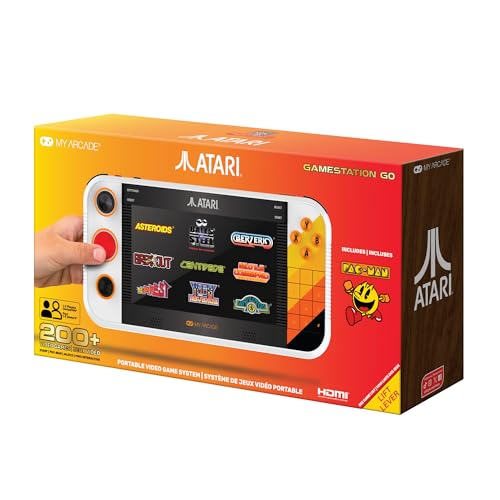 My Arcade Atari Gamestation Go: 200+ Preloaded RetroLarge10.25 x 1.4 x 5.4 inches3.75 poundsCheck on Amazon
Pros & cons
- Built-in rechargeable battery avoids constant battery swaps
- 7-inch display is sized for handheld or TV play
- Built-in Wi-Fi simplifies firmware updates
- Integrated controls cover many game types but add complexity
- Dimensions suggest a bulkier handheld than pocket consoles
The best Atari retro console for you depends on whether you want a focused Atari experience, a portable system, or the largest possible collection of retro games. Dedicated options such as the Tiny Arcade Atari 2600 Mini Console, Hyperkin RetroN 77, My Arcade Atari Game Station Pro, Atari Flashback 12 Gold, and My Arcade Atari Gamestation Go are aimed at players who specifically want Atari-style hardware, games, or presentation. Their libraries and formats vary widely, however, so the number of included games alone should not decide your purchase.
A multi-system HDMI stick takes a different approach: the 2026 Newest Retro Game Console lists more than 20,000 games and dual wireless controllers. This product may suit households that want Atari titles alongside games from many other systems, but shoppers should confirm the exact game list, emulator coverage, controller layout, and setup details before buying. For a more traditional Atari collection, prioritize the game catalog and controller type; for casual family play, screen size, wireless controls, and plug-and-play convenience may matter more.
Our top choices below cover the main ways to play Atari in 2026: a tiny self-contained machine, TV consoles, a handheld, and a broad multi-system stick. The right pick is the one whose library, controls, display, connectivity, and portability match how you actually plan to play.
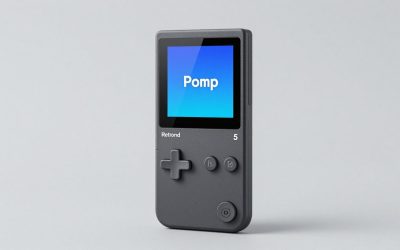
Tiny Arcade Atari 2600 Mini Console 3.5” Playable Retro TV & Controller with 10 Classic Games Including Pac-Man & Breakout -Portable Vintage Gaming System w/ Sound - Gift for Kids & Adults Ages 8+
One of the home product options compared in this guide.
View on Amazon
Hyperkin RetroN 77: HD Gaming Console for Atari 2600 (Retro Amber) - Not Machine Specific
One of the home product options compared in this guide.
View on Amazon
My Arcade Atari Game Station Pro: Retro Video Game Console with 200+ Games, Wireless Joysticks, RGB LED Lights
One of the home product options compared in this guide.
View on AmazonMy Arcade Atari Pocket Player-Console preloaded with 100 Games, 2.8" Screen | Retro Gaming, Portable Game, Gifts for Birthdays, Collectibles
One of the home product options compared in this guide.
View on Amazon
Atari Flashback 12 Gold, Retro Game Console, Built-in 130 Classic Games, Two Joystick and Paddle Controllers, HDMI, PLUG & PLAY on HD TV
One of the home product options compared in this guide.
View on AmazonMy Arcade Atari Gamestation Go: 200+ Preloaded Retro Games, Includes PACMAN | Rechargeable Battery, Wi-Fi, Smartglow, 7 Inch Display, Atari 2600, Connects to TV via HDMI
Chosen because it lists an explicit depth/thickness.
View on Amazon
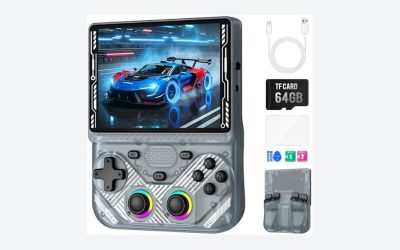
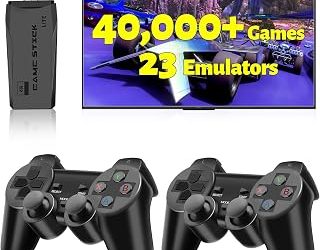
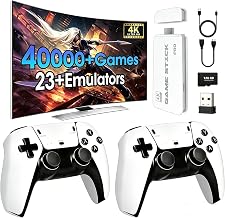
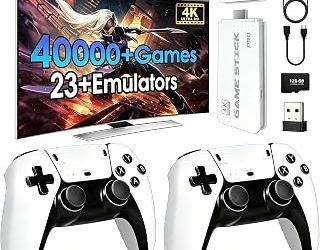
2026 Newest Retro Game Console, 20000+ Games Wireless Home Arcade for TV, HDMI Plug & Play Video Game Stick 64G with 2.4G Dual Controllers, Dual TV Output – Classic Gaming Gift for Kids & Adults
One of the home product options compared in this guide.
View on AmazonQuick answer: The best Atari retro console for most people is the My Arcade Atari Game Station Pro, which bundles 200-plus Atari 2600, 5200 and 7800 games with wireless joysticks. If you still own original cartridges, the official Atari 2600+ plays them on a modern TV over HDMI. For paddle games, the Atari Flashback 12 Gold is the one to get, with 130 built-in titles and paddle controllers in the box.
On a tight budget, start with the My Arcade Atari Pocket Player or the Tiny Arcade Atari 2600 Mini Console. Want one device for both the couch and travel? The My Arcade Atari Gamestation Go adds a 7-inch screen plus HDMI output.
Updated October 2026 — This guide now covers cartridge-playing options as well as plug-and-play and handheld picks: the Atari 2600+ and 7800+, the Atari 400 Mini, the 2600+ PAC-MAN Edition and the CX40+ and CX78+ wireless controllers.
Top Atari Retro Console Picks by Use
The box above gives the short answer; this list matches each main pick to what it does best.
- My Arcade Atari Game Station Pro — Best dedicated Atari choice for its advertised 200-plus games spanning Atari 2600, 5200, and 7800, plus wireless joysticks and RGB LED lighting.
- Atari Flashback 12 Gold — Best for classic living-room play, with 130 built-in games, two joystick and paddle controllers, and HDMI plug-and-play support.
- My Arcade Atari Gamestation Go — Best portable option, combining 200-plus preloaded games, a 7-inch display, rechargeable battery, Wi-Fi, Smartglow, and HDMI TV connectivity.
- Tiny Arcade Atari 2600 Mini Console — Best compact novelty system for its 3.5-inch playable screen, controller, sound, and 10 listed classic games including Pac-Man and Breakout.
- Hyperkin RetroN 77 — A cartridge console that plays original Atari 2600 cartridges in HD, for shoppers who already own games and want a dedicated box rather than a huge multi-system library.
- My Arcade Atari Micro Player Pro — Best bigger-screen handheld, with 100 preloaded arcade games and a 6.8-inch screen.
- 2026 Newest Retro Game Console — A broad home arcade stick listing more than 20,000 games, 64G storage, HDMI plug-and-play, dual wireless controllers, and dual TV output.
- My Arcade Atari Pocket Player — Best small handheld alternative, with 100 preloaded games and a 2.8-inch screen for compact Atari-focused play.
- Atari 2600+ — Best for original cartridge owners, with a working cartridge slot, a joystick, a 10-game cartridge and HDMI output.
- Atari 7800+ — Best for 7800 games and wireless play, reading both 2600 and 7800 cartridges over HDMI with a wireless controller.
- Atari 400 Mini — Best for Atari 8-bit computer games, with 25 built-in games, a joystick and HDMI output.
How We Compared This Guide
This guide is based on the specifications and product descriptions shown for each console, along with the practical buying questions that matter for Atari-style retro gaming. We compared the advertised game counts, named Atari platforms, screen sizes, controller types, display connections, portability features, and convenience extras. We did not treat a larger number of games as automatic proof of better quality, and we did not assume that every product includes the same titles, accessories, storage options, or setup process.
Because the available listing information does not provide complete feature sheets for every model, the recommendations distinguish between confirmed listing information and details that shoppers should verify before ordering. In particular, check the exact included games, power requirements, controller compatibility, save functionality, video output, and return support on the current product page. Owner-review patterns can be useful for identifying recurring setup or durability concerns, but they should be read as individual reports rather than controlled studies.
How to Choose an Atari Retro Console
1. Decide Between Dedicated Atari and Multi-System Libraries
The first decision is whether Atari is the main reason you are buying the console. Dedicated systems are easier to understand: the Tiny Arcade Atari 2600 Mini Console lists 10 games, the My Arcade Atari Pocket Player lists 100, the Atari Flashback 12 Gold lists 130, and the Game Station Pro lists more than 200 across Atari 2600, 5200, and 7800. Those different counts show why a product described as an “Atari console” may offer a very different library from another.
Multi-system sticks are for shoppers who want Atari as one part of a much larger collection. The 2026 Newest Retro Game Console lists more than 20,000 games. That figure may appeal to families or groups with varied tastes, but it does not tell you how many Atari games are included or whether your preferred titles are present.
- Choose a dedicated Atari system when the catalog, era, and presentation matter more than having thousands of unrelated games.
- Choose a multi-system console when several players want access to many retro platforms from one TV connection.
- Before buying, search the listing for the exact games you want rather than relying only on the headline total.
2. Examine the Actual Game Library and Atari Platforms
Game count is an important starting point, but platform coverage is equally significant. The Game Station Pro specifically lists Atari 2600, 5200, and 7800 support, making it more relevant to shoppers who want more than one Atari generation. The Flashback 12 Gold and Tiny Arcade model present themselves around classic Atari-style gaming, while the Pocket Player identifies 100 preloaded games without a platform breakdown in the listing.
Look for a complete title list whenever possible. A catalog of 100 games can be a better fit than a larger collection if it includes the arcade or console games you remember. Also check whether the list contains duplicates, regional variations, sports titles, homebrew software, or games from other systems that do not interest you. For a gift, a broad mix may be useful; for a collector or longtime Atari fan, a carefully chosen list is usually more valuable.
Do not assume that a product featuring the Atari name includes every famous Atari release. Confirm the presence of specific favorites, especially if the intended player has a short list of must-have games.
3. Match the Controller to the Games
Atari games are strongly associated with simple joysticks, buttons, and rotary paddle controls. The Flashback 12 Gold is notable in this group because its listing includes two joystick and paddle controllers. That combination is worth prioritizing if you want to play paddle-oriented games in a way that more closely matches their original control concept.
The Game Station Pro lists wireless joysticks, and the 2026 Newest Retro Game Console lists dual wireless controllers. Wireless controls can reduce cable clutter and make couch play easier, but check how they are powered, whether batteries are included, and how pairing works. A small handheld such as the Pocket Player or Gamestation Go uses built-in controls instead, which is convenient for portable play but provides a different feel from a full-size joystick.
- For classic joystick games, verify the number of controllers and whether each player can use one simultaneously.
- For paddle games, look specifically for included paddle hardware; a joystick is not the same control.
- For wireless models, check charging or battery details, pairing instructions, and replacement options.
- For children or group play, consider button size, cable clutter, and whether the controls are easy to identify.
4. Choose the Right Screen and TV Connection
Portable and living-room consoles solve different problems. The Tiny Arcade model has a 3.5-inch playable screen, while the Pocket Player lists a 2.8-inch screen. These compact displays make the systems self-contained, but they are better suited to short sessions or travel than to a room full of spectators. The Gamestation Go lists a much larger 7-inch display and also connects to a TV through HDMI, giving it a more flexible portable-to-living-room role.
For television play, check the connection type and the hardware included in the box. The Flashback 12 Gold lists HDMI plug-and-play on an HD TV. The 2026 Newest Retro Game Console lists HDMI plug-and-play and dual TV output. These descriptions indicate the intended display path, but they do not by themselves confirm that every cable, power adapter, or TV compatibility detail is included.
Confirm your television has an available HDMI input and check whether the console requires a separate USB power source. If you are buying a handheld, decide whether the built-in screen is the primary display or whether TV output is essential.
5. Consider Portability, Battery Life, and Power
A handheld is not automatically convenient if it depends on a nearby power source. The Gamestation Go specifically lists a rechargeable battery, which makes it the clearest fit here for untethered sessions. The Tiny Arcade and Pocket Player are also self-contained handheld-style products, but the listing does not specify their battery type or runtime. Those details should be checked before purchase.
Home consoles and HDMI sticks are usually better for a permanent entertainment-center setup. They can offer larger-screen play and may include multiple controllers, but they also require access to a TV and power. Think about where the system will live: a shelf near the television, a travel bag, a child’s bedroom, or a shared family room.
- For travel, verify battery type, charging method, runtime claims, and whether play continues while charging.
- For a TV system, check power-cable length and whether the included controllers need separate batteries.
- For gifts, confirm that the recipient has the required display, power source, and available ports.
6. Check Setup, Storage, and Connectivity Claims
“Plug-and-play” generally signals a simple setup, but shoppers should still confirm what the package contains. The Flashback 12 Gold and the 2026 Newest Retro Game Console describe HDMI-based TV use. The Gamestation Go lists Wi-Fi in addition to its built-in screen and HDMI connection. Wi-Fi can be a useful convenience, but the listing does not explain whether it supports updates, online features, or another function, so do not buy it solely for a capability that is not clearly described.
Storage claims also need context. The 2026 Newest Retro Game Console lists 64G storage, but the listing does not explain how much is available to the user, whether games can be added, or whether storage is expandable. Likewise, a large preloaded library does not necessarily mean that new games can be installed. Look for clear information about save states, game bookmarking, menu navigation, firmware updates, and external storage before assuming those features are available.
7. Set Realistic Expectations About Authenticity
There is a meaningful difference between an Atari-focused product and a generic multi-system emulator stick. A dedicated Atari design may offer a more coherent catalog and presentation, while a multi-system device emphasizes breadth. The product titles identify Atari platforms or Atari branding for several models, but the listings do not provide enough information to independently verify licensing, emulation accuracy, internal hardware, or the precise source of every included game.
If authenticity is a priority, favor a product with a clearly documented Atari catalog, named platforms, and the controller type associated with the games you want to play. If convenience and variety matter more, a multi-system model may be a reasonable fit. In either case, review the current listing for licensing language, supported formats, update policy, and the exact game list. Avoid assuming that a large advertised total guarantees accurate emulation or a premium control experience.
8. Avoid Common Atari Console Buying Mistakes
The most common mistake is buying by game count alone. More than 20,000 games sounds impressive, but it may not include the specific Atari titles you want, and the menu can be less focused than a dedicated system. The opposite mistake is choosing a tiny console for group television play without checking its screen size, controller arrangement, or TV output.
- Ignoring the display: A 2.8-inch or 3.5-inch screen is a very different experience from a 7-inch handheld or HDMI television play.
- Overlooking paddle support: If paddle games matter, confirm that actual paddle controllers are included.
- Assuming every model is portable: TV sticks and home consoles need a compatible display and power setup.
- Skipping the title list: Verify favorite games and platform coverage before ordering.
- Assuming wireless means rechargeable: Check whether controllers use replaceable batteries, charging cables, or another power method.
- Expecting upgrades without confirmation: Do not assume Wi-Fi, storage, or HDMI output enables downloads, updates, or expanded libraries unless the listing explains how.
For the most focused Atari purchase, compare the Game Station Pro, Flashback 12 Gold, RetroN 77, Tiny Arcade console, and Pocket Player by their stated catalogs and control formats. For portable flexibility, the Gamestation Go stands out in the listing because it combines a 7-inch display, rechargeable battery, and HDMI output. For the broadest stated variety, check the 2026 Newest Retro Game Console carefully, paying particular attention to the exact game list, emulator information, controller details, and setup requirements rather than choosing solely by the headline number.
Detailed product breakdowns
1. Tiny Arcade Atari 2600 Mini Console
The Tiny Arcade Atari 2600 Mini Console is designed as a compact, self-contained take on the Atari 2600 experience. Its product description identifies a 3.5-inch playable retro TV and controller, along with 10 classic games, including Pac-Man and Breakout. The built-in screen and portable format make it notably different from the larger living-room consoles in this roundup.
Key specifications: The listed information identifies an Atari 2600-themed mini console with a 3.5-inch screen, 10 included games, built-in sound, and a controller. The description presents it as a portable vintage gaming system and a gift intended for kids and adults ages 8 and up. Buyers should verify how the controller is arranged, how the unit is powered, whether it connects to a television, and whether the game list is fixed or expandable.
- Strengths: Its small format is suited to display, travel, quick play sessions, and gifting. The inclusion of recognizable games such as Pac-Man and Breakout gives the limited library immediate appeal. A built-in screen means a separate television is not required for basic play.
- Trade-offs: Ten games is a much narrower library than the 100-, 130-, or 200-plus-game options below. The 3.5-inch display may also feel restrictive for players accustomed to playing retro games on a television. The available data does not confirm external display support, battery details, or controller compatibility.
Best for: This is best for collectors, casual players, children, and gift shoppers who want a small Atari-themed object with an immediately playable selection. It also suits someone who values portability more than a large catalog or a full-size living-room setup.
Skip it if: Skip it if you want dozens of Atari titles, a large screen, multiplayer hardware, or confirmed HDMI television support. Buyers who care about authentic paddle-style play should also verify the control design before choosing it, especially for games traditionally associated with rotary controls.
Check the Tiny Arcade Atari 2600 Mini Console
2. Hyperkin RetroN 77 HD Gaming Console for Atari 2600
The Hyperkin RetroN 77 is positioned as an HD gaming console for Atari 2600, with “Retro Amber” identified in the product name. Unlike the compact Tiny Arcade system, this is presented as a dedicated console rather than a handheld screen-based unit. That makes it a potentially better fit for players who want an Atari 2600-focused setup connected to a modern display.
Key specifications: The listing identifies the product as the Hyperkin RetroN 77, an HD gaming console for Atari 2600, with “Retro Amber” as the color. Reference sources describe it as an emulation-based Atari 2600 clone that plays most original 2600 cartridges at HD resolution, so it has no built-in game library. Hyperkin sells gamepads for the RetroN 77 as separate products and also offers a console-and-gamepad bundle, so check whether the version you buy includes a controller. Verify the exact video connection and cables on the current listing.
- Strengths: Its Atari 2600 focus should appeal to players who own cartridges and want a more concentrated experience than a general-purpose retro stick. The HD output means your existing library can run on a modern display without an RF or composite converter.
- Trade-offs: You need your own cartridges, and because the console is emulation-based rather than original hardware, compatibility with every cartridge and accessory is not guaranteed. The listing does not confirm multiplayer support or save features.
Best for: This is best for an Atari 2600 enthusiast who already owns cartridges and wants a dedicated HD-oriented console. It may be especially interesting to collectors who prefer a focused Atari setup rather than a huge multi-system library.
Skip it if: Skip it if you want built-in games, wireless controllers, or a handheld design. Buyers who do not own Atari cartridges would be better served by a preloaded console.
3. My Arcade Atari Game Station Pro
The My Arcade Atari Game Station Pro is aimed at players who want a broad Atari catalog in a living-room format. Its title specifies more than 200 games and identifies support for Atari 2600, 5200, and 7800. It also lists wireless joysticks and RGB LED lights, giving this model a stronger emphasis on multiplayer convenience and presentation than the smaller dedicated units.
Key specifications: The available listing names more than 200 included games, Atari 2600/5200/7800 coverage, wireless joysticks, and RGB LED lighting. The listing does not provide the exact game list, television connection details, power requirements, wireless range, or whether the joysticks use batteries or rechargeable cells. Those points should be checked before purchase, particularly if several players will use it regularly.
- Strengths: Support for three Atari console generations gives it broader historical coverage than a system limited to Atari 2600. More than 200 games offers substantially more variety than the 10-game Tiny Arcade system. Wireless joysticks should also reduce cable clutter, while RGB lighting adds a decorative arcade-style element.
- Trade-offs: A large catalog does not automatically confirm that every desired title is included, so buyers should look for the complete game list. Wireless controls introduce practical questions about batteries, pairing, latency, and replacement options. The data also does not confirm whether paddle controllers are included, which may affect how well certain control-focused games suit the setup.
Best for: This is best for families, groups, and Atari fans who want many games spanning multiple Atari generations. It is also a strong fit for someone who wants a console for a television rather than a handheld and appreciates visual extras such as RGB lighting.
Skip it if: Skip it if you want a small travel system, a strictly verified short list of favorite games, or original-cartridge support. Players specifically seeking paddle play should verify the included controller types instead of assuming that wireless joysticks cover every control style.
Check the My Arcade Atari Game Station Pro
4. My Arcade Atari Pocket Player
The My Arcade Atari Pocket Player takes the portable approach, combining a built-in 2.8-inch screen with 100 preloaded games. Its product description identifies it as an Atari handheld and presents it as a retro gaming collectible and gift. Compared with a console that requires a television, this format is designed around immediate, personal play.
Key specifications: The product title lists 100 preloaded games and a 2.8-inch screen. It does not specify the exact Atari systems represented, the complete game catalog, battery type, charging method, audio features, or whether the screen is backlit. Buyers should also verify the controls, dimensions, included accessories, and whether the software can be expanded.
- Strengths: The integrated display makes the Pocket Player self-contained, while 100 preloaded games provide more variety than a miniature 10-game unit. Its pocket-oriented design should work well for travel, waiting rooms, and short sessions. Because it is presented as a collectible and gift, it may also appeal to Atari fans who want a small display-friendly device.
- Trade-offs: A 2.8-inch screen favors portability over spacious viewing, especially for multiplayer or longer sessions. The listing does not confirm television output, rechargeable power, or the game systems represented. A fixed preloaded library may also be less appealing to buyers who want to add cartridges or download more games.
Best for: This is best for solo players who want Atari-style gaming without carrying a separate console and television. It suits gift buyers, collectors, and players who value a larger built-in library in a compact handheld.
Skip it if: Skip it if you primarily play on a large screen, need two-player controls, or require a long battery-life specification before buying. It is also not the obvious choice for shoppers who want modern wireless features or a console that covers several Atari generations with clearly documented support.
Check the My Arcade Atari Pocket Player
5. Atari Flashback 12 Gold
The Atari Flashback 12 Gold is a home console built around a curated collection of 130 classic games. Its listing specifically includes two joystick controllers, paddle controllers, and HDMI support, making it one of the more clearly defined options for television play. The inclusion of paddles is particularly relevant for buyers who want controls suited to Atari games designed around rotary movement rather than only directional joystick input.
Key specifications: The listing identifies 130 built-in classic games, two joystick controllers, paddle controllers, HDMI connectivity, and plug-and-play use with an HD television. The exact game list, paddle count, cable contents, power requirements, and save or pause functions are not provided and should be verified before purchase.
- Strengths: The combination of joysticks and paddles offers more control variety than products described only with standard gamepads or joysticks. HDMI support and plug-and-play positioning should make it a straightforward match for a modern HD television. A 130-game library also provides a focused Atari experience without the uncertainty of an enormous, broadly emulated collection.
- Trade-offs: Its 130-game catalog is smaller than the 200-plus-game Atari systems and far smaller than multi-system sticks claiming thousands of games. The listing does not identify whether all games are from one Atari generation or span several systems. Buyers should also confirm how the paddles connect and which included titles use them.
Best for: This is best for Atari purists, households with an HD television, and players who specifically want paddle controllers included. It is also a sensible middle ground for someone who wants more than a handful of games but does not need a massive multi-platform library.
Skip it if: Skip it if portability is essential, if you want wireless joysticks, or if you prefer access to thousands of games from unrelated systems. Buyers who want exact coverage of Atari 2600, 5200, or 7800 should check the published game list rather than infer it from the product name.
Check the Atari Flashback 12 Gold
6. My Arcade Atari Micro Player Pro — Best Bigger-Screen Handheld

My Arcade Atari Micro Player Pro: 100 Arcade Games, 6.8" Portable Game | Retro Gaming, Atari 2600, Arcade Classics
One of the home product options compared in this guide.
View on AmazonThe My Arcade Atari Micro Player Pro sits between the pocket-size handhelds and the Gamestation Go. It suits solo players, kids and travelers who want a self-contained Atari-branded handheld without a TV, and who would find the 2.8-inch Pocket Player too small.
- 100 preloaded arcade games
- 6.8-inch portable screen
- Self-contained handheld, no television needed
- Made by My Arcade under the Atari license
Pros
- Much larger screen than the 2.8-inch Pocket Player
- 100 games without owning any cartridges
- Lower cost than the Gamestation Go
Cons
- The listing does not state TV output, battery type or runtime, so check before buying
- Fixed library; the exact game list should be confirmed
Skip it if you need HDMI output for the living room; the Gamestation Go or a cartridge console is the better fit.
7. My Arcade Atari Gamestation Go
The My Arcade Atari Gamestation Go combines portable and television play. Its listing specifies more than 200 preloaded retro games, including PACMAN, a rechargeable battery, Wi-Fi, a 7-inch display, SmartGlow lighting, Atari 2600 support, and HDMI connectivity for a television. That combination gives it a different role from both small pocket handhelds and conventional plug-in home consoles.
Key specifications: The listing identifies a 7-inch screen, rechargeable battery, Wi-Fi, SmartGlow, more than 200 preloaded games, Atari 2600 support, and HDMI television connection. It does not state the full game list, battery runtime, charging connector, wireless multiplayer arrangements, supported Wi-Fi functions, or whether additional systems beyond Atari 2600 are included. Those details should be confirmed before purchase.
- Strengths: The 7-inch display is substantially more suitable for shared viewing or comfortable handheld play than the 2.8-inch and 3.5-inch formats listed above. A rechargeable battery removes the need for constant disposable-battery replacement, while HDMI adds a living-room option. More than 200 games provides broad built-in variety, and SmartGlow gives the device a distinctive presentation feature.
- Trade-offs: It is larger and likely less pocket-friendly than a small handheld, although the listing does not provide dimensions or weight. Wi-Fi is listed, but its purpose is not specified, so buyers should not assume online play, downloads, or updates. The data confirms Atari 2600 support but does not establish coverage of Atari 5200 or 7800.
Best for: This is best for players who want one device that can move between portable play and an HD television. It suits households that value a larger handheld screen, rechargeable power, modern connectivity, and a sizable preloaded retro library.
Skip it if: Skip it if you want a tiny travel console, a strictly Atari-only catalog, or a product with a fully documented battery runtime and online feature set. Buyers seeking paddle-based controls should also verify the hardware before assuming that the handheld layout reproduces every Atari control style.
Check the My Arcade Atari Gamestation Go
8. 2026 Newest Retro Game Console
This home-oriented video game stick is aimed at shoppers who want a very large multi-system collection rather than a dedicated Atari machine. Its product title claims more than 20,000 games, 64G of storage, HDMI plug-and-play television connection, two 2.4G wireless controllers, and dual TV output. Atari titles are therefore part of a broad classic-gaming package.
Key specifications: The listing states more than 20,000 games, 64G capacity, HDMI connectivity, two 2.4G wireless controllers, dual TV output, and a wireless home arcade format. The title does not specify the number of emulators, the Atari systems included, the exact game catalog, output-resolution behavior, controller battery details, or whether the storage is expandable. Those are important items to verify on the current product page.
- Strengths: The claimed library size is appealing for households that want access to many retro platforms in one device. Dual wireless controllers support shared play, while HDMI plug-and-play design is intended for a modern television setup. The listed 64G capacity gives buyers a clearer storage reference than products that only state a game count.
- Trade-offs: A large general-purpose library can make finding specific Atari games less direct than using a focused Atari console. The listing does not verify the game systems represented, licensing, emulation quality, paddle support, or menu organization. “Dual TV output” also needs clarification: buyers should confirm whether it means simultaneous display, alternative ports, or another arrangement.
Best for: This is best for families and retro fans who want a broad home arcade collection with two wireless controllers. It makes the most sense when Atari is one interest among many rather than the sole reason for buying a console.
Skip it if: Skip it if you want official Atari branding, a known Atari game list, authentic joystick or paddle hardware, or a portable console with its own screen. Buyers who care about reliable access to particular Atari titles should confirm the catalog before treating the headline game count as a guarantee.
Check the 2026 Newest Retro Game Console
9. Atari 2600+ — Best for Original Cartridge Owners
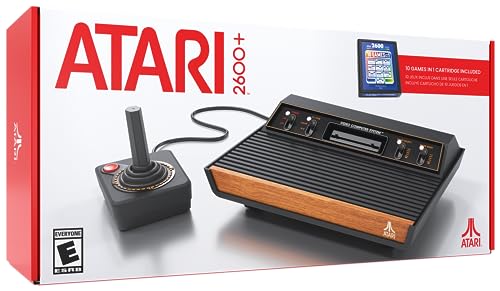
Official Atari 2600+ Console & Joystick - HDMI Output - Includes 10 Games
One of the home product options compared in this guide.
View on AmazonThe Atari 2600+ is Atari’s official modern take on the four-switch woodgrain 2600, built at a reduced scale with a working cartridge slot and HDMI output. Unlike the plug-and-play systems above, it is designed to read original Atari 2600 cartridges, and Atari has since extended compatibility to many Atari 7800 cartridges as well. That makes it the most direct option in this guide for putting an existing cartridge collection on a modern television.
Key specifications: The listing identifies an official Atari 2600+ console with a joystick, HDMI output and 10 included games, which arrive on a multi-game cartridge. The console keeps classic-style controller ports, so many original joysticks can be connected. Paddle controllers are sold separately, which matters for paddle-driven games.
Pros
- Plays original 2600 cartridges through a modern HDMI connection
- Official Atari design with classic-style controller ports
- Joystick and a 10-game cartridge included, so it works out of the box
Cons
- Only one controller in the box; paddles cost extra
- The built-in library is small unless you own or buy cartridges
- Not every rare or homebrew cartridge is guaranteed to work, so check the official compatibility list
Best for: collectors and returning players who still own a box of cartridges and want an official console that connects to today’s TVs without adapters.
10. Atari 7800+ — Best for 7800 Games and Wireless Play

Official Atari 7800+ Console & Wireless Controller - HDMI Output
One of the home product options compared in this guide.
View on AmazonThe Atari 7800+ applies the same modern-cartridge approach to Atari’s later 7800 console. It plays both Atari 2600 and Atari 7800 cartridges over HDMI, and the listing highlights an included wireless controller, a notable difference from the wired joystick that comes with the 2600+. For players who remember the 7800’s arcade conversions, it is the most direct official route back to that library.
Key specifications: The listing identifies an official Atari 7800+ console with a wireless controller and HDMI output. Its cartridge slot accepts both 2600 and 7800 games, so a single console covers two generations of Atari cartridges. Buyers should check which games are bundled in their specific package and confirm compatibility for any rare titles.
Pros
- Covers both 2600 and 7800 cartridge libraries in one system
- Wireless controller reduces cable clutter on the couch
- Official hardware with HDMI output for modern TVs
Cons
- Needs cartridges to build a meaningful library
- A gamepad-style controller feels different from a classic joystick in 2600 games
- Second controller and paddles are separate purchases
Best for: fans of 7800-era arcade conversions and households that want one cartridge console for both major Atari libraries.
11. Atari 400 Mini — Best for Atari 8-Bit Computer Games

Official Atari 400 Mini & Joystick - HDMI Output - Includes 25 Games
One of the home product options compared in this guide.
View on AmazonThe Atari 400 Mini, also sold as THE400 Mini, is a half-size recreation of Atari’s 1979 Atari 400 home computer, produced by Retro Games Ltd. It covers a part of Atari history the other systems in this guide largely skip: games from Atari’s 8-bit computer line, along with titles connected to the 5200 console. For players whose Atari memories come from a home computer rather than a 2600, it fills a real gap.
Key specifications: The listing identifies 25 included games, a joystick and HDMI output. USB ports allow additional controllers, and the maker supports loading further software from a USB stick. Its scaled-down keyboard is styling rather than a full-size typing keyboard.
Pros
- Brings Atari 8-bit computer games to a modern TV
- Official Atari-licensed design with a joystick included
- USB connectivity for extra controllers and additional software
Cons
- 25 built-in games is a curated rather than huge library
- No cartridge slot for original 2600 or 7800 games
- Miniature keyboard is not suited to typing
Best for: players who grew up with Atari’s 400, 800 or XL computers and want those games rather than 2600-era classics.
More Atari Consoles and Controllers Worth Considering
Three common questions from Atari shoppers are about Atari’s newest special editions, cheaper Flashback consoles, and wireless controllers for the 2600+ and 7800+. These five picks fill those gaps.
Atari 2600+ PAC-MAN Edition — Best for Gifting a Complete Cartridge Setup
The Atari 2600+ PAC-MAN Edition is the same cartridge-reading console as the standard Atari 2600+, finished in PAC-MAN yellow with lit character icons on the front. The bigger difference is in the box: it ships with a wireless joystick instead of the standard model’s wired one, plus a two-game PAC-MAN cartridge.

Atari 2600+ PAC-MAN Edition Console, Game & Wireless Joystick
One of the home product options compared in this guide.
View on AmazonKey specs: 2600 and 7800 cartridge slot · HDMI output · 4:3 and 16:9 display modes · yellow CX40+ Wireless Joystick · PAC-MAN Double Feature cartridge
- Plays Atari 2600 and Atari 7800 cartridges over HDMI
- The PAC-MAN Double Feature cartridge holds the original PAC-MAN 2600 and a new arcade-style PAC-MAN 7800
- Includes USB and 9-pin wireless receivers for the joystick, plus HDMI and USB-C cables
- Released October 31, 2025
Pros:
- Wireless joystick included, unlike the standard Atari 2600+
- Two versions of PAC-MAN ready to play on day one
- Reads both 2600 and 7800 cartridge libraries
Cons:
- Costs more than the standard Atari 2600+
- One controller only, and you still need cartridges to build a library
Skip it if… you already own a 2600+ or 7800+. Buy extra cartridges or a CX40+ Wireless Joystick instead.
Atari CX40+ Wireless Joystick — Best Add-On for 2600+ and 7800+ Owners
The Atari CX40+ Wireless Joystick recreates the classic CX40 stick with its red fire button and flexible boot, then removes the cable. It is the simplest way to add a second player to an Atari 2600+ or 7800+, and it also works with original hardware.

PLAION, CX40+ Wireless Joystick
One of the home product options compared in this guide.
View on AmazonKey specs: 2.4 GHz wireless · up to 30 ft range · about 30 hours per charge · about 40-minute recharge · DB9 and USB-A receivers
- Works with the Atari 2600+, Atari 7800+, and original 2600 and 7800 consoles through the DB9 receiver
- USB-A receiver lets it work as a joystick on a PC
- Charges over USB-C; a wall plug is not included
- Size is 4.21 x 4.09 x 5.12 inches and weighs 9 oz
Pros:
- Authentic CX40 shape suits 2600-era games
- Long battery life between charges
- One stick covers both modern and original Atari consoles
Cons:
- A joystick cannot replace paddles in paddle games
- No wall charger in the box
Skip it if… you mostly play 7800 titles that use two fire buttons. The CX78+ Wireless Gamepad is the better second controller for the Atari 7800+.
Atari Flashback X — Best Lower-Cost Plug-and-Play 2600 Collection
The Atari Flashback X, built by AtGames, is a compact 2600-style console with 110 games stored inside. It usually costs less than the Atari Flashback 12 Gold and suits buyers who want classic joystick games on a TV without collecting cartridges.

Atari 7A5-4CA-54B Flashback X Retro Console 110 Built-in Games-2 Wired Controllers-HD HDMI-Plug n Play, Multi
One of the home product options compared in this guide.
View on AmazonKey specs: 110 built-in games · two wired joysticks · 720p HDMI · save, load and rewind · micro-USB power
- Library includes Adventure, Asteroids, Centipede, Frogger, Missile Command, Pitfall! and Yars’ Revenge
- Optional scanline filter for a CRT-style look
- Styled after the original 2600, minus the TV-type switch
- First released in 2019, so stock varies by seller
Pros:
- Two joysticks included for instant two-player games
- Rewind and save features make hard games friendlier
- Simple HDMI plug-and-play setup
Cons:
- No paddle controllers
- Short controller cords keep players close to the TV
Skip it if… paddle games matter to you. The Atari Flashback 12 Gold includes paddles.
My Arcade Atari Pixel Pocket Pro — Best Atari Stocking Stuffer
The My Arcade Atari Pixel Pocket Pro is a keychain-size handheld with 25 officially licensed Atari 2600 games. It is the smallest and least expensive Atari device in this guide.
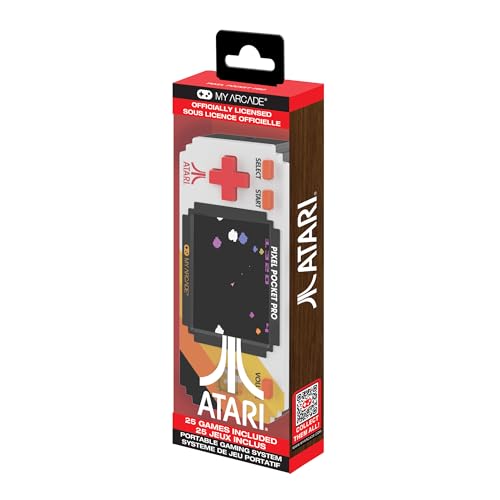
My Arcade Atari Pixel Pocket Pro: Preloaded Handheld, 25 Atari 2600 Games, Keychain Arcades
One of the home product options compared in this guide.
View on AmazonKey specs: 2-inch color LCD · 25 Atari 2600 games · keychain attachment · 3 AAA batteries (not included)
- Games include Adventure, Asteroids, Breakout, Centipede, Haunted House, Missile Command and Yars’ Revenge
- Size is 3.9 x 0.875 x 1.75 inches and weighs 0.15 lb
- Box includes a keychain and a mini screwdriver for the battery door
Pros:
- Lowest-cost licensed Atari handheld here
- Fits on a keyring or in a pocket
- Recognizable official 2600 titles
Cons:
- A 2-inch screen is tight for long sessions
- Runs on disposable batteries, with no TV output
Skip it if… the player wants longer sessions. The My Arcade Atari Pocket Player offers a 2.8-inch screen and 100 games.
Atari CX78+ Wireless Gamepad — Best Second Controller for the Atari 7800+

The Atari 7800+ ships with one CX78+ wireless controller, so this gamepad is the simplest way to add a second player to a 7800+ without a cable. It also matters for 7800 titles that expect the console’s own controller layout, which a classic joystick does not reproduce.
- Wireless gamepad sold under the CX78+ name
- Matches the controller included with the Atari 7800+
- Intended for the Atari 7800+; confirm compatibility with any other console on the maker page
Pros
- Cable-free second player for the 7800+
- Same controller style as the one in the 7800+ box
- Suits 7800 games better than a classic joystick
Cons
- A gamepad feels different from a joystick in many 2600 games
- Useless without a compatible console and cartridges
Skip it if you mostly play 2600 games; the CX40+ Wireless Joystick above is the better add-on.
Atari Retro Consoles Compared
The products below cover several distinct ways to play Atari-era games in 2026: a miniature tabletop system, dedicated Atari living-room consoles, portable handhelds, and broad emulation sticks that include Atari among many other systems. Because detailed feature data is not available for every listing, the table separates confirmed information from details you should verify before ordering.
| Rank | Product | Format | Listed game library | Controllers and display | TV connection | Best suited to |
|---|---|---|---|---|---|---|
| 1 | Tiny Arcade Atari 2600 Mini Console | Miniature tabletop console with a 3.5-inch playable screen | 10 classic games, including Pac-Man and Breakout | Built-in display and controller; sound is listed | See maker page | Compact gifts, desk play, and short retro sessions |
| 2 | Hyperkin RetroN 77 | Cartridge console for Atari 2600 (HD output) | No built-in games; plays your own 2600 cartridges | Gamepad sold separately or in a bundle | HD output is stated; confirm cable details on the listing | Players focused specifically on Atari 2600 hardware |
| 3 | My Arcade Atari Game Station Pro | Home console | More than 200 games spanning Atari 2600, 5200, and 7800 | Wireless joysticks and RGB LED lights | See maker page | Living-room Atari collections and multiplayer sessions |
| 4 | My Arcade Atari Pocket Player | Portable handheld console | 100 preloaded games | Built-in 2.8-inch screen; control layout should be confirmed | See maker page | Travel, collecting, and portable Atari play |
| 5 | Atari Flashback 12 Gold | Plug-and-play home console | 130 classic games | Two joystick controllers and paddle controllers | HDMI; designed for an HD TV | Classic Atari control schemes, especially paddle-based games |
| 6 | My Arcade Atari Micro Player Pro | Portable handheld console | 100 preloaded arcade games | Built-in 6.8-inch screen; control layout should be confirmed | See maker page | Players who want a bigger handheld screen than the pocket models |
| 7 | My Arcade Atari Gamestation Go | Portable handheld with home-console capability | More than 200 preloaded games, including PACMAN | 7-inch display, rechargeable battery, and SmartGlow; exact controls should be confirmed | HDMI connection to a TV | Players who want portable and big-screen play in one device |
| 8 | 2026 Newest Retro Game Console | Wireless home arcade HDMI stick | More than 20,000 games; 64G storage is listed | Dual 2.4G wireless controllers | HDMI, with dual TV output listed | Families wanting a broad multi-system collection |
Cartridge Consoles and Computer-Era Minis Compared
Most of the systems in this guide store their games internally, but a second group takes a different approach: they either read physical cartridges or recreate a different branch of Atari history. If you already own cartridges, or if your Atari memories come from a home computer rather than the 2600, this is the comparison that matters.
| Console | Game source | Atari platforms | Included controller | Video output |
|---|---|---|---|---|
| Atari 2600+ | Cartridge slot plus a 10-game cartridge | 2600, plus many 7800 cartridges | Wired joystick | HDMI |
| Atari 7800+ | Cartridge slot | 2600 and 7800 | Wireless controller | HDMI |
| Hyperkin RetroN 77 | Cartridge slot (emulation-based clone) | 2600 | Gamepad sold separately or in a bundle | HD output |
| Atari 400 Mini | 25 built-in games plus USB loading | 8-bit computers and 5200-era titles | Joystick | HDMI |
When a cartridge console makes sense: if you have a shelf of original games, a cartridge-reading console lets you play the copies you already own instead of paying again for a preloaded collection. It also keeps the ritual of choosing and inserting a cartridge, which many collectors value as much as the games themselves.
When it does not: if you own no cartridges, building a library one game at a time costs more and takes longer than buying a system with 100 or more games already installed. For a casual player or a gift, the Game Station Pro, Flashback 12 Gold or Gamestation Go deliver more immediate variety.
Cartridge care before you play: decades-old cartridges often have dirty or oxidized contacts. Inspect each cartridge for cracks, gently clean the contacts with isopropyl alcohol on a cotton swab, let them dry fully and insert them straight rather than at an angle. A cartridge that fails to load once often works after a careful clean, and protecting the slot from repeated forcing helps the console last.
Licensing and peace of mind: the 2600+, 7800+ and 400 Mini are official Atari products, which matters to buyers who want clearly licensed software. Generic multi-system sticks rarely document the source of every included game, so shoppers who care about licensing should favor clearly branded official systems.
Original Atari Hardware or a Modern Atari Retro Console?
If you own cartridges, you can buy a used original console instead of a modern one. Original 2600 and 7800 hardware is the most authentic choice, but it was built for tube TVs: it outputs RF or composite video, so a modern flat-panel TV usually needs an adapter or converter, and decades-old power supplies, joysticks and switches can fail. Enthusiast guides also describe the HDMI-era 2600+ and 7800+ as modern systems that use emulation rather than original 1980s hardware, which is why they connect straight to a current TV and are easier to live with.
Plug-and-play units such as the Flashback 12 Gold skip cartridges altogether. Pick an original console only if you enjoy collecting and repairing; pick a 2600+ or 7800+ if you want your cartridges on a modern TV; pick a Flashback or My Arcade unit if you want games without hunting for cartridges.
Best Atari Retro Console by Budget
The budget tiers below group consoles by typical street pricing, which shifts with sales. Check current listings before you buy.
Best Atari console for the lowest budget
- My Arcade Atari Pixel Pocket Pro: 25 games · 2-inch screen · keychain · AAA batteries
- Tiny Arcade Atari 2600 Mini Console: 10 games · 3.5-inch screen · built-in controller
- My Arcade Atari Pocket Player: 100 games · 2.8-inch screen · handheld
- My Arcade Atari Micro Player Pro: 100 games · 6.8-inch screen · handheld
- 2026 Newest Retro Game Console: 20,000+ games · HDMI stick · two 2.4G wireless controllers · multi-system, not dedicated Atari
What to expect at this tier:
- Built-in screens from 2 to 6.8 inches and no TV connection on most models; the multi-system HDMI stick is the exception
- Fixed game lists with no way to add titles
- Best as gifts, desk toys and short travel sessions
Best Atari console for a mid-range budget
- Hyperkin RetroN 77: plays original 2600 cartridges · HD output · bring your own cartridges and a gamepad
- My Arcade Atari Game Station Pro: 200+ games · 2600/5200/7800 · wireless joysticks
- Atari Flashback 12 Gold: 130 games · two joysticks plus paddles · HDMI
- Atari Flashback X: 110 games · two wired joysticks · 720p HDMI
- Atari 2600+: cartridge slot · wired CX40+ joystick · 10-in-1 cartridge · HDMI
- Atari 7800+: 2600 and 7800 cartridges · wireless controller · HDMI
- Atari 400 Mini: 25 Atari 8-bit games · joystick · USB loading · HDMI
What to expect at this tier:
- HDMI output to a modern TV and full-size controllers
- Either a large built-in library or a slot for original cartridges, rarely both
- Official Atari licensing on most models
Best Atari console for a larger budget
- My Arcade Atari Gamestation Go: 200+ games · 7-inch screen · rechargeable battery · HDMI out
- Atari 2600+ PAC-MAN Edition: 2600/7800 cartridges · wireless CX40+ joystick · PAC-MAN 2-in-1 cartridge
What to expect at this tier:
- Extras such as wireless controllers, special-edition styling or a large portable screen
- No jump in game quality, since the games are the same classics
- Worth it mainly for gifting or for one device that covers handheld and TV play
Best Pick by Need
Best for a focused Atari home collection
The My Arcade Atari Game Station Pro is the strongest match for buyers who want a broad Atari-specific catalog rather than a generic multi-system stick. Its listing identifies more than 200 games from the Atari 2600, 5200, and 7800 families. Wireless joysticks suit living-room play, while RGB LED lights add a more decorative presentation. Confirm the included cables, supported display resolutions, and exact game list if those details matter to you.
Best for joystick and paddle variety
The Atari Flashback 12 Gold stands out because its listing includes both two joystick controllers and paddle controllers. That combination is particularly relevant to buyers who want to approach Atari games through their original control styles instead of relying on a general-purpose gamepad. It includes 130 classic games and connects through HDMI to an HD TV. Check which titles use the paddle controls before buying if that feature is the main reason for your choice.
Best for portable and TV play
The My Arcade Atari Gamestation Go is the most flexible format in this group. It has a 7-inch display for handheld play, a rechargeable battery for use away from an outlet, and HDMI connectivity for a TV. Its listing also identifies more than 200 preloaded games, PACMAN, Wi-Fi, and SmartGlow. Buyers should verify battery charging details, whether the HDMI cable is included, and how Wi-Fi is used before ordering.
Best for a small gift or compact display
The Tiny Arcade Atari 2600 Mini Console is aimed at a very different use case from the full-size home systems. Its 3.5-inch playable screen, compact format, sound, and 10 listed games make it a simple choice for a desk, shelf, stocking, or short gaming breaks. The smaller library and display are trade-offs for portability and presentation. Confirm whether it is self-contained or offers any TV connection before treating it as a main console.
Best for a portable pocket-style system
The My Arcade Atari Pocket Player has a 2.8-inch screen and 100 preloaded games. It is a better fit for buyers who specifically want an Atari-themed handheld rather than a TV-first console. The smaller screen should be considered carefully if several people will share the device or if you prefer large on-screen text and visuals. Check the listing for battery type, charging method, audio options, and the complete game roster.
Best for Atari 2600-focused buyers
The Hyperkin RetroN 77 is identified as an HD gaming console for Atari 2600 and plays original 2600 cartridges. That narrow platform focus can appeal to buyers who already own cartridges and do not need a multi-system library or support for several Atari generations. It has no built-in game library, and Hyperkin sells the gamepads separately or in a bundle, so confirm the controller and display connection on the product listing.
Best for the biggest multi-system library
The 2026 Newest Retro Game Console lists more than 20,000 games and 64G of storage, with two 2.4G wireless controllers and HDMI plug-and-play output. This is the broadest stated library in the comparison, but sheer quantity does not tell you how easy the menu is to navigate, which Atari titles are included, or how consistently each game runs. Check the supported systems, game-list screenshots, controller pairing instructions, and return policy.
Best for original cartridge owners
The Atari 2600+ is the clearest choice for anyone with an existing 2600 collection, combining an official cartridge slot, classic-style controller ports and HDMI output. Choose the Atari 7800+ instead if you also own 7800 games or prefer a wireless controller, since it reads both cartridge libraries.
Best for Atari home computer fans
The Atari 400 Mini is the only system here built around Atari’s 8-bit computer era. It suits players who remember the 400, 800 or XL machines and want those games, rather than another 2600-focused collection, on a modern television.
Setup and Care Tips
- Confirm the connection before opening the box. HDMI is explicitly listed for the Atari Flashback 12 Gold, 2026 Newest Retro Game Console, and Atari Gamestation Go. Other products require a listing check. Make sure your TV has the required input and that any included cable matches your setup.
- Check the power arrangement. A compact handheld may use a rechargeable battery, replaceable batteries, or a USB charging connection. Only the Gamestation Go is specifically identified as having a rechargeable battery. Verify charging requirements, adapter inclusion, and expected charging indicators.
- Pair wireless controllers before starting a game. For the Game Station Pro and the 2026 Newest Retro Game Console, place the controllers near the console during initial setup. Keep any pairing instructions and check whether each controller needs its own batteries.
- Give paddle games their own setup check. If you choose the Flashback 12 Gold for its paddle controllers, verify that the paddles are connected correctly and identify which included games support them. Do not assume every Atari title uses a paddle.
- Keep handheld screens protected. Store the Pocket Player and Gamestation Go away from keys, loose coins, direct sunlight, and damp areas. A soft, dry microfiber cloth is preferable to spraying cleaner directly onto a display.
- Leave ventilation around TV sticks and consoles. Avoid placing an HDMI stick or home console under a stack of electronics, inside a closed cabinet, or directly against a heat-producing device. Follow the manufacturer’s instructions for placement and power.
- Do not judge a large library by its headline number alone. For the multi-system stick, review the actual platform list, menu structure, save features, and Atari game selection. A shorter, clearly organized catalog may be easier for children and casual players to use.
- Make a family control plan. Decide where the console will be stored, which controllers belong with it, and how the wireless units will be charged or supplied with batteries. This reduces missing-accessory problems during group play.
- Check the television’s input settings. After connecting an HDMI product, select the correct input and verify that both picture and sound are routed through the TV. If the screen remains blank, disconnect power before reseating cables and consult the included instructions.
Frequently Asked Questions
Which Atari retro console has the largest listed game library?
The 2026 Newest Retro Game Console lists more than 20,000 games, while the Atari-specific options list smaller curated collections, including more than 200 games for the Game Station Pro and Gamestation Go. Check the actual Atari titles rather than relying only on the total count.
Which option is easiest to connect to a modern TV?
The products that explicitly list HDMI are the Atari Flashback 12 Gold, Atari Gamestation Go, and 2026 Newest Retro Game Console, and the Hyperkin RetroN 77 lists HD output. The listings do not confirm the TV connection for every model, so verify cable inclusion, supported resolution, and power requirements before buying.
Do any of these consoles include paddle controllers?
The Atari Flashback 12 Gold specifically lists two joystick controllers and paddle controllers. That makes it the clearest choice for buyers who want paddle-based Atari play. The other product information does not confirm paddle support, so do not assume a joystick-equipped console includes a rotary paddle.
Which Atari console is best for children?
The answer depends on how the child will play. The Tiny Arcade has a 3.5-inch screen and 10 listed games, which may suit short, simple sessions. A home console with wireless controllers may be better for shared play, while the Gamestation Go offers a larger 7-inch display and portable use. Check age guidance, controller size, battery arrangements, and the game list before choosing.
Can I play these consoles without a television?
The Tiny Arcade, Atari Pocket Player, and Atari Gamestation Go have built-in screens, so their listings support standalone portable or tabletop play. The remaining products are described as home consoles or TV-oriented systems, and the available data does not confirm built-in displays. Check each listing if independent play away from a TV is important.
Are the multi-system sticks dedicated Atari consoles?
No. The 2026 Newest Retro Game Console is a multi-system device that lists more than 20,000 games and a 64G capacity. Products like it are intended for broad retro collections rather than a narrowly focused Atari catalog. Verify that the specific Atari games you want are included.
What should I check if I want multiplayer gaming?
Look for the number and type of included controllers, connection method, and the games that support simultaneous play. The Game Station Pro lists wireless joysticks, the Flashback 12 Gold lists two joysticks, and the 2026 Newest Retro Game Console lists dual wireless controllers. A large library does not guarantee that every title supports two players, so review the game information.
Is a larger game count always better?
Not necessarily. A larger count offers more variety, but it can also make menus harder to browse and may include games you do not intend to play. A focused Atari system can be easier to understand and may better match a collector’s priorities. Compare the actual Atari catalog, control style, display format, and setup process with the amount of variety you want.
Can I play my original Atari cartridges on a modern TV?
Yes. The Atari 2600+ reads original 2600 cartridges and connects by HDMI, and the Atari 7800+ reads both 2600 and 7800 cartridges. Clean the cartridge contacts first, and check the official compatibility list for rare or homebrew titles before assuming every game will load.
What is the difference between the Atari 2600+ and the Atari 7800+?
Both are official HDMI cartridge consoles. The 2600+ recreates the 2600 design and ships with a wired joystick and a 10-game cartridge, while the 7800+ recreates the later 7800, plays both 2600 and 7800 cartridges and includes a wireless controller. Pick based on which cartridge library you own or want to collect.
Is the Atari 2600+ better than the Atari Flashback 12 Gold?
It depends on whether you own cartridges. The Atari 2600+ plays original cartridges and ships with only a 10-game cartridge and one joystick, while the Flashback 12 Gold has 130 built-in games plus paddles and needs no cartridges. Choose the 2600+ for a cartridge collection and the Flashback 12 Gold for instant variety.
Do the Atari 2600+ and 7800+ use original hardware?
No. Enthusiast guides describe both as modern HDMI systems that use emulation rather than original 1980s chips, while still reading real cartridges. That is why they connect to a current TV without adapters.
What accessories do I need for the Atari 2600+?
Only cartridges, if you want more than the 10 included games. Paddle controllers are sold separately, and a wireless CX40+ joystick adds a cable-free second player. The Atari CX78+ Wireless Gamepad is the matching extra for the Atari 7800+.
Is there a way to play Atari home computer games rather than 2600 games?
Yes. The Atari 400 Mini recreates Atari’s 400 home computer at half size, with 25 built-in games from the 8-bit computer era, a joystick and HDMI output. It is the better choice if your favorite Atari games came from the 400, 800 or XL computers.
Final Verdict
The best Atari retro console depends on whether you want a focused Atari collection, authentic-feeling control options, portable play, or the broadest possible retro library. The My Arcade Atari Game Station Pro is the most versatile Atari-centered home option in this comparison because its listing combines more than 200 games from the Atari 2600, 5200, and 7800 with wireless joysticks. The Atari Flashback 12 Gold is the more targeted choice for buyers who specifically want both joysticks and paddles through an HDMI-connected home system.
For flexibility, the My Arcade Atari Gamestation Go combines a 7-inch screen, rechargeable battery, more than 200 preloaded games, and HDMI TV output. The Tiny Arcade and Atari Pocket Player make more sense as compact gifts or personal handheld-style systems, while the Hyperkin RetroN 77 is worth closer consideration from cartridge owners focused on Atari 2600 and HD output.
The generic retro stick is best approached as a multi-system product rather than a pure Atari console. Its headline library is dramatically larger, with dual wireless controllers and an HDMI TV connection, but buyers should confirm the platform list, menus, controls, and exact Atari selection. In short, choose the Game Station Pro for a broad Atari-focused home experience, the Flashback 12 Gold for paddle support, the Gamestation Go for portable-plus-TV use, and a multi-system stick when Atari is only one part of a much larger retro collection.