Gaming at 4K in 2026 is no longer a niche luxury reserved for enthusiasts with unlimited budgets. With the latest RTX 50-series cards driving frames alongside DLSS 4 frame generation, a well-configured prebuilt can now push crisp Ultra HD visuals across demanding AAA titles without the headache of sourcing scarce components yourself. The trick is knowing which machines pair enough GPU horsepower with a CPU that will not choke at high resolution.
We spent time cross-shopping the towers that actually deliver playable 4K rather than the ones that simply list “4K ready” on the box. Below you will find our shortlist, followed by a buying framework and detailed notes on each build so you can match the right system to your monitor and your wallet.
Our top picks
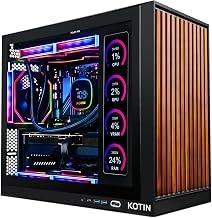
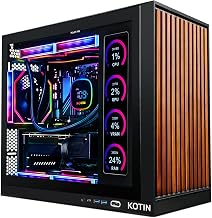
 KOTIN Prebuilt Gaming PC RTX 5070 12GB
- POWERED BY RTX 5070 12GB + RYZEN 7…
- 32GB DDR5 6000MHz MEMORY & 1TB NVMe SSD…
- IN 11.3-INCH Smart DISPLAY - An integrated smart…
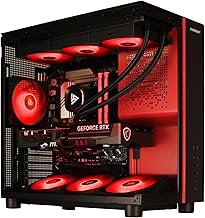
 STORMCRAFT Phantom RTX 5080 Gaming PC Ryzen
- 【System】AMD Ryzen 7 9800X3D CPU Processor 8 Cores…
- 【Graphics & Memory】 RTX 5080 16 GB GDDR7,…
- 【Cooler & Power】STORMCRAFT Phantom Gaming Computer Case, 360mm…
| Product | Key specs | |
|---|---|---|
| KOTIN Prebuilt Gaming PC RTX 5070 12GB | POWERED BY RTX 5070 12GB + RYZEN 7… 32GB DDR5 6000MHz MEMORY & 1TB NVMe SSD… IN 11.3-INCH Smart DISPLAY - An integrated smart… | Check price |
| STORMCRAFT Phantom RTX 5080 Gaming PC Ryzen | 【System】AMD Ryzen 7 9800X3D CPU Processor 8 Cores… 【Graphics & Memory】 RTX 5080 16 GB GDDR7,… 【Cooler & Power】STORMCRAFT Phantom Gaming Computer Case, 360mm… | Check price |
 NOVATECH Titan Pro NOVATECH Titan Pro | Check price | |
 YAWYORE Gaming PC YAWYORE Gaming PC | CPU: AMD Ryzen7 5700X (up to 4.6GHz) 8-Core… Main board: MSI B550M-A PRO motherboard provides reliable… GPU: Geforce RTX 5060 8GB GDDR7 Graphics Cards… | Check price |
 iBUYPOWER Element Gaming PC Desktop Computer AMD iBUYPOWER Element Gaming PC Desktop Computer AMD | AMD Ryzen 9 7900X, NVIDIA GeForce RTX 5070… Connectivity: 6 x USB 3.1 | 1x RJ-45… Special Add-Ons: Tempered Glass RGB Gaming Case |… | Check price |
 STORMCRAFT Falcon Prebuilt RTX 5070 Gaming PC STORMCRAFT Falcon Prebuilt RTX 5070 Gaming PC | Dominate 1440p & Max-Out Competitive Esports: Engineered for… Elite B850 Platform with 360mm AIO Cooling: Built… Your All-in-One Content & Streaming Command Center: Beyond… | Check price |
 Skytech Gaming King 95 Gaming PC Skytech Gaming King 95 Gaming PC | AMD Ryzen 7 9850X3D 4.7GHz (5.6GHz Turbo Boost)… NVIDIA GeForce RTX 5080 16GB GDDR7 Graphics Card… WI-FI 5 802.11ac | No Bloatware | Graphic… | Check price |
 msi Codex Z2 Gaming Desktop: AMD R7-8700F msi Codex Z2 Gaming Desktop: AMD R7-8700F | Driven by the AMD Ryzen 7 8700F with… The NVIDIA GeForce RTX 5070 is powered by… Simplistic Design: Enjoy the latest generation of Windows… | Check price |
As an Amazon Associate we earn from qualifying purchases at no extra cost to you.
🎮 Get More From Your Setup — Free
Prime Gaming gives you free PC games every month, in-game loot, and a free Twitch sub — plus fast free shipping on the rigs above. New members get a 30-day free trial.
Watch: Best 4K Prebuilt Gaming PC — Video Review
How to Choose a 4K Prebuilt Gaming PC
- GPU class first: True 4K comfort starts at an RTX 5070 with DLSS enabled, but an RTX 5080 like the one in the STORMCRAFT Phantom or Skytech King 95 gives you real headroom for native Ultra settings and future titles.
- CPU pairing: A strong X3D or high-core chip such as the Ryzen 7 9800X3D prevents the processor from bottlenecking your card, even though 4K leans heavily on the GPU.
- Memory and storage: Aim for 32GB DDR5 and at least a 1TB NVMe SSD; 2TB is smart if you install large modern games that routinely exceed 100GB each.
- Cooling and power: Look for a 360mm AIO and an 850W 80+ Gold PSU so the system stays thermally stable during long 4K sessions and leaves room for upgrades.
- Connectivity and warranty: WiFi 7, modern USB Type-C, and a clear warranty period matter for a machine you expect to keep for several years.
The Best 4K Prebuilt Gaming PCs Reviewed
STORMCRAFT Phantom RTX 5080
Built around a Ryzen 7 9800X3D and an RTX 5080 with 32GB of 6000MHz DDR5 and a 2TB SSD, the Phantom is our top pick for uncompromised 4K. The 360mm AIO and B850 platform keep the X3D chip cool and consistent, making it a genuine native-resolution performer rather than an upscaling-dependent one.
Skytech King 95
The Skytech King 95 leans on a Ryzen 7 9850X3D and an RTX 5080 16GB with a full 850W Gold ATX 3 PSU and 2TB of storage. It is a clean, well-balanced tower for players who want premium 4K frames plus the reliability of a recognized system builder.
iBUYPOWER Element (RTX 5070)
Pairing a Ryzen 9 7900X with an RTX 5070 12GB and 32GB DDR5, the iBUYPOWER Element hits a sweet spot for entry-level 4K. Lean on DLSS 4 and you will enjoy smooth Ultra HD in most titles while spending noticeably less than the 5080 builds.
KOTIN RTX 5070 Desktop
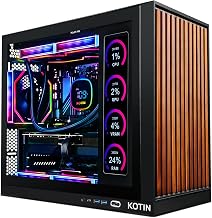
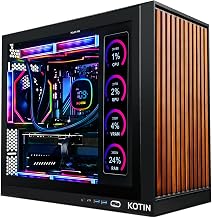
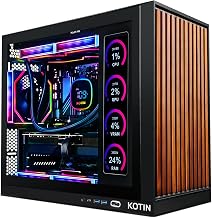
KOTIN’s RTX 5070 build with a Ryzen 7 9700X, 32GB DDR5, and an 850W Gold PSU is dressed for high resolution, right down to its 11.3-inch smart display and 360mm liquid cooler. It targets 1440p natively and 4K with upscaling, making it a stylish value option.
MSI Codex Z2
The MSI Codex Z2 combines an AMD R7-8700F, RTX 5070, 32GB DDR5, and a roomy 2TB NVMe SSD in a VR-ready chassis. As a mainstream brand build it offers dependable support and a USB Type-C front port, ideal if you value brand backing alongside 4K capability.
Frequently Asked Questions
Do I really need an RTX 5080 for 4K gaming?
Not strictly. An RTX 5070 with DLSS 4 handles most 2026 titles at 4K comfortably, but a 5080 gives you native Ultra settings and more longevity if you plan to keep the machine for several years.
How much RAM should a 4K build have?
32GB of DDR5 is the practical standard. It covers gaming plus background apps like streaming and browser tabs, and it prevents stutter in memory-hungry open-world games.
Is 1TB of storage enough?
It works, but modern AAA games can exceed 100GB each, so a 2TB SSD such as the ones in the Phantom or King 95 saves you from constant reinstalling.
Will these PCs stay quiet at 4K?
The models here use 360mm AIO liquid coolers and Gold-rated PSUs, so they hold reasonable noise and temperatures even during extended high-resolution sessions.
Final Thoughts
For no-compromise 4K, the STORMCRAFT Phantom and Skytech King 95 are the machines to beat thanks to their RTX 5080 GPUs and X3D processors. If you want strong Ultra HD performance for less, the iBUYPOWER Element and KOTIN RTX 5070 builds lean on DLSS 4 to deliver a smooth experience at a friendlier price. Match the GPU tier to your monitor and your appetite for native versus upscaled frames, and any pick here will serve you well into the coming years.