The RTX 5060 Ti sits in the enthusiast-friendly slot just above the mainstream 5060, and in 2026 it has become the go-to card for players who want a genuine 1440p experience without stepping up to 5070-class pricing. It brings extra shading power, higher sustained clocks, and full DLSS 4 support, translating into higher frame rates at 1440p and more comfortable headroom in demanding AAA games than its little brother can muster.
To help you cut through a crowded field, we gathered the RTX 5060 Ti prebuilts that deliver the most gaming value and scrutinized what actually matters after the box is opened: the CPU pairing, memory speed and capacity, SSD performance, and the quality of the power supply and cooling. What follows are our top picks, a focused buying guide, honest reviews, and answers to the questions shoppers raise most often.
Our top picks
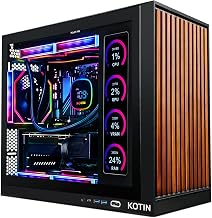
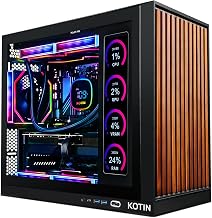
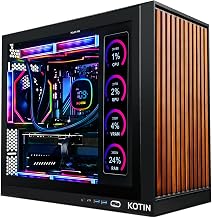
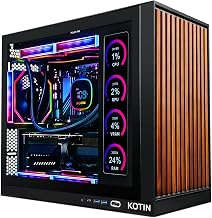
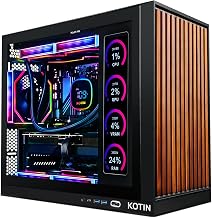
 KOTIN Prebuilt Gaming PC Ryzen 5 9600X
- 1080p and 1440p Gaming Desktop: GeForce RTX 5060…
- AMD Ryzen 5 9600X Processor: 6-core, 12-thread Zen…
- DDR5 RAM and PCIe 4.0 NVMe SSD: 16GB…
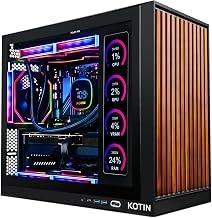
 KOTIN Prebuilt Gaming PC Ryzen 7 9700X
- 1440P Powerhouse: AMD Ryzen 7 9700X (up to…
- 11.3-Inch Smart Display: Built-in secondary screen shows real-time…
- 360mm ARGB Liquid Cooling: Advanced 360mm cooler with…
 Gaming Desktop PC
- Next-Level RTX 5060 Ti Graphics: Experience immersive gameplay…
- Powerful Ryzen 7 Performance: Powered by the Ryzen…
- Ultra-Fast Boot & File Transfers: 1TB NVMe M.2…
| Product | Key specs | |
|---|---|---|
| KOTIN Prebuilt Gaming PC Ryzen 5 9600X | 1080p and 1440p Gaming Desktop: GeForce RTX 5060… AMD Ryzen 5 9600X Processor: 6-core, 12-thread Zen… DDR5 RAM and PCIe 4.0 NVMe SSD: 16GB… | Check price |
| KOTIN Prebuilt Gaming PC Ryzen 7 9700X | 1440P Powerhouse: AMD Ryzen 7 9700X (up to… 11.3-Inch Smart Display: Built-in secondary screen shows real-time… 360mm ARGB Liquid Cooling: Advanced 360mm cooler with… | Check price |
| Gaming Desktop PC | Next-Level RTX 5060 Ti Graphics: Experience immersive gameplay… Powerful Ryzen 7 Performance: Powered by the Ryzen… Ultra-Fast Boot & File Transfers: 1TB NVMe M.2… | Check price |
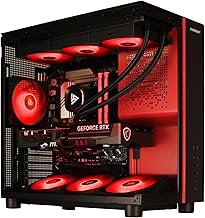
| KOTIN Gaming PC Desktop | High-FPS Gaming PC Performance: AMD Ryzen 7 8700F… 16GB DDR5 + 1TB Gen4 NVMe SSD: 16GB… Cool, Clean Gaming Tower Build: A CPU air… | Check price |
 Skytech Gaming PC Storm Skytech Gaming PC Storm | AMD Ryzen 5 5500 3.6GHz (4.2GHz Turbo Boost)… NVIDIA GeForce RTX 5060 Ti 8GB GDDR7 Graphics… WI-FI 5 802.11ac | No Bloatware | Graphic… | Check price |
 KOTIN Prebuilt Gaming PC Ryzen 7 7800X3D KOTIN Prebuilt Gaming PC Ryzen 7 7800X3D | Ryzen 7 7800X3D High-Cache Processor Built for Gaming:… Plug and Play Gaming PC: This KOTIN prebuilt… 9.16-Inch Smart Display: The built-in 9.16-inch smart display… | Check price |
 Panorama RTX 5060 Ti 8GB Panorama RTX 5060 Ti 8GB | [CPU] AMD Ryzen 7 5700X Processor (8 Cores,… [GPU] NVD Geforce RTX 5060 Ti (8GB GDDR7… [FANS] 10 ARGB PWM Fans for Powerful Air… | Check price |
| Skytech Gaming Storm Gaming PC | AMD Ryzen 5 8400F 4.2GHz (4.7GHz Turbo Boost)… NVIDIA GeForce RTX 5060 Ti 8GB GDDR7 Graphics… WI-FI 5 802.11ac | No Bloatware | Graphic… | Check price |
As an Amazon Associate we earn from qualifying purchases at no extra cost to you.
🎮 Get More From Your Setup — Free
Prime Gaming gives you free PC games every month, in-game loot, and a free Twitch sub — plus fast free shipping on the rigs above. New members get a 30-day free trial.
Watch: Best Prebuilt Gaming PC with RTX 5060 Ti — Video Review
How to Choose an RTX 5060 Ti Prebuilt
- Resolution sweet spot: The RTX 5060 Ti is a 1440p-first card; buy it if you game on a 1440p monitor or want maxed-out 1080p at very high refresh rates.
- CPU match: A Ryzen 5 9600X, Ryzen 7 8700F, or 7800X3D keeps the card from bottlenecking; avoid pairings with older budget quad-cores.
- Memory: 16GB DDR5 is the target for longevity, though a 32GB DDR4 build can be the better pick if you multitask or create alongside gaming.
- Cooling and clocks: Liquid-cooled towers hold boost clocks longer and stay quieter, which pays off in long 1440p sessions and warmer rooms.
- Storage and connectivity: Insist on a 1TB Gen4 NVMe SSD plus Wi-Fi 6 or newer so the machine loads fast and stays connected without add-ons.
The Best RTX 5060 Ti Prebuilts Reviewed
KOTIN Ryzen 5 9600X RTX 5060 Ti
This KOTIN build pairs the RTX 5060 Ti 8GB with a current-gen Ryzen 5 9600X, 16GB DDR5, and a 1TB SSD, all cooled by a digital-display CPU cooler. Assembled in the USA with a 650W 80+ Gold PSU and Wi-Fi 7, it is the most modern and upgrade-friendly platform in this group and an excellent balanced 1440p starter.
KOTIN Ryzen 7 8700F RTX 5060 Ti
Stepping up in CPU muscle, this KOTIN tower drops in a Ryzen 7 8700F with 16GB DDR5 at 6000MHz and a PCIe 4.0 NVMe SSD, explicitly tuned for 1080p and 1440p high-FPS gaming with DLSS 4. The extra cores make it a smart pick for players who also stream or run background apps while gaming.
Skytech Storm Ryzen 5 8400F RTX 5060 Ti
Skytech’s Storm keeps things clean and effective with a Ryzen 5 8400F, 16GB DDR5-6000, a 1TB NVMe SSD, and a 650W Gold PSU. It is a tidy, well-supported build from a major boutique brand and a dependable choice for buyers who want strong 1440p frames without paying for extras they will not use.
Panorama Ryzen 7 5700X RTX 5060 Ti
The Panorama tower leans on a generous 32GB of RAM alongside a Ryzen 7 5700X and a 1TB Gen4 NVMe SSD, and it ships with a keyboard, mouse, and Windows 11 Pro. That big memory pool and complete accessory bundle make it the pick for creators and multitaskers who want everything ready on day one.
KOTIN Ryzen 7 7800X3D RTX 5060 Ti
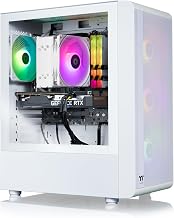
For the highest gaming frame rates in this lineup, this white liquid-cooled KOTIN teams the cache-rich Ryzen 7 7800X3D with 16GB DDR5 and a 1TB SSD. The 7800X3D is a favorite for pure gaming, and combined with a 650W Gold PSU and Wi-Fi 7 it makes a striking, high-performing 1440p centerpiece.
Frequently Asked Questions
Is the RTX 5060 Ti worth it over the RTX 5060?
If your monitor is 1440p, yes. The 5060 Ti provides noticeably more headroom at that resolution and in demanding AAA games, so it holds high settings and refresh rates better. For strictly 1080p play, the standard 5060 saves money.
What CPU pairs best with the RTX 5060 Ti?
Anything from a Ryzen 5 9600X up to a Ryzen 7 7800X3D keeps the card comfortably fed. The X3D chip squeezes out the most gaming frames, while the 9600X and 8700F offer excellent balance for mixed gaming and productivity.
Can these systems handle 1440p at high refresh rates?
Yes. Every build here targets 1440p, and with DLSS 4 enabled you can push well past 100 FPS in most modern titles. Esports games run at very high refresh rates natively, making these a great match for 144Hz-plus panels.
Should I prioritize more RAM or a faster CPU?
For pure gaming, prioritize the CPU, which is why the 7800X3D build shines. If you stream, edit, or keep many apps open, the 32GB Panorama’s extra memory will serve you better than a marginal CPU upgrade.
Final Thoughts
The RTX 5060 Ti is the resolution-conscious buyer’s best friend in 2026, and this lineup covers every angle. The KOTIN Ryzen 5 9600X build is the balanced modern default, the 7800X3D version delivers the highest gaming frames, and the Panorama bundles the most memory and accessories for creators. Decide whether raw frame rate or all-around versatility matters more, and you will land a 1440p rig that stays relevant for years.