The CPU cooler is one of the most consequential parts in a build, even though it rarely gets top billing. It decides whether your processor holds its boost clocks under load or throttles back, how quiet your system stays during a long gaming session, and how much thermal headroom you have for overclocking. In 2026, the good news is that cooling has never offered better value, with air towers matching pricey liquid loops and AIO coolers adding features once reserved for the high end.
Choosing between a big dual-tower air cooler and a 360mm all-in-one liquid cooler comes down to your CPU, your case, and your priorities around noise and aesthetics. This guide breaks down the factors that actually matter for cooling performance, then rounds up five of the best CPU coolers you can buy this year across both air and liquid designs.
Our top picks
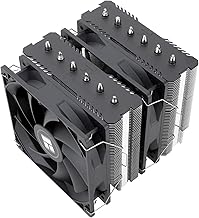
 Thermalright Peerless Assassin 120 SE CPU Cooler
- [Brand Overview] Thermalright is a Taiwan brand with…
- [Product specification] Thermalright PA120 SE
- 【2 PWM Fans】TL-C12C
 Noctua NH-D15 chromax.Black
- Proven premium heatsink (more than 300 awards and…
- Extra-wide 140mm dual-tower design with 6 heatpipes and…
- Dual-fan design with renowned, award-winning NF-A15 140mm fans…
 be quiet! Dark Rock Pro 5 CPU
- Dark Rock Pro 5 features 7 high-performance copper…
- The 2 Silent Wings PWM fans feature advanced…
- A Speed Switch allows you to choose between…
| Product | Key specs | |
|---|---|---|
| Thermalright Peerless Assassin 120 SE CPU Cooler | [Brand Overview] Thermalright is a Taiwan brand with… [Product specification] Thermalright PA120 SE 【2 PWM Fans】TL-C12C | Check price |
| Noctua NH-D15 chromax.Black | Proven premium heatsink (more than 300 awards and… Extra-wide 140mm dual-tower design with 6 heatpipes and… Dual-fan design with renowned, award-winning NF-A15 140mm fans… | Check price |
| be quiet! Dark Rock Pro 5 CPU | Dark Rock Pro 5 features 7 high-performance copper… The 2 Silent Wings PWM fans feature advanced… A Speed Switch allows you to choose between… | Check price |
 CORSAIR Nautilus 360 RS ARGB Liquid CPU CORSAIR Nautilus 360 RS ARGB Liquid CPU | Simple, High-Performance All-in-One CPU Cooling: Renowned CORSAIR engineering… Efficient, Low-Noise Pump: Keeps your coolant circulating at… Convex Cold Plate with Pre-Applied Thermal Paste: The… | Check price |
 ARCTIC Liquid Freezer III Pro 360 A-RGB ARCTIC Liquid Freezer III Pro 360 A-RGB | CONTACT FRAME FOR INTEL LGA1851 | LGA1700: Optimized… ARCTIC's P12 PRO FAN: More power at any… Shifting the cold plate center towards the CPU… | Check price |
 Thermalright Assassin X120 Refined SE CPU Air Thermalright Assassin X120 Refined SE CPU Air | [Brand Overview] Thermalright is a Taiwan brand with… [Product specification]AX120R SE 【PWM Fans】TL-C12C | Check price |
 ARCTIC Liquid Freezer III Pro 360 ARCTIC Liquid Freezer III Pro 360 | CONTACT FRAME FOR INTEL LGA1851 | LGA1700: Optimized… ARCTIC's P12 PRO FAN: More power at any… Shifting the cold plate center towards the CPU… | Check price |
 Thermalright Phantom Spirit 120SE CPU Air Cooler Thermalright Phantom Spirit 120SE CPU Air Cooler | [Brand Overview]Thermalright is a Taiwanese brand with more… [AGHP technique]7x6mm heatpipe with AGHP upgraded 4th generation… [Product specification] PS120SE | Check price |
As an Amazon Associate we earn from qualifying purchases at no extra cost to you.
⚡ Save on Your Next PC — Amazon Prime
Prime members get fast free shipping on the systems above, plus early access to Prime Day & Black Friday PC deals. New members get a 30-day free trial.
Watch: Best CPU Cooler 2026 — Video Review
How to Choose a CPU Cooler
- Socket compatibility: Confirm the cooler supports your socket, such as AMD AM5/AM4 or Intel LGA 1851/1700. Most modern coolers include brackets for both, but always double-check before buying.
- Air vs. liquid: A quality air tower is simpler, cheaper, and highly reliable, while a 360mm AIO offers stronger cooling for hot, high-core-count chips and a cleaner look. Match the type to your CPU’s heat output.
- Case clearance: Check your case’s maximum cooler height for air models and its radiator support for AIOs. A tall dual-tower cooler can block tall RAM or clash with a side panel.
- Noise level: Look for PWM fans and coolers known for quiet operation if a silent system matters. More heat pipes and larger surface area let a cooler run slower and quieter at the same temperature.
- Value and extras: Weigh included thermal paste, warranty length, and features like LCD screens or ARGB lighting. The best coolers deliver strong performance without demanding a flagship price.
The Best CPU Coolers Reviewed
Thermalright Peerless Assassin 120 SE
The Peerless Assassin 120 SE remains the value legend of CPU cooling. Its dual-tower design with six heat pipes and twin 120mm PWM fans delivers performance that shames coolers costing far more, handling mainstream and even enthusiast CPUs with ease. For most builders, it is the smartest cooling buy you can make.
Noctua NH-D15 chromax.Black
Noctua’s NH-D15 chromax.Black is the gold standard for premium air cooling. Its massive dual-tower heatsink, six heat pipes, and legendary quiet 140mm fans rival many liquid coolers while eliminating pump noise and leak risk entirely. It is the choice for enthusiasts who want top-tier, worry-free cooling.
be quiet! Dark Rock Pro 5
True to the brand name, the Dark Rock Pro 5 pairs excellent cooling with near-silent operation. Seven heat pipes, dual FDB PWM fans, and a two-mode speed switch make it ideal for overclocked systems where noise is the enemy. It is a superb air cooler for quiet, high-performance builds.
ARCTIC Liquid Freezer III Pro 360
For liquid cooling, the ARCTIC Liquid Freezer III Pro 360 is the value king. This 360mm AIO delivers outstanding thermal performance and low noise at a price that undercuts most rivals, with an ARGB option for those who want a splash of light. It is the go-to for cooling hot, high-core-count chips affordably.
CORSAIR Nautilus 360 RS ARGB
The Nautilus 360 RS ARGB is a polished 360mm AIO that blends strong cooling with tidy cable management and eye-catching lighting. Its low-noise design, direct motherboard connection, and included ARGB fans make it a clean, capable pick for builders who want performance and aesthetics together.
Frequently Asked Questions
Is an air cooler or AIO liquid cooler better?
A quality air cooler is simpler, cheaper, and extremely reliable, and top models rival mid-range AIOs. A 360mm liquid cooler pulls ahead on the hottest high-core-count CPUs and offers a cleaner look, so match the type to your chip.
Will a big air cooler fit in my case?
Check your case’s maximum CPU cooler height against the cooler’s spec, and confirm it clears tall RAM. Large dual-tower coolers need roomy cases, so measuring first prevents a frustrating return.
Do I need a 360mm radiator?
A 360mm AIO gives the most cooling headroom for high-end and overclocked CPUs. For mainstream processors, a strong air cooler or a 240mm AIO is often plenty, so buy based on your CPU’s heat output.
Does the included thermal paste matter?
Quality coolers ship with capable paste that is fine for most users. Enthusiasts chasing the last degree can upgrade to a premium compound, but the stock paste rarely holds back everyday performance.
Final Thoughts
The best CPU cooler keeps your processor fast, quiet, and stable without draining your budget. The Thermalright Peerless Assassin 120 SE is the outright value champion, the Noctua NH-D15 leads premium air cooling, and the ARCTIC Liquid Freezer III Pro 360 rules affordable liquid cooling. Confirm socket and case clearance, match the design to your CPU, and your build will run cool for years to come.