Key takeaways
- Match the cooler’s capacity to your processor’s heat output; a modern high-end CPU under load needs a serious cooler to avoid throttling.
- For mainstream CPUs, a single-tower air cooler like the Thermalright Assassin X120 Refined SE keeps temperatures in check without excess bulk.
- For enthusiast or overclocked chips, step up to a dual-tower air cooler or a 360mm AIO like the CORSAIR Nautilus 360 RS for extra thermal margin.
- Confirm socket compatibility; good coolers support current AMD AM5 and Intel LGA 1851 and 1700 sockets, but always check before buying.
Heat is the silent enemy of a gaming PC. When components run hot, they throttle their own clock speeds to protect themselves, quietly stealing the frame rates you paid for and shortening the life of your hardware. A well-cooled system, by contrast, holds peak performance longer, runs quieter, and lasts for years. Cooling is one of the most overlooked parts of a build, yet it is often the cheapest upgrade with the biggest payoff for stability.
This guide explains how to keep your gaming PC cool in 2026, from choosing between air and liquid CPU coolers to case airflow, thermal paste, and ongoing maintenance. You will learn what actually lowers temperatures, where extra spending stops mattering, and how to build a cooling setup that keeps your system fast and quiet, with a shortlist of proven coolers to consider.
Our top picks
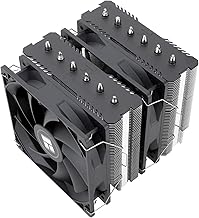
 Thermalright Peerless Assassin 120 SE CPU Cooler
- [Brand Overview] Thermalright is a Taiwan brand with…
- [Product specification] Thermalright PA120 SE
- 【2 PWM Fans】TL-C12C
 ARCTIC Liquid Freezer III Pro 360 A-RGB
- CONTACT FRAME FOR INTEL LGA1851 | LGA1700: Optimized…
- ARCTIC's P12 PRO FAN: More power at any…
- Shifting the cold plate center towards the CPU…
 ARCTIC Liquid Freezer III Pro 360
- CONTACT FRAME FOR INTEL LGA1851 | LGA1700: Optimized…
- ARCTIC's P12 PRO FAN: More power at any…
- Shifting the cold plate center towards the CPU…
| Product | Key specs | |
|---|---|---|
| Thermalright Peerless Assassin 120 SE CPU Cooler | [Brand Overview] Thermalright is a Taiwan brand with… [Product specification] Thermalright PA120 SE 【2 PWM Fans】TL-C12C | Check price |
| ARCTIC Liquid Freezer III Pro 360 A-RGB | CONTACT FRAME FOR INTEL LGA1851 | LGA1700: Optimized… ARCTIC's P12 PRO FAN: More power at any… Shifting the cold plate center towards the CPU… | Check price |
| ARCTIC Liquid Freezer III Pro 360 | CONTACT FRAME FOR INTEL LGA1851 | LGA1700: Optimized… ARCTIC's P12 PRO FAN: More power at any… Shifting the cold plate center towards the CPU… | Check price |
 CORSAIR Nautilus 360 RS Liquid CPU Cooler CORSAIR Nautilus 360 RS Liquid CPU Cooler | Simple, High-Performance All-in-One CPU Cooling: Renowned CORSAIR engineering… Efficient, Low-Noise Pump: Keeps your coolant circulating at… Convex Cold Plate with Pre-Applied Thermal Paste: The… | Check price |
 Thermalright Assassin X120 Refined SE CPU Air Thermalright Assassin X120 Refined SE CPU Air | [Brand Overview] Thermalright is a Taiwan brand with… [Product specification]AX120R SE 【PWM Fans】TL-C12C | Check price |
 Thermalright Peerless Assassin 120 SE ARGB CPU Thermalright Peerless Assassin 120 SE ARGB CPU | [Brand Overview] Thermalright is a Taiwan brand with… [Product specification] Thermalright PA120 SE ARGB 【2 PWM Fans】Model:TL-C12C-S | Check price |
 Cooler Master Hyper 212 PRO ARGB CPU Cooler Master Hyper 212 PRO ARGB CPU | Cool for R9 | i7 | Ultra 7:… Superconducting Heat Pipes: By incorporating advanced evaporator and… SickleFlow Edge 120 Fan: Experience premium airflow with… | Check price |
 CORSAIR Nautilus 360 RS ARGB Liquid CPU CORSAIR Nautilus 360 RS ARGB Liquid CPU | Simple, High-Performance All-in-One CPU Cooling: Renowned CORSAIR engineering… Efficient, Low-Noise Pump: Keeps your coolant circulating at… Convex Cold Plate with Pre-Applied Thermal Paste: The… | Check price |
As an Amazon Associate we earn from qualifying purchases at no extra cost to you.
⚡ Save on Your Next PC — Amazon Prime
Prime members get fast free shipping on the systems above, plus early access to Prime Day & Black Friday PC deals. New members get a 30-day free trial.
Watch: How to Cool Your Gaming PC (2026 Guide) — Video Review
Air vs. liquid cooling: which one you need
The first decision is air or liquid, and for most builds a quality air cooler is all you need. A high-end tower cooler like the Thermalright Peerless Assassin 120 SE, with six heat pipes and dual fans, tames even power-hungry CPUs while costing far less than a liquid loop and carrying no risk of leaks. All-in-one liquid coolers, such as the ARCTIC Liquid Freezer III Pro 360 or CORSAIR Nautilus 360 RS, move more heat and suit high-core-count chips, small cases where a tall tower will not fit, or anyone who wants a cleaner look. Choose air for value and reliability, liquid for maximum headroom or aesthetics.
Sizing your cooler to your CPU
- Match the cooler’s capacity to your processor’s heat output; a modern high-end CPU under load needs a serious cooler to avoid throttling.
- For mainstream CPUs, a single-tower air cooler like the Thermalright Assassin X120 Refined SE keeps temperatures in check without excess bulk.
- For enthusiast or overclocked chips, step up to a dual-tower air cooler or a 360mm AIO like the CORSAIR Nautilus 360 RS for extra thermal margin.
- Confirm socket compatibility; good coolers support current AMD AM5 and Intel LGA 1851 and 1700 sockets, but always check before buying.
Case airflow is half the battle
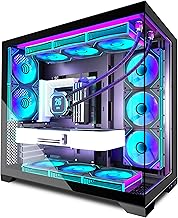
Even the best CPU cooler struggles inside a case with poor airflow, because it can only work with the air available to it. Set up a clear front-to-back path: intake fans at the front and bottom pulling cool air in, exhaust fans at the rear and top pushing hot air out. Aim for balanced or slightly positive pressure to reduce dust buildup. A 360mm AIO radiator like the ARCTIC Liquid Freezer III Pro 360 mounted as front intake or top exhaust integrates neatly into this flow. Cable management matters too: tidy cabling keeps air moving instead of pooling around components.
Thermal paste and mounting
The connection between your CPU and cooler is where heat actually transfers, and a poor application undoes an expensive cooler. Most quality coolers include decent thermal paste pre-applied or in the box, but applying a fresh pea-sized amount ensures even coverage. Mounting pressure matters just as much: seat the cooler evenly and tighten screws in a diagonal pattern so the coldplate makes flat, firm contact. If temperatures run high after a build, a bad mount or dried-out paste is often the culprit, and a remount is free to try.
Maintenance keeps temperatures low over time
Cooling degrades quietly as dust accumulates, so a little upkeep preserves the performance you built for. Every few months, blow dust off fans, filters, and heatsink fins with compressed air, since a clogged cooler like a dust-caked Thermalright Peerless Assassin loses much of its effectiveness. Check that all fans still spin and that RGB or PWM cables have not come loose. For AIOs, listen for pump noise that could signal air bubbles, and expect to repaste an air cooler every couple of years. Consistent maintenance is the cheapest way to keep a system cool for its whole life.
Tips
- Set a custom fan curve in your BIOS or software so fans ramp under load but stay quiet at idle.
- Add a dust filter to intake fans and clean it monthly; it is far easier than cleaning the whole interior.
- Mount a 360mm AIO radiator as front intake for the coolest liquid, or top exhaust to prioritize quiet and simplicity.
- Monitor temperatures with software during a demanding game to confirm your cooling holds up before assuming it is fine.
Frequently Asked Questions
Is liquid cooling better than air cooling?
Not necessarily better, just different. A top air cooler matches many AIOs in performance for less money and with no leak risk. Liquid cooling wins for very hot CPUs, compact cases, or a cleaner look. For most builds, quality air cooling is the smarter choice.
Do I need a 360mm AIO?
Only for high-end or overclocked processors, or if you specifically want one. A 360mm radiator provides excellent thermal headroom, but mainstream CPUs run perfectly cool on a good air cooler or a smaller radiator. Match the cooler to your chip’s heat output.
How often should I replace thermal paste?
For an air cooler, every two to three years is a reasonable interval, or whenever you remove the cooler. If temperatures start climbing without another cause, dried paste is a likely culprit and repasting is a cheap fix.
Why is my PC still hot with a good cooler?
Usually poor case airflow, a bad cooler mount, or dust. Ensure you have clear intake and exhaust paths, that the cooler is seated evenly with fresh paste, and that fans and filters are clean. Any one of these can undo a strong cooler.
Conclusion
Keeping a gaming PC cool is less about spending the most and more about getting the fundamentals right: an appropriately sized cooler, clear case airflow, a proper thermal paste application, and regular dust maintenance. For most builders a strong air cooler delivers quiet, reliable temperatures, while a 360mm AIO earns its place in hot or compact systems. Pick a cooler from the options above that suits your CPU and case, set up your airflow with intent, and your hardware will reward you with steady frame rates and a longer life.