The processor is the quiet workhorse of a gaming PC. While the graphics card gets the spotlight, the CPU is what feeds it, handling game logic, physics, AI, and the thousands of draw calls that keep frames flowing. Pick the wrong one and even a powerful GPU sits half-idle, bottlenecked and stuttering in exactly the fast-paced moments where you need smoothness most. Pick well and your whole system runs balanced for years.
This guide cuts through the spec-sheet noise to help you choose a gaming CPU that fits your resolution, your GPU, and your budget. You will learn why core counts and clock speeds matter less than you think, what cache and platform longevity actually buy you, and how to avoid overspending on performance a game will never use. Along the way we point to the current processors below, from budget six-cores to high-cache gaming champions, as concrete reference points.
Our top picks
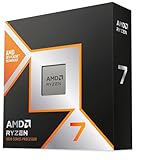
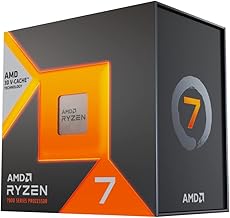
 AMD RYZEN 7 9800X3D 8-Core
- The world’s fastest gaming processor, built on AMD…
- 8 cores and 16 threads, delivering +~16% IPC…
- 96MB L3 cache with better thermal performance vs
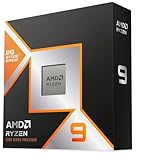
 AMD Ryzen™ 5 9600X 6-Core
- Pure gaming performance with smooth 100+ FPS in…
- 6 Cores and 12 processing threads, based on…
- 5.4 GHz Max Boost, unlocked for overclocking, 38…
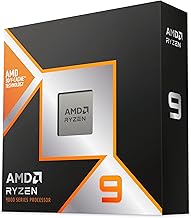
 AMD Ryzen 9 9950X3D 16-Core Processor
- AMD Ryzen 9 9950X3D Gaming and Content Creation…
- Max
- Form Factor: Desktops , Boxed Processor
| Product | Key specs | |
|---|---|---|
| AMD RYZEN 7 9800X3D 8-Core | The world’s fastest gaming processor, built on AMD… 8 cores and 16 threads, delivering +~16% IPC… 96MB L3 cache with better thermal performance vs | Check price |
| AMD Ryzen™ 5 9600X 6-Core | Pure gaming performance with smooth 100+ FPS in… 6 Cores and 12 processing threads, based on… 5.4 GHz Max Boost, unlocked for overclocking, 38… | Check price |
| AMD Ryzen 9 9950X3D 16-Core Processor | AMD Ryzen 9 9950X3D Gaming and Content Creation… Max Form Factor: Desktops , Boxed Processor | Check price |
 AMD Ryzen 5 5500 6-Core AMD Ryzen 5 5500 6-Core | Can deliver fast 100 plus FPS performance in… 6 Cores and 12 processing threads, bundled with… 4.2 GHz Max Boost, unlocked for overclocking, 19… | Check price |
 AMD Ryzen 7 7800X3D 8-Core AMD Ryzen 7 7800X3D 8-Core | Check price | |
 Intel® Core™ i7-14700K New Gaming Desktop Processor Intel® Core™ i7-14700K New Gaming Desktop Processor | Check price | |
 Intel® Core™ i7-14700KF New Gaming Desktop Processor Intel® Core™ i7-14700KF New Gaming Desktop Processor | Game Without Compromise 20 cores (8 P-cores plus 12 E-cores) and… Up to 5.6 GHz with Turbo Boost Max… | Check price |
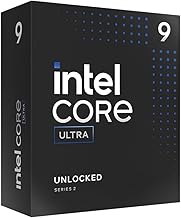
 Intel® Core™ Ultra 7 Processor 270K Plus Intel® Core™ Ultra 7 Processor 270K Plus | Next‑Gen Platform Support: Compatible with Intel 800 Series… High‑Performance Core Configuration: Features up to 24 cores… Ultra‑Fast Boost Clocks: Reaches up to 5.5 GHz… | Check price |
As an Amazon Associate we earn from qualifying purchases at no extra cost to you.
⚡ Save on Your Next PC — Amazon Prime
Prime members get fast free shipping on the systems above, plus early access to Prime Day & Black Friday PC deals. New members get a 30-day free trial.
Watch: How to Choose a Gaming CPU (2026 Guide) — Video Review
Match the CPU to Your Resolution and GPU
The most important sizing rule is that CPU demand rises as resolution falls. At 1080p the processor does more of the work each second because frames come so fast, so a weak CPU bottlenecks a strong GPU. At 1440p and especially 4K, the graphics card becomes the limiting factor and the CPU matters comparatively less. This means a competitive 1080p player chasing high frame rates should invest more in the processor, while a 4K single-player gamer can pair a mid-range chip with a top GPU and lose almost nothing. Always think in terms of balance: a CPU should be strong enough to keep your specific graphics card fed at your chosen resolution, no more and no less.
Understand Cores, Threads, and Clock Speed
Modern games rarely use more than eight cores well, so piling on cores past that point does little for pure gaming. What matters more is per-core speed and how efficiently the chip handles the game’s main thread. A six-core part like the Ryzen 5 9600X is plenty for most builds, while an eight-core chip gives comfortable headroom for streaming or background tasks while you play. Very high core counts, like the sixteen cores on a Ryzen 9 9950X3D or the many cores on an Intel Core Ultra, pay off mainly in content creation and heavy multitasking. For gaming alone, prioritize strong single-thread performance and a sensible six-to-eight core count over raw core quantity.
Why Cache Matters for Gaming
One spec punches far above its weight for games: the large on-chip cache. Chips with a big stacked cache, such as the Ryzen 7 7800X3D and the newer Ryzen 7 9800X3D, keep more game data close to the cores, which slashes the time spent fetching from slower main memory. In practice this delivers a bigger frame-rate boost in many games than a higher clock speed or extra cores would. If your priority is pure gaming performance and you can stretch the budget, a large-cache gaming CPU is often the single best value, because it targets exactly the workload games generate rather than general compute muscle you will not use.
Consider the Platform and Upgrade Path
- Check the socket, since it determines which motherboards fit and whether you can drop in a faster chip later without replacing the board.
- A platform with a long support commitment lets you upgrade the CPU in a few years while keeping your motherboard and memory, saving money over time.
- Factor in memory type, because current platforms use DDR5, and the right speed and timing meaningfully affect gaming frame rates.
- Look at cooling and power needs, as higher-end chips draw more watts and demand a stronger cooler to hold their boost clocks.
Set a Budget That Fits the Whole Build
A gaming CPU should never eat the budget your GPU needs. As a rough guide, spend more on the graphics card than the processor for most gaming-focused builds, and let your target resolution decide the split. A value chip like the Ryzen 5 5500 or 9600X frees money for a better GPU in a 1080p or entry build, while a large-cache eight-core makes sense in a high-refresh or high-end system where the GPU is already strong. Also budget for the supporting parts, a compatible motherboard, DDR5 memory, and adequate cooling, so the CPU you choose actually runs at its full potential rather than throttling in a mismatched build.
Tips
- Buy the CPU your GPU and resolution demand, then stop, since spending more on cores you will not use starves the rest of the build.
- Prioritize a large-cache gaming chip if pure frame rate is your goal and the budget allows it.
- Confirm the socket and motherboard chipset match before buying, and check that a BIOS update is not required for the chip to post.
- Pair the processor with a capable cooler and reasonably fast DDR5 memory, because both directly affect the frames you actually get.
Frequently Asked Questions
How many cores do I need for gaming in 2026?
Six cores handle most games comfortably, and eight give you headroom for streaming or background apps while playing. Counts beyond eight rarely improve gaming and are aimed at heavy multitasking or content creation, so do not overpay for cores a game engine will not touch.
Is Intel or AMD better for gaming right now?
Both make excellent gaming chips, and the right pick depends on your budget and priorities. AMD’s large-cache X3D processors currently lead in many pure-gaming benchmarks, while Intel and AMD’s standard chips offer strong all-round value. Compare the specific models in your price range rather than the brand.
Does the CPU matter at 4K resolution?
Less than at lower resolutions. At 4K the graphics card does most of the work, so a solid mid-range CPU keeps up with even a powerful GPU. You only need a top-tier processor at 4K if you also chase very high frame rates or run CPU-heavy simulation games.
Should I buy a CPU with a stacked 3D cache?
If gaming is your main use and the budget stretches, yes. The large cache on X3D-style chips boosts frame rates in many titles more than extra cores or clock speed would. For mixed workloads that lean on heavy multitasking, a standard high-core chip may serve you better.
Conclusion
Choosing a gaming CPU comes down to balance, not brute force. Size the processor to your resolution and graphics card, favor strong single-core speed and a sensible six-to-eight core count, and reach for a large-cache gaming chip if pure frame rate is the goal. Confirm the socket, memory, and cooling all fit, keep the CPU from crowding out your GPU budget, and you will end up with a system that runs smoothly today and upgrades cleanly tomorrow.