Key takeaways
- Enable EXPO for the DDR5 memory, then check stability. Default memory settings can reduce minimum frame rates.
- Use a frame-rate cap a few frames below your display refresh rate, such as 162 FPS for a 165Hz monitor. This reduces unnecessary CPU and GPU work and can improve frame-time consistency.
- At 1440p, start with a high GPU preset and test GPU utilization. If utilization is consistently below 90%, investigate CPU limits, background applications, or an in-game frame cap.
- At 4K, use DLSS Quality before lowering many individual settings. It reduces the rendering workload while usually preserving more image quality than indiscriminately lowering texture or geometry options.
- Keep at least 32GB of RAM for a new build. Move to 64GB if you play heavily modded games, run browsers and recording software alongside games, or use productivity applications at the same time.
The best CPU for RTX 4070 Ti in 2026 is the AMD Ryzen 7 9800X3D for high-refresh 1440p gaming, while the Ryzen 7 7800X3D is usually the smarter value buy and almost any modern six-core CPU is sufficient for 4K.
The RTX 4070 Ti is fast enough to expose CPU differences at 1440p, especially in competitive games, simulation titles, and open-world games with busy cities. At 4K, its GPU workload becomes the limiting factor much sooner, so spending extra on the processor only makes sense if you also want a long upgrade path, high minimum frame rates, or serious productivity performance.
Quick recommendation by situation
| Your situation | Best choice | Why |
|---|---|---|
| Maximum 1440p FPS | Ryzen 7 9800X3D | Excellent gaming latency and strong 1% lows without excessive platform power |
| Best value on a new build | Ryzen 7 7800X3D | Still exceptionally fast for gaming and often available at a lower total system cost |
| Already own an AM5 motherboard | Ryzen 7 9800X3D or Ryzen 7 7800X3D | A drop-in upgrade can avoid buying a new board and memory kit |
| Gaming plus heavy rendering or compiling | Ryzen 9 9950X3D | Much stronger multi-core performance while retaining gaming-focused cache |
| Already own LGA1700 | Existing Core i7 or Core i9, if adequate | A platform change is rarely justified for an RTX 4070 Ti alone |
| 4K gaming at 60–144Hz | Ryzen 7 7700, Ryzen 7 9700X, or equivalent | Leaves more budget for cooling, storage, or a stronger graphics card |
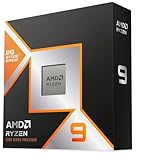
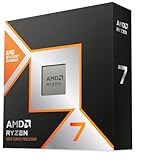
Best overall: Ryzen 7 9800X3D
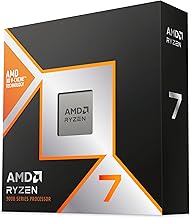
The Ryzen 7 9800X3D is the strongest all-round gaming match for an RTX 4070 Ti when the target is high-refresh 1440p. Its eight cores are more than enough for current games, and its large 3D V-Cache helps workloads that repeatedly access game-world data, including some strategy, simulation, and esports titles.
Its main advantage is not that every game becomes dramatically faster. In GPU-limited games, frame rates may be nearly identical to cheaper Ryzen 7 processors. The advantage appears more clearly in CPU-limited situations: crowded areas, high-refresh monitors, minimum frame rates, and games where background tasks can otherwise cause frame-time spikes.
For a 1440p 165Hz or 240Hz display, this is the safest premium choice. For 4K, it is a luxury rather than a requirement because the RTX 4070 Ti will frequently determine the final frame rate.
Best value: Ryzen 7 7800X3D
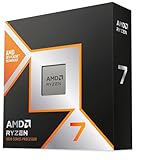
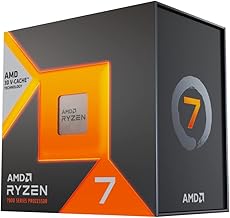
The Ryzen 7 7800X3D remains one of the most sensible CPUs to pair with this graphics card if its market price is clearly below the Ryzen 7 9800X3D. It offers eight cores, strong gaming performance, low gaming power consumption, and compatibility with the AM5 platform.
The 9800X3D is the better long-term premium purchase, but the 7800X3D can deliver nearly the same experience at 1440p and 4K. The money saved is often better spent on a larger SSD, 32GB or 64GB of DDR5, a quieter cooler, or a higher-tier graphics card at the next upgrade.
Choose the 7800X3D when its total platform cost is at least roughly $100 lower than a comparable 9800X3D build. A small price difference favors the newer chip; a large difference favors the 7800X3D.
When a non-X3D CPU is the better decision
The Ryzen 7 9700X is a strong choice for a balanced 1440p or 4K system, particularly when the computer will also be used for general productivity. It does not always match an X3D processor in CPU-limited games, but the difference is often hidden when the RTX 4070 Ti is rendering at 4K.
The Ryzen 7 7700 is another sensible option if it is substantially cheaper. It has eight Zen 4 cores and is fast enough to keep an RTX 4070 Ti productive in most games. At 4K, the visual settings, ray tracing workload, and upscaling mode generally matter more than the difference between a Ryzen 7 7700 and a premium gaming CPU.
Intel alternatives such as the Core Ultra 7 265K can also pair well with the card. They offer strong mixed-use performance, but compare the complete platform rather than the processor alone. Motherboard prices, memory support, cooler requirements, and power limits can erase an apparent CPU discount.
1440p versus 4K: where the bottleneck moves
At 1440p
At 1440p, the RTX 4070 Ti can produce high frame rates in rasterized games, so the CPU becomes important when you use competitive settings or aim for 165Hz and above. A powerful CPU is especially valuable in games such as large-scale multiplayer shooters, simulation games, strategy games, and open-world titles with heavy non-player-character activity.
With an X3D processor, avoid assuming that every game will be CPU-limited. If GPU usage remains around 95–99% during gameplay, replacing a Ryzen 7 7700 with a 9800X3D will usually produce a modest improvement. If GPU usage repeatedly falls below about 90% while one or more CPU threads are busy, a faster gaming CPU can make a visible difference.
At 4K
At 4K, the RTX 4070 Ti is normally the limiting component, particularly with ray tracing. A Ryzen 7 7700, 9700X, 7800X3D, or 9800X3D can all provide a smooth experience, provided the game is not unusually CPU-heavy.
For example, suppose a game renders at 80 FPS at 1440p but only 48 FPS at 4K. The pixel workload rises from 3.69 million pixels per frame to 8.29 million: approximately 2.25 times as many pixels. That extra work falls mainly on the GPU, not the CPU. This is why a $400–$600 premium CPU does not automatically improve 4K performance.
Power draw and cooling
| Processor class | Typical gaming CPU power | Recommended cooler | Practical implication |
|---|---|---|---|
| Ryzen 7 7800X3D | Approximately 50–90W | Quality tower air cooler or 240mm liquid cooler | Efficient and easy to cool |
| Ryzen 7 9800X3D | Approximately 60–110W | Large tower air cooler or 240mm liquid cooler | High gaming performance without extreme system draw |
| Ryzen 7 9700X | Approximately 55–100W | Quality tower air cooler | Good efficiency for mixed use |
| Ryzen 9 9950X3D | Approximately 90–170W | High-end dual-tower air cooler or 280mm/360mm liquid cooler | Worth it mainly for multi-core workloads |
| Core Ultra 7 265K | Approximately 80–180W, depending on limits | Strong tower cooler or liquid cooler | Check motherboard power settings and case airflow |
These are planning figures rather than guaranteed limits. Actual consumption changes with the game, motherboard settings, boost behavior, and cooling. For a system containing an RTX 4070 Ti, a quality 750W power supply is generally comfortable with the Ryzen 7 recommendations. A 850W unit provides more headroom for a power-hungry processor, additional drives, or future graphics-card upgrades.
A useful budget calculation is to reserve about 285W for the graphics card, 100W for a gaming CPU, and roughly 100W for the motherboard, drives, fans, and transient margin. That is about 485W under a demanding gaming load. A 750W supply therefore has substantial operating headroom, while a cheap or aging unit may still be a poor choice despite its label.
Platform cost and upgrade path
AM5 is the most attractive platform for a new gaming build because it uses DDR5 and supports several generations of Ryzen processors. A typical AM5 upgrade path can begin with a Ryzen 7 7700 or Ryzen 5 7600 and later move to an X3D model without replacing the motherboard and memory, assuming BIOS support is available.
Budget for the whole platform, not just the CPU. A reasonable AM5 total commonly includes $180–$300 for a compatible motherboard and $90–$180 for 32GB of DDR5, with faster memory sometimes costing more. Buying an expensive processor on a very cheap board can compromise sustained boost behavior and connectivity.
The Ryzen 7 9800X3D is a better upgrade-path choice than an older high-end CPU on a dead-end socket, even if the initial processor prices are similar. Conversely, if you already own a capable AM5 board, upgrading only the CPU is especially compelling.
Settings that prevent an apparent CPU bottleneck
- Enable EXPO for the DDR5 memory, then check stability. Default memory settings can reduce minimum frame rates.
- Use a frame-rate cap a few frames below your display refresh rate, such as 162 FPS for a 165Hz monitor. This reduces unnecessary CPU and GPU work and can improve frame-time consistency.
- At 1440p, start with a high GPU preset and test GPU utilization. If utilization is consistently below 90%, investigate CPU limits, background applications, or an in-game frame cap.
- At 4K, use DLSS Quality before lowering many individual settings. It reduces the rendering workload while usually preserving more image quality than indiscriminately lowering texture or geometry options.
- Keep at least 32GB of RAM for a new build. Move to 64GB if you play heavily modded games, run browsers and recording software alongside games, or use productivity applications at the same time.
Final verdict
Choose the Ryzen 7 9800X3D if you want the best CPU match for an RTX 4070 Ti at high-refresh 1440p and plan to keep the system for years. Choose the Ryzen 7 7800X3D if it is meaningfully cheaper, because its gaming performance remains excellent. For primarily 4K gaming, the Ryzen 7 7700 or Ryzen 7 9700X is often the more rational purchase. Only step up to a Ryzen 9 9950X3D or comparable high-core-count processor when your workload outside gaming can use the extra cores.