Picking the right Core i7 for gaming in 2026 isn’t as simple as grabbing the newest chip on the shelf. Between last-gen unlocked processors, refreshed 14th Gen options, and the newer Core Ultra 7 lineup, buyers face a confusing mix of core counts, clock speeds, and chipset requirements that can make or break a build’s performance and longevity.
This guide breaks down six of the most popular Intel i7-class desktop processors for gaming, what separates them, and how to match one to your motherboard, cooling setup, and budget. Whether you’re building a fresh rig or upgrading an aging system, you’ll find a clear recommendation below.
Our top picks
 Intel Core™ i7-14700K New Gaming Desktop Processor
- Built for the Next Generation of Gaming
- Discrete graphics required
- Compatible with Intel 600 series and 700 series…
 Intel Core™ i7-12700KF Desktop Processor 12
- Intel Core i7 3.60 GHz processor offers more…
- The Socket LGA-1700 socket allows processor to be…
- 11 MB L2 and 25 MB L3 cache…
 Intel Core™ i7-14700KF New Gaming Desktop Processor
- Game Without Compromise
- 20 cores (8 P-cores plus 12 E-cores) and…
- Up to 5.6 GHz with Turbo Boost Max…
| Product | Key specs | |
|---|---|---|
| Intel Core™ i7-14700K New Gaming Desktop Processor | Built for the Next Generation of Gaming Discrete graphics required Compatible with Intel 600 series and 700 series… | Check price |
| Intel Core™ i7-12700KF Desktop Processor 12 | Intel Core i7 3.60 GHz processor offers more… The Socket LGA-1700 socket allows processor to be… 11 MB L2 and 25 MB L3 cache… | Check price |
| Intel Core™ i7-14700KF New Gaming Desktop Processor | Game Without Compromise 20 cores (8 P-cores plus 12 E-cores) and… Up to 5.6 GHz with Turbo Boost Max… | Check price |
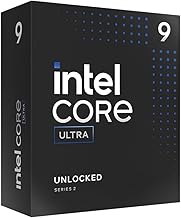
 Intel Core Ultra 7 Desktop Processor 265KF Intel Core Ultra 7 Desktop Processor 265KF | Total Core 20 (8P plus12E) Processor Thread 20 Max Clock Frequency 5.5 GHz | Check price |
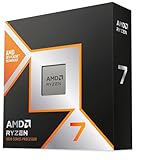
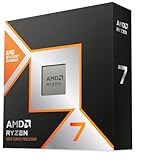
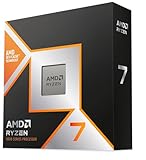
 Intel Core™ Ultra 7 Processor 270K Plus Intel Core™ Ultra 7 Processor 270K Plus | Next‑Gen Platform Support: Compatible with Intel 800 Series… High‑Performance Core Configuration: Features up to 24 cores… Ultra‑Fast Boost Clocks: Reaches up to 5.5 GHz… | Check price |
 Intel Core i7-12700K Gaming Desktop Processor with Intel Core i7-12700K Gaming Desktop Processor with | Intel Core i7 3.60 GHz processor offers more… The processor features Socket LGA-1700 socket for installation… 25 MB of L3 cache to boost the… | Check price |
 Intel Core i7-14700 Desktop Processor 20 cores Intel Core i7-14700 Desktop Processor 20 cores | 20 cores (8 P-cores + 12 E-cores) and… Performance hybrid architecture integrates two core microarchitectures, prioritizing… Up to 5.4 GHz unlocked | Check price |
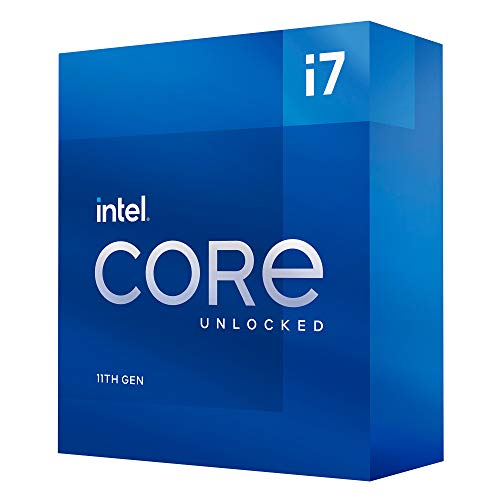 Intel Core™ i7-11700K Desktop Processor 8 Cores Intel Core™ i7-11700K Desktop Processor 8 Cores | Compatible with Intel 500 series & select Intel… Intel Turbo Boost Max Technology 3.0 Support Intel Optane Memory Support | Check price |
As an Amazon Associate we earn from qualifying purchases at no extra cost to you.
🎮 Get More From Your Setup — Free
Prime Gaming gives you free PC games every month, in-game loot, and a free Twitch channel sub — plus fast free shipping on all the gear above. New members get a 30-day free trial.
Watch: Best Intel I7 CPU For Gaming — Video Review
How to Choose an Intel I7 CPU For Gaming (2026)
- Core Configuration: More P-cores (Performance-cores) generally matter more for gaming frame rates than E-core (Efficient-core) count, though E-cores help with streaming and background tasks.
- Chipset Compatibility: Confirm your motherboard supports LGA1700 (12th/14th Gen) or LGA1851 (Core Ultra 200 series) before buying — these sockets are not interchangeable.
- Clock Speed and Cooling: Unlocked “K” and “KF” chips can boost past 5.0 GHz, but sustaining that speed requires a solid CPU cooler and adequate case airflow.
- Integrated Graphics vs. “F” Models: “F” suffix processors drop the integrated GPU to save cost, which is fine if you already have a dedicated graphics card.
- Price-to-Performance: Newer isn’t always better value — a well-priced 12th or 14th Gen i7 can still outperform a budget Core Ultra 7 in real-world gaming benchmarks.
The Best Intel I7 CPU For Gaming (2026)s Reviewed
Intel Core i7-14700K
The 14700K’s 20-core layout and integrated graphics make it a flexible, high-headroom choice for gamers who want strong multitasking performance alongside top-tier frame rates.
Intel Core i7-14700KF
Essentially the 14700K without integrated graphics, this chip delivers identical gaming performance at a lower price for anyone already running a dedicated GPU.
Intel Core Ultra 7 265KF
Intel’s newer architecture brings improved power efficiency and strong multi-core throughput, making it a forward-looking pick for gamers who also do heavy productivity work.
Intel Core Ultra 7 270K Plus
With 24 total cores and boost speeds up to 5.5 GHz, this is the most future-proof option here, excelling in CPU-bound titles and simulation-heavy games.
Intel Core i7-12700KF
A proven, budget-friendly veteran, the 12700KF still holds its own in most modern games and is an excellent value pick for LGA1700 builds.
Frequently Asked Questions
Is a 12th Gen i7 still good for gaming in 2026?
Yes — the i7-12700K and 12700KF remain capable gaming chips, especially when paired with a fast GPU and DDR5 memory, though newer chips offer better multi-core efficiency.
Do I need the integrated graphics on these CPUs?
Only if you don’t have a dedicated graphics card or need a display output for troubleshooting; otherwise, an “F” model saves money without any gaming performance loss.
What’s the difference between Core i7 and Core Ultra 7?
Core Ultra 7 chips use Intel’s newer architecture with improved efficiency and AI-acceleration features, while Core i7 chips rely on the more established, widely-supported LGA1700 platform.
Do I need a new motherboard for these processors?
12th and 14th Gen i7 chips use LGA1700 motherboards, while Core Ultra 7 200-series chips require a newer LGA1851 board, so always check compatibility before buying.
Final Thoughts
For most gamers in 2026, the Intel Core i7-14700K offers the best all-around balance of price and performance, while the Core Ultra 7 270K Plus is the top pick for those wanting the most future-proof platform, and the i7-12700KF remains the smartest budget choice for LGA1700 builds.