Key takeaways
- Premium Gen4 (Samsung 990 PRO, WD_Black SN7100): best for enthusiasts who want top speeds and consistent performance under load.
- Value Gen4 (Crucial P310, KingSpec 2TB): near-flagship read speeds around 7,100 to 7,400 MB/s at a lower price, ideal for most gaming builds.
- Gen5 (Samsung 9100 PRO): future-facing and blazing fast, but a premium worth paying only if your motherboard supports it and you want headroom.
- Budget/secondary (Silicon Power Gen3, WD Green SN350): slower but affordable, fine as a bulk library drive for games you play less often.
Modern games are enormous. A single flagship title can swallow well over 100GB, and once you factor in a launcher library, recordings, and the occasional creative project, the 500GB drive that felt generous a few years ago fills up in weeks. Storage is no longer a spec you can afford to guess at, because running out means constantly uninstalling games or watching load screens crawl on a slow drive. In 2026 the question is not just how much, but what kind.
This guide explains how much storage a gaming PC actually needs in 2026, why NVMe SSD speed matters, how to think about capacity tiers, and how to combine drives sensibly. By the end you will know what size and class of drive fits your library and budget, and which drives are worth a closer look.
Our top picks
 Samsung SSD 990 PRO 2TB
Sequential speeds up to 7450 MB/s suit heavy workloads
Improved random performance aids faster everyday load times
Compact M.2 2280 form factor fits most modern motherboards
Requires a PCIe 4.0 slot to reach full speed
Capacity tops out lower than some rival 4TB drives
 WD_Black SN7100 2TB NVMe SSD
- This product has been replaced by our latest…
- OCTANE GAMING
- BUILT
 Silicon Power 2TB NVMe M.2 PCIe Gen3x4
- PCIe Gen 3x4 interface with read speeds up…
- TBW=1200
- The warranty terms on all of its SSDs…
| Product | Key specs | |
|---|---|---|
| Samsung SSD 990 PRO 2TB | Check price | |
| WD_Black SN7100 2TB NVMe SSD | This product has been replaced by our latest… OCTANE GAMING BUILT | Check price |
| Silicon Power 2TB NVMe M.2 PCIe Gen3x4 | PCIe Gen 3x4 interface with read speeds up… TBW=1200 The warranty terms on all of its SSDs… | Check price |
 Samsung SSD 9100 PRO 2TB Samsung SSD 9100 PRO 2TB | BREAKTHROUGH PCIe 5.0 PERFORMANCE: Supercharge your workflow and… EVERY TASK, TURBOCHARGED: Speed past productivity limits THINK FAST, CREATE FASTER: With random read/write speeds… | Check price |
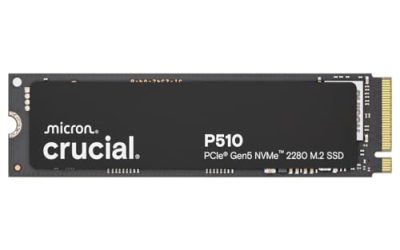
 Crucial P310 2TB SSD Crucial P310 2TB SSD | PCIe 4.0 Performance: Delivers up to 7,100 MB/s… Spacious 2TB SSD: Provides space for AAA games,… Broad Compatibility: Works seamlessly with laptops, desktops, and… | Check price |
 Western Digital 2TB WD Green SN350 NVMe Western Digital 2TB WD Green SN350 NVMe | Fast NVMe performance for daily computing needs SSDs offer shock-resistance against accidental bumps and drops The slim M.2 2280 form factor is ideal… | Check price |
 Crucial P310 M.2 2280 2TB PCI-Express 4.0 Crucial P310 M.2 2280 2TB PCI-Express 4.0 | M.2 2280 2TB PCI-Express 4.0 x4 NVMe | Check price |
 KingSpec 2TB M.2 NVMe PCIe Gen4 SSD KingSpec 2TB M.2 NVMe PCIe Gen4 SSD | Championship-Grade Gen4 Speed - Up to 7400MB/s Read:… Graphene Cooling & Sustained Speed - Zero Throttling:… 3D TLC NAND Endurance & 10x Lifespan-1200 TBW:… | Check price |
As an Amazon Associate we earn from qualifying purchases at no extra cost to you.
⚡ Save on Your Next PC — Amazon Prime
Prime members get fast free shipping on the systems above, plus early access to Prime Day & Black Friday PC deals. New members get a 30-day free trial.
Watch: How Much Storage for a Gaming PC in 2026? — Video Review
How much capacity you actually need
For most players in 2026, 2TB is the practical sweet spot, which is why nearly every drive worth recommending, from the Samsung 990 PRO 2TB to the Crucial P310 2TB, lands at that size. A 1TB drive holds only a handful of large modern games alongside Windows, so you will be juggling installs constantly. If you keep a big library, record gameplay, or edit video on the side, 2TB gives breathing room, and 4TB is worth considering for hoarders. Buy more than you think you need today, because game sizes only grow.
Why NVMe SSD speed matters
The jump from a hard drive to an SSD is the single biggest felt upgrade in load times, and among SSDs, NVMe drives are far faster than older SATA models. A Gen4 NVMe drive like the WD_Black SN7100 2TB reads at around 7,250 MB/s, which slashes level loads and reduces texture pop-in in open-world games. Newer Gen5 drives such as the Samsung 9100 PRO push past 14,000 MB/s, though the real-world gaming benefit over a fast Gen4 is modest today. For most builds, a strong Gen4 NVMe hits the ideal balance of speed and price.
Match the drive tier to your use
- Premium Gen4 (Samsung 990 PRO, WD_Black SN7100): best for enthusiasts who want top speeds and consistent performance under load.
- Value Gen4 (Crucial P310, KingSpec 2TB): near-flagship read speeds around 7,100 to 7,400 MB/s at a lower price, ideal for most gaming builds.
- Gen5 (Samsung 9100 PRO): future-facing and blazing fast, but a premium worth paying only if your motherboard supports it and you want headroom.
- Budget/secondary (Silicon Power Gen3, WD Green SN350): slower but affordable, fine as a bulk library drive for games you play less often.
Check compatibility before you buy
An NVMe drive only reaches its rated speed if your system can feed it. Confirm your motherboard has a free M.2 2280 slot and which PCIe generation it supports; a Gen5 drive in a Gen4 slot will simply run at Gen4 speeds, so there is no point paying the premium. Handheld gaming devices and laptops also use M.2 2280 drives, and models like the WD_Black SN7100 and Crucial P310 explicitly list handheld and laptop support. Match the interface and form factor first, then optimize for speed and capacity.
One drive or two? Building a smart storage plan
You do not have to put everything on one expensive drive. A common approach is a fast primary NVMe for Windows and your most-played games, paired with a larger, cheaper drive for the rest of your library. For example, a Crucial P310 2TB as the boot and main-game drive plus a value drive like the WD Green SN350 for archived titles gives you speed where it counts and capacity where it does not. If you only want one drive, a single 2TB Gen4 NVMe covers the vast majority of players comfortably.
Tips
- Leave 10 to 15 percent of any SSD free; drives slow down noticeably when nearly full.
- Add an M.2 heatsink for high-speed Gen4 and Gen5 drives to prevent thermal throttling during long sessions.
- Install your competitive or most-played games on the fastest drive to get the shortest load times where they matter.
- Check for included software; some drives like the Crucial P310 bundle data-migration tools that make upgrading painless.
Frequently Asked Questions
Is 1TB enough for a gaming PC in 2026?
For a small, curated library it can work, but it fills fast. With Windows and a few large modern games you will be near capacity quickly, so 2TB is the more comfortable and future-proof choice for most players.
Do I need a Gen5 SSD for gaming?
Not yet. A fast Gen4 NVMe already loads games about as quickly as a Gen5 drive in real-world use. Gen5 is worth it mainly for future headroom or heavy content creation, and only if your motherboard supports it.
Should I still buy a hard drive for storage?
For gaming, no. Even a budget NVMe or SATA SSD massively outperforms a mechanical hard drive in load times. Hard drives only make sense for bulk cold storage of files you rarely touch.
Can I mix SSD brands and speeds in one PC?
Absolutely. Pairing a fast primary NVMe with a cheaper, larger secondary drive is a smart, common setup. Windows treats them as separate volumes, and you simply install your priority games on the faster one.
Conclusion
Storage planning for a 2026 gaming PC comes down to two decisions: enough capacity to hold your growing library without constant uninstalls, and a fast enough NVMe SSD to keep load times short. For most people that means a 2TB Gen4 drive, with the option to add a cheaper bulk drive later or step up to Gen5 if your board and budget allow. Confirm your M.2 slot and PCIe generation, choose a drive from the tiers above that fits how you play, and you will spend far more time gaming and far less time managing space.