Our Top Picks
The best 500GB portable SSD for most gamers is the Samsung T7 for its balance of speed, size and price, with the Kingston XS2000 the pick if your device supports USB 3.2 Gen 2×2 and you want up to 2,000 MB/s. The SanDisk Extreme Portable SSD V2 is the rugged choice, with an IP55 rating and 2-meter drop protection. At 500GB you can hold roughly four to eight modern AAA games, so choose speed and durability over capacity.
Quick Comparison of 500GB Portable SSDs
| Pick | Best for | Interface | Rated speed | Notable feature | Price range |
|---|---|---|---|---|---|
| Samsung T7 (500GB) | Best all-round | USB 3.2 Gen 2 | Up to about 1,050 MB/s read | Slim metal body | Mid-range |
| Kingston XS2000 (500GB) | Best speed | USB 3.2 Gen 2×2 | Up to 2,000 MB/s | Tiny, about 29 g | Mid-range |
| SanDisk Extreme Portable SSD V2 (500GB) | Best rugged | USB 3.2 Gen 2 | 1,050 MB/s | IP55, 2 m drop rating, about 50 g | Mid-range |
| WD My Passport SSD (500GB) | Stylish, easy setup | USB 3.2 Gen 2 | Up to about 1,050 MB/s | Compact body | Mid-range |
| SSK portable SSD (500GB) | Budget | USB 3.2 | Up to about 1,050 MB/s | Metal body | Budget |
Speeds are the maker’s rated peaks and real transfers vary by host, cable and drive temperature. Check the box label before buying, because some brands sell several 500GB variants with different speeds.

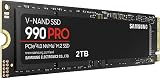
SANDISK 500GB Extreme Portable SSD, Up to 2000MB/s Transfer Speed-New Model | External Solid State Drive, IP65 Water & Dust Protection, Up to 3M Drop Protection, 256-bit AES Encryption, USB-C - Black
Chosen because it specifies Up to 2000MB/s Transfer Speed-New Model and External Solid State Drive.
View on Amazon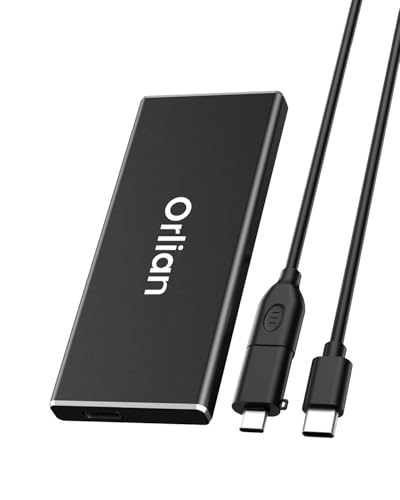
Orlian 500GB External Portable SSD Solid State Drive USB 3.1 Gen 2 Up to 500MB/s High-Speed Solid State Drive for Phone, Windows, Android, PC and More
Chosen because it specifies Windows and Android.
View on Amazon
Vansuny 500GB Portable External SSD, USB 3.1 Gen2 450MB/s High-Speed Data Transfer, Metal USB C Mini Portable External Solid State Drive for PC, Laptop, Phones and More
Chosen because it specifies USB 3.1 Gen2 450MB/s High-Speed Data Transfer and Metal USB C Mini Portable External Solid State Drive for PC.
View on AmazonBest Overall: Samsung T7 (500GB)
The Samsung T7 is the default recommendation in many 2026 roundups: a slim metal body, rated speeds around 1,050 MB/s read and 1,000 MB/s write and a long record on the market. One independent test measured a roughly 40GB SLC cache with sustained writes of about 380 to 420 MB/s after it filled, which matters when copying large game folders. It lacks the formal dust and water rating of some rivals.
Fastest: Kingston XS2000 (500GB)
The XS2000 uses USB 3.2 Gen 2×2 and is rated up to 2,000 MB/s. It weighs only about 29 grams. A TechRadar run measured around 1,062 MB/s read and 999 MB/s write, showing that you get the headline speed only on a port that supports Gen 2×2. On a standard USB-C port it behaves like other 10 Gbps drives, so it is best for PC owners with fast ports.
Best Rugged: SanDisk Extreme Portable SSD V2 (500GB)
The SanDisk Extreme comes in 500GB to 8TB, with 1,050 MB/s rated speeds and an IP55 rating. It weighs about 50 grams and carries a 2-meter drop rating. The SLC cache is around 13GB and sustained writes after that drop to about 560 MB/s. It suits handheld gamers who throw their drive in a bag.
Best Simple Pick: WD My Passport SSD
The My Passport SSD is a compact drive with speeds in the same class as the T7. It is a safe choice if you already prefer Western Digital software and warranties.
Best Budget: SSK Portable SSD
SSK sells a 500GB metal-body portable SSD at a low price with rated speeds up to about 1,050 MB/s. It is a reasonable pick for backup and light use, though brand support and consistency of components may be less reliable than the established brands.
Skip: Older Crucial X6
The Crucial X6 is rated at about 800 MB/s on USB 3.2 Gen 2. Reviewers now prefer the newer Crucial X9 line, which starts at larger capacities, so the X6 is a pick only if you find it at a deep discount.
What Works With Which Gaming Device
| Device | What a portable SSD can do | Limit to know |
|---|---|---|
| PC and laptop | Run games, store libraries, move saves | Speed depends on the USB port |
| Steam Deck | Store games and media over USB-C | Needs formatting; speed limited by the USB port |
| PS5 | Store PS5 games and play PS4 games | PS5 games must be copied back to internal storage to play |
| Xbox Series X|S | Play older Xbox games and store Series games | Series games need the internal drive or the proprietary expansion card to play |
| Phone and tablet | Record video, back up photos | Check the USB-C port speed |
Worked Example: Capacity and Transfer Time
A 500GB drive has roughly 465GB of usable space after formatting. If your games average 80GB, that is five to six titles. Copying 100GB at a real-world 800 MB/s takes about 125 seconds, about two minutes. On a slower USB 5 Gbps port limited to roughly 400 MB/s, the same transfer takes about 250 seconds, around four minutes. Once the SLC cache fills, speeds on cheaper drives can drop below 400 MB/s, so large copies take longer.
Buying Checklist
- Match the drive to your port: Gen 2×2 only helps on a Gen 2×2 port.
- Check the cable and use the one supplied.
- Look at sustained write speed, not just peak speed.
- Consider an IP rating if you travel with the drive.
- Keep a backup of important files; SSDs can fail.
How to Set Up a Portable SSD for Games
- Plug the drive into the fastest USB-C port on the device; check the port label for 10 Gbps or higher.
- Format it with the file system the device wants: exFAT for cross-platform use, NTFS for Windows-only, or the console’s own format when the console asks for it.
- Create a games folder and point your launcher (Steam, Epic or the console) at that location.
- Run a quick copy test with a large file to confirm speeds are in the expected range.
- Eject safely before unplugging to avoid data corruption.
500GB or 1TB: Which to Pick
If you only need a drive for a handful of favorite games, a few emulator libraries or video capture, 500GB is a sensible and cheaper choice. If you rotate through large modern titles, each of which can reach 100GB or more, the extra headroom of a 1TB drive means fewer deletions and re-downloads. The price gap between 500GB and 1TB is often small relative to the convenience, so check current prices before committing.
Frequently Asked Questions
Is 500GB enough for a portable gaming SSD?
It is enough for a handful of modern games or a big collection of smaller ones. If you play several large titles, 1TB or more gives a lot more headroom.
Can I play PS5 games from a portable SSD?
No. A portable SSD can store PS5 games, but they must be moved to the internal drive or an approved M.2 expansion to play. PS4 games can run from an external drive.
Which is faster, the Samsung T7 or the Kingston XS2000?
The XS2000 is rated higher at up to 2,000 MB/s, but only on a USB 3.2 Gen 2×2 port. On a standard 10 Gbps port the two perform similarly.
Do portable SSDs need a heatsink or cooling?
Most do not, though sustained large writes can warm them and trigger throttling. Metal bodies help dissipate heat.
Are portable SSDs reliable?
They are generally reliable but not immune to failure. Keep backups and avoid pulling the drive during writes.