Key takeaways
- 256GB total: Suitable for indie games, emulation, older PC titles, and people who regularly uninstall finished games.
- 512GB total: A good everyday capacity for approximately three to eight large games, plus smaller titles and system files.
- 1TB total: The best balance for most players who want a sizable installed library without paying for maximum capacity.
- 2TB total: Ideal for frequent travelers, large AAA libraries, emulation collections, or anyone who dislikes deleting games.
If you are deciding between a larger Steam Deck, a microSD card, or both, the right capacity depends on the games you play and how often you want to manage downloads. Large modern games can use 60GB to 150GB each, while indie games may need less than 5GB. The best choice is usually a Steam Deck with enough internal storage for the operating system and frequently played titles, plus a removable card for the rest of your library.
The Short Answer
For most buyers, 512GB to 1TB of total storage is the practical sweet spot. Choose based on your habits:
Our top picks
 Silicon Power 1TB Superior Gaming Micro SDXC
- UHS Speed Class 3 (U3) A2 and Video…
- Design for Gaming Handheld: Steam Deck, ROG Ally…
- High compatibility for different types of devices including…
 Steam Deck Oled 512 GB Handheld Gaming
- 512 GB NVMe SSD: Fast storage for quicker…
- OLED Display: 1200x800 resolution with deep contrasts and…
- Custom AMD APU: Power-efficient Zen 2 CPU and…
 TEAMGROUP A2 Pro Plus Card 2TB Micro
- Outstanding preserve & transfer performance, the read &…
- Special memory card designed especially for gaming device
- Various capacity options available: 128GB, 256GB, 512GB, and…
| Product | Key specs | |
|---|---|---|
| Silicon Power 1TB Superior Gaming Micro SDXC | UHS Speed Class 3 (U3) A2 and Video… Design for Gaming Handheld: Steam Deck, ROG Ally… High compatibility for different types of devices including… | Check price |
| Steam Deck Oled 512 GB Handheld Gaming | 512 GB NVMe SSD: Fast storage for quicker… OLED Display: 1200x800 resolution with deep contrasts and… Custom AMD APU: Power-efficient Zen 2 CPU and… | Check price |
| TEAMGROUP A2 Pro Plus Card 2TB Micro | Outstanding preserve & transfer performance, the read &… Special memory card designed especially for gaming device Various capacity options available: 128GB, 256GB, 512GB, and… | Check price |
 TEAMGROUP A2 Pro Plus Card 1TB Micro TEAMGROUP A2 Pro Plus Card 1TB Micro | Outstanding preserve & transfer performance, the read &… | Check price |
As an Amazon Associate we earn from qualifying purchases at no extra cost to you.
- 256GB total: Suitable for indie games, emulation, older PC titles, and people who regularly uninstall finished games.
- 512GB total: A good everyday capacity for approximately three to eight large games, plus smaller titles and system files.
- 1TB total: The best balance for most players who want a sizable installed library without paying for maximum capacity.
- 2TB total: Ideal for frequent travelers, large AAA libraries, emulation collections, or anyone who dislikes deleting games.
Remember that advertised capacity is not the same as usable capacity. SteamOS, recovery partitions, formatting, shader caches, and compatibility files consume some space. A 512GB drive will show less than 512GB available, and a microSD card also loses a modest amount to formatting. If you want about 1TB of genuinely comfortable game space, plan on approximately 1.5TB of advertised storage across the internal drive and card.
Standard Sizes
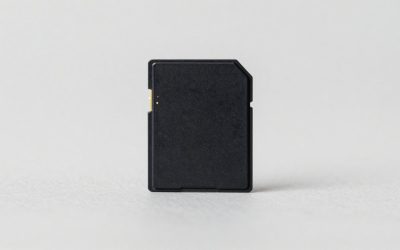
Steam Deck storage comes in two forms: the internal M.2 SSD and a removable microSD card. The card is much easier to upgrade, but the internal SSD generally offers faster loading and is preferable for games with frequent asset streaming. A high-quality UHS-I U3, A2, V30 microSD card is the usual choice for expansion.
| Storage setup | Advertised capacity | Approximate practical use | Physical measurements | Best for |
|---|---|---|---|---|
| Entry-level internal storage | 64GB | About one large game, or several small games | Steam Deck body: 11.73 x 4.61 x 0.83 in (29.8 x 11.7 x 2.1 cm) | Light users, streaming, indie games |
| 256GB internal SSD | 256GB | Roughly 150GB to 220GB after system overhead | Steam Deck body: 11.73 x 4.61 x 0.83 in (29.8 x 11.7 x 2.1 cm) | Smaller libraries and frequent uninstallers |
| 512GB internal SSD | 512GB | Roughly 400GB to 460GB available before game files | Steam Deck OLED body: 11.73 x 4.61 x 0.83 in (29.8 x 11.7 x 2.1 cm) | Most players and mixed game libraries |
| 1TB microSD card | 1TB | Typically enough for 10 or more smaller games, or several AAA games | Card: 0.59 x 0.43 x 0.04 in (15 x 11 x 1 mm) | Best-value expansion for most owners |
| 2TB microSD card | 2TB | Large library with less frequent storage management | Card: 0.59 x 0.43 x 0.04 in (15 x 11 x 1 mm) | Travelers, collectors, and power users |
The Steam Deck itself is approximately 1.47 pounds (0.67 kilograms) for many LCD models and about 1.41 pounds (0.64 kilograms) for the OLED version, before adding a case, charger, or card. A microSD card adds virtually no meaningful weight, so expansion is primarily a cost and performance decision rather than a portability concern.
As a buying reference, 1TB cards commonly cost about $160 to $180. The Silicon Power 1TB example is listed at $166.47, while the TEAMGROUP 1TB example is listed at $179.99. A 2TB card is commonly around $250 to $300; the TEAMGROUP 2TB example is listed at $279.99. A 512GB Steam Deck OLED listing may be around $850 to $900, with the example provided at $899.99. Treat these as shopping benchmarks rather than fixed prices.
How to Measure Your Space
- List your regularly played games. Check each game’s installation size on Steam, then add the numbers together. Use the larger download or installation requirement when a game lists both.
- Add room for updates. Keep at least 50GB free on the drive where you install your most-used games. Some updates temporarily need extra space while files are replaced.
- Separate large and small games. A 100GB open-world title affects your decision more than ten 2GB indie games. Count your largest games individually.
- Account for emulation and media. ROMs, artwork, shader caches, screenshots, videos, and downloaded compatibility files can add several gigabytes over time.
- Decide how often you will manage storage. If uninstalling and redownloading games is irritating, add another 512GB or 1TB. If you have fast internet and a small library, less capacity may be fine.
- Measure the physical device area only for storage accessories. A microSD card is standardized at approximately 15 x 11 x 1 mm. Check that a case leaves access to the card slot and does not press against the card.
By Room or Use Case
For casual living-room and bedroom gaming
A 256GB or 512GB setup is usually sufficient if you play a few games at a time. Players who use the Steam Deck near a strong Wi-Fi connection can uninstall completed games and redownload them when needed. A 512GB internal drive provides a comfortable starting point, especially if you play a mix of one or two large games, smaller downloads, and emulated classics.
For travel and commuting
Choose at least 1TB of total advertised storage if the Steam Deck will be used on planes, trains, or vacations. Internet access may be unreliable, and a full library lets you switch games without downloading. A 512GB Deck plus a 512GB or 1TB microSD card is a sensible travel configuration. Keep at least 10% of the active storage free so downloads, updates, and temporary files do not become a problem.
For AAA games and open-world titles
Plan on 1TB to 2TB. Current large games can occupy 80GB to 150GB after patches, and several titles can fill a small drive quickly. The internal SSD is a good place for the games you play daily, while a 1TB card can hold less frequently used games. If you keep ten or more large titles installed, 2TB is the more comfortable choice.
For indie games and emulation
Indie games often require only a few gigabytes, so 256GB can work for a surprisingly large collection. Emulation storage varies widely: a collection of older console games may be modest, while disc-based systems, texture packs, and game modifications can consume hundreds of gigabytes. A 512GB card is adequate for a focused collection; 1TB gives more flexibility for artwork, patches, and duplicates.
For families or multiple users
Choose at least 1TB because separate user libraries, screenshots, downloads, and installed games accumulate quickly. A removable card also makes it easier to keep a shared game collection on the device while preserving internal storage for each person’s preferred titles.
Common Sizing Mistakes
- Buying based on the number alone: “512GB” does not mean 512GB of free game space. System files and formatting reduce the usable amount.
- Ignoring update space: A nearly full drive may not have enough temporary room to install a large patch.
- Choosing a cheap, slow card: Look for UHS-I, U3, A2, and V30 specifications from a reputable manufacturer. Do not rely only on a high capacity claim.
- Assuming every game belongs on the card: Most games work well from microSD, but the internal SSD can be preferable for your most demanding titles.
- Paying for 2TB unnecessarily: If you have fast internet and rotate through a few games, a 1TB card may provide nearly the same experience for less money.
FAQ
Is 256GB enough for Steam Deck?
Yes, if you mainly play indie games, older titles, emulation, or a small rotating selection. It is limiting for several modern AAA games, so a 512GB or 1TB microSD card is a worthwhile addition.
Is 512GB enough for Steam Deck OLED?
For many people, yes. It can hold a useful mixture of large and small games, especially when you uninstall finished titles. Add a 1TB microSD card if you travel often or want a larger offline library.
Should I buy a 1TB or 2TB microSD card?
Buy 1TB for the best balance of price and capacity. Choose 2TB if you regularly keep more than ten large games installed, use extensive emulation files, or strongly prefer not to manage storage. In 2026, the price difference can still be substantial, so compare the cost per terabyte.
Can I replace the Steam Deck’s internal storage later?
The internal SSD can be replaced, but it requires opening the device and reinstalling or restoring the operating system. A microSD card is simpler, reversible, and does not require disassembly. For most owners, adding a quality card is the safest first upgrade.