Key takeaways
- Sequential speed: SATA III is hard-capped at roughly 550 MB/s by the interface itself. Gen4 NVMe drives such as the Samsung 990 PRO hit 7,450 MB/s, and Gen5 models like the 9100 PRO roughly double that again.
- Latency and queue depth: NVMe uses a protocol built for flash, with far deeper command queues. SATA inherited AHCI from the hard-drive era, which adds overhead on random reads — the access pattern games rely on most.
- Physical installation: M.2 drives screw straight into the board with no power or data cables. SATA needs two cables plus a mounting point, which clutters small-form-factor builds.
- Slot availability: Most 2026 motherboards ship with three to five M.2 slots but only four to six SATA ports, and some budget boards disable SATA ports when certain M.2 slots are populated. Check your manual before buying.
- Heat and cooling: High-end NVMe drives, especially Gen5, run hot enough to need a heatsink. SATA SSDs are effectively thermally invisible.
- Cost per terabyte: Essentially level at mainstream capacities. SATA only wins at 4TB and above, and even that advantage has been eroding.
Ask any PC builder in 2026 what the single easiest upgrade is, and the answer is still storage. But the moment you start shopping, you hit a fork in the road: a stick-of-gum M.2 NVMe drive that slots directly into the motherboard, or a 2.5-inch SATA SSD that plugs in with a pair of cables. Both will feel dramatically faster than a mechanical hard drive. They are not, however, remotely equivalent — and the gap has widened considerably now that PCIe 5.0 drives like the Samsung 9100 PRO are pushing past 14,000 MB/s.
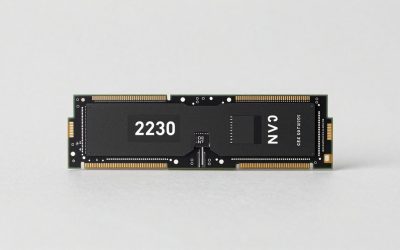
One clarification first, because it trips people up constantly: M.2 is a form factor, while SATA and NVMe are interfaces. There are M.2 drives that run on the old SATA protocol and are no faster than a 2.5-inch model. In practice, though, when people say “M.2” they mean M.2 NVMe, and that’s the comparison we’re making here. With modern games shipping 150GB installs and DirectStorage finally standard in major titles, choosing the right side of this divide affects load times, texture streaming, and how long your build stays relevant.
Our top picks
 Samsung SSD 990 PRO 2TB
Sequential speeds up to 7450 MB/s suit heavy workloads
Improved random performance aids faster everyday load times
Compact M.2 2280 form factor fits most modern motherboards
Requires a PCIe 4.0 slot to reach full speed
Capacity tops out lower than some rival 4TB drives
 WD_Black SN7100 2TB NVMe SSD
- This product has been replaced by our latest…
- OCTANE GAMING
- BUILT
 Silicon Power 2TB NVMe M.2 PCIe Gen3x4
- PCIe Gen 3x4 interface with read speeds up…
- TBW=1200
- The warranty terms on all of its SSDs…
| Product | Key specs | |
|---|---|---|
| Samsung SSD 990 PRO 2TB | Check price | |
| WD_Black SN7100 2TB NVMe SSD | This product has been replaced by our latest… OCTANE GAMING BUILT | Check price |
| Silicon Power 2TB NVMe M.2 PCIe Gen3x4 | PCIe Gen 3x4 interface with read speeds up… TBW=1200 The warranty terms on all of its SSDs… | Check price |
 Crucial P310 M.2 2280 2TB PCI-Express 4.0 Crucial P310 M.2 2280 2TB PCI-Express 4.0 | M.2 2280 2TB PCI-Express 4.0 x4 NVMe | Check price |
 Samsung SSD 9100 PRO 2TB Samsung SSD 9100 PRO 2TB | BREAKTHROUGH PCIe 5.0 PERFORMANCE: Supercharge your workflow and… EVERY TASK, TURBOCHARGED: Speed past productivity limits THINK FAST, CREATE FASTER: With random read/write speeds… | Check price |
 Western Digital 2TB WD Green SN350 NVMe Western Digital 2TB WD Green SN350 NVMe | Fast NVMe performance for daily computing needs SSDs offer shock-resistance against accidental bumps and drops The slim M.2 2280 form factor is ideal… | Check price |
 Crucial P310 2TB SSD Crucial P310 2TB SSD | PCIe 4.0 Performance: Delivers up to 7,100 MB/s… Spacious 2TB SSD: Provides space for AAA games,… Broad Compatibility: Works seamlessly with laptops, desktops, and… | Check price |
 Acer Predator GM7 2TB SSD: M.2 2280 Acer Predator GM7 2TB SSD: M.2 2280 | PCIe 4.0 Gen4: The high-performance Predator GM7 delivers… HMB+SLC Cache: Predator GM7 supports HMB (Host Memory… Powerful controller and NAND Flash: Equipped with the… | Check price |
As an Amazon Associate we earn from qualifying purchases at no extra cost to you.
⚡ Save on Your Next PC — Amazon Prime
Prime members get fast free shipping on the systems above, plus early access to Prime Day & Black Friday PC deals. New members get a 30-day free trial.
Watch: M.2 vs SATA SSD: Which to Choose in 2026? — Video Review
Quick Verdict
M.2 NVMe is the correct default for any gaming build in 2026 — it’s faster, cable-free, and no longer carries a meaningful price premium at 1TB–2TB. A drive like the WD_Black SN7100 or Crucial P310 should be your boot and primary game drive. SATA SSDs remain genuinely useful in two situations: expanding bulk storage in a system whose M.2 slots are already occupied, and reviving older laptops or pre-2015 desktops that have no M.2 slot at all.
Key Differences
- Sequential speed: SATA III is hard-capped at roughly 550 MB/s by the interface itself. Gen4 NVMe drives such as the Samsung 990 PRO hit 7,450 MB/s, and Gen5 models like the 9100 PRO roughly double that again.
- Latency and queue depth: NVMe uses a protocol built for flash, with far deeper command queues. SATA inherited AHCI from the hard-drive era, which adds overhead on random reads — the access pattern games rely on most.
- Physical installation: M.2 drives screw straight into the board with no power or data cables. SATA needs two cables plus a mounting point, which clutters small-form-factor builds.
- Slot availability: Most 2026 motherboards ship with three to five M.2 slots but only four to six SATA ports, and some budget boards disable SATA ports when certain M.2 slots are populated. Check your manual before buying.
- Heat and cooling: High-end NVMe drives, especially Gen5, run hot enough to need a heatsink. SATA SSDs are effectively thermally invisible.
- Cost per terabyte: Essentially level at mainstream capacities. SATA only wins at 4TB and above, and even that advantage has been eroding.
M.2 NVMe SSDs: The Default Choice
The practical case for NVMe isn’t the headline sequential number — it’s everything downstream of it. Shader compilation, asset decompression, and open-world texture streaming all lean on random reads and low latency, which is exactly where NVMe pulls ahead. With DirectStorage titles, the GPU pulls compressed assets directly from the drive, and a fast Gen4 SSD noticeably shortens both initial loads and mid-game hitching. It also matters outside gaming: recording, editing, and moving 100GB+ project files are transformed by a drive that sustains multiple gigabytes per second.
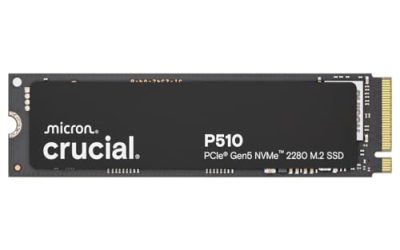
Picking a tier is straightforward. The Samsung 990 PRO remains the benchmark for a high-end Gen4 build with excellent sustained write performance. The WD_Black SN7100 is the efficiency pick — it runs cool and sips power, which makes it ideal for laptops and handhelds. The Crucial P310 delivers most of that Gen4 performance for less, and the Silicon Power Gen3x4 is a sensible budget option for older boards. Only step up to the Samsung 9100 PRO if you have a Gen5 slot and a workload — large AI datasets, 8K video, huge compiles — that genuinely saturates Gen4.
SATA SSDs: Still Useful, Still Cheap
SATA hasn’t been the fast option for a decade, but it hasn’t stopped being practical. Real-world game load times between a SATA SSD and a Gen4 NVMe drive often differ by only a few seconds in non-DirectStorage titles, because the bottleneck shifts to the CPU and engine. If you’re playing older or less demanding games, the experience is closer than the spec sheets suggest.
Where SATA earns its place is capacity expansion and legacy hardware. A typical ATX board gives you far more SATA ports than M.2 slots, so a large SATA drive is the cheapest way to add a bulk library once your NVMe slots are full. It’s also the only path for laptops and desktops predating M.2. Just don’t buy SATA for your boot drive in a new build — the savings no longer justify it.
Which Should You Buy?
- For a new gaming PC: Pick M.2 NVMe. The Crucial P310 or WD_Black SN7100 at 2TB covers boot plus a healthy game library.
- For a laptop or handheld: Pick the WD_Black SN7100 — its low power draw preserves battery life and keeps thermals in check.
- For maximum performance: Pick the Samsung 990 PRO on Gen4 platforms, or the 9100 PRO if your board supports PCIe 5.0.
- For an older PC or budget build: Pick the Silicon Power Gen3x4 if you have an M.2 slot; choose SATA only if you don’t.
- For bulk secondary storage: Pick SATA — or a value NVMe like the WD Green SN350 if you still have a spare slot.
Frequently Asked Questions
Will an M.2 NVMe drive actually improve my frame rate?
Not directly. Average FPS is determined by your CPU and GPU. NVMe reduces load times, shortens shader compilation, and cuts traversal stutter in streaming-heavy open-world games — improvements to smoothness and waiting, not to raw framerate.
Can I use both an M.2 and a SATA SSD together?
Yes, and it’s a common setup: NVMe for Windows and current games, SATA for archives and your back catalogue. Verify in your motherboard manual that populating an M.2 slot doesn’t disable SATA ports.
Do I need PCIe 5.0 for gaming in 2026?
No. Games still don’t saturate Gen4 bandwidth, and Gen5 drives run hotter and cost more. Buy Gen5 for professional workloads or long-term future-proofing, not for framerates.
Does my M.2 SSD need a heatsink?
Most Gen4 drives are fine with the motherboard’s included heatsink. Gen5 drives like the 9100 PRO should always be cooled. In laptops, prioritise an efficient drive such as the SN7100 over raw peak speed.
Final Verdict
For virtually every gaming build in 2026, M.2 NVMe is the right answer — the price gap has closed, the performance gap has not, and cable-free installation is a bonus. Start with a 2TB Gen4 drive like the Crucial P310, WD_Black SN7100, or Samsung 990 PRO depending on budget, step up to the 9100 PRO only if your workload demands Gen5, and keep SATA in reserve for cheap bulk capacity or breathing new life into older hardware.