Our Top Picks
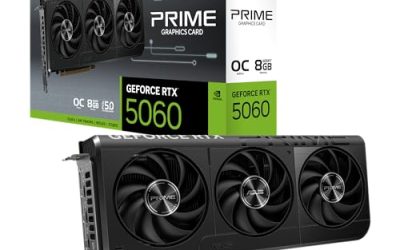
 GIGABYTE GeForce RTX 5060 WINDFORCE OC 8G GraphicsRTX5060|OC|8GB7.83 x 4.57 x 1.57 inchesCheck on Amazon


Choosing a graphics card in this class is less about chasing the fastest chip and more about matching memory, outputs and physical size to the games you actually play. Eight gigabytes of video memory can feel generous at 1080p and tight at 1440p with high-resolution textures, while a card with more memory can stay comfortable for longer. Size and the power connector matter just as much, because a card that does not fit your case or supply is no help at all.


This guide is for three kinds of buyers. First, players building or upgrading a 1080p machine for competitive and story-driven games. Second, players stepping up to 1440p who want smoother play at higher resolution. Third, builders replacing an older card in a compact or older system, where size, power and display outputs decide the shortlist. The five cards below were chosen from their Amazon product titles and listed specifications, so you can compare them on the same terms.
Quick Picks
As an Amazon Associate we earn from qualifying purchases.
| Product | Best for | Key spec from title |
|---|---|---|
| GIGABYTE GeForce RTX 5060 WINDFORCE OC 8G | A current-generation 1080p build with modern upscaling support | 8GB GDDR7, 128-bit, PCIe 5.0 |
| ASUS Dual Radeon RX 9060 XT 8GB | A compact 1440p setup with two monitors | 8GB GDDR6, PCIe 5.0, HDMI 2.1b, DisplayPort 2.1a |
| Intel Arc B580 Limited Edition | Texture-heavy games and light creation work that benefit from more memory | 12GB GDDR6, 2.67 GHz core clock |
| GIGABYTE GeForce RTX 4060 Gaming OC 8G | A proven upgrade for an existing 1080p system | 8GB GDDR6, 128-bit, 3X WINDFORCE Fans |
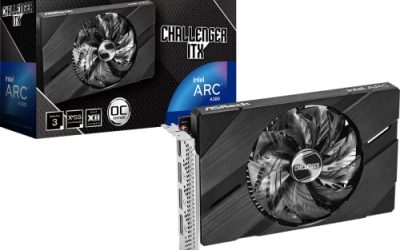
| ASRock Radeon RX 7600 Challenger 8GB OC | A straightforward dual-fan upgrade in a mid-tower case | 8GB GDDR6, PCIe 4.0, boost clock up to 2695 MHz |
How to Choose
Match memory to your resolution
Video memory sets how much texture and frame data a card can hold close at hand, and that matters more as resolution rises. At 1080p, 8GB is usually enough for high settings in most current games, provided you are willing to lower texture quality in the most demanding titles. At 1440p, the same amount of memory can become the limit sooner, especially with ultra textures or ray tracing enabled. A 12GB card gives you more headroom there, which can mean fewer stutters when a scene loads new textures. Before you choose, list the games you play most and the resolution of your monitor, then pick memory for that list rather than for a game you might play once.
Check the power connector and your power supply
A graphics card is only a good fit if your power supply can feed it through the right connector. Some cards in this class use a single 8-pin connector, while others may use a different arrangement, so open your case and look at the cables you already have before you order. Check the wattage printed on the side of your power supply, and confirm that it has a spare connector of the type the card needs. If your supply is very old, very small, or already running several drives and fans, a card with a single 8-pin connector is the safer choice. A tidy cable run also helps airflow, so route the power cable away from the card intake.
Measure the card and count your display outputs
Card length, thickness and slot width decide whether a card fits at all, and those numbers vary more than many buyers expect. Measure the clear space from the rear bracket to the nearest obstruction, such as a drive cage or a front radiator, and compare it with the length listed for the card. Count the slots the cooler occupies, because a 2.5-slot card can block the slot below it. Then count your displays and match them to the outputs on the card, noting whether you need HDMI, DisplayPort, or both. A card with three DisplayPort outputs suits a multi-monitor desk, while a single HDMI output may force you to buy an adapter.
Weigh the cooler, the generation and the extras
A newer generation does not automatically make an older card a poor choice, and the cooler design can matter more than a small clock difference. Dual-fan and triple-fan coolers move heat away from the chip, and a card with a fan-stop mode can run quietly when you are browsing or watching video. Look for the generation of the interface, the version of HDMI and DisplayPort, and any upscaling or ray tracing support listed on the product page. Those extras decide how a card handles newer games and a second monitor. If two cards look close on memory and outputs, choose the one whose cooler, size and connector fit your case with the least compromise.
The 5 Best Options
GIGABYTE GeForce RTX 5060 WINDFORCE OC 8G
This GIGABYTE card suits a new 1080p build where you want a current-generation chip, modern memory and a compact dual-fan cooler. Its 8GB of GDDR7 memory and PCIe 5.0 interface place it firmly in the current generation, and the listed clock speed gives it room for demanding games at 1080p. The dual-fan WINDFORCE cooler is a practical choice for a mid-tower case, and the DisplayPort and HDMI outputs cover a single gaming monitor plus a second screen. It is a sensible pick when you want upscaling support and a straightforward install.
Specs
- Graphics coprocessor: NVIDIA GeForce RTX 5060
- Memory: 8GB GDDR7, 128-bit
- GPU clock speed: 2512 MHz
- Memory clock speed: 28000 MHz
- Graphics card interface: PCI-Express x16, PCIe 5.0
- Video output interface: DisplayPort, HDMI
- Maximum display resolution: 7680×4320
- Number of fans: 2
- Model: GV-N5060WF2OC-8GD
Best for: A new 1080p gaming PC with a current-generation card and a dual-fan cooler.
Watch out for: Check the card length against your case and confirm that 8GB of memory suits the texture settings you plan to use at your resolution.
ASUS Dual Radeon RX 9060 XT 8GB
This ASUS card suits a player who wants a compact dual-fan card for 1080p and 1440p gaming with modern display outputs. Its 8GB of GDDR6 memory pairs with a PCIe 5.0 interface, HDMI 2.1b and DisplayPort 2.1a, so it connects cleanly to a current monitor and a second display. The 2.5-slot design and Axial-tech fan layout are made for a mid-tower build where a triple-fan card would be too long or too thick. It is a good match for a desk with two monitors, where the mix of HDMI and DisplayPort outputs avoids adapters.
Specs
- Graphics coprocessor: AMD RX 9060 XT
- Memory: 8GB GDDR6
- Graphics card interface: PCIe 5.0
- Video output interface: HDMI 2.1b, DisplayPort 2.1a
- Design: 2.5-slot, Axial-tech fan design, 0dB Technology
- Maximum display resolution: 7680×4320
- Model: DUAL-RX9060XT-8G
Best for: A compact 1440p setup with a current monitor and a second display.
Watch out for: Confirm the 2.5-slot thickness leaves room for the card below it, and check that 8GB of memory fits the texture settings you use most.
Intel Arc B580 Limited Edition
This Intel card suits a buyer who wants more video memory in this class, because its 12GB of GDDR6 gives texture-heavy games and light creation work more room to breathe. The listed core clock of 2.67 GHz, together with XeSS upscaling, ray tracing support and XMX AI engines from the product description, makes it a distinct option from the 8GB cards in this guide. Its maximum display resolution of 7680×4320 covers a high-resolution monitor, and the reference design is a clear choice when you want the memory advantage without moving to a larger card class.
Specs
- Graphics card: Intel Arc B580 Limited Edition GPU
- Memory: 12GB GDDR6
- Core clock speed: 2.67 GHz, 2670 MHz
- Features listed on the product page: Intel XeSS, ray tracing, XMX AI engines
- Maximum display resolution: 7680×4320
- Model: INT-31P06HB0BA
Best for: Texture-heavy games and light creation work where 12GB of memory is the priority.
Watch out for: Check driver support for the games and applications you use most, and confirm the card fits your case and power connector before you order.
GIGABYTE GeForce RTX 4060 Gaming OC 8G
This GIGABYTE card suits an existing 1080p system that needs a proven upgrade without a new case or a new power supply. Its 8GB of GDDR6 memory on a 128-bit interface and its triple-fan WINDFORCE cooler make it a familiar, well-understood option for a mid-tower build. The listed memory speed and maximum display resolution cover a single high-resolution monitor, and the model is a practical choice when you want a card that has been available for a while. It works well for players who value a straightforward swap over the newest generation.
Specs
- Graphics coprocessor: NVIDIA GeForce RTX 4060
- Memory: 8GB GDDR6, 128-bit
- Memory speed: 17000 MHz
- Cooling: 3X WINDFORCE Fans
- Maximum display resolution: 7680×4320
- Model: GV-N4060GAMING OC-8GD
Best for: A proven upgrade for an existing 1080p system in a mid-tower case.
Watch out for: Measure the triple-fan length against your case, and check that 8GB of memory suits the texture settings you plan to use.
ASRock Radeon RX 7600 Challenger 8GB OC
This ASRock card suits a straightforward upgrade in a mid-tower case, where a dual-fan cooler, a single 8-pin connector and clear display outputs matter more than a new generation label. Its 8GB of GDDR6 memory, boost clock of up to 2695 MHz and PCIe 4.0 interface cover 1080p gaming well, and the three DisplayPort outputs plus one HDMI output suit a multi-monitor desk. The 0dB silent cooling listed on the product page is a useful extra for a quiet room, and the metal backplate adds rigidity to the card.
Specs
- Graphics coprocessor: AMD Radeon RX 7600
- Memory: 8GB GDDR6
- Boost clock: up to 2695 MHz, game clock 2280 MHz, base clock 1770 MHz
- Memory speed: 18 Gbps
- Graphics card interface: PCI Express 4.0
- Power connector: 1 x 8-pin
- Video outputs: 3 x DisplayPort 1.4 with DSC, 1 x HDMI 2.1 VRR
- Cooling: Dual Fan Design, 0dB Silent Cooling, metal backplate
- Maximum display resolution: 7680×4320
- Model: RX7600 CL 8GO
Best for: A straightforward dual-fan upgrade with three DisplayPort outputs for a multi-monitor desk.
Watch out for: Confirm you have a spare 8-pin connector, and check the card length and slot clearance in your case before you order.
Which One Fits Your Situation
A compact 1080p build in a small case
Choose the GIGABYTE RTX 5060 WINDFORCE OC 8G or the ASUS Dual RX 9060 XT 8GB, because both use a dual-fan layout that fits a smaller mid-tower more easily than a triple-fan card. The GIGABYTE card brings current-generation GDDR7 memory, while the ASUS card brings modern HDMI 2.1b and DisplayPort 2.1a outputs. Measure the clear length in your case first, then pick the one whose outputs match your monitor.
A first step to 1440p gaming
Choose the ASUS Dual RX 9060 XT 8GB or the Intel Arc B580 Limited Edition, because both are aimed at higher resolutions than a basic 1080p upgrade. The ASUS card offers a modern PCIe 5.0 interface and current display outputs, while the Intel card offers 12GB of memory for texture-heavy scenes. If your games use high-resolution textures, the extra memory on the Intel card is the more useful advantage.
A system that needs more video memory
Choose the Intel Arc B580 Limited Edition, because it is the only card in this guide with 12GB of GDDR6 memory. That extra memory helps when a game loads large textures or when you run a game alongside a browser and a creation application. Check driver support for your main games first, and confirm the card fits your case, because the memory advantage only helps if the card installs cleanly.
An older PC getting a straightforward upgrade
Choose the GIGABYTE RTX 4060 Gaming OC 8G or the ASRock RX 7600 Challenger 8GB OC, because both are proven options for an existing mid-tower system. The GIGABYTE card uses a triple-fan cooler for a larger case, while the ASRock card uses a dual-fan cooler and a single 8-pin connector that suits an older power supply. Check your spare connector and your case length, then pick the cooler size that fits.
Common Mistakes
- Buying for a resolution you do not play at, then finding that 8GB of memory is tight at 1440p with ultra textures.
- Ordering a card without measuring the clear length in the case or checking the slot thickness it occupies.
- Forgetting to check the power connector on your supply, and finding that the card needs a connector you do not have.
- Ignoring display outputs, then needing an adapter because the card has no spare HDMI or DisplayPort output for a second monitor.
- Choosing a card only by its chip name, without checking memory, cooler size and driver support for the games you actually play.
Frequently Asked Questions
Is 8GB of video memory enough in 2026?
Eight gigabytes is usually enough for 1080p gaming at high settings in most current titles. It becomes tight sooner at 1440p with ultra textures, ray tracing, or several applications running alongside a game. If you play at 1440p and use high-resolution textures often, a 12GB card such as the Intel Arc B580 in this guide gives you more headroom.
Do I need PCIe 5.0 for these cards?
No, you do not need a PCIe 5.0 slot for the cards in this guide. The RTX 5060 and RX 9060 XT list a PCIe 5.0 interface, while the RX 7600 lists PCIe 4.0, and all of them work in a PCIe 4.0 slot. Memory, outputs, cooler size and your power connector matter more for a card in this class.
Will a new card work with my older motherboard?
In most cases, yes, provided the motherboard has a free PCIe x16 slot and your power supply has the right connector. Check the slot, the clear length in your case, and the power connector before you order. An older board may need a BIOS update for a newer card, so check the motherboard maker’s support page first.
What should I check before I order a card?
Measure the clear length and slot thickness in your case, count your monitors and match them to the HDMI and DisplayPort outputs, and confirm your power supply has a spare connector of the right type. Then check the memory size against the resolution and texture settings you use most. Finally, confirm the seller’s return policy, so you can send the card back if it does not fit.
FAQ
Is 8GB of video memory enough in 2026?
Do I need PCIe 5.0 for these cards?
Will a new card work with my older motherboard?
What should I check before I order a card?
More from Amazon
Programs that pair well with the guide above. Offers and eligibility are set by Amazon and may change.
Free shipping on eligible items, Prime Video and more. Eligible new members can start with a free trial.
Start a Prime free trialAd-free music streaming. Eligible new subscribers can start with a free trial.
Try Music Unlimited freeA Prime membership for ages 18-24 with a trial period. Eligibility is set by Amazon.
See Prime for Young AdultsAudiobooks and podcasts to listen to on the go. Eligible new members can start with a free trial.
Try Audible freeAs an Amazon Associate we earn from qualifying purchases.