Our Top Picks
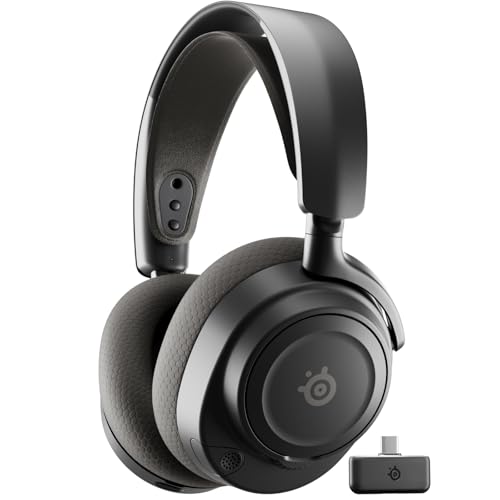 SteelSeries Arctis Nova 7 Wireless Gen 2 GamingInformation Not Available3.41 x 6.6 x 7.58 Inches0.72 poundsCheck on Amazon
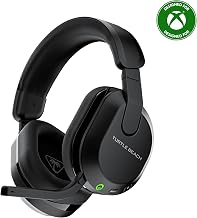
 SteelSeries Arctis Nova 5 Wireless Multi-System Gaming HeadsetOne Size7.32 x 6.87 x 3.52 Inches0.6 poundsCheck on Amazon
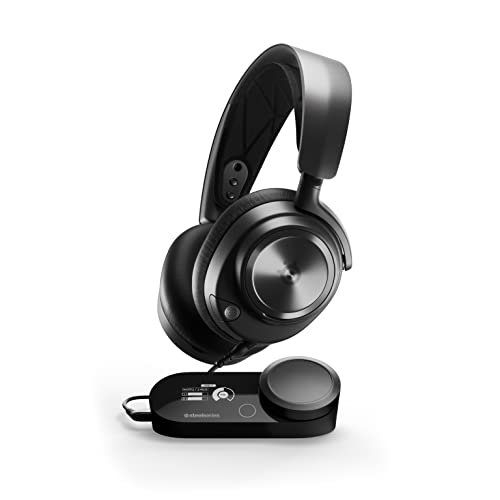 SteelSeries Arctis Nova Pro Multi-System Gaming HeadsetWired7.58 x 7.37 x 3.44 inches2.51 PoundsCheck on Amazon
The best headset for Steam Deck in 2026 for most players is the SteelSeries Arctis Nova 7 Wireless, because it covers all three Steam Deck modes in one package: low-latency 2.4GHz over USB-C for handheld, USB-A passthrough for docked play, and Bluetooth plus 3.5mm for fallback.
If you only play single-player games and already own good Bluetooth headphones, you do not need to buy a new headset. If you play shooters, roguelikes, or rhythm games in handheld mode, a 2.4GHz USB-C dongle headset or wired 3.5mm set will feel noticeably more in sync than standard Bluetooth.
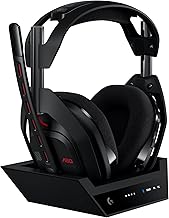
SteelSeries Arctis Nova 7 Wireless Gen 2 Gaming Headset - Black | Real-Time App Control, 50+ HR Play, Neodymium Drivers, Mix 2.4GHz/Bluetooth, PC, PS5, PS4, Switch 1/2, Mobile
Chosen because it specifies Black.
View on AmazonSteelSeries Arctis Nova 5 Wireless Multi-System Gaming Headset - Black | Neodymium Magnetic Drivers — 60 HR Battery — 2.4GHz or BT — ClearCast Gen2.X Mic — PC, PS5, PS4, Switch, Mobile
Chosen because it specifies Black.
View on Amazon
SteelSeries Arctis Nova Pro Omni Gaming Headset - Midnight Blue | 96kHz/24bit, ANC, ClearCast Pro Mic, AI Noise Rejection, Mobile App, Mix 2.4GHz+BT, OmniPlay PC+PlayStation+Xbox
Chosen because it specifies Midnight Blue.
View on AmazonSteelSeries Arctis Nova Pro Multi-System Gaming Headset - Black | Premium Hi-Fi Drivers, Hi-Res Audio - 360° Spatial Audio - GameDAC Gen 2 - Stealth Retractable Mic - PC, PS5, PS4, Switch
Chosen because it specifies Black.
View on AmazonSteam Deck headset connections compared
Steam Deck OLED and LCD both support three audio paths, and they behave very differently for gaming:
- 2.4GHz via USB-C dongle: Lowest latency at 20-40ms, separate game/chat handling on some models, drains 0.3-0.8W from the Deck. Best for handheld action games.
- Bluetooth: No dongle needed, but 170-270ms latency on SBC and AAC. Better with aptX Low Latency or LDAC, but Steam Deck codec support varies by update and headset. Best for RPGs, visual novels, and travel.
- 3.5mm wired: Zero wireless latency, zero battery drain, always works in Game Mode and Desktop Mode. Best fallback and best for competitive play.
| Headset | Connection types | Weight | Rated battery | Typical latency on Deck |
|---|---|---|---|---|
| SteelSeries Arctis Nova 7 Wireless | 2.4GHz USB-C + Bluetooth 5.0 + 3.5mm | 325g | 38 hours (2.4GHz) | 25-35ms on 2.4GHz, 180-220ms on Bluetooth SBC |
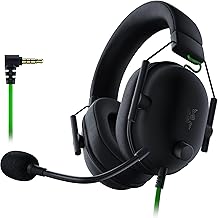
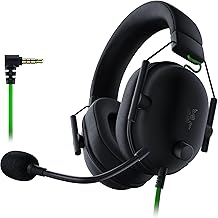
| Razer Barracuda X | 2.4GHz USB-C + Bluetooth 5.2 + 3.5mm | 250g | 50 hours (2.4GHz) | 30-40ms on 2.4GHz, 170-200ms on Bluetooth |
| Logitech G PRO X 2 Lightspeed | 2.4GHz USB-C + Bluetooth 5.2 + 3.5mm | 345g | 50 hours (2.4GHz) | 25-30ms on 2.4GHz, 180-230ms on Bluetooth |
| Sony WH-1000XM5 | Bluetooth 5.2 + 3.5mm wired | 250g | 30 hours (ANC on) | 190-260ms on Bluetooth, ~0ms wired |
| HyperX Cloud III Wired | 3.5mm + USB-C DAC adapter | 308g | N/A, passive | ~5ms wired |
Decision matrix: which type should you buy?
Match your situation to the right class instead of chasing specs:
| If you… | Get this type | Why |
|---|---|---|
| Play handheld 80%+ of the time, shooters / Hades / Hi-Fi Rush | 2.4GHz USB-C + Bluetooth combo | Dongle stays plugged in, latency stays under one frame at 30 fps |
| Play mostly docked to TV / monitor | 2.4GHz with USB-A dock support | Dongle moves to dock, no Bluetooth re-pairing |
| Commute, fly, or use one headset for phone + Deck | Lightweight Bluetooth + 3.5mm backup | ANC and multipoint matter more than latency for RPGs |
| Play competitive or use voice chat daily | Wired 3.5mm or 2.4GHz with detachable mic | Bluetooth mic forces HFP profile, which drops audio quality sharply |
| Hate charging / Deck battery is your bottleneck | Wired 3.5mm IEM or closed-back | Saves 0.5W+ continuous and 60-80g weight |
Best wireless picks for Steam Deck in 2026
Best overall: SteelSeries Arctis Nova 7 Wireless
The Nova 7 remains the safest Steam Deck recommendation because the USB-C dongle is small enough to stay in the Deck without blocking a case, and it supports simultaneous 2.4GHz + Bluetooth mixing. That means Discord on your phone over Bluetooth while game audio comes over 2.4GHz. Battery is usually rated around 38 hours, weight is 325g, and the ski-band headband distributes weight better for long handheld sessions than clamp-style designs. Price is usually in the mid-range $150-$180 bracket.
Dongle setup: plug the USB-C dongle directly into the top port in handheld mode. In SteamOS, go to Settings > Audio and confirm Output is set to Arctis Nova 7 – Game. Set input to the same device only if you need the mic; otherwise leave input on the Deck microphone to save battery.
Best lightweight wireless: Razer Barracuda X
At 250g, the Barracuda X is 75g lighter than the Nova 7, which matters when you are already holding a 640g Steam Deck OLED. It uses a USB-C 2.4GHz dongle plus Bluetooth 5.2 and a 3.5mm jack, so all three Deck modes are covered. Battery is rated up to 50 hours on 2.4GHz. Sound isolation is weaker than closed-back Logitech and SteelSeries flagships, but breathability is better in summer. Usually found in the $80-$120 range.
Best for: smaller heads, glasses wearers, and players who find 320g+ headsets cause neck fatigue after 90 minutes handheld.
Best sound and build for docked play: Logitech G PRO X 2 Lightspeed
The G PRO X 2 Lightspeed uses 50mm graphene drivers and is heavier at 345g, but comfort is strong due to memory foam earcups. Battery is rated at 50 hours. It includes both USB-C and USB-A adapters for the Lightspeed dongle, which makes docked mode painless: leave USB-A in the dock, USB-C dongle in your Deck sleeve. Bluetooth works for phone calls, but there is no simultaneous 2.4GHz + Bluetooth mix like the Nova 7. Usually in the premium $200-$250 range.
Choose this over the Nova 7 if you prioritize music quality and play docked with external speakers off late at night. Skip it if you mainly play handheld in bed – the weight adds up.
Best Bluetooth-only option you may already own: Sony WH-1000XM5
You do not need a gaming headset for turn-based games, Stardew Valley, Balatro, or Persona. The WH-1000XM5, Sony WH-1000XM4, Bose QuietComfort 45, and AirPods Pro 2 all work with Steam Deck over Bluetooth for those genres.
The catch is latency and mic quality. Here is the math that explains why Bluetooth feels off in action games:
At 60 fps, one frame lasts 1000 / 60 = 16.7ms. At 30 fps, one frame lasts 33.3ms. A typical SBC Bluetooth connection adds 200ms of delay. 200 / 16.7 = 12 frames late at 60 fps, or 6 frames late at 30 fps. That is why gunshots and parry sounds feel disconnected. A 2.4GHz dongle at 30ms is 30 / 16.7 = 1.8 frames late – barely perceptible.
Workaround: carry the included 3.5mm cable. Plugging in the WH-1000XM5 wired drops latency to near zero and bypasses Bluetooth battery drain entirely. Turn the headphones on while wired if you want ANC without Bluetooth.
Best wired fallback: HyperX Cloud III Wired
A wired 3.5mm headset is still the most reliable Steam Deck headset. No pairing, no dongle power draw, no SteamOS update breaking Bluetooth codecs. The HyperX Cloud III is 308g, has a detachable microphone, and works directly from the Deck’s 3.5mm jack in handheld and through most docks in docked mode.
Power calculation: Steam Deck OLED has about a 50Wh battery. A 2.4GHz dongle plus wireless headset radio draws roughly 0.5W extra on the Deck side. Over a 3-hour session, that is 1.5Wh, or about 3% of total capacity – roughly 8-12 minutes of lost playtime in demanding games. Wired saves that power and saves you from charging a second device. If you travel, a $20-$40 wired IEM like the Moondrop Aria class saves even more weight at 20-30g total.
Steam Deck audio settings that actually reduce issues
Use these values instead of defaults, especially for Bluetooth:
- SteamOS > Settings > Bluetooth: Enable Bluetooth, pair in Desktop Mode if Game Mode pairing fails. After pairing, disable Hands-Free Profile (HFP) for music/single-player to force A2DP high-quality stereo. Re-enable HFP only when you need the headset mic.
- SteamOS > Settings > Audio: Set Output to your dongle or headphones, not Echo-Cancel Sink. Set Input separately – using the Deck’s built-in mic with Bluetooth headphones avoids the HFP quality drop.
- In-game frame limiter: If using Bluetooth, cap to 30 fps or 40 fps in Quick Access Menu > Performance. This does not fix Bluetooth delay, but it makes audio-visual mismatch less jarring than at 60 fps.
- Dongle placement docked: Plug the 2.4GHz dongle into the front USB-A port of the dock, not into a rear port behind metal. Keep the Deck within 3 meters line-of-sight. USB 3.0 interference can cause crackle – use the included USB extension if your dock has one.
- Volume boost without distortion: In Desktop Mode, open Audio settings and keep headset volume at 80-90%, then adjust with the Deck volume buttons. Maxing headset hardware volume to 100% often clips on Arctis and Barracuda models.
Fix Bluetooth stutter on Steam Deck
If audio cuts out every 10-20 seconds, it is usually Wi-Fi coexistence, not a broken headset. Reason: Deck uses a single radio module for 2.4GHz Wi-Fi and Bluetooth. Fix in order:
- 1. Switch Deck Wi-Fi to 5GHz only in Desktop Mode network settings if your router supports it. This frees the 2.4GHz band for Bluetooth.
- 2. Unplug any USB 3.0 2.4GHz dongles while using Bluetooth. Two 2.4GHz radios next to each other cause interference.
- 3. Forget and re-pair the headset in Desktop Mode, then reboot back to Game Mode. This clears stale LDAC/aptX negotiation.
Handheld vs docked: what changes
In handheld mode, weight and dongle size dominate. A 250g Barracuda X plus 640g Deck is far more comfortable than a 345g flagship plus Deck. A low-profile USB-C dongle that fits in a carrying case wins over a large USB-A dongle with adapter.
In docked mode, mic routing and TV latency dominate. If you dock to a TV with 60-100ms display lag plus 200ms Bluetooth lag, total delay can exceed 300ms. Use 2.4GHz to the dock or wired to the controller/Deck, and set the dock output to 48kHz stereo, not 5.1, to avoid resampling delay.
FAQ
Can Steam Deck use two headsets at once?
No, SteamOS outputs to one audio device at a time. For couch co-op, use a wired splitter from the 3.5mm jack or a 2.4GHz headset with headset share feature.
Does Steam Deck support aptX Low Latency in 2026?
Support depends on SteamOS version and headset negotiation. SBC and AAC work broadly, LDAC and aptX work on many headsets after recent SteamOS updates, but aptX Low Latency requires both Deck and headset to support it and often falls back to SBC. Do not buy a Bluetooth headset expecting guaranteed low-latency codec support.
Is USB-C audio safe for the Deck battery?
Yes. Dongles draw under 1W, typically 0.3-0.8W. The larger drain is often higher volume levels and voice chat processing, not the dongle itself.