Our Top Picks


A phone that supports microSD expansion makes the card decision look trivial, yet the markings on the packet decide whether the card feels invisible or becomes a daily annoyance. The real choice is not capacity — most buyers land on the same size — but the speed classes: an A1 card stores photos happily while stumbling over apps, and a card without a V30 rating can interrupt the 4K video it was bought to record.
This guide is for Android owners whose phone has a microSD slot and who want storage that keeps up with the camera and the app drawer. Every card below is a 256GB microSDXC card whose Amazon listing states its classes outright, so you can match the markings on the packet to the job you have in mind instead of guessing from the brand name.
Quick Picks
As an Amazon Associate we earn from qualifying purchases.
| Product | Best for | Key spec from title |
|---|---|---|
| SanDisk Ultra 256GB | Everyday photo and media storage | Up to 150MB/s read, A1, Class 10 U1 |
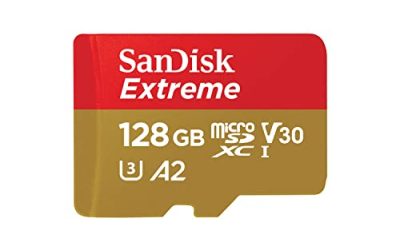
| Samsung EVO Select 256GB | Balanced app and 4K video duty | Up to 160MB/s read, A2, U3, V30 |
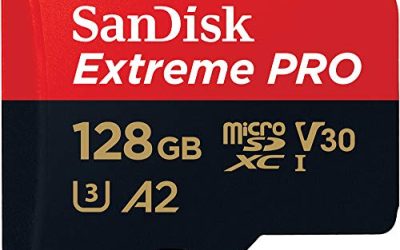
| SanDisk Extreme 256GB | Fast writes for 4K and 5K video | Up to 190MB/s read, 130MB/s write, A2, V30 |
How to Choose
Read the A rating if apps will live on the card
The A1 and A2 markings rate how well a card handles the small random reads and writes that apps constantly perform, and they matter more to phone use than the headline transfer speed. A1 is the baseline for adoptable storage and casual app overflow. A2, carried by two of the three cards here, steps up the random performance figures in the listing, which is what an app loading from the card actually feels. If the card will only ever hold photos, music and downloaded video, A1 is honestly sufficient. If apps or games move onto it, treat A2 as the floor rather than the upgrade.
Match the video class to your camera habits
The U and V numbers describe sustained writing, which is what video recording stresses. A U1 card like the SanDisk Ultra is rated for Full HD recording, and its listing says exactly that. Shooting 4K calls for U3 and V30, the pairing found on the Samsung and the SanDisk Extreme, because a 4K stream writes continuously and a card that cannot sustain the rate stops the recording rather than merely slowing it. Check your phone’s video settings before choosing: a phone capped at 1080p never benefits from V30, while a phone that records 4K or 5K will expose a U1 card within the first long clip.
Separate read speed from write speed
Listings lead with read speed because it is the bigger number, but the two figures do different jobs. Read speed governs how fast photos copy off the card and how quickly media loads. Write speed governs recording and how fast the camera is ready for the next shot or clip. The SanDisk Extreme’s listing states both figures — up to 190MB/s read and up to 130MB/s write — while the other two listings headline a read speed only. For a card destined to live inside a phone and mostly absorb new photos, write performance is the number that quietly decides whether burst shooting and long videos feel smooth.
Confirm the slot before the card
Not every phone accepts a card, and flagships have dropped the slot in recent years, so verify that your exact model has a microSD tray before ordering anything. Phones with a shared SIM tray force a choice between a second SIM and storage, which changes the capacity maths. Also check how your phone handles expansion: some models let you format the card as internal storage and merge it with the built-in space, while others keep it as portable storage for media only. That setting decides whether the A rating in the first section applies to you at all.
The 3 Best Options
1. SanDisk Ultra 256GB (SDSQUAC-256G-GN6MA)

The Ultra is the straightforward media card of this group. Its listing states read speeds up to 150MB/s with Class 10, U1 and A1 ratings, and positions the card for Full HD video and everyday phone storage. That specification suits the most common expansion job: moving a growing photo library, offline music and downloaded shows off the internal storage so the phone stops warning about space. The UHS-I interface and included SD adapter make it easy to move files to a computer when needed. What it does not promise is 4K recording headroom or fast app performance, and judged as a media vault rather than an app drive, it does not need to.
- Specs:
- Capacity: 256GB microSDXC
- Interface: UHS-I
- Read speed: up to 150MB/s
- Speed class: Class 10, U1
- App rating: A1
- Video: Full HD
- Adapter: SD adapter included
- Model: SDSQUAC-256G-GN6MA
- Best for: Photo, music and offline media storage on a phone with a card slot
- Watch out for: The U1 rating is not intended for sustained 4K video recording
2. Samsung EVO Select 256GB (MB-ME256SA/AM)
The EVO Select covers the middle ground where most phone owners actually live. Its listing states read speeds up to 160MB/s with Class 10, U3, V30 and A2 ratings on a UHS-I card, and names mobile phones and smartphones among its intended devices. That class combination means one card can hold the photo library, record the 4K clips and carry overflow apps without any of the three jobs hitting a ratings wall. Samsung sells the EVO Select line as its Amazon channel range, and this current version carries the faster 160MB/s headline figure. For a single card that has to do a bit of everything, the listing’s spread of ratings is the most complete here.
- Specs:
- Capacity: 256GB microSDXC
- Interface: UHS-I
- Read speed: up to 160MB/s
- Speed class: Class 10, U3
- Video class: V30, 4K UHD
- App rating: A2
- Adapter: SD adapter included
- Model: MB-ME256SA/AM
- Best for: One card handling photos, 4K video and apps on an Android phone
- Watch out for: The listing headlines a read speed; sustained write figures are not its focus
3. SanDisk Extreme 256GB (SDSQXAV-256G-GN6MA)
The Extreme is the card for phones that shoot serious video. Its listing states read speeds up to 190MB/s and write speeds up to 130MB/s, with Class 10, U3, V30 and A2 ratings and support for 4K and 5K UHD recording, helped by SanDisk’s QuickFlow technology for transfers. The listing also describes a durable design rated shockproof, temperature-proof, waterproof and X-ray-proof, which matters for a card that may move between a phone, an action camera and a drone. In a phone, that write speed is what keeps long high-resolution clips and rapid photo bursts flowing without the camera pausing to catch up.
- Specs:
- Capacity: 256GB microSDXC
- Interface: UHS-I
- Read speed: up to 190MB/s
- Write speed: up to 130MB/s
- Speed class: Class 10, U3
- Video class: V30, 4K and 5K UHD
- App rating: A2
- Durability per listing: shockproof, temperature-proof, waterproof, X-ray-proof
- Adapter: SD adapter included
- Model: SDSQXAV-256G-GN6MA
- Best for: 4K and 5K phone video, burst photography and cards shared with other devices
- Watch out for: Phones limited to UHS-I never see the full transfer figures without a compatible reader
Which One Fits Your Situation
Your phone is simply out of space
Buy the SanDisk Ultra and move the media. Photos, music and downloads are sequential files that its 150MB/s read speed and A1 rating handle comfortably, and the U1 video rating still covers Full HD recording. Spending more buys ratings your usage never touches. The money saved is better kept for the next phone, which may not even have a card slot to inherit this card.
You record 4K video and keep apps on the card
The Samsung EVO Select is the balanced answer. U3 and V30 cover the camera’s sustained writing, A2 covers the apps, and the 160MB/s read speed keeps gallery browsing and file transfers brisk. It is the only card here whose listing addresses all three phone jobs at once without specialising, which is exactly what a mixed-use phone needs from its single expansion slot.
Your phone is your main video camera
Choose the SanDisk Extreme for its stated write speed. Long 4K and 5K clips are a sustained-write workload, and the up to 130MB/s write figure in its listing is the specification that protects them. The durability ratings in the listing also suit a card that travels between devices. If video is the reason the card exists, this is the one built around that reason.
You are not sure your phone even has a slot
Check before choosing any of these. Look up your exact model’s tray: many recent flagships removed microSD support entirely, and some phones share the slot with the second SIM. If the slot exists, any card here works physically, because all three are standard microSDXC. The slot check takes a minute and prevents the only truly wasted purchase in this category.
Common Mistakes
- Buying on read speed alone while the phone’s real bottleneck is sustained write speed during video recording
- Putting apps on an A1 card and blaming the phone when they load slowly
- Ordering a card for a phone that has no microSD slot, or one whose slot is already occupied by a second SIM
- Assuming a bigger capacity fixes a speed problem, when the class markings are what the camera actually needs
- Buying from listings that omit the model number, which is how look-alike older card versions end up in the packet
Frequently Asked Questions
What do A1 and A2 actually mean on a phone card?
They are application performance classes from the SD Association, rating how well a card handles the small random reads and writes that apps generate. A2 raises the minimum random performance figures over A1. In a phone, the difference shows up when apps or games stored on the card launch and load data. For a card that only stores photos and video, the A rating barely matters, which is why the guidance in this guide ties it to how you use the card.
Can a microSD card slow my phone down?
It can, in specific places. Anything stored on the card loads at card speed rather than internal storage speed, so an app moved to a slow card opens more slowly and a gallery of card-stored photos can take a moment to populate. The phone’s system and internal apps are unaffected. Choosing a card whose A rating matches its job, as the listings above make possible, keeps the slowdown confined to media access, where it is barely noticeable.
Is 256GB the right capacity for a phone?
For most owners, yes. It multiplies the usable space of a typical phone several times over, holds years of photos, and accommodates long 4K clips without constant housekeeping. Step up a size only if you record video constantly or keep a large offline media library. Note that all three cards in this guide are the same 256GB capacity in different speed grades, because at this size the class markings, not the gigabytes, are what separate them.
Why does my phone show less than 256GB free?
Two ordinary reasons explain it. Card capacities are stated in decimal gigabytes while phones report in binary units, so the formatted figure always reads lower, and formatting itself reserves a small portion. This is true of every card from every brand, including all three listings here, and it is not a sign of a faulty or counterfeit card. A dramatically smaller figure, however, is a warning sign worth acting on before trusting the card with real files.
FAQ
What do A1 and A2 actually mean on a phone card?
Can a microSD card slow my phone down?
Is 256GB the right capacity for a phone?
Why does my phone show less than 256GB free?
More from Amazon
Programs that pair well with the guide above. Offers and eligibility are set by Amazon and may change.
Free shipping on eligible items, Prime Video and more. Eligible new members can start with a free trial.
Start a Prime free trialAd-free music streaming. Eligible new subscribers can start with a free trial.
Try Music Unlimited freeA Prime membership for ages 18-24 with a trial period. Eligibility is set by Amazon.
See Prime for Young AdultsAudiobooks and podcasts to listen to on the go. Eligible new members can start with a free trial.
Try Audible freeAs an Amazon Associate we earn from qualifying purchases.