Our Top Picks


The decision that matters with D750 cards is not capacity or headline read speed; it is write speed, because that is what clears the buffer during a burst of RAW frames and decides how soon the camera is ready again. The D750’s two slots are UHS-I, so every card worth buying for it is a UHS-I card, and paying for a faster bus the camera cannot use buys nothing. Match the card to how you shoot, then use the second slot deliberately.
This shortlist is for D750 owners shooting weddings, wildlife, sport and family work in RAW or RAW plus JPEG, and for travellers who rely on the second slot as backup. All four picks are full-size SDXC UHS-I cards at 128GB, chosen from the speed figures and ratings printed on their own listings, with the two slots’ roles in mind: one card for shooting speed, one for overflow or instant backup.
Quick Picks
As an Amazon Associate we earn from qualifying purchases.
| Product | Best for | Key spec from title |
|---|---|---|
| Lexar Professional SILVER SDXC UHS-I 128GB | Fastest buffer clearing | Up to 140MB/s write |
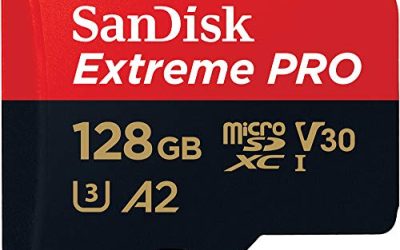
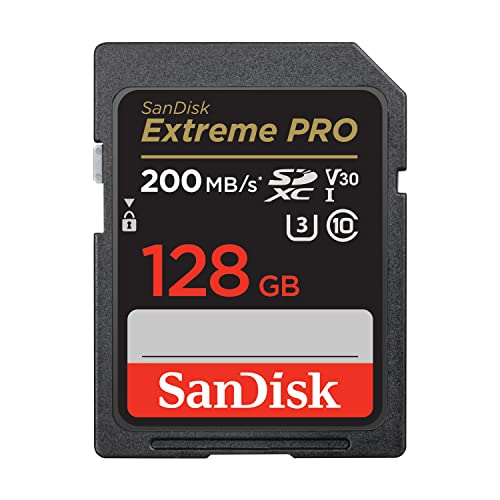
| SanDisk Extreme PRO SDXC UHS-I 128GB | All-round RAW shooting | Up to 90MB/s write, V30 |
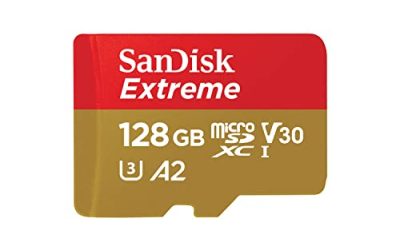
| SanDisk Extreme SDXC UHS-I 128GB | Rough travel conditions | Up to 90MB/s write, proofed build |
| Kingston Canvas Go! Plus SDXC UHS-I 128GB | Second-slot backup card | Up to 200MB/s read, V30 |
How to Choose
Write Speed Decides Your Burst Depth
Read speed is the number printed largest on most cards, but the D750 never sees it while shooting. What fills and clears the buffer is sustained write speed: a card with a higher stated write figure takes more RAW frames before the burst slows and frees the camera sooner afterwards. All four cards here carry U3 and V30 ratings, which cover the D750’s video needs, so separate them on the stated write speed in each listing and on how long your typical bursts run.
UHS-I Is the Ceiling, So Spend Elsewhere
The D750’s slots speak UHS-I, full stop. A UHS-II card physically fits and works, but it runs at UHS-I speed in this camera, so its extra contacts earn nothing here. That is why every pick in this guide is UHS-I: the money that would buy a faster bus is better spent on a second card for the backup slot or on a larger capacity. Check any card you already own against the same rule before assuming it is the slow part of your kit.
Capacity and the Two-Slot Strategy
At 128GB, a card holds thousands of RAW files, which changes the risk maths: one huge card is a single point of failure, while two matched cards let slot two mirror slot one for backup, take overflow when the first fills, or record JPEGs separately. Weddings and paid work argue for mirror mode; travel argues for overflow plus nightly copies. Decide the slot behaviour in the D750’s menu before the shoot, because switching strategy mid-event is how cards end up half-formatted and half-full.
Buy Genuine Cards From Sellers You Can Trace
Counterfeit SD cards are common enough to plan around: a fake card reports the capacity printed on its label, then overwrites your earliest files once its real, smaller memory fills, which on a D750 usually means losing the start of the day. Buy from the brand’s own storefront or an authorised seller, be suspicious of a top-tier card offered far below its usual shelf price, and test any new card by filling it completely and reading the files back before trusting it with paid work.
The 4 Best Options
Lexar Professional SILVER SDXC UHS-I 128GB

The Lexar SILVER carries the highest stated write speed in this group, and for a D750 that translates directly into longer bursts and a buffer that clears while you keep shooting rather than after you stop. Wildlife, sport and wedding photographers working in continuous-high will feel the difference most. Its stated read speed is also the joint highest here, so offloading a full card at the end of the day is quick. If buffer behaviour is your main frustration with the camera, this is the card aimed squarely at it.
Specs
- Capacity: 128GB, SDXC format
- Bus: UHS-I
- Class 10, U3, V30
- Read speed: up to 205MB/s
- Write speed: up to 140MB/s
Best for: Burst-heavy shooting where buffer clearing speed is the priority.
Watch out for: Confirm the listing shows the full-size SILVER card (part LSDSILV128G-BNNNU); Lexar sells a similarly named SILVER PLUS line and microSD versions that are different products.
ASIN: B0D4C7PFRD
SanDisk Extreme PRO SDXC UHS-I 128GB
The long-running Extreme PRO line is the default recommendation for full-frame Nikon bodies, and this 128GB UHS-I generation pairs a strong stated read speed with a write figure that comfortably covers the D750’s burst and video demands. It is the card to buy when you want one proven option in slot one and no second-guessing: fast enough for RAW bursts, rated for the camera’s video modes, and widely stocked, which matters when you need a matching spare in a hurry before a job.
Specs
- Capacity: 128GB, SDXC format
- Bus: UHS-I
- Class 10, U3, V30
- Read speed: up to 200MB/s
- Write speed: up to 90MB/s
Best for: All-round RAW and video shooting as the main card in slot one.
Watch out for: SanDisk sells a newer Extreme PRO generation with higher stated speeds under a different part number; check the listing’s part number (SDSDXXD-128G-GN4IN) so the card that arrives is the one whose figures are quoted here.
ASIN: B09X7FXHVJ
SanDisk Extreme SDXC UHS-I 128GB
The Extreme sits one step below the PRO line and matches its stated write speed, which is the figure the D750 actually uses while shooting, while its listing adds a proofed build rated against temperature, water and X-rays. That makes it the natural travel and outdoor card of the four: the one that rides in the camera through airport scanners, cold mornings and damp locations. Photographers who shoot one card at a time and swap at day’s end lose nothing here against the PRO for in-camera work.
Specs
- Capacity: 128GB, SDXC format
- Bus: UHS-I
- Class 10, U3, V30
- Read speed: up to 180MB/s
- Write speed: up to 90MB/s (shot speed)
- Temperature-proof, water-proof and X-ray-proof per listing
Best for: Travel and outdoor shooting where the proofed build earns its keep.
Watch out for: Its stated read speed is the lowest of the SanDisk pair here, so large offloads take a little longer; if fast end-of-day transfers matter more than the proofing, take the Extreme PRO instead.
ASIN: B09X7DZ9LG
Kingston Canvas Go! Plus SDXC UHS-I 128GB
The Kingston is the sensible second card: a full-size UHS-I card with a high stated read speed and the U3 and V30 ratings the D750’s stills and video modes require. Its listing does not state a write speed, so it is not the pick for judging burst performance; it is the pick for the backup slot, where the camera writes a mirror copy at whatever pace the card accepts, or as an overflow card on long days. Bought as a pair, it makes dual-slot redundancy affordable without pretending to figures its maker does not publish.
Specs
- Capacity: 128GB, full-size SDXC format
- Bus: UHS-I
- Class 10, U3, V30
- Read speed: up to 200MB/s
- Write speed: not stated in the listing
Best for: The backup or overflow slot, and as a spare card in the bag.
Watch out for: Order by the model number SDG4/128GB; Kingston’s SDCG4 line with a near-identical name is microSD, which does not fit the D750’s slots without an adapter you should not rely on.
ASIN: B0F29YB396
Which One Fits Your Situation
You Shoot Weddings or Paid Events
Run the Lexar SILVER or the Extreme PRO in slot one and set slot two to backup with a second matched card. Paid work is where a card failure stops being an inconvenience, and mirror mode means a dead card costs you nothing but a swap. Buy the pair together from the same seller so both cards are the same generation and provenance.
You Shoot Wildlife or Sport in Bursts
Take the Lexar SILVER. Its stated write speed is the highest here, and buffer clearing is the whole game when a sequence runs long: the card that empties the buffer fastest is the one that is ready for the next pass. Pair it with a second card set to overflow rather than backup, so a long morning never stops on a full card.
You Travel With One Camera and No Laptop Routine
Take the SanDisk Extreme and a Kingston as overflow. The Extreme’s listing-stated proofing suits cards that live in the camera through scanners and weather, and the Kingston gives you a second 128GB when a day runs long. Copy both cards whenever you do reach a computer; two cards carried in different bags are your travel backup.
You Mostly Shoot Family and Everyday Photos
Any single card here is more than fast enough; the Extreme PRO is the easy default for its balance of stated speeds and availability. Use the second slot in backup mode anyway, because the most common card disaster at this level is not speed but a lost or failed card holding the only copy of a birthday.
Common Mistakes
- Buying a UHS-II card for the D750 and expecting UHS-II speed; the slots are UHS-I, so it runs at UHS-I pace.
- Judging cards by read speed, when write speed is what clears the buffer and decides burst depth.
- Trusting a suspiciously cheap top-tier card; counterfeits report false capacity and silently overwrite your earliest files.
- Leaving slot two empty or unset, then discovering mid-shoot that the camera stopped at a full card with no overflow.
- Formatting cards in a computer instead of in the D750, which can leave a file system the camera handles less reliably.
Frequently Asked Questions
Is 128GB the Right Size for a D750?
For most shooters, yes. It holds thousands of RAW files, covers a full wedding or a day of wildlife with room to spare, and keeps the cost of running two matched cards for backup mode reasonable. Smaller cards force mid-day swaps; much larger ones concentrate more images on a single card, which raises the cost of any one failure.
Can I Use a UHS-II Card in the D750?
You can, and it will work, but only at UHS-I speed, because both of the D750’s slots are UHS-I. There is no burst, video or offload benefit inside this camera, so a UHS-II card only makes sense if you already own one or also shoot a body with UHS-II slots. Otherwise the same money buys a faster-writing UHS-I card.
What Should the Second Slot Do?
Set it to backup for anything irreplaceable, such as weddings and client work, so every frame exists on two cards. Set it to overflow for volume work like sport, where stopping to swap cards loses pictures. Splitting RAW to one card and JPEG to the other suits photographers who hand over JPEGs on the day and archive the RAW files later.
How Do I Spot a Counterfeit Card?
Warning signs are a top-tier card priced far below every other seller, packaging with blurred printing, and a card that formats to less capacity than its label claims. Test a new card before real work: fill it completely, then read the files back and check the earliest ones still open. Buy from the brand storefront or an authorised seller and keep the receipt.
FAQ
Is 128GB the Right Size for a D750?
Can I Use a UHS-II Card in the D750?
What Should the Second Slot Do?
How Do I Spot a Counterfeit Card?
More from Amazon
Programs that pair well with the guide above. Offers and eligibility are set by Amazon and may change.
Free shipping on eligible items, Prime Video and more. Eligible new members can start with a free trial.
Start a Prime free trialAd-free music streaming. Eligible new subscribers can start with a free trial.
Try Music Unlimited freeA Prime membership for ages 18-24 with a trial period. Eligibility is set by Amazon.
See Prime for Young AdultsAudiobooks and podcasts to listen to on the go. Eligible new members can start with a free trial.
Try Audible freeAs an Amazon Associate we earn from qualifying purchases.