Key takeaways
- Match an Xbox Series X with the right 4K 120 Hz TV by checking VRR formats, Dolby Vision tradeoffs, HDMI inputs, latency, HDR, and room light.
The best TV for Xbox Series X must do more than accept a 4K signal. It should expose the console’s useful 120 Hz, variable-refresh, HDR, and low-latency modes on the ports your system needs, while remaining bright enough for the room and comfortable at the seating distance. The Xbox compatibility screen makes verification unusually practical, so use it before and after purchase instead of trusting a broad “gaming TV” label.
A practical specification target
Most buyers should shortlist televisions with a native 120 Hz 4K panel, at least one input supporting 4K at 120 Hz, VRR, Auto Low Latency Mode, and a responsive HDR Game Mode. Xbox Series X supports several video combinations, but a game must render an appropriate frame rate and the complete HDMI chain must pass the mode.
Our top picks
 Xbox Series X
- FASTEST, MOST POWERFUL XBOX
- Enjoy breathtaking visuals with true 4K resolution, HDR,…
- Reduce load times dramatically with the custom 1TB…
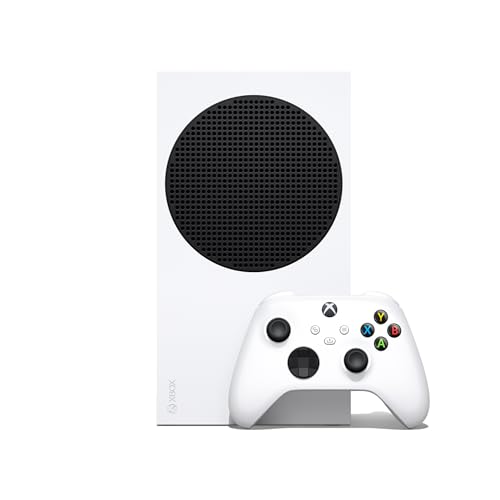 Xbox Series S
- Experience next-gen speed and performance in the smallest…
- Enjoy smooth, responsive gaming with frame rates up…
- Reduce load times dramatically with the custom 1TB…
 Xbox Series X 1TB Gaming Console Console
- What's in the box: Xbox Series X console,…
- Equipped with AMD's Zen 2 and RDNA 2…
- Memory: 16GB GDDR6 w/320 bit-wide bus
| Product | Key specs | |
|---|---|---|
| Xbox Series X | FASTEST, MOST POWERFUL XBOX Enjoy breathtaking visuals with true 4K resolution, HDR,… Reduce load times dramatically with the custom 1TB… | Check price |
| Xbox Series S | Experience next-gen speed and performance in the smallest… Enjoy smooth, responsive gaming with frame rates up… Reduce load times dramatically with the custom 1TB… | Check price |
| Xbox Series X 1TB Gaming Console Console | What's in the box: Xbox Series X console,… Equipped with AMD's Zen 2 and RDNA 2… Memory: 16GB GDDR6 w/320 bit-wide bus | Check price |
 Microsoft Microsoft | Access your favorite entertainment through apps like YouTube,… Enjoy over 100 games right out of the… Watch 4K Blu-ray movies and stream 4K video… | Check price |
 Roku 40-Inch Select Series Smart TV 2026-1080p Roku 40-Inch Select Series Smart TV 2026-1080p | Bright, clear picture: Bring entertainment to life on… Seamless streaming: With fast Wi-Fi and apps that… TV, simplified: With setup that only takes minutes,… | Check price |
As an Amazon Associate we earn from qualifying purchases at no extra cost to you.
Microsoft’s official Xbox 4K and HDR troubleshooting page explains the console settings and compatibility checks. Treat the console’s “4K TV details” screen as evidence of the current connection, not a promise about every game.
Check the exact screen size on the manufacturer’s site. A 55-inch member of a series can use a different panel or refresh capability from a 43-inch version. Confirm which ports support the full bandwidth and whether eARC occupies one of them.
Xbox-specific reasons to inspect VRR
Variable Refresh Rate lets the television align refresh timing with frames delivered inside its supported range. This can reduce tearing and judder when frame rate varies. Xbox exposes VRR settings and supports HDMI VRR; some displays also advertise AMD FreeSync. These labels overlap in purpose but do not prove identical ranges or behavior.
Microsoft documents the console’s VRR setting and low-latency options. Verify that VRR works at 4K 120 Hz and in HDR on the candidate model. Independent measurements can reveal flicker near dark shades, raised blacks, or mode-specific limitations that a feature table omits.
Low Frame Rate Compensation may repeat frames when the game falls below the panel’s native VRR floor, but implementation varies. It cannot repair poor frame pacing generated by a game. For a title locked to a stable 30 fps, a good fixed-refresh presentation may be preferable to treating VRR as a universal cure.
Dolby Vision is useful, but check the mode combination
Xbox Series X supports Dolby Vision for compatible entertainment and games, while HDR10 remains broadly important. A television may accept Dolby Vision gaming but restrict refresh rate, processing, local dimming, or latency compared with its HDR10 Game Mode. Check the exact firmware and model rather than assuming every Dolby Vision badge supports 4K 120 Hz gaming.
Microsoft provides current guidance in its Dolby Vision on Xbox documentation. If a television offers excellent HDR10 Game Mode but compromised Dolby Vision gaming, HDR10 can be the more consistent choice. Format count is less important than tone mapping, brightness, black level, and latency in the active mode.
OLED versus Mini-LED
OLED controls light at each pixel. Dark games look convincing in a controlled room, viewing angles are broad, and pixel transitions are rapid. Static interfaces, cumulative use, and full-field brightness deserve consideration, but modern panel-care systems are designed to mitigate uneven aging when left enabled.
Mini-LED LCD televisions use many backlight zones. Strong models can sustain high brightness in daylight and create intense highlights. They do not control every pixel, so a bright reticle or subtitle against darkness can reveal blooming. Off-axis contrast can also fall depending on panel type and viewing-angle layers.
Choose based on the room and household. A dark dedicated gaming room favors OLED’s black level. A bright living room used all day may favor Mini-LED’s output. Our OLED versus Mini-LED gaming comparison provides the longer decision tree.
Port count can decide the purchase
List every source: Xbox Series X, PS5, gaming PC, soundbar or receiver, and perhaps a capture device. A television with two full-capability inputs may effectively leave one after eARC is assigned. Connecting through an older receiver can remove 4K 120 Hz or VRR even when the TV and console support them.
HDMI.org describes VRR, ALLM, and gaming-oriented HDMI features. A version label alone does not guarantee every optional capability. Read the input table in the television manual and check whether enhanced or high-bandwidth mode must be enabled per port.
Use an Ultra High Speed HDMI cable for the high-bandwidth run. The cable included with Series X is the sensible first diagnostic reference. Extremely long passive runs can be less reliable; avoid replacing several components at once when troubleshooting.
Input lag, response, and Game Mode
Input lag is processing delay before the frame appears. Response time is the panel’s transition between shades. Xbox can feel delayed because Game Mode is off even when the panel itself is fast. Conversely, an LCD can report low input lag while leaving visible dark smearing from slow transitions.
ALLM can request a low-latency mode automatically, but confirm the television actually switches and remains there for the input. Game Mode may disable motion interpolation and some image processing. That is usually desirable for control response. Compare measurements made at 4K 60 Hz and 4K 120 Hz because refresh mode changes the result.
The site’s gaming TV latency guide explains measurement language and safe settings. Avoid claims such as “zero lag”; every signal chain has latency.
Match screen size to the way you play
A large screen adds scale for racing and cinematic games, but competitive players seated close may struggle to scan HUD corners. Mark the width on the wall and simulate the seating position. Check stand width, VESA pattern, furniture depth, ventilation, and cable bend radius.
At close desk distance, a 42- or 48-inch model may be more usable than 55 inches. For couch distance, 55 or 65 inches is a common range, but visual acuity and room layout differ. Screen size should not force the neck upward; position the center near seated eye level where practical.
Do not assume the smallest size in a premium family keeps 120 Hz, local dimming, or the same audio system. Manufacturer specification pages for the exact suffix and region are authoritative for physical and input details.
Bright-room and dark-room priorities
For a bright room, prioritize sustained brightness, an effective anti-reflection coating, and enough contrast to withstand ambient light. Avoid placing a window directly opposite a glossy screen. Mini-LED often performs well here, although premium OLED models have improved.
For a dark room, black level, near-black detail, blooming, and comfortable minimum brightness matter more than peak marketing figures. Bias lighting behind an LCD can reduce perceived blooming and eye strain, but it should be neutral and dim rather than colorful if image accuracy matters.
Setup procedure
Connect Series X directly to a full-capability HDMI input. Enable the television’s enhanced input format if required, then select Game Mode. In Xbox Settings, open General, TV & display options and run “4K TV details.” Record which modes show green checks.
Set resolution and refresh rate, then enable Allow 4K, HDR, VRR, and ALLM only as supported. Calibrate HDR using the Xbox HDR Game Calibration app in the picture mode you will keep. Microsoft explains the tool in its HDR calibration guidance.
If a mode disappears:
- reconnect Xbox directly to the TV;
- confirm the correct enhanced HDMI port;
- test the supplied cable;
- update console and TV firmware;
- disable one feature at a time to isolate the incompatible combination;
- reintroduce the receiver, switch, or capture device only after direct connection works.
This order reveals the failing link without resetting unrelated settings.
Sensible buying categories
Recommended products
As an Amazon Associate, we may earn from qualifying purchases.
- Value 120Hz option: VIZIO 50-Inch Quantum Pro 4K 120Hz QLED TV
- OLED option: LG C2 65-Inch OLED evo 4K TV
- VRR-focused alternative: iFFALCON 55-Inch U85 Mini-LED 4K TV
- Compact OLED: close seating, dark-room contrast, quick response; verify capability at the selected size.
- Mainstream OLED: cinematic games and wide seating; retain panel-protection features.
- Midrange Mini-LED: bright-room value, local dimming, documented 120 Hz and VRR.
- Premium Mini-LED: high HDR brightness and large screens; independently check blooming and Game Mode processing.
- Budget LCD: acceptable when genuine 120 Hz, VRR, and low latency are confirmed; avoid inflated motion-rate terminology.
Model availability changes faster than the underlying decision. The best value is the least expensive television that passes your input, room, size, and picture-quality requirements.
Common buying errors
Do not select by peak refresh alone; Series X cannot benefit from every 144 Hz television mode. Do not route through an incompatible soundbar and then blame the TV. Do not assume Dolby Vision is automatically superior if it raises latency or disables 120 Hz on that model. Do not confuse an accepted HDR signal with effective HDR presentation.
Finally, do not create separate picture settings for each game before establishing a reliable baseline. Configure the signal chain, use the console calibration, then adjust only visible problems.
Final recommendation
For most Series X setups, choose a native 120 Hz 4K television with reliable HDMI VRR, low-latency HDR Game Mode, and enough full-capability ports. OLED is the dark-room and viewing-angle choice; Mini-LED is often the bright-room and sustained-brightness choice. Let the Xbox “4K TV details” screen verify the chain, and value measured mode behavior above badge count.
Sources
- Xbox Support: 4K gaming at 120 Hz
- Xbox Support: VRR and low-latency mode
- Xbox Support: Dolby Vision
- Xbox Support: HDR TV settings
- HDMI.org: Gaming features