Key takeaways
- Switch type: Membrane keys are quiet and cheap; mechanical switches offer tactile feedback and durability.
- Connectivity: Wired means zero latency; wireless via Bluetooth or 2.4GHz adds convenience and tidiness.
- Layout & size: Full-size includes a numpad; TKL and 75% save desk space.
- Features: Backlighting, programmable keys, hot-swap switches, and knobs add versatility.
- Use case: Prioritize comfort for typing, low latency and RGB for gaming.
The keyboard is where you spend most of your computing hours, yet it is often an afterthought. Upgrading to the right one, whether a premium productivity board, a satisfying mechanical, or a reliable budget wireless, can make typing more comfortable, gaming more responsive, and your whole desk feel more polished.
This roundup gathers some of the best keyboards to buy in 2026, spanning wireless productivity models, mechanical gaming boards, and versatile hot-swappable custom options. We will explain what to look for, then review our top picks so you can find the keyboard that matches how you type, play, and work.
Our top picks


 Logitech G413 SE Full-Size Mechanical Gaming Keyboard
- Product Group: Personal Computer
- Binding: Personal Computers


As an Amazon Associate we earn from qualifying purchases at no extra cost to you. Ratings are shown as listed on Amazon.
🎮 Get More From Your Setup — Free
Prime Gaming gives you free PC games every month, in-game loot, and a free Twitch channel sub — plus fast free shipping on all the gear above. New members get a 30-day free trial.
Watch: Best Keyboard To Buy — Video Review
How to Choose a Keyboard
- Switch type: Membrane keys are quiet and cheap; mechanical switches offer tactile feedback and durability.
- Connectivity: Wired means zero latency; wireless via Bluetooth or 2.4GHz adds convenience and tidiness.
- Layout & size: Full-size includes a numpad; TKL and 75% save desk space.
- Features: Backlighting, programmable keys, hot-swap switches, and knobs add versatility.
- Use case: Prioritize comfort for typing, low latency and RGB for gaming.
The Best Keyboards Reviewed
Logitech MX Keys S Wireless
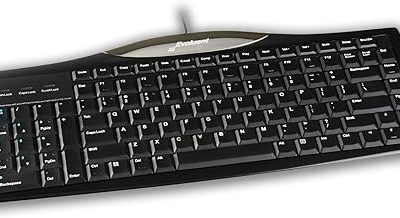
The MX Keys S is the productivity benchmark, with a low-profile layout that delivers fluid, precise, quiet typing. It adds programmable keys, smart backlighting, and USB-C recharging, and works across Windows, Mac, Linux, and Chrome. For professionals who type all day, it is hard to beat.
Logitech G PRO Mechanical TKL
Gamers wanting portability and speed should look at the G PRO tenkeyless. Its clicky mechanical switches, detachable cable, and 16.8-million-color Lightsync backlighting make it a competitive-ready board that is easy to toss in a bag for LAN sessions.
AULA F75 Pro Wireless
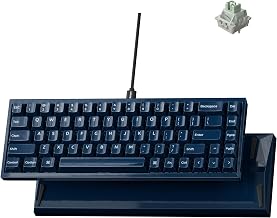
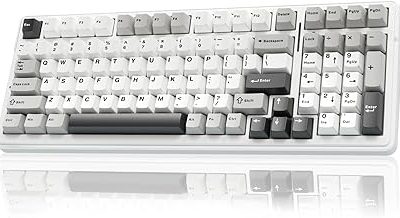
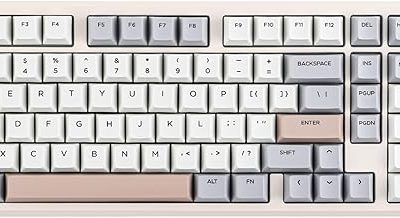
The AULA F75 Pro is a standout for enthusiasts on a budget, offering a 75% hot-swappable layout with a control knob, pre-lubed Reaper switches, and RGB backlighting. Its 2.4GHz, USB-C, and Bluetooth modes make it a flexible, satisfying custom-style keyboard.
Logitech G413 SE Mechanical
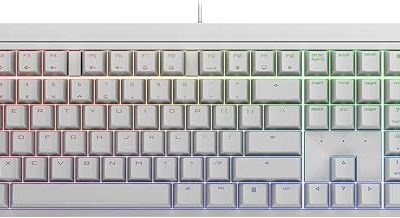
The G413 SE is a no-frills full-size mechanical gaming keyboard with an aluminum top plate, anti-ghosting, and clean backlighting. Compatible with Windows and macOS, it is a durable, affordable entry into mechanical gaming for those who want reliability over flashy features.
Logitech K270 Wireless
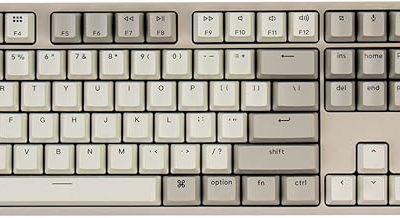
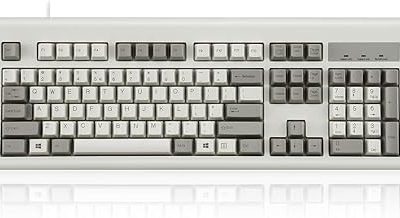
Rounding out the list, the K270 is a full-size wireless keyboard with a number pad, eight multimedia keys, and a two-year battery, all at a bargain price. It is the practical pick for home and office users who just want a dependable, clutter-free typing experience.
Frequently Asked Questions
Are mechanical keyboards worth it?
For most people, yes. They offer better tactile feedback, faster response, and far greater durability than membrane boards, though they cost more and can be louder.
What does hot-swappable mean?
A hot-swap board lets you change switches without soldering. It is great for enthusiasts who want to customize feel and sound, as on the AULA F75 Pro.
Wired or wireless for gaming?
Modern wireless gaming keyboards have minimal latency, but many competitive players still prefer wired for absolute consistency. Wireless wins on desk tidiness and flexibility.
Do I need a numpad?
If you enter a lot of numbers or use spreadsheets, a full-size board with a numpad helps. Gamers often prefer TKL or 75% layouts for more mouse room.
Final Thoughts
The best keyboard depends on how you use your PC. For all-day productivity, the Logitech MX Keys S is superb, while the G PRO TKL and G413 SE cover competitive and budget mechanical gaming. Enthusiasts will love the customizable AULA F75 Pro, and the K270 is a dependable, affordable everyday choice. Decide between typing comfort, gaming speed, and customization, and pick the board that fits your daily grind.