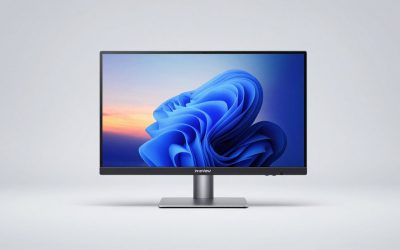
A gaming monitor is where all your hardware’s hard work becomes visible, and choosing the right one transforms how every game feels. Retail shelves are packed with options, but the best combine high refresh rates, sharp resolution, and gaming-friendly features at prices that make sense.
From fast FHD panels for competitive shooters to immersive curved QHD and ultrawide displays, there is a monitor for every setup and budget. This roundup explains what to prioritize, then reviews six standout gaming monitors that deliver excellent value and performance in 2026.
Our top picks
 Samsung 27" Odyssey G5
- QHD Resolution (2560 x 1440) has 1.7 times…
- HDR10 provides brighter highlights and nuanced shadow for…
- The 180Hz refresh rate minimizes lag for gameplay…
 Samsung 32" Odyssey
- Your gaming world, more lifelike than ever
- Experience the exhilaration of gameplay as you speed…
- Experience the next level of heart-pounding gaming
| Product | Key specs | |
|---|---|---|
| Samsung 27" Odyssey G5 | QHD Resolution (2560 x 1440) has 1.7 times… HDR10 provides brighter highlights and nuanced shadow for… The 180Hz refresh rate minimizes lag for gameplay… | Check price |
| Samsung 32" Odyssey | Your gaming world, more lifelike than ever Experience the exhilaration of gameplay as you speed… Experience the next level of heart-pounding gaming | Check price |
 Samsung 27” Odyssey OLED G5 Samsung 27” Odyssey OLED G5 | Check price | |
 Samsung 32” Odyssey G5 Samsung 32” Odyssey G5 | Samsung’s 32” Odyssey G5 QHD Gaming Monitor delivers… QHD resolution (2560 x 1440) boasts incredibly detailed,… With a wide 178° viewing angle, the IPS… | Check price |
 Samsung 27" Essential S3 Samsung 27" Essential S3 | An immersive viewing experience with a curved monitor… Stay in the action when playing games, watching… Gain the edge with optimizable game settings | Check price |
 SANSUI 34-Inch Curved Gaming Monitor UWQHD 3440 SANSUI 34-Inch Curved Gaming Monitor UWQHD 3440 | 34 inch Curved 1500R UWQHD(3440 x 1440) @… Performance: Up to 200Hz Refresh Rate | OD… Ergonomic Stand: Tilt / Kensington Lock: -5°~15°(+/-2°) /… | Check price |
 Acer 27 Inch Monitor- KB272-27 Inch FHD Acer 27 Inch Monitor- KB272-27 Inch FHD | Incredible Images: The Acer KB272 G0bi 27" monitor… Adaptive-Sync Support: Get fast refresh rates thanks to… Responsive!!: Fast response time of 1ms enhances the… | Check price |
 Samsung 27" Odyssey OLED G6 Samsung 27" Odyssey OLED G6 | Samsung’s 27” Odyssey OLED G6 Gaming Monitor is… OLED Safeguard technology supports performance by actively helping… Glare Free Technology keeps screen clear of reflection… | Check price |
As an Amazon Associate we earn from qualifying purchases at no extra cost to you.
🎮 Get More From Your Setup — Free
Prime Gaming gives you free PC games every month, in-game loot, and a free Twitch channel sub — plus fast free shipping on all the gear above. New members get a 30-day free trial.
Watch: Best Gaming Monitors At Best Buy — Video Review
How to Choose a Gaming Monitor
- Refresh rate: Higher hertz means smoother motion. Aim for 165Hz or more for competitive play, and at least 120Hz for a fluid all-around experience.
- Resolution: FHD makes high frame rates easy, QHD adds sharpness, and ultrawide boosts immersion. Match it to your GPU’s power.
- Panel type: IPS delivers vibrant color, VA offers deep contrast, and OLED brings the best blacks and response times at a premium.
- Adaptive sync: FreeSync or G-Sync compatibility eliminates tearing and keeps gameplay smooth when frame rates fluctuate.
- Response time: A low GtG or MPRT rating prevents ghosting, keeping fast motion crisp and clear.
The Best Gaming Monitors Reviewed
Samsung Odyssey G5 (G51F) 27″
This 27-inch Odyssey G5 delivers QHD at 180Hz with FreeSync and HDR10. Its sharp resolution and gaming features like a Black Equalizer make it a superb all-around competitive pick.
Samsung Odyssey G55C 32″ Curved
The curved 32-inch Odyssey G55C brings QHD, 165Hz, and a 1000R curve for immersive play. Its eye-care features and rich contrast suit both gaming and everyday use.
Samsung Odyssey OLED G5 (G50SF)
The Odyssey OLED G5 steps up to QD-OLED with 180Hz and a lightning-fast 0.03ms response. Its perfect blacks and G-Sync compatibility make it a premium choice for enthusiasts.
Samsung Odyssey G5 (G50F) 32″
This 32-inch Odyssey G5 pairs a fast IPS panel with QHD, 180Hz, and G-Sync compatibility. Its vibrant color and high refresh make it a versatile big-screen gaming monitor.
Samsung Essential S3 27″
The Samsung Essential S3 is a budget-friendly curved 27-inch monitor with 100Hz and a Game Mode. It is a sensible entry point for casual gamers and everyday productivity.
SANSUI 34″ Ultrawide
The SANSUI 34-inch ultrawide offers UWQHD resolution at up to 200Hz with HDR and PIP/PBP. Its immersive aspect ratio makes it ideal for expansive, cinematic gaming.
Frequently Asked Questions
What refresh rate should I get for gaming?
Aim for at least 120Hz for smooth play, and 165Hz or higher for competitive shooters. Higher refresh feels noticeably more responsive.
Is QHD better than FHD for gaming?
QHD looks sharper and offers more screen detail, but demands a stronger GPU. FHD makes hitting high frame rates easier and costs less.
Is an OLED monitor worth it?
For enthusiasts, yes. OLED delivers perfect blacks and near-instant response times, though it commands a premium over IPS and VA panels.
Are ultrawide monitors good for gaming?
They are excellent for immersion in supported games, offering a wider field of view. Just ensure your GPU can drive the extra pixels smoothly.
Final Thoughts
For the best blend of speed and sharpness, the Samsung Odyssey G5 27-inch leads our list, while the Odyssey OLED G5 is the premium pick for enthusiasts. Gamers craving immersion should look hard at the SANSUI 34-inch ultrawide.