Key takeaways
- Resolution: 1080p is crisp and ideal for most calls; 4K delivers extra sharpness for streaming and professional use.
- Field of view: A wider angle fits more people or your background; a narrower one keeps focus on you.
- Microphone quality: Built-in mics with noise cancellation save desk space and improve clarity if you don’t use a headset.
- Privacy and mounting: Look for a privacy shutter and a clip that fits your monitor or laptop securely.
- Compatibility: Confirm plug-and-play support for Zoom, Teams, Google Meet, and your operating system.
What's inside
A good webcam has become essential now that video calls, streaming, and online meetings are part of everyday life. Whether you’re joining a work call, catching up with family, or building an audience on stream, a dedicated camera delivers far sharper image quality, better low-light handling, and clearer audio than the tiny sensor built into most monitors and laptops. The trick is choosing the right resolution and features for how you’ll actually use it.
To help you upgrade your setup, we rounded up a range of top webcams from Logitech, Acer, NexiGo, and AOC, spanning reliable 1080p models to sharp 4K options. Each targets a different need and budget, so you can find the camera that makes you look and sound your best on every call.
As an Amazon Associate we earn from qualifying purchases.


🎮 Get More From Your Setup — Free
Prime Gaming gives you free PC games every month, in-game loot, and a free Twitch channel sub — plus fast free shipping on all the gear above. New members get a 30-day free trial.
Watch: Best Webcam For Computers — Video Review
How to Choose the Right Webcam
- Resolution: 1080p is crisp and ideal for most calls; 4K delivers extra sharpness for streaming and professional use.
- Field of view: A wider angle fits more people or your background; a narrower one keeps focus on you.
- Microphone quality: Built-in mics with noise cancellation save desk space and improve clarity if you don’t use a headset.
- Privacy and mounting: Look for a privacy shutter and a clip that fits your monitor or laptop securely.
- Compatibility: Confirm plug-and-play support for Zoom, Teams, Google Meet, and your operating system.
The Best Webcams Reviewed
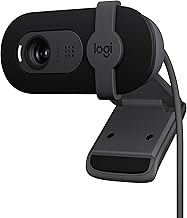
Logitech Brio 101 Full HD 1080p
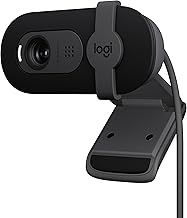
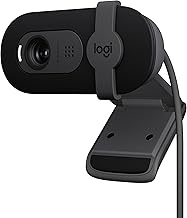
The Logitech Brio 101 is a superb everyday pick, delivering sharp 1080p video with automatic light correction, a built-in mic, and a privacy shutter. Its plug-and-play USB-A connection works effortlessly with Teams, Meet, and Zoom, making it a reliable upgrade for meetings and calls.
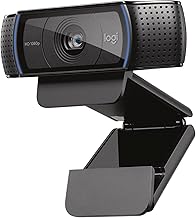
Logitech C920x HD Pro
The Logitech C920x remains a longtime favorite for good reason. It offers clear 1080p/30fps video, solid audio, and dependable light correction, and it works across Mac, tablets, and even the Nintendo Switch 2. It’s a proven, versatile choice for streaming and video chatting alike.
Logitech MX Brio Ultra HD 4K
For the sharpest image, the Logitech MX Brio steps up to Ultra HD 4K with a Show Mode for presenting documents. It’s built for collaboration and streaming, working smoothly with Teams, Zoom, and Meet, and is the premium choice for those who want the best possible video quality.
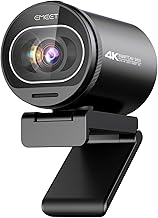
AOC 4K Webcam
The AOC 4K webcam pairs high-resolution video with a noise-canceling mic and a wide 90-degree field of view. With a privacy cover, plug-and-play setup, and a USB C-to-A adapter included, it’s a feature-rich 4K option that works with Mac, laptops, and the Switch 2.
NexiGo N60 and Acer 1080p Value Picks
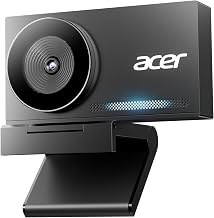
Budget-conscious buyers should consider the NexiGo N60, with software control, a privacy cover, and a built-in mic, or the Acer 1080p webcam with noise-canceling microphones and a wide angle. Both deliver clear, reliable video for everyday calls at friendly prices.
Frequently Asked Questions
Is 1080p or 4K better for video calls?
For typical meetings, 1080p looks crisp and is more than enough. 4K delivers extra sharpness that benefits streamers and professionals, but it requires more bandwidth and processing, so choose based on your needs.
Do I still need a separate microphone?
Many of these webcams include capable built-in mics with noise cancellation, which are fine for most calls. If you stream or want the clearest possible voice, a dedicated microphone or headset is still an upgrade.
What is a privacy shutter and why does it matter?
A privacy shutter physically covers the lens when you’re not using the camera, giving you peace of mind that no one can see you. Most webcams here include one.
Will these work with my meeting software?
Yes. These plug-and-play webcams are compatible with Zoom, Teams, Google Meet, Skype, and more, and work across Windows, Mac, and often consoles. Just plug in via USB and select the camera in your app.
Final Thoughts
The best webcam for you comes down to resolution and features. For dependable 1080p everyday quality, the Logitech Brio 101 and classic C920x are excellent, while the Logitech MX Brio and AOC 4K deliver stunning sharpness for streaming and collaboration. Budget shoppers will be well served by the NexiGo N60 or Acer picks. Match the camera to how you connect, and you’ll look and sound great on every call.