Key takeaways
- Core count matters: Encoding and rendering scale with threads, so a high-core chip like the Core i9-14900HX build or a Ryzen 9 7900X will finish exports far faster than a mainstream quad-core.
- Memory headroom: 32GB DDR5 is the comfortable minimum for multi-track 4K timelines; 16GB works for 1080p but fills up quickly with effects and color grading.
- GPU acceleration: An RTX 5070 or 5060 Ti speeds up NVENC encoding, GPU effects, and AI tools, cutting timeline lag and export times dramatically.
- Fast, roomy storage: A 1TB NVMe SSD keeps scratch files and project media snappy; add a second drive if you juggle large raw libraries.
- Connectivity for creators: WiFi 6 or better plus fast USB ports simplify offloading footage from cameras and external drives during busy edit days.
What's inside
A gaming PC and a video editing workstation share a lot of DNA in 2026, but the priorities shift once timelines, effects, and 4K exports enter the picture. Editors care as much about core counts, memory capacity, and fast NVMe storage as they do about raw gaming frames, because rendering and scrubbing high-bitrate footage stresses the whole system rather than just the GPU.
The good news is that several prebuilts now handle both roles gracefully, giving creators a machine that grinds through Premiere and DaVinci exports on weekdays and runs AAA titles at night. We narrowed the field to the towers that balance CPU muscle, ample RAM, and GPU acceleration, then broke down what each one does best below.
As an Amazon Associate we earn from qualifying purchases.


🎮 Get More From Your Setup — Free
Prime Gaming gives you free PC games every month, in-game loot, and a free Twitch sub — plus fast free shipping on the rigs above. New members get a 30-day free trial.
Watch: Best Prebuilt Gaming PC for Video Editing — Video Review
How to Choose a Prebuilt for Video Editing
- Core count matters: Encoding and rendering scale with threads, so a high-core chip like the Core i9-14900HX build or a Ryzen 9 7900X will finish exports far faster than a mainstream quad-core.
- Memory headroom: 32GB DDR5 is the comfortable minimum for multi-track 4K timelines; 16GB works for 1080p but fills up quickly with effects and color grading.
- GPU acceleration: An RTX 5070 or 5060 Ti speeds up NVENC encoding, GPU effects, and AI tools, cutting timeline lag and export times dramatically.
- Fast, roomy storage: A 1TB NVMe SSD keeps scratch files and project media snappy; add a second drive if you juggle large raw libraries.
- Connectivity for creators: WiFi 6 or better plus fast USB ports simplify offloading footage from cameras and external drives during busy edit days.
The Best Prebuilt PCs for Video Editing Reviewed
Core i9-14900HX RTX 5060 Ti Tower
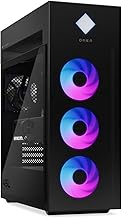
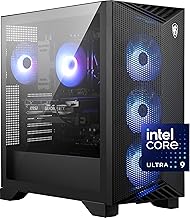
This high-end prebuilt pairs a 24-thread Core i9-14900HX with an RTX 5060 Ti 8GB, 16GB DDR5, and a 1TB NVMe SSD, and it is explicitly tuned for streaming, editing, and workstation use. The heavyweight CPU makes it our export-speed champion for creators who render often.
iBUYPOWER Element (Ryzen 9 7900X)
With a 12-core Ryzen 9 7900X, RTX 5070 12GB, and 32GB DDR5, the iBUYPOWER Element is the most balanced dual-purpose pick here. That extra RAM and GPU class chew through 4K timelines while still delivering excellent gaming frames after hours.
KOTIN RTX 5070 Desktop
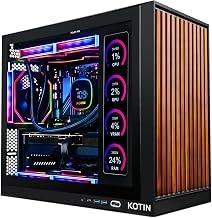
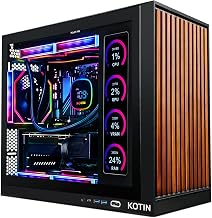
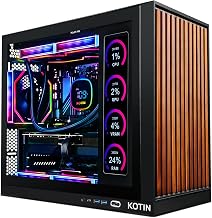
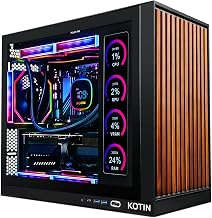
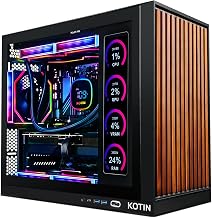
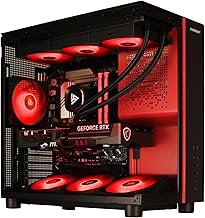
KOTIN’s build brings a Ryzen 7 9700X, RTX 5070 12GB, 32GB DDR5, and an 850W Gold PSU, plus a 360mm liquid cooler to keep the CPU steady under sustained render loads. It is a stylish, capable all-rounder for editors who also game seriously.
Ryzen 7 RTX 5060 Ti RGB Desktop
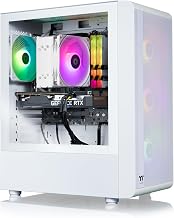
This Ryzen 7 desktop with an RTX 5060 Ti 8GB, 16GB DDR4, and a 1TB NVMe SSD is billed for gaming, streaming, editing, and home office alike. It is a sensible mid-range option for 1080p and light 4K projects where budget is a priority.
YAWYORE Ryzen 7 5700X Gaming PC
The YAWYORE build offers a Ryzen 7 5700X, RTX 5060, a generous 32GB DDR4, and a 1TB M.2 NVMe SSD. That larger memory pool at a modest price makes it a solid entry point for hobbyist editors stepping up from a laptop.
Frequently Asked Questions
Is CPU or GPU more important for video editing?
Both matter, but the CPU carries most of the encoding and timeline work, so a high-core chip like the i9-14900HX or Ryzen 9 7900X pays off most for export-heavy workflows.
How much RAM do I need for 4K editing?
Target 32GB DDR5 for smooth multi-track 4K work. You can edit 1080p on 16GB, but effects, color, and background apps will eat that quickly.
Can these PCs also run modern games well?
Yes. Every build here uses an RTX 50-series GPU, so they double as capable gaming rigs, with the RTX 5070 models offering the strongest frame rates.
Do I need more than 1TB of storage?
For serious editing, yes. Raw footage libraries grow fast, so plan to add a second NVMe or large SSD if you work with high-bitrate 4K clips regularly.
Final Thoughts
If exports are your bottleneck, the Core i9-14900HX tower and the Ryzen 9 7900X iBUYPOWER Element are the machines to prioritize thanks to their high thread counts and generous memory. Creators wanting one system for editing and gaming will love the KOTIN RTX 5070, while budget-minded hobbyists can start comfortably with the RTX 5060 Ti Ryzen 7 desktop or the value-packed YAWYORE build. Match the CPU and RAM to your typical timeline resolution and your rendering will feel effortless.