Key takeaways
- Pro: Reference-grade image quality from virtually any analog source.
- Pro: Effectively zero input lag for competitive and rhythm play.
- Pro: Deep, remote-driven customization of scanlines and masks.
- Pro: Broad input support covers decades of consoles.
The RetroTink 4K sits at the very top of the retro upscaling world in 2026, and for good reason. It takes the fuzzy analog output of consoles from the Atari era through the PS2 and transforms it into a crisp, lag-free 4K signal your modern TV actually understands. For enthusiasts who have wrestled with cheap converters and muddy results, it feels like a revelation.
But at a premium price, the question is whether the RetroTink 4K justifies the outlay over simpler adapters. We spent weeks feeding it everything from an N64 to a Dreamcast to answer exactly that, and to see where more affordable alternatives still make sense.
Our top picks


![[Now with Netflix & 4700 ANSI] 4K Projector with WiFi and Bluetooth,TOF Real-Time Auto Focus Overhead Projector, AuKing Outdoor Movie Home Proyector with Omni-Adjustable Stand(grey)](https://m.media-amazon.com/images/I/71rciOO4SLL._AC_UY218_.jpg)


As an Amazon Associate we earn from qualifying purchases at no extra cost to you. Ratings are shown as listed on Amazon.
⚡ Save on Your Next PC — Amazon Prime
Prime members get fast free shipping on the systems above, plus early access to Prime Day & Black Friday PC deals. New members get a 30-day free trial.
Watch: Retrotink 4K Review — Video Review
Design & Build
The RetroTink 4K is a compact, solidly built box with a reassuringly premium feel. Every analog input you could reasonably need is on the back, and the bundled remote makes real-time tweaking of scanlines, masks, and scaling genuinely enjoyable from the couch. The menu system is deep but logically laid out, so even newcomers can dial in a great picture without a manual.
Performance
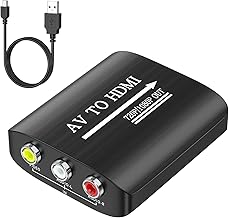
This is where the RetroTink 4K earns its reputation. Its processing is effectively lag-free, and the image quality it extracts from 240p and 480i sources is stunning, with configurable scanlines and CRT masks that recreate the tube look convincingly. Compared with a basic converter like the GINGIN AV to HDMI or an RCA to HDMI adapter, the difference is night and day, though those cheaper units remain fine for casual setups. Software-only options such as Nero AI Video Upscaler handle recorded footage but cannot match live, latency-free hardware processing.
Pros & Cons
- Pro: Reference-grade image quality from virtually any analog source.
- Pro: Effectively zero input lag for competitive and rhythm play.
- Pro: Deep, remote-driven customization of scanlines and masks.
- Pro: Broad input support covers decades of consoles.
- Con: Premium price that is hard to justify for casual players.
- Con: The depth of options can overwhelm first-time users.
- Con: Overkill if you only own one or two consoles.
Alternatives to Consider
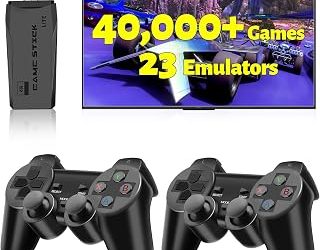
If the RetroTink 4K is beyond your budget, a simple GINGIN AV to HDMI or RCA to HDMI converter will get older consoles onto a modern TV at 1080p for a fraction of the cost, albeit without the fine control or pristine quality. For those digitizing captured gameplay rather than playing live, a tool like Nero AI Video Upscaler can enhance recorded footage after the fact. And if your goal is simply plug-and-play retro fun, an all-in-one unit such as the Boltz Retro Stick sidesteps upscaling entirely.
Frequently Asked Questions
Is the RetroTink 4K worth the price?
For serious retro enthusiasts with multiple consoles, absolutely. If you own a single system and play casually, a budget converter offers far better value.
Does it add input lag?
No. The RetroTink 4K processes essentially lag-free, which is why it is favored for fighting, shooting, and rhythm games where timing is critical.
What consoles does it support?
It accepts a wide range of analog inputs covering everything from early cartridge systems through the PS2 and Dreamcast era, making it a true universal solution.
Can software upscalers replace it?
Not for live play. Tools like Nero AI improve recorded video, but only dedicated hardware delivers the real-time, zero-lag output needed while actually gaming.
Verdict
The RetroTink 4K is the definitive analog upscaler of 2026, delivering image quality and flexibility no converter can touch. It is expensive and slightly overwhelming, but for anyone with a shelf of classic consoles who refuses to compromise, it is worth every cent. Casual players, however, are better served by a simple adapter.