Key takeaways
- Table of Contents 7 sections 10 min read 1 Quick Verdict 2 Side by Side 3 Where Silicone Cover Wins 4 Where Hard Shell Case for Steam Deck Wins 5 Cost Over 5 Years 6 Which One for Your Home…
What's inside
When choosing between a silicone cover and a hard shell case for Steam Deck, the real decision is not simply “soft versus hard.” It is how you use the handheld in your home, where it lives between sessions, and what kind of protection you actually need. A silicone cover is primarily a grip and scratch barrier that stays on while you play. A hard shell case is more protective, but it adds bulk and may need to be removed for charging docks, accessories, or comfortable storage.
The Steam Deck is already a substantial handheld. The original LCD model measures approximately 11.7 by 4.6 by 1.9 inches and weighs about 1.47 pounds, while the OLED version weighs about 1.41 pounds. Adding even a few ounces can affect comfort during a long gaming session. On the other hand, a case that protects against drops, pressure, and curious children may be worth the extra size. Here is how the two options compare for a real home setup in 2026.
As an Amazon Associate we earn from qualifying purchases at no extra cost to you. Product prices and availability are accurate as of the date shown and are subject to change.




Quick Verdict
Choose a silicone cover if your Steam Deck usually stays at home, you want better grip, and your main concerns are fingerprints, light scratches, and occasional bumps. It is the better everyday layer for sofa gaming, desk use, and households where the device is rarely transported.
Choose a hard shell case if you carry the Steam Deck between rooms, put it in a backpack, travel with it, or need stronger protection against drops and pressure. A hard shell is also the safer choice for homes with young children, pets, or crowded storage areas.
For many owners, the best arrangement is not either-or: use a thin silicone cover during play and keep a protective travel case nearby. A detachable hard shell can also provide stronger protection when the Deck is being stored or transported.
Side by Side
| Factor | Silicone cover | Hard shell case |
|---|---|---|
| Comfort | Soft, grippy, and usually comfortable for extended play | More rigid; edge design and added weight matter more |
| Durability | Helps resist scratches and minor impacts; limited drop protection | Better defense against drops, pressure, and objects in a bag |
| Price range | About $10–$25 | About $20–$60 for a shell; $25–$80 for a case with storage |
| Maintenance | Wipeable and removable, but can collect dust around seams | Wipes clean easily; fabric travel cases may hold lint |
| Space needed | Adds little beyond the Deck’s roughly 11.7-inch length | Can add about 0.25–1 inch in several directions, depending on design |
| Look | Available in clear, smoked, solid, and textured finishes | More structured, with a distinctly protective appearance |
| Resale | May help prevent cosmetic wear but has limited resale value | Better for preserving the exterior if the shell fits well |
| Access | Usually leaves buttons, vents, ports, and controls open | Some designs interfere with docks, stands, or the microSD slot |
| Best for | Daily indoor play, grip, and light scratch protection | Travel, shared homes, storage, and higher-impact protection |
Where Silicone Cover Wins
The biggest advantage of silicone is its low profile. A well-fitted cover adds a modest amount of thickness while making the Deck easier to hold. Silicone has more surface friction than the console’s plastic shell, which can be useful if your hands become warm during play or you often use the Deck one-handed for menus and browsing.
It also creates a comfortable buffer between the handheld and furniture. Set the Deck on a wood coffee table, painted shelf, or glass surface, and the cover can reduce sliding and minor scuffing. That makes it particularly useful in a living room where the device moves between a sofa, side table, and charging station.
Cleaning is straightforward. Most covers can be wiped with a damp microfiber cloth and mild soap, then dried before reinstalling. Avoid soaking the Steam Deck itself, and remove the cover occasionally to clear dust around the triggers, vents, and seams. A loose or poorly molded cover can trap grit, so fit matters more than color or pattern.
Silicone is also the economical option. Basic Steam Deck covers commonly fall in the $10–$25 range. That is considerably less than a premium travel case, and replacing one after a year or two is not a major expense. The material choice may remind shoppers of reusable kitchen products such as the $19.95 seven-pack of silicone stretch lids or the $18.99 GUANCI eight-pack of silicone bowl lids. Those products illustrate silicone’s flexibility and washable surface, but food-storage lids are not substitutes for a device cover: a Steam Deck cover needs precise openings for controls, cooling, speakers, and ports.
There are limitations. Silicone will not stop a heavy object from pressing into the screen or protect a corner as effectively as a rigid shell. It can also make the Deck less compatible with a close-fitting dock or fitted travel case. Before buying, check whether the cover supports your specific LCD or OLED model and whether it leaves the rear vents unobstructed.
Where Hard Shell Case for Steam Deck Wins
A hard shell case earns its space by managing higher-risk situations. Rigid plastic or composite panels distribute force better than soft silicone when the Deck is dropped onto a hard floor or pressed inside a backpack. A protective shell can also shield the grips and corners, which are among the first areas to make contact during a fall.
There are two common formats. A snap-on hard shell stays attached during play and may include a kickstand, detachable front cover, or strap. A separate travel case surrounds the Deck when it is stored, with room for a charger, cables, memory cards, or earbuds. The latter usually offers better protection because the screen is covered and the device is not exposed to other items in a bag.
The JSAUX PC0104 ModCase, listed at $26.99, is an example of the modular approach: its basic set includes a detachable front shell, body protection, a metal bracket, and a strap. Components such as these can be useful if you want more structure than silicone without committing to a large zippered travel case. Check dimensions and dock compatibility carefully, since modular attachments can change how the Deck fits into stands and accessories.
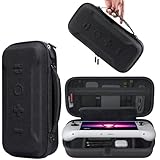
For a separate travel solution, a slim carrying case such as the $30.99 tomtoc model shows the typical price point for a compact protective bag. A travel case is often the better choice if your main concern is moving the Deck from room to room, taking it on a weekend trip, or storing it in a drawer with the charger. Its downside is that you must remove the Deck before playing, unless the interior is designed around an attached shell.
Hard cases also create a more orderly storage station. Instead of leaving the console, charger, and accessories scattered on a counter, everything can occupy one defined footprint. The tradeoff is bulk: a compact shell may fit in a drawer, while a full travel case can require roughly 12 to 14 inches of length and several inches of additional height and depth. Measure your shelf or media cabinet before buying.
Cost Over 5 Years
A silicone-first setup can cost approximately $20 initially. If the cover remains in good shape for two to three years and is replaced once, the five-year total is about $20–$40. Add a basic $25–$35 travel case only if you occasionally carry the Deck, and the total becomes roughly $45–$75.
A hard-shell-first setup might cost $27–$40 for an attached shell or $30–$60 for a travel case. If the case lasts the full five years, the total may remain in that range. Replacing a damaged or worn case once brings the estimated total to about $60–$120. These figures exclude docks, screen protectors, replacement chargers, and shipping. The cheapest option is therefore silicone, but the cost of repairing a damaged Steam Deck would outweigh the difference between most accessories.
Which One for Your Home
Small apartment
Use a silicone cover if the Deck stays on a coffee table or nightstand and you have limited storage. It preserves grip without taking much drawer space. Add a slim travel case only if you regularly move the device outside the apartment.
Family with kids or pets
Choose a hard shell or a full travel case. A silicone cover can handle routine handling, but it offers less protection if the Deck is knocked from a table, stepped on, or exposed to toys and pet activity. Store the device in its case when it is not being used.
Rental home
A silicone cover is a practical way to reduce scratches on shared furniture and prevent the Deck from sliding off smooth surfaces. If you carry it between rooms or use it near hard flooring, pair the cover with a protective case rather than relying on silicone alone.
Long-term home
Consider both layers: silicone for daily comfort and a hard travel case for storage. This arrangement protects the console while preserving access to the controls and reducing wear from repeatedly inserting the Deck into a tight case during every session.
FAQ
Does a silicone cover prevent Steam Deck overheating?
It should not block the intake or exhaust vents, but it does not actively improve cooling either. Choose a model with clear ventilation openings and avoid covering the rear vent area with fabric or accessories. Keep the Deck on a hard, open surface rather than a blanket.
Can a hard shell case fit in the original Steam Deck carrying case?
Sometimes, but not reliably. The original case and many aftermarket cases are molded closely to the Deck’s dimensions. A thin shell may fit, while one with a kickstand, strap mount, or raised grips may not. Confirm the case’s interior measurements instead of assuming compatibility.
Is silicone or a hard shell better for protecting the screen?
A separate travel case with a rigid lid generally offers better screen protection because it prevents direct contact with other objects. A snap-on shell protects the surrounding body but may leave the display exposed. For screen safety, consider a compatible tempered-glass protector as an additional layer.
Can I use either option with a Steam Deck dock?
Compatibility depends on the dock’s channel width and the cover’s thickness. Silicone covers are more likely to require a wider or adjustable dock, while hard shells may need removal before docking. Check the accessory maker’s compatibility list and measure the dock opening before purchasing.