Key takeaways
- Clean and dry the surface: Dust, skin oils, and textured paint weaken adhesive. Wipe the mounting area with a suitable cleaner and let it dry fully before applying the strip.
- Test the route first: Lay the unpowered strip along the planned path and check where the controller and power lead will sit. Avoid sharp bends and don’t fold the strip at corners unless the manufacturer permits it.
- Respect cut points: Cut only at marked points. Cutting elsewhere can break the circuit, and a cut end may need a compatible connector or seal.
- Check power limits: Longer strips draw more power. Use the supplied adapter and follow the manufacturer’s maximum supported length; don’t assume one power supply can run any extension.
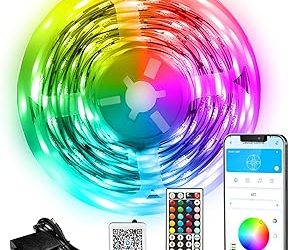
- Plan the controls: Decide whether you need physical buttons, an app, voice control, PC software, or screen sync. These are distinct features, and a kit’s marketing use of “smart” or “RGB” doesn’t guarantee all of them.
The best RGB lighting kits, matched to your setup
The best RGB lighting kit for most gaming setups is a monitor backlight kit with a dedicated controller if you want screen-matched color, or a cut-to-length 24 V LED strip kit if you want simple, even room or desk lighting. Choose by coverage first, then check brightness, control method, and how the kit mounts to your particular surfaces.
These categories solve different problems: a screen-matching kit reacts to picture content, while a conventional strip usually displays a color or effect you choose in an app or controller. A bright strip can light a desk well but may look harsh when visible directly; a softer backlight can reduce contrast between a bright display and a dark wall without illuminating the whole room.
Quick comparison
| Kit type or example | Best for | Coverage and mounting | Control and practical trade-off |
|---|---|---|---|
| Govee Envisual TV Backlight T2 | Reactive lighting behind a compatible TV | Camera-based system sized for supported TV dimensions; camera mounts at the screen | Color follows what the camera sees. Check the exact screen-size range and camera placement before buying. |
| Philips Hue Play gradient lightstrip for PC | Screen-synced lighting around a compatible PC monitor | Designed for specified monitor sizes; mounts to the back of the display | Works within the Hue ecosystem and requires a compatible Hue Bridge for PC screen sync. More involved and costly than a basic strip. |
| Nanoleaf Essentials Lightstrip | App-controlled ambient lighting on a desk or shelf | Adhesive-backed strip that can be trimmed at marked cut points | Good for preset colors and scenes; it is not a substitute for a screen-sync camera or a PC addressable-RGB controller. |
| Standard 5 V addressable strip, such as WS2812B | DIY accents and individually controlled LEDs | Cuttable at marked points; needs a compatible controller and suitable power supply | Offers per-LED effects, but setup, wiring, and software compatibility are the buyer’s responsibility. |
Product versions, supported screen sizes, and regional bundles can change. Check the manufacturer’s current compatibility list for your exact display, controller, and software before ordering.
Choose by the way you want light to behave
For colors that follow the screen
Pick a screen-sync kit if you want the wall behind a TV or monitor to echo the picture. Camera-based products, such as Govee Envisual TV Backlight T2, read the display externally, so they can work without capturing video inside a PC. Their accuracy depends on camera position, room reflections, and what is on screen. A bright window or colored wall can skew the result; place the camera as directed and keep the area around the screen visually neutral where possible.
For a PC monitor, Philips Hue Play gradient lightstrip for PC is an option for shoppers already using Hue. Its screen-sync setup depends on the Hue ecosystem and compatible software, so it is less suitable if you just want a plug-in strip with no hub or account setup.
For steady desk or room lighting
Choose an app-controlled strip for a fixed color, gentle gradient, or scheduled scene. Nanoleaf Essentials Lightstrip suits this role. It can add a glow behind a desk, shelf, or monitor, but check whether the specific version and your smart-home setup support the control method you want. “RGB” alone does not guarantee individual LED control or screen synchronization.
For custom PC effects
A 5 V addressable strip can display different colors along its length, but it needs a controller that supports its data protocol and software. Don’t connect a 5 V strip to a 12 V or 24 V output: the voltage mismatch can damage the LEDs. For a case interior, also check connector type, pinout, and motherboard or controller support rather than assuming every three-pin plug is interchangeable.
Match brightness and coverage to the surface
LED count per meter and strip voltage are useful clues, but neither tells the whole story about perceived brightness. Diffusers, LED spacing, wall color, and the distance between the strip and wall all affect the result. A strip hidden in an aluminum channel with a frosted cover usually looks smoother than exposed LED dots; a light-colored wall reflects more than a dark, textured one.
For a monitor backlight, aim for an indirect halo rather than a visible line of LEDs. Mount the strip around the back perimeter, leaving enough space from the screen edges for light to spread. For a desk edge, use a diffuser if the strip will be in direct view. If the light is meant to illuminate the room, check published brightness in lumens where available; RGB strips often produce less useful white light than a dedicated white or tunable-white light.
Measure before you buy: a worked coverage example
Suppose you want to light the back of a 27-inch 16:9 monitor. Its screen is roughly 24 inches wide and 13.5 inches high. The perimeter is about 2 × (24 + 13.5) = 75 inches, or about 1.9 meters. Allowing for corners, cable routing, and a small gap from the edges, a 2-meter kit is a sensible starting point for the monitor alone.
If you also want to run light behind a 48-inch desk, measure that separately: 48 inches is about 1.22 meters. The combined route is already around 3.1 meters before accounting for the path from the monitor to the desk or any gaps. Don’t assume a 2-meter kit can cover both. Also confirm whether the strip can be extended: some kits accept extensions, while others require a separate controller or do not support additional length.
Decision matrix: which kit fits your setup?
| Your situation | Best fit | Check before purchase |
|---|---|---|
| You want colors that react to a TV show or game | Camera-based TV backlight kit | Supported TV size, camera position, and whether the camera can see the full screen. |
| You use a PC monitor and already own Hue lights | Hue Play gradient lightstrip for PC | Monitor-size fit, Hue Bridge requirement, and PC screen-sync compatibility. |
| You want one color or app scenes behind a desk | App-controlled ambient strip such as Nanoleaf Essentials Lightstrip | Measured length, trim points, app or smart-home support, and whether white light quality matters. |
| You want animations inside a PC case | Addressable strip with a compatible controller | Voltage, data protocol, pinout, software support, and safe cable routing. |
| You rent or may reposition the setup | Strip with accessible power and removable or replaceable mounting | Adhesive compatibility with the surface and how cleanly the kit can be removed. |
Mounting and control details that prevent frustration
- Clean and dry the surface: Dust, skin oils, and textured paint weaken adhesive. Wipe the mounting area with a suitable cleaner and let it dry fully before applying the strip.
- Test the route first: Lay the unpowered strip along the planned path and check where the controller and power lead will sit. Avoid sharp bends and don’t fold the strip at corners unless the manufacturer permits it.
- Respect cut points: Cut only at marked points. Cutting elsewhere can break the circuit, and a cut end may need a compatible connector or seal.
- Check power limits: Longer strips draw more power. Use the supplied adapter and follow the manufacturer’s maximum supported length; don’t assume one power supply can run any extension.
- Plan the controls: Decide whether you need physical buttons, an app, voice control, PC software, or screen sync. These are distinct features, and a kit’s marketing use of “smart” or “RGB” doesn’t guarantee all of them.
Final picks by priority
For screen-reactive TV lighting, start with a camera-based kit such as Govee Envisual TV Backlight T2, after confirming TV-size support and a workable camera position. For a Hue-centered PC setup, consider the Philips Hue Play gradient lightstrip for PC if its size and Bridge requirements fit. For straightforward ambient color on a desk or shelf, an app-controlled strip such as Nanoleaf Essentials Lightstrip is a better match. Choose a standard addressable strip only when you want custom per-LED effects and are prepared to verify the controller, voltage, and wiring yourself.