Key takeaways
- Low-self-discharge NiMH (e.g., Eneloop-class): 1900-2500mAh per AA, 1.2V nominal. Holds 70-85% of its charge after a year in storage. Best for players who game a few times per week and want consistent voltage sag warning before cutoff. Usually $15-$30 for a 4-pack with charger.
- 1.5V Lithium AA with built-in USB-C: 1700-2200mAh equivalent, regulated to a flat 1.5V until depleted, then shuts off abruptly. Lighter weight and constant performance for competitive play, but no gradual low-battery warning. Usually $20-$35 for a 4-pack.
In 2026, gaming batteries are dominated by high-capacity lithium-ion and lithium-polymer cells, USB-C Power Delivery charging, and swappable battery packs, with most gamers choosing between built-in rechargeable packs for handhelds and low-self-discharge NiMH or lithium AA cells for controllers.
The Power Sources Behind Gaming in 2026
Three distinct battery ecosystems power modern gaming. Handheld PCs and consoles like the Steam Deck OLED, ASUS ROG Ally, Nintendo Switch 2, and PlayStation Portal rely on sealed lithium-polymer packs between 40Wh and 80Wh. Wireless controllers and peripherals for Xbox, PlayStation, and PC use either two AA cells or internal lithium-ion cells charged via USB-C. Finally, external battery banks and charging docks act as a portable power layer, extending play away from wall power using USB-C PD 3.0 and PD 3.1 standards.
The shift away from micro-USB and proprietary chargers is nearly complete. Almost every new device released since late 2023 uses USB-C as its primary charging and data port, which simplifies the battery setup but introduces confusion around wattage, protocols, and cable quality.
Rechargeable Batteries for Controllers and Peripherals
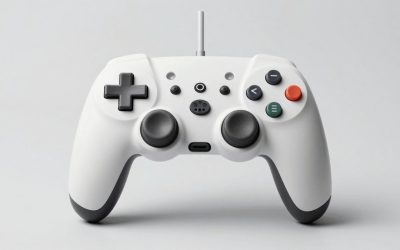
For Xbox Wireless Controllers and many third-party gamepads that still use AA bays, rechargeable batteries remain the most economical choice. The two viable chemistries in 2026 are:
- Low-self-discharge NiMH (e.g., Eneloop-class): 1900-2500mAh per AA, 1.2V nominal. Holds 70-85% of its charge after a year in storage. Best for players who game a few times per week and want consistent voltage sag warning before cutoff. Usually $15-$30 for a 4-pack with charger.
- 1.5V Lithium AA with built-in USB-C: 1700-2200mAh equivalent, regulated to a flat 1.5V until depleted, then shuts off abruptly. Lighter weight and constant performance for competitive play, but no gradual low-battery warning. Usually $20-$35 for a 4-pack.
Standard alkaline batteries deliver 2500-3000mAh initially but voltage drops continuously under load, causing earlier low-battery warnings in controllers and higher long-term cost. They also risk leaking if left in a controller for months.
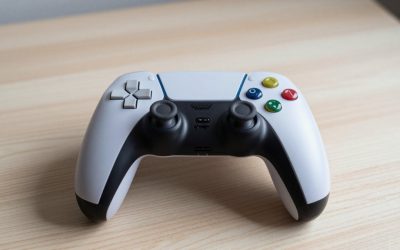
For PlayStation DualSense, DualSense Edge, and most modern PC controllers with sealed internal cells, the battery is a 1000-1600mAh lithium-ion pouch cell. Replacement is possible but requires opening the housing. Battery health degrades faster if the controller is left on a charging dock at 100% for weeks. Storing at 50-80% charge extends cell lifespan.
Wireless Peripherals: Mice, Keyboards and Headsets
Wireless gaming mice and headsets have moved to 300-1100mAh internal lithium-polymer cells with 2.4GHz dongles and Bluetooth dual-mode. Power draw is dominated by polling rate and RGB lighting.
A mouse at 1000Hz polling draws roughly 30-50mA, while the same sensor at 4000Hz or 8000Hz can draw 120-180mA. Turning off RGB typically adds 15-30% runtime. Headsets with active noise cancellation and 2.4GHz low-latency draw more than Bluetooth-only models. Most premium headsets now provide 25-40 hours with RGB off and 15-25 hours with all features enabled.
Handheld Gaming Systems: Power Budget and Real Runtime
Handheld battery life in 2026 is entirely determined by total system power, not just screen brightness. The APU, display refresh rate, fan, Wi-Fi, and frame limiter all contribute.
Worked Calculation: How to Estimate Handheld Runtime
You can estimate runtime with a simple power budget formula:
Runtime (hours) = Battery Capacity (Wh) / Average System Power Draw (W) x 0.85
The 0.85 factor accounts for conversion losses, heat, and the battery management system reserve that prevents a full 0-100% discharge.
Example 1: A handheld with a 50Wh battery like the Steam Deck OLED:
- At 11W average (capped 30 FPS, 50% brightness, TDP limited to 9W): 50 / 11 x 0.85 = 3.86 hours, or about 3 hours 51 minutes
- At 22W average (uncapped 60-90 FPS, 90% brightness, 15W TDP): 50 / 22 x 0.85 = 1.93 hours, or about 1 hour 56 minutes
Example 2: A larger handheld with a 80Wh battery:
- At 15W average: 80 / 15 x 0.85 = 4.53 hours
- At 28W average: 80 / 28 x 0.85 = 2.42 hours
This is why two players get vastly different battery life from the same device. Limiting frame rate to 45 FPS or 50 FPS, lowering TDP by 3-5W in the performance overlay, and capping refresh to 60Hz instead of 90Hz or 120Hz often doubles runtime with a minor visual trade-off.
Battery Packs, Power Banks and Charging Standards in 2026
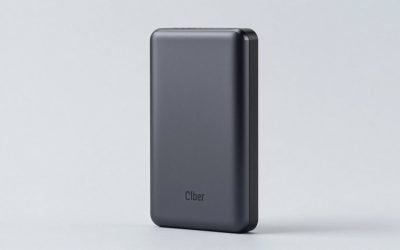
External power for gaming now means USB-C Power Delivery power banks, not proprietary battery grips. To be useful for handheld PCs, a bank must support the correct PD profile.
- USB-C PD 3.0 up to 65W: The practical minimum for handheld PCs. Can charge while playing at low to medium TDP. Requires a USB-C to USB-C cable rated for 100W (e-marker chip). Usually $40-$80 for 20,000mAh / 74Wh models.
- USB-C PD 3.1 up to 100W or 140W: Needed for full-speed charging on devices that accept 65W+ and for simultaneously charging a handheld and powering a dock. Required for some high-TDP handhelds at 25-30W. Usually $70-$130 for 24,000-27,000mAh models near the 100Wh airline limit.
- Qi2 and magnetic charging docks: Relevant for controllers, earbuds, and phones used for cloud gaming, but too slow at 15W for handheld PCs.
Capacity is marketed in mAh, but Wh is what matters for travel and runtime. Divide mAh x 3.6V / 1000 to get Wh. A 20,000mAh bank at 3.6V nominal is 72Wh. Airlines generally limit carry-on batteries to 100Wh without approval, and 100-160Wh with airline approval. Most 27,000mAh banks sit at 99.9Wh specifically to stay under this limit.
Cable matters as much as the bank. A cable without proper PD support will throttle to 15-30W even if both devices support 65W, causing the handheld to slowly discharge while playing.
Decision Matrix: Which Battery Setup Fits Your Gaming Style
| Gaming Situation | Recommended Battery Setup | Typical Runtime | Charging Spec to Look For |
|---|---|---|---|
| Xbox controller, daily 2-3 hour sessions | 4x AA low-self-discharge NiMH + smart charger | 25-35 hours per pair | NiMH charger with individual -dV/dT cutoff, USB-C input |
| Xbox controller, competitive / tournament | 4x 1.5V lithium AA with USB-C + 2 spares | 20-28 hours flat voltage | Internal CC/CV, USB-C direct charging |
| PS5 / PC with sealed controller | Internal Li-ion + short top-up cycles | 10-16 hours per charge | USB-C PD 18W+ dock, avoid 24/7 float at 100% |
| Handheld PC at home | 65W GaN wall adapter + 90W dock | Unlimited docked | PD 3.0 65W PPS capable |
| Handheld PC on flights / travel | 20,000-26,000mAh PD 65-100W bank | +1.2 to 2.5 extra charges | PD 3.0/3.1 65W+ output, 100W e-marked cable, 99.9Wh rating |
| Wireless mouse / headset heavy user | Internal Li-Po + secondary wired mode | 25-70 hours mouse, 20-40 hours headset | USB-C fast charge, 1000Hz polling cap for battery saving |
Battery-Life Trade-Offs Gamers Face in 2026
Every performance setting is a battery decision. Understanding the trade-off helps you tune for the session you are in.
Performance vs. Endurance
Raising APU TDP from 11W to 20W might gain 20-30% frame rate but cuts handheld runtime by 35-45%. For story-driven games, capping to 40-45 FPS at 11-13W is often visually smooth on a 90Hz VRR display and dramatically extends playtime. For competitive shooters, the higher power draw may be justified for lower input latency.
Display Settings That Matter Most
Refresh rate and brightness are the second-largest drains after the APU. Running a 90Hz OLED at 80 nits higher brightness costs roughly 1.5-2.5W extra. Switching a handheld from 90Hz to 60Hz saves 0.8-1.2W even at the same frame rate, because the display driver and compositor work less.
Wireless vs. Wired Peripherals
2.4GHz low-latency wireless adds convenience but requires charging management. A 4000Hz polling mouse drains 2-3x faster than at 1000Hz with no benefit in most games beyond esports titles. Many players now set polling to 1000Hz for battery life and only switch to 2000Hz+ when docked and plugged in via USB-C passthrough.
Longevity vs. Convenience
Lithium cells degrade fastest when held at 100% charge and high temperature. If you primarily play docked, use the device’s battery limiter if available. Steam Deck, ROG Ally, and many gaming laptops now offer an 80% charge limit in BIOS or software. For AA-based controllers, a smart charger that stops precisely at full prevents overcharge swelling seen in cheap timer-based chargers.
Practical Settings for Longer Gaming Sessions
To maximize battery without sacrificing playability, apply these values in order and test after each change:
- Set a frame rate limit 3 FPS below your display refresh: 57 FPS cap at 60Hz, 87 FPS cap at 90Hz. This prevents the GPU from running uncapped and saves 2-5W.
- Lower TDP by 2-4W in the quick access performance menu until frame time becomes unstable, then raise by 1W. This finds the efficiency sweet spot for each game.
- Reduce brightness to 40-60% and disable dynamic RGB on controllers, keyboards, and handheld LED strips. RGB can draw 1-3W continuously.
- Use Wi-Fi 5GHz or airplane mode for single-player games to avoid the constant scan power of Bluetooth and 2.4GHz when not needed.
- Enable the 80% battery health limit for docked use, and do a full 100% charge only before travel.
If your handheld discharges even while plugged into a power bank, the bank’s output wattage or cable is insufficient. Upgrade to a bank that sustains at least 45W output and a 100W-rated cable, and verify the on-screen PD negotiation shows 20V if supported.
FAQ
Are rechargeable AA batteries still worth it in 2026?
Yes, for any controller with an AA bay. Two pairs of quality NiMH cells plus a smart charger typically pays for itself after 8-12 alkaline cycles and produces less waste. Keep one pair charged as spares to eliminate downtime.
Can I use any USB-C charger for my handheld?
No. You need a USB-C PD charger that matches or exceeds the device’s negotiated profile. A 30W phone charger will charge slowly or not at all during gameplay on a handheld that expects 45-65W. Check the device specs for required PD voltage, usually 15V or 20V.
Will a 65W power bank damage a device rated for 45W?
No. PD devices negotiate and only draw what they request. A 65W or 100W bank is safe for a 45W device as long as it is a certified PD bank with proper protections. The device controls the draw.
How do I store gaming batteries long-term?
Store lithium-based controllers and handhelds at 50-70% charge in a cool, dry place and cycle them every 2-3 months. Remove NiMH AAs from controllers if you will not play for more than a month, and store them charged. Never store alkaline cells installed in a controller.