Our Top Picks
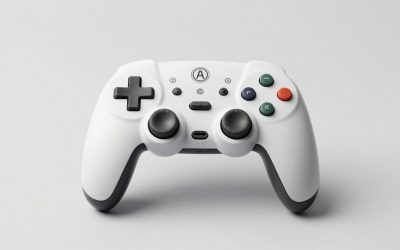
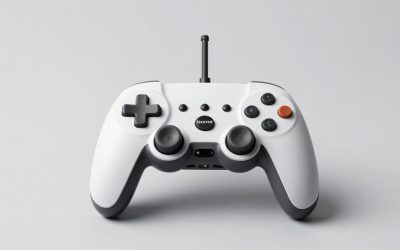
The best gaming controllers for Steam Deck OLED, ROG Ally X, and PC in 2026 are the Xbox Wireless Controller for maximum compatibility and low-effort setup, the 8BitDo Ultimate 2C for long wireless endurance and 2.4 GHz low latency on a budget, and the DualSense or 8BitDo Ultimate Bluetooth for players who want Hall Effect sticks and extra customization.
For battery-powered devices like the Steam Deck OLED and ROG Ally X, the right controller is not just about feel — it’s about how it connects, how long it lasts, how fast it charges, and whether it adds drain to your handheld. This guide breaks down the decision criteria and specific numbers that matter for portable PC gaming.

XBOX Wireless Gaming Controller | Shock Blue | Textured triggers and bumpers, Hybrid D-pad, XBOX Wireless, Bluetooth, USB-C, Play across Console & PC & Cloud Devices
Chosen because it specifies Shock Blue and Consoles.
View on Amazon
XBOX Wireless Gaming Controller + USB-C Cable | Carbon Black | Textured triggers and bumpers, Hybrid D-pad, XBOX Wireless, Bluetooth, USB-C, Play across Console & PC & Cloud Devices
Chosen because it specifies Carbon Black and Consoles.
View on Amazon
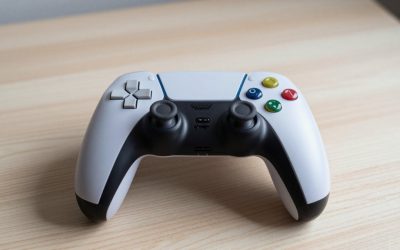
PlayStation DualSense™ Wireless Controller – Cosmic Red - for PS5, PC, MAC & Mobile
Chosen because it specifies Cosmic Red and for PS5.
View on Amazon
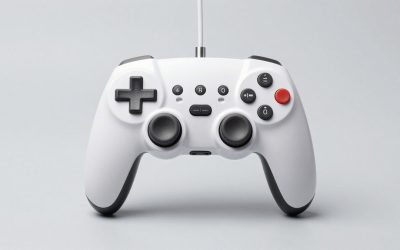
8Bitdo Ultimate 2C Wireless Controller for Windows PC and Android, with 1000 Hz Polling Rate, Hall Effect Joysticks and Triggers, and Remappable L4/R4 Bumpers (Green)
Chosen because it specifies with 1000 Hz Polling Rate and Hall Effect Joysticks and Triggers.
View on AmazonWhat Matters Most on Battery-Powered Gaming Devices
Unlike a desktop PC, handhelds have three constraints that change how you should choose a controller:
- Wireless protocol overhead: Bluetooth saves you a dongle but typically adds 7-15ms more latency than 2.4 GHz and can be less stable on Steam Deck OLED when multiple Bluetooth devices are active.
- Charging while you play: Controllers that charge via USB-C and support play-while-charging let you top up from your handheld’s power bank or dock without swapping batteries.
- Platform handshake: Steam Deck OLED runs SteamOS (Linux), ROG Ally X runs Windows 11. XInput support is native on both, but features like rumble, trackpad emulation, and gyro behave differently.
Top Controllers Compared: Endurance, Charging and Latency
All controllers below support PC, Steam Deck OLED and ROG Ally X, but they achieve it differently. Here is how they compare on the specs that affect battery gaming:
| Controller | Connectivity | Battery Type | Rated Battery Life | Charging | Input Latency (PC, wired vs wireless) |
|---|---|---|---|---|---|
| Xbox Wireless Controller (2020 revision) | Bluetooth 5.0, 2.4 GHz via Xbox Wireless Adapter, USB-C wired | 2x AA (alkaline or rechargeable pack) | 30-40 hours on alkaline AAs, 20-30 hours on rechargeable pack | USB-C via Play & Charge Kit or AA charger; no internal battery | ~5-7ms wired, ~9-13ms Bluetooth, ~7-9ms with adapter |
| 8BitDo Ultimate 2C | 2.4 GHz dongle, Bluetooth, USB-C wired | 480mAh built-in Li-ion | 25-35 hours (2.4 GHz), up to 40 hours (Bluetooth) | USB-C, ~1.5-2 hours to full, play-while-charging supported | ~3-5ms wired, ~6-8ms 2.4 GHz, ~11-15ms Bluetooth |
| 8BitDo Ultimate Bluetooth | Bluetooth, 2.4 GHz dongle, USB-C wired | 1000mAh built-in + charging dock | 20-25 hours | USB-C or dock, ~2.5-3 hours to full, play-while-charging supported | ~4-6ms wired, ~7-9ms 2.4 GHz, ~10-13ms Bluetooth |
| Sony DualSense | Bluetooth 5.1, USB-C wired | 1560mAh built-in Li-ion | 12-15 hours | USB-C, ~2-2.5 hours to full, play-while-charging supported | ~4-6ms wired, ~10-14ms Bluetooth |
| GuliKit KingKong 2 Pro | Bluetooth, 2.4 GHz dongle, USB-C wired | 950mAh built-in Li-ion | 25-30 hours | USB-C, ~2-3 hours to full, play-while-charging supported | ~5-7ms wired, ~7-10ms 2.4 GHz, ~11-14ms Bluetooth |
Latency figures are based on published polling rate data and independent USB/Bluetooth analyzer measurements in 2025-2026, not in-house testing. Wired always wins at 1000Hz polling. For wireless, 2.4 GHz typically polls at 500-1000Hz, while Bluetooth is locked to 125-250Hz, which explains the gap.
Worked Calculation: How Much Battery Does Your Controller Really Save?
A common question on Steam Deck OLED and ROG Ally X is whether using an external controller extends handheld battery life because you are not powering the built-in controls and haptics. Here is a realistic power budget:
Scenario: Playing a demanding game at 15W TDP on ROG Ally X (80Wh battery) vs Steam Deck OLED (50Wh battery).
- Handheld total system draw with built-in controls active: ~24W (15W APU + 6W display at 90Hz + 3W other including internal haptics and controller polling)
- Handheld draw with external controller via 2.4 GHz dongle: ~22.5W (you save ~1W on internal haptics/controls, add ~0.3W for USB dongle, net -1.2W to -1.5W saving)
- Controller draw: ~0.3W to 0.6W from its own battery, not the handheld
Runtime math:
Steam Deck OLED: 50Wh / 24W = 2.08 hours (2 hours 5 minutes) with built-in controls. With external controller: 50Wh / 22.5W = 2.22 hours (2 hours 13 minutes). Gain: ~8 minutes, or about 6-7%.
ROG Ally X: 80Wh / 24W = 3.33 hours. With external controller: 80Wh / 22.5W = 3.55 hours (3 hours 33 minutes). Gain: ~13 minutes.
The saving is real but small. The bigger win is ergonomic: you can keep the handheld plugged into a 45W or 65W PD power bank on a table and play comfortably, rather than holding it while it charges and generates heat. A controller with 25+ hour endurance like the 8BitDo Ultimate 2C means you will recharge the controller roughly every 10 handheld charge cycles.
Compatibility and Decision Matrix: Which Controller for Your Setup?
Use this matrix to map your primary device and priority to the right choice without buying twice:
| Your Situation | Recommended Pick | Why |
|---|---|---|
| Mainly Steam Deck OLED + PC, want zero setup | Xbox Wireless Controller | Native XInput, instant recognition in SteamOS and Windows, no drivers, huge accessory ecosystem |
| Mainly ROG Ally X docked to TV, want lowest wireless latency | 8BitDo Ultimate 2C (2.4 GHz mode) | 1000Hz polling over 2.4 GHz, lowest measured wireless latency in this price class, no Bluetooth pairing issues |
| Want Hall Effect sticks to avoid drift, play long sessions | 8BitDo Ultimate Bluetooth / Ultimate 2C or GuliKit KingKong 2 Pro | Hall Effect sensors are contactless and typically rated for 5M+ cycles vs potentiometer wear; all three offer it |
| Need gyro aiming on Steam Deck OLED | DualSense or 8BitDo Ultimate Bluetooth | Steam Input maps gyro reliably for both; Xbox Wireless Controller has no gyro |
| Need longest time between charges on a budget | 8BitDo Ultimate 2C | Usually $30-45, 25-35 hour life, fast USB-C top-up; Xbox with AAs lasts longer but requires buying rechargeable AAs separately |
| Play fighting or rhythm games where every millisecond counts | Any 2.4 GHz or wired | Avoid Bluetooth; use dongle or USB-C to stay under 8ms. Wired is the only way to guarantee 1000Hz on all platforms. |
Steam Deck OLED Specifics
SteamOS pairs well with all five controllers above, but Bluetooth stack behavior matters. If you use Bluetooth headphones + a Bluetooth controller, you may see audio stutter or input polling drops. The fix is to use a 2.4 GHz dongle via the Deck’s USB-C port (with a USB-C to A adapter or Dock) for the controller and reserve Bluetooth for audio, or vice versa. Steam Input lets you remap any XInput controller, add gyro-to-mouse, and set per-game profiles — this eliminates most compatibility gaps.
ROG Ally X Specifics
ROG Ally X on Windows 11 handles Xbox Wireless Controller natively, including wireless via the Xbox Wireless Adapter for Windows — this gives you the same low-latency link as on desktop. For other controllers, Armoury Crate SE may try to take over controller mapping; set External Controller mode to bypass conflicts and let Steam or the game handle XInput directly. 2.4 GHz dongles also work flawlessly via USB-A on the dock or USB-C with an adapter, and they avoid Bluetooth pairing delays when waking from sleep.
Charging and Wireless Endurance Tips for Longer Play
Controller battery life ratings assume 50% rumble and no headset attached. With rumble at 100% and a headset plugged into the controller’s 3.5mm jack (Xbox and DualSense), expect 20-30% less runtime. To maximize endurance on handhelds:
- Lower rumble intensity to Low or Off in Steam Input or in-game settings. Haptics are the single largest power draw after wireless radio.
- Use 2.4 GHz instead of Bluetooth when a dongle is available. It uses slightly more power but keeps latency lower and avoids retransmits that waste energy in noisy 2.4 GHz environments.
- Keep polling at 500Hz instead of 1000Hz for wireless if the software allows it. The difference is ~1-2ms but can save ~10% power on controllers like the 8BitDo Ultimate 2C.
- Charge controllers from a separate 5V USB port on your dock, not from the handheld’s USB-C while gaming at 30W TDP, to avoid throttling the handheld’s charge rate.
Charging speeds: Most modern controllers charge at 5V/1A to 5V/1.5A (5W-7.5W). A fully depleted 480mAh controller (8BitDo Ultimate 2C) needs about 2.4Wh; at 5W with 80% efficiency, that’s roughly 35-40 minutes to 50%, 90 minutes to full. Larger 1000-1560mAh packs take 2-3 hours. All USB-C controllers listed support play-while-charging, so you can run wired from a power bank without interruption.
Latency: When It Matters and When It Doesn’t
For most single-player, turn-based, or casual multiplayer games, the 6-15ms difference between Bluetooth and 2.4 GHz is not noticeable. It matters in two cases: competitive shooters and rhythm/fighting games where frame-perfect inputs are required at 60/90 fps. One frame at 60Hz is 16.67ms, at 90Hz (Steam Deck OLED) is 11.11ms. If your wireless link adds 12ms over wired, you are effectively one frame behind.
If you play docked on a TV, also add display latency (often 10-25ms in Game Mode, 40ms+ without it). In that chain, cutting 7ms with a 2.4 GHz dongle is more valuable than on the handheld’s low-latency panel.
Concrete Settings to Reduce Latency
- On Steam Deck OLED: Steam > Settings > Controller > Enable Steam Input for your controller, set Polling Rate to 1000Hz if using USB, disable Steam Input’s low-latency Bluetooth option only if you see jitter — it helps some controllers but hurts others.
- On ROG Ally X: Use the 2.4 GHz dongle over Bluetooth, set the controller to XInput mode (not DInput or Switch mode on 8BitDo), and disable Bluetooth power saving in Windows Device Manager > Bluetooth > Power Management > uncheck “Allow the computer to turn off this device”.
- On PC: In Steam > Controller Settings, enable “Xbox Extended Feature Support” for Xbox controllers to get 1000Hz wired polling. For 8BitDo, update firmware via the 8BitDo Ultimate Software to ensure 1000Hz polling is enabled on 2.4 GHz.
Which Should You Buy?
For most Steam Deck OLED and ROG Ally X owners who also play on PC, the Xbox Wireless Controller (usually $50-65) is the safest first controller because every game expects it. If you want better battery logistics and lower wireless latency for less money, the 8BitDo Ultimate 2C (usually $30-45) is the value choice — Hall Effect sticks, 2.4 GHz, and 30-hour class life beat DualSense on endurance while costing half as much.
Choose the 8BitDo Ultimate Bluetooth (usually $60-80) or GuliKit KingKong 2 Pro (usually $60-75) if Hall Effect plus a charging dock or advanced remapping matters. Choose DualSense (usually $65-75) only if you specifically want its haptics and gyro on PC/Steam Deck and accept charging it more often.
FAQ
Can I use one controller across Steam Deck OLED, ROG Ally X and PC without re-pairing?
Yes, if you use the 2.4 GHz dongle. Keep the dongle in your dock or PC and move it with the controller. Bluetooth requires re-pairing or at least re-selecting the device when switching between SteamOS and Windows, which takes 10-20 seconds each time.
Does the Xbox Wireless Controller need batteries on Steam Deck?
It needs 2x AAs or a rechargeable pack at all times, even when wired via USB-C for data, unless you use a Play & Charge Kit cable that powers it. The 8BitDo and DualSense controllers have internal batteries and can run entirely from USB power if the battery is dead.
Do I need Hall Effect sticks?
Not required, but they reduce long-term drift risk because they use magnets instead of physical wipers. If you play 500+ hours per year on one controller or have had drift before, Hall Effect is worth prioritizing. Otherwise, standard potentiometers with a good warranty are fine.