Our Top Picks
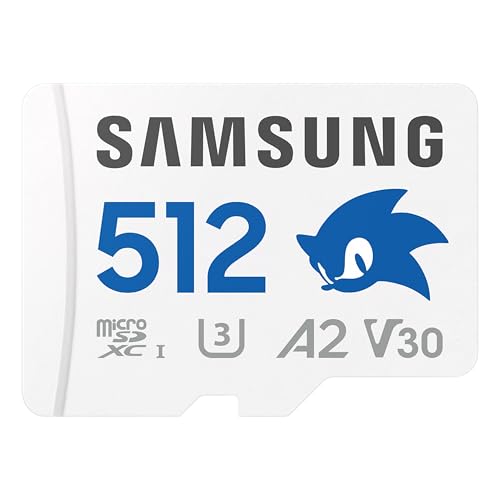 Samsung PRO Plus Sonic The Hedgehog 512GB microSDXC+Adapter512GB0.59 x 0.43 x 0.1 inches0 poundsCheck on Amazon
The best microSD card for a Steam Deck is a UHS-I card with U3, V30 and A2 markings in a capacity that matches your library, and the Samsung PRO Plus 1TB is our overall pick because it pairs that full set of markings with a long limited warranty and a full-size adapter. Silicon Power and Lexar cover buyers who want a lower-friction option or a 2TB ceiling, while the SanDisk Extreme suits people who also shoot video. The Deck reads microSD through a UHS-I interface, so “best” here means reliable app performance and capacity, not the biggest headline speed.
Quick List
- Silicon Power Superior Gaming 1TB – best for a handheld-branded card with a 5-year warranty
- Samsung PRO Plus Sonic 512GB – best for a mid-size library on a name-brand card
- Samsung PRO Plus Sonic 1TB – best overall for most Steam Deck owners
- Lexar Play 1TB – best for straightforward A2 performance at 1TB
- SanDisk Extreme 1TB – best for a hybrid game-and-video card
- Lexar Play 2TB – best for the largest library a single card can hold
Which One Is Right for You?
| If you… | Choose |
|---|---|
| want one card for nearly every Steam Deck library | Samsung PRO Plus Sonic 1TB |
| keep a rotating library of a dozen or so games | Samsung PRO Plus Sonic 512GB |
| want a card marketed directly at handhelds, plus ECC and a 5-year warranty | Silicon Power Superior Gaming 1TB |
| want a plain A2 card from a memory specialist at 1TB | Lexar Play 1TB |
| also record action-cam or drone footage and want the card to double up | SanDisk Extreme 1TB |
| hate uninstalling games and want maximum single-card capacity | Lexar Play 2TB |
Start with capacity, because it decides more about daily life with the Deck than any speed figure. Then check that the card carries U3, V30 and A2 markings. Finally, compare warranty length, since a card that fails after a year of constant installs is a bigger problem than a few megabytes per second.

Silicon Power 1TB Superior Gaming Micro SDXC UHS-I (U3), V30 4K A2,High Speed MicroSD Card with Adapter, Design for Steam Deck, ROG Ally and Nintendo-Switch
Chosen because it specifies V30 4K A2 and High Speed MicroSD Card with Adapter.
View on AmazonSamsung PRO Plus Sonic The Hedgehog 512GB microSDXC+Adapter, Up to 180MB/s
Chosen because it specifies Up to 180MB/s.
View on Amazon
Samsung PRO Plus Sonic The Hedgehog 1TB microSDXC + Adapter, Up to 180MB/s | Full HD & 4K UHD, UHS-I, C10, U3, V30, A2 microSD for Nintendo Switch, Steam Deck, GoPRO, DJI Drone, Tablets (MB-MD1T0SA/LC1)
Chosen because it specifies Up to 180MB/s and Full HD & 4K UHD.
View on Amazon
Lexar 1TB Play Blue Micro SD Card, 160MB/s Read, 4K, V30, UHS-I, A2
Chosen because it specifies 160MB/s Read and V30.
View on Amazon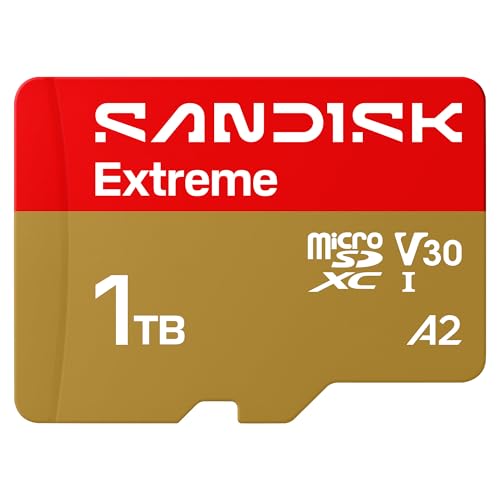
SanDisk 1TB Extreme microSD UHS-I Card, Up to 245MB/s Read and 170MB/s Write, 5.3K Video, 4K UHD, High-Performance for Action Cams, Drones, Android Devices, SDSQXH9-1T00-GZ6MA
Chosen because it specifies Up to 245MB/s Read and 170MB/s Write and 5.3K Video.
View on Amazon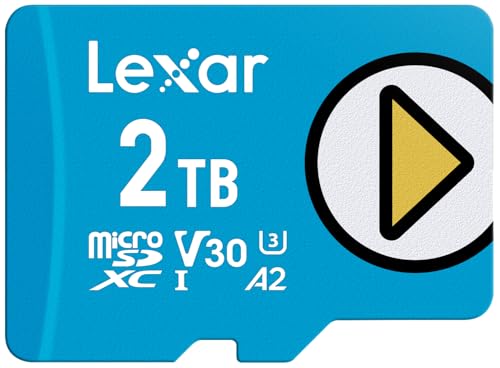
Lexar 2TB Play Blue Micro SD Card, 160MB/s Read, 4K, V30, UHS-I, A2
Chosen because it specifies 160MB/s Read and V30.
View on AmazonAll 6 Picks in Detail
1. Silicon Power Superior Gaming 1TB – Best for a handheld-branded card
As an Amazon Associate we earn from qualifying purchases at no extra cost to you.

This 1TB microSDXC card is built around the markings the Deck cares about: UHS Speed Class 3 (U3), Video Speed Class 30 (V30) and Application Performance Class A2. The listing says it is designed for gaming handhelds including the Steam Deck, ROG Ally and Nintendo Switch, and it ships with an adapter. It suits buyers who want a clearly labeled handheld card and the reassurance of a long warranty without paying for extra video features they will not use.
In day-to-day use, the markings matter more than the brand on the front. U3 and V30 tell you the card holds a minimum sustained write speed suitable for recording, and A2 tells you it was built for the small, scattered reads that installed games produce. A 1TB capacity gives room for a large mixed library, and the ECC function mentioned in the listing is a background feature that corrects some data errors without any action on your part. The supplied adapter is useful for loading files onto the card from a laptop, although SteamOS will format the card the first time you use it, so do any file copying afterward.
- Capacity: 1TB microSDXC
- Interface: UHS-I, U3
- Video class: V30, 4K recording capable
- App class: A2
- Extras: automatic error correction code (ECC), SD adapter included
- Warranty: 5-year limited manufacturer warranty per the listing
Pros
- Full U3, V30 and A2 set at 1TB
- Five-year limited warranty
Cons
- Read and write megabytes-per-second figures are not stated in the listing name, so confirm on the product page
- Less brand recognition for resale or support than the largest card makers
Compared with the Samsung PRO Plus 1TB, it offers a similar capacity and class set with a shorter warranty, so the choice comes down to brand preference and the Samsung software extras.
2. Samsung PRO Plus Sonic the Hedgehog 512GB – Best for a mid-size library

The 512GB version of the Samsung PRO Plus Sonic edition is the sensible pick if you play a rotating set of games rather than hoarding hundreds. The listing quotes read and write speeds of up to 180 MB/s and 130 MB/s and mentions the Steam Deck among supported devices. A full-size SD adapter is included, and the card family carries a 10-year limited warranty according to the listing. Exact class markings for this specific capacity are not repeated in the listing name, so confirm U3, V30 and A2 on the product page, although the 1TB listing of the same family states them.
Think of this one as the right-sized card for a player who installs and removes games regularly. Roughly half a terabyte holds a dozen or more mid-size titles plus a handful of large ones, and the Deck’s internal drive can carry the games you play every day. The themed design is cosmetic, so judge it on the same criteria as any other card: warranty, markings and capacity. If your library is likely to double within a year, the 1TB sibling avoids the hassle of migrating game data later, because moving installs between cards means downloading or copying them again.
- Capacity: 512GB microSDXC
- Quoted speeds: up to 180 MB/s read, 130 MB/s write
- Interface: UHS-I
- Adapter: full-size SD adapter included
- Protection: water and extreme-temperature resistance claimed, 10-year limited warranty
- Software: Samsung Magician for authenticity checks and health monitoring
Pros
- Decade-long warranty from a major maker
- Half the capacity of the 1TB model for a smaller outlay
Cons
- Fills quickly if you install large modern titles
- Themed packaging adds nothing functional
It is the cheaper stepping stone to the Samsung 1TB card, which is the better long-term buy if your library keeps growing.
3. Samsung PRO Plus Sonic the Hedgehog 1TB – Best overall

This is the card most Steam Deck owners should look at first. The listing spells out the full set: UHS-I, C10, U3, V30 and A2, with quoted speeds of up to 180 MB/s read and 130 MB/s write, and names the Steam Deck as a supported device. A full-size adapter is included, the family carries a 10-year limited warranty, and Samsung Magician software offers authenticity verification and health monitoring. That combination of capacity, markings and support makes it a safe default.
The reason this card works as a default is that nothing is left for you to guess. Every class marking a handheld buyer looks for is printed in the listing, the maker names the Deck as a supported device, and the warranty term is the longest in this comparison. The 180 MB/s read figure is an upper limit measured under the maker’s conditions; in a UHS-I handheld, expect noticeably lower real-world transfers. That is fine, because load times on the Deck depend more on random access behavior and the game itself than on peak sequential speed.
- Capacity: 1TB microSDXC
- Markings: UHS-I, Class 10, U3, V30, A2
- Quoted speeds: up to 180 MB/s read, 130 MB/s write
- Adapter: full-size SD adapter included
- Protection: 6-proof claims and a 10-year limited warranty
- Software: Samsung Magician
Pros
- Complete class markings stated plainly
- Longest warranty in this list
- Authenticity-check software
Cons
- The Deck cannot use the full quoted read speed because its reader is UHS-I
- Collaboration styling may not suit everyone
Next to the Lexar Play 1TB, it costs you nothing in capacity and adds a stronger warranty and software support.
4. Lexar Play 1TB – Best for straightforward A2 performance

Lexar’s Play series is aimed at handheld gaming. The 1TB card lists up to 160 MB/s read, V30, UHS-I and A2, along with resistance to temperature, water and X-rays. The listing says it is compatible with the original Nintendo Switch but not the Switch 2, and it does not name the Steam Deck in the bullets, so confirm Deck suitability yourself; any UHS-I microSDXC card in this class generally works, and SteamOS formats it on first use.
Lexar positions the Play family as a gaming card, and the A2 marking is the headline reason it belongs here. The read speed of up to 160 MB/s is again higher than the Deck’s UHS-I reader can use, so the sensible way to judge it is by capacity, app class and warranty instead of by that number. One practical point: the listing’s compatibility note is written for the original Nintendo Switch and warns against the Switch 2, so if you share cards between handhelds, read each device’s requirements and remember the Deck will reformat the card for its own use.
- Capacity: 1TB microSD
- Quoted read speed: up to 160 MB/s
- Video class: V30 with 4K support
- App class: A2
- Interface: UHS-I
- Write speed and warranty length: confirm on listing
Pros
- A2 app class at 1TB from an established memory brand
- Same family scales up to 2TB
Cons
- Write speed is not stated in the listing name
- Listing language targets Switch 1 rather than the Deck
It is a close match for the Silicon Power card; Lexar’s advantage is the 2TB sibling if you ever outgrow 1TB.
5. SanDisk Extreme 1TB – Best for a game-and-video card

The SanDisk Extreme is the odd one out: its listing targets action cameras, drones and Android devices, with up to 245 MB/s read, 170 MB/s write, 5.3K video support and U3 and V30 markings. It works well if one card has to serve both a camera and a Deck. The listing name does not state A2, so confirm the app performance class before buying if game load responsiveness is your priority. Note that 245 MB/s is above the classic 104 MB/s UHS-I ceiling, so treat it as a maximum under the maker’s conditions; the Deck will not reach it.
This card makes the most sense as a dual-purpose purchase. If you record 4K or 5K clips on an action camera or drone and also want a large library on a Steam Deck, one fast card can serve both, and the maker’s companion app helps with backing up footage. The trade-off is that you are paying for sustained write performance and video classes the Deck never uses. If the card will live in the Deck, a model with a confirmed A2 marking is the safer value; if it will travel between devices, this one is more versatile.
- Capacity: 1TB microSD
- Quoted speeds: up to 245 MB/s read, 170 MB/s write
- Video: U3, V30, 5.3K and 4K UHD capture
- App class: confirm on listing
- Durability: temperature, water, shock, magnet and X-ray resistance claimed
- Software: SanDisk Memory Zone app
Pros
- Strongest video-capture credentials in the list
- Very high quoted sequential speeds
Cons
- Extra speed is wasted in a UHS-I handheld
- A2 not confirmed in the listing name
Choose it over the Samsung 1TB only if the card will leave the Deck for a camera regularly.
6. Lexar Play 2TB – Best for maximum capacity

Two terabytes is the top of the microSDXC specification, and this Lexar Play card is the only one in the list that reaches it. It lists the same 160 MB/s read, V30, UHS-I and A2 markings as the 1TB model. It suits owners with large installed libraries who want to avoid swapping cards. Because 2TB cards sit at the edge of the standard, confirm compatibility reports for your device and back up saves to the cloud before filling it.
A 2TB card is for people who want one setup and no thought about space. It can hold an enormous library, local emulation collections and screenshots without a single uninstall. The cost of that convenience is concentration: when everything sits on one card, a failure, a lost card or a formatting accident affects all of it. Keep cloud saves on, avoid pulling the card while the Deck is writing, and shut the system down fully before swapping cards. Verify the capacity after formatting so you know the card is genuine and reports its full size.
- Capacity: 2TB microSD
- Quoted read speed: up to 160 MB/s
- Video class: V30
- App class: A2
- Interface: UHS-I
- Write speed and warranty length: confirm on listing
Pros
- Largest capacity available in this set
- Same A2 and V30 markings as the 1TB model
Cons
- Putting all games on one card concentrates risk if it fails
- Write speed not stated in the listing name
Next to the Samsung 1TB, it doubles capacity but offers less documented warranty detail in the listing.
Specs Compared
| Card | Capacity | Interface | Quoted read / write | Classes | Warranty (per listing) |
|---|---|---|---|---|---|
| Silicon Power Superior Gaming | 1TB | UHS-I | confirm on listing | U3, V30, A2 | 5 years |
| Samsung PRO Plus Sonic | 512GB | UHS-I | up to 180 / 130 MB/s | confirm on listing | 10 years |
| Samsung PRO Plus Sonic | 1TB | UHS-I | up to 180 / 130 MB/s | C10, U3, V30, A2 | 10 years |
| Lexar Play | 1TB | UHS-I | up to 160 MB/s read / confirm on listing | V30, A2 | confirm on listing |
| SanDisk Extreme | 1TB | UHS-I (per listing) | up to 245 / 170 MB/s | U3, V30 | confirm on listing |
| Lexar Play | 2TB | UHS-I | up to 160 MB/s read / confirm on listing | V30, A2 | confirm on listing |
How We Chose These
We built this list from published listing details and manufacturer-style specifications rather than from practical use. Each card had to be a microSDXC format in a capacity of 512GB or more, state a UHS-I interface, and carry U3 and V30 markings, with A2 preferred because it targets random read and write behavior that matters for installed games. We then looked at stated warranty length, supplied adapters, and whether the listing names handhelds. Quoted maximum speeds were treated as upper bounds, not predictions, because the Deck’s reader is the limit. Where a listing leaves out a value, the comparison table says so instead of filling in a guess.
What to Look For
Interface: UHS-I is the ceiling
The Steam Deck’s card reader uses a UHS-I interface. Under the UHS-I standard the fastest bus mode is commonly given as 104 MB/s, which is why cards that advertise 160, 180 or 245 MB/s cannot show those figures in the Deck. UHS-II cards add a second row of pins and may still work, but the Deck falls back to UHS-I speeds, so paying extra for UHS-II is wasted. Practical community reports put real sequential reads in the range of roughly 85 to 90 MB/s, which is plenty for loading screens on most titles.
Class markings: U3, V30 and A2
U3 guarantees a minimum sustained write speed of 30 MB/s, and V30 gives the same 30 MB/s minimum for video. For gaming, A2 matters more. It specifies minimums of 4,000 random read and 2,000 random write operations per second, which helps with many small files such as shader caches and game assets. A1 is the older level at 1,500 read and 500 write IOPS. Prefer A2 when it is offered at a reasonable difference; where a listing does not state it, confirm before buying.
Capacity and how you play
Use a worked example. Suppose your library has six large games at around 60GB each, ten mid-size titles near 25GB, and a dozen indie games averaging 3GB. That adds up to 360GB, 250GB and 36GB, or about 646GB. A 512GB card would force constant uninstalling, a 1TB card leaves room to grow, and a 2TB card makes sense only when you also keep emulation sets, mods and video captures. Remember that the Deck’s own internal storage can hold the games you play most, with the card holding the rest.
Formatting, warranty and fakes
SteamOS formats cards as ext4 itself, so do not bother pre-formatting on a PC; use the format option in the Steam settings and back up anything on the card first. Because a microSD card in a handheld is written to constantly, warranty length is a reasonable proxy for confidence. Counterfeit cards that report a false capacity are a known problem in low-trust listings, so buy from a seller you trust, check the card’s actual capacity after formatting, and use the maker’s authenticity tools where offered. Keep cloud saves enabled so a failed card costs you download time rather than progress.
A practical buying checklist
Before you order, run through four checks. First, confirm the capacity matches your library with at least 15 to 20 percent free space, because a nearly full card slows installs and leaves no room for updates, which can temporarily need extra space. Second, look for U3, V30 and A2 on the listing, and treat any missing marking as something to verify. Third, read the warranty term and what the maker says about water, temperature and X-ray resistance, since handheld cards travel in bags and pockets. Fourth, buy from a seller you trust and check the capacity the Deck reports after formatting. As a simple rule, spend extra on capacity and warranty first and on peak speed last, because the handheld’s reader cannot use the fastest figures. If you swap cards between devices, remember that formatting for SteamOS erases the contents, so keep a backup of anything you want to keep.
One last rule of thumb for long-term ownership: treat the card as a consumable. Flash storage wears with writes, and a handheld that installs and updates games often will write more than a camera card does. Keep your Steam library re-downloadable, keep important screenshots and mods backed up elsewhere, and replace a card that starts showing read errors, slow installs or sudden disconnects instead of hoping it recovers.
Questions
Does a faster microSD card make Steam Deck games load faster?
Only up to the limit of the Deck’s UHS-I reader. Beyond a good U3 and A2 card, extra quoted speed does not translate into shorter load screens. Capacity and reliability are better ways to spend money.
Should I format the card on my PC first?
No. SteamOS uses its own ext4 format on the card and will format it from the settings menu. Pre-formatting as exFAT or FAT32 on a PC is unnecessary and will be overwritten.
Is A2 required?
It is not strictly required, but it is the better choice because it targets the small random reads typical of games. If a listing does not state A2, confirm it on the product page before buying.
Will a card from the Switch work in the Deck?
Generally yes, if it is a UHS-I microSDXC card, but the Deck will format it, which erases the contents. Move your Switch data first, and note that some listings are labeled for the original Switch and not the Switch 2.
Is a 2TB card a good idea?
It is convenient but puts your entire library on one small piece of hardware. If you choose one, keep cloud saves on and consider a second card or external backup for anything you cannot re-download.
Can I use the same card in a different handheld?
Many handhelds accept UHS-I microSDXC cards, but each has its own formatting rules. Confirm the target device’s supported formats and capacity limits before moving a card between systems.
Update History
- October 14, 2026 – Initial publication; product set drawn from current catalog listings.
- Check the product page for current specifications and availability before buying.
Sources
- Retailer listing titles, feature bullets and specification fields for each card
- Manufacturer-supplied product descriptions as quoted in those listings (Samsung, SanDisk, Lexar, Silicon Power)
- Valve’s published Steam Deck support information on microSD formats and file system, as found through web search
- SD Association speed class definitions (UHS, Video Speed Class, Application Performance Class)