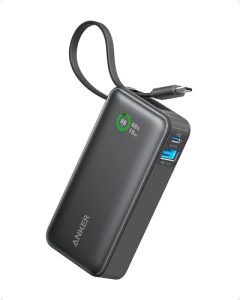
Our Top Picks
 Anker MagGo 3-in-1 MagSafe-Compatible Qi2 15W Foldable Charging6.9 oz3.5 x 2.36 x 0.98 inches0.43 poundsCheck on Amazon

Fast charging an iPhone is not really a charger purchase; it is a chain purchase. The phone only pulls high wattage when every link agrees: a USB-C Power Delivery adapter rated at 20W or more, and a cable that ends in USB-C on the charger side. The small 5W brick from older iPhone boxes and any USB-A port on a hub or laptop quietly cap the whole setup at slow speeds, no matter how new the phone is. Pick the weakest link first, and the rest of the decision gets much simpler.

This guide is for iPhone owners who are tired of overnight-speed top-ups during the day: commuters grabbing charge before leaving, desk workers sharing one outlet, and travelers replacing a bag full of bricks with one. Every pick below was chosen from its Amazon listing title and stated specifications, with wired USB-C PD bricks and magnetic Qi2 options kept in one list so the trade-off between them is easy to see.
Quick Picks
As an Amazon Associate we earn from qualifying purchases.
| Product | Best for | Key spec from title |
|---|---|---|
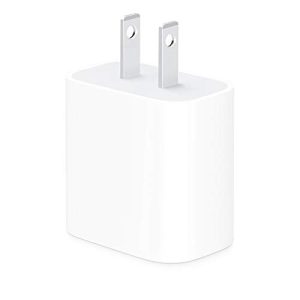
| Apple 20W USB-C Power Adapter | The first-party default for a single iPhone | 20W USB-C with fast charging capability |
| Anker 511 Charger (Nano 3) | The smallest brick for a pocket or travel pouch | 30W GaN charger, foldable, PPS support |
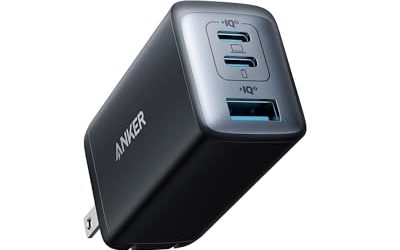
| Anker 735 Charger (Nano II 65W) | One brick for phone, tablet, and laptop | 65W across 2 USB-C ports and 1 USB-A port |
| Anker MagGo Wireless Charger (Pad) | Snap-on charging at a desk or nightstand | Qi2 certified 15W magnetic wireless charging |
| Anker MagGo Wireless Charging Station (Foldable 3-in-1) | iPhone, Apple Watch, and AirPods on one stand | Qi2 certified 15W, 40W adapter included |
How to Choose
Start With the Wattage Your iPhone Can Actually Use
Fast charging over a cable starts at 20W of USB-C Power Delivery. Below that line, an adapter may still charge an iPhone, but it will not trigger the rapid early fill that makes a short plug-in worthwhile before you leave the house. A 30W brick adds headroom for larger Pro Max models and for an iPad sharing the same charger, while 65W only matters once a laptop joins the setup. There is no prize for overshooting wildly: a phone draws what it is designed to draw, so a 30W adapter and a 65W adapter feed the same iPhone at the same ceiling when it charges alone.
Match the Cable to the Brick, Not the Other Way Round
The adapter is only half the chain. iPhone 15 and later models take a USB-C to USB-C cable, while iPhone 14 and earlier need USB-C to Lightning; in both cases the charger end must be USB-C for Power Delivery to engage. A USB-A to Lightning cable plugged into an old port silently drops you back to slow charging even if it came in an Apple box. Check what each listing includes before ordering: several compact bricks below ship with no cable at all, which is fine if your drawer already holds the right one and a nasty surprise if it does not.
Count Ports, Then Read How the Power Splits
A three-port brick sounds like three fast chargers, but the headline wattage is a shared pool. The Anker 735 below, for example, gives a single device the full 65W from either USB-C port, yet with three devices attached the listing splits output to 40W, 12W, and 12W. That split still fast charges the phone on the top port while earbuds sip from the others, which is exactly how most desks work. Read the per-port numbers in the listing rather than the box total, and put your iPhone on the strongest port when everything is plugged in at once.
Decide Between Magnetic Snap-On and a Plain Cable
Wired charging remains the fastest and most efficient route, but magnetic charging wins on friction: the pad finds its own alignment, the phone lifts away with one hand, and there is no port wear. The catch is the ceiling. Qi2 and MagSafe pads top out at 15W for compatible iPhones, and only for iPhone 12 and later; an older phone on the same pad falls back to slower standard wireless speeds. Pads also need a capable wall adapter behind them, and some listings leave that adapter out of the box, so confirm what is included before assuming a pad is a complete kit.
The 5 Best Options
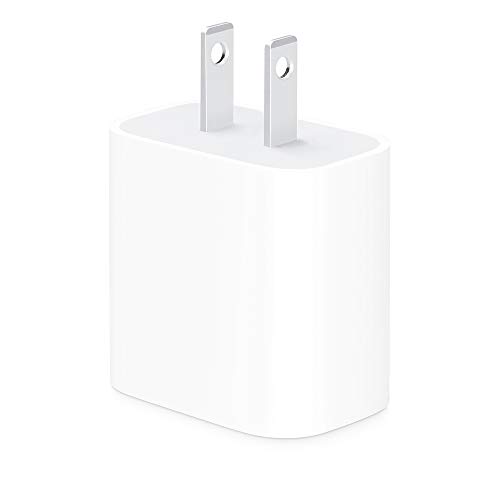
Apple 20W USB-C Power Adapter
This is the reference point every third-party brick is measured against, and for a single iPhone it remains a sensible buy. The listing states 20W output through one USB-C port with fast charging capability, and its compatibility list runs from the iPhone 8 forward, so it covers Lightning models on a USB-C to Lightning cable and USB-C models on a USB-C to USB-C cable alike. It is the pick for buyers who want Apple’s own adapter behind an expensive phone, keep one charger per room, and have no tablet or laptop asking for a share of the same outlet.
Specs
- Output: 20W
- Ports: 1 USB-C port
- Model number: MHJA3AM/A
- Compatible devices per listing: iPhone 16 series down through iPhone 8, plus AirPods and Apple Watch models
- In the box: Apple 20W USB-C Power Adapter only
Best for: Owners who want the first-party adapter and charge one device at a time.
Watch out for: No cable is included, and the single port means a second device waits its turn.
ASIN: B08L5M9BTJ
Anker 511 Charger (Nano 3)
Anker’s Nano 3 is the travel answer to the same problem: a 30W GaN brick barely bigger than the old 5W cube, with folding prongs that sit flat against a bag lining. The listing rates output up to 30W from its single USB-C port, with PowerIQ 3.0 and PPS support, and names iPhone models in its compatibility line, so it fast charges a phone with wattage to spare and still handles an iPad sensibly. It suits anyone who carries one charger everywhere, plugs in at cafes and airports, and wants that charger to disappear into a pocket between stops.
Specs
- Output: 30W max from a single USB-C port
- Output profiles per listing: 5V 3A / 9V 3A / 15V 2A / 20V 1.5A, plus PPS 3.3-11V 3A
- Model number: A2147
- Design: GaN, foldable prongs
- In the box: charger only, cable not included per the listing title
Best for: Travelers and commuters who want one tiny brick that fast charges phone and tablet.
Watch out for: You must supply your own USB-C cable, and one port means one device at a time.
ASIN: B0B2MM1W65
Anker 735 Charger (Nano II 65W)
The 735 is for the outlet that serves everything. Its listing promises 65W total across two USB-C ports and one USB-A port, with either USB-C port able to deliver the full 65W to a single device, which covers a MacBook Air or a thin Windows laptop alongside the phone. GaN II construction keeps it close to AirPods case size per the listing, and the prongs fold for travel. Choose it when a desk or hotel nightstand has one free socket and three devices with opinions, and accept that simultaneous charging means each device takes a smaller slice.
Specs
- Total output: 65W max
- Ports: 2 USB-C and 1 USB-A, 3 ports total
- Single-port output: 65W max on either USB-C port, 22.5W max on USB-A
- Three-device split per listing: USB-C 1 at 40W, USB-C 2 at 12W, USB-A at 12W
- Model number: A2667
- Technology: GaN II, foldable prongs
- In the box: PowerPort III 3-Port 65W Pod and welcome guide
Best for: One-brick setups charging an iPhone beside a tablet and a USB-C laptop.
Watch out for: No cable is included, and the 65W is shared, so three devices charge slower than one.
ASIN: B09C5RG6KV
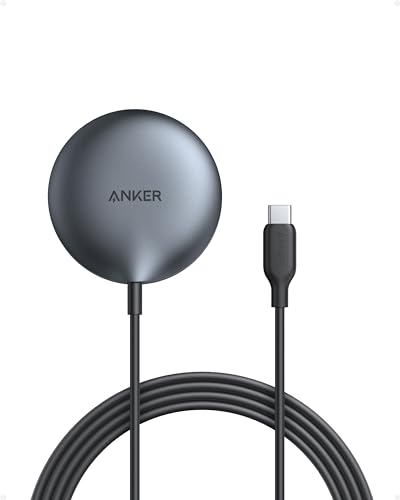
Anker MagGo Wireless Charger (Pad)
This flat magnetic pad is the cable-free option for a fixed spot: a desk corner, a kitchen counter, a nightstand. The listing describes Qi2 certified 15W wireless charging for iPhone 12 through 16 series phones, with magnetic alignment that holds through MagSafe-compatible cases and an attached 5 ft cable that reaches across furniture. Anker’s ActiveShield temperature monitoring is named in the listing, and the aluminum body doubles as a heat spreader. It fits people who value dropping the phone down and picking it up charged over shaving minutes, and who already own a suitable USB-C wall adapter.
Specs
- Wireless output: 15W max, Qi2 certified, MagSafe compatible
- Model number: A25M0
- Input: 9V 2.5A
- Cable: built-in 5 ft cable
- Dimensions: 2.36 x 2.36 x 0.47 in; weight 3.3 oz
- Compatible devices per listing: iPhone 16, 15, 14, 13, and 12 series, plus AirPods with wireless charging cases
- In the box: MagGo Wireless Charger (Pad) and welcome guide; wall adapter not included
Best for: Nightstand and desk users who want snap-on charging with zero cable hunting.
Watch out for: No wall adapter is in the box, and 15W wireless still trails a wired 20W or 30W brick.
ASIN: B0CMH2JVMM
Anker MagGo Wireless Charging Station (Foldable 3-in-1)
The foldable 3-in-1 is the whole Apple kit on one stand: iPhone on the magnetic face at Qi2 certified 15W, an Apple Watch puck with MFW certification behind it, and a pad for AirPods, all fed by a single cable. Unlike the pad above, this listing includes its power source, a 40W USB-C charger with a 5 ft USB-C to USB-C cable, and the station folds to roughly deck-of-cards size at 6.9 oz for a travel bag. Pick it when a nightstand or suitcase needs to retire three separate chargers and their cables at once.
Specs
- iPhone output: 15W max, Qi2 certified, MagSafe compatible
- Apple Watch: MFW certified fast charging; listing states Series 9 reaches 47 percent in 30 minutes
- AirPods: wireless charging pad position
- Model number: A2557
- Weight: 6.9 oz, foldable design with adjustable viewing angle
- In the box: charging station, 40W USB-C charger, 5 ft USB-C to USB-C cable, welcome guide
Best for: iPhone, Apple Watch, and AirPods owners who want one stand at home or in a suitcase.
Watch out for: The phone still charges at the 15W wireless ceiling, and the stand only serves Apple devices.
ASIN: B0CF54FWFL
Which One Fits Your Situation
You Just Bought an iPhone and Own No USB-C Brick
Start with the Apple 20W adapter or the Anker 511 Nano 3, and order the cable your phone needs in the same breath: USB-C to USB-C for iPhone 15 and later, USB-C to Lightning for earlier models. The Apple brick is the conservative choice; the Nano 3 adds wattage headroom and folding prongs for similar money decisions, and either one turns that first slow-charging week into a solved problem.
You Travel Light and Hate Cable Clutter
The Anker 511 Nano 3 covers the phone-only traveler: 30W, folding prongs, pocket size. If your bag also carries an Apple Watch and AirPods, step up to the foldable MagGo 3-in-1 station instead, since it replaces three chargers with one stand and brings its own 40W adapter and cable. Either way, one charger in the bag beats a nest of bricks competing for the single hotel outlet beside the bed.
Your Desk Outlet Feeds a Phone, a Tablet, and a Laptop
The Anker 735 is the only pick here built for that pile. Give the laptop or the phone the first USB-C port, let the tablet take the second, and leave the USB-A port for earbuds or a watch cable. Expect the shared 65W pool to slow the laptop when everything charges together; for most workdays the phone still fills quickly, and the desk keeps one brick instead of three.
You Want the Phone Off the Cable at Night
Choose between the two magnetic options by how much else sleeps on your nightstand. Phone only: the MagGo pad, paired with a wall adapter you already own. Phone plus watch plus earbuds: the foldable 3-in-1, which also props the phone at a viewing angle for StandBy-style clock duty. Both charge more slowly than a cable, and both finish comfortably overnight, which is the only deadline a nightstand has.
Common Mistakes
- Keeping the old 5W or USB-A setup and blaming the phone: fast charging needs USB-C Power Delivery at 20W or more plus the right cable, and the weakest link sets the speed.
- Buying a high-wattage brick and reusing a USB-A to Lightning cable, which quietly caps charging at slow speeds no matter what the adapter can deliver.
- Reading a multi-port charger’s headline wattage as per-port power, then wondering why a laptop and phone charge slowly together when the listing’s split numbers said they would.
- Ordering a compact brick or magnetic pad without checking the box contents, then discovering at unboxing that the cable or wall adapter was never included.
- Putting a magnetic pad on an iPhone older than the 12 series or behind a thick non-magnetic case, then getting slow standard wireless charging instead of the full 15W.
Frequently Asked Questions
Will a 65W charger damage my iPhone battery?
No. The iPhone negotiates how much power it draws through USB-C Power Delivery, and it never pulls more than its own charging design allows. A 65W brick simply has capacity in reserve for a laptop or for sharing across ports. What the phone receives from a big adapter and from a 30W adapter, charging alone, is effectively the same.
Why is my iPhone still charging slowly with a new fast charger?
Work through the chain in order. The cable is the usual culprit: a USB-A end anywhere in the setup disables Power Delivery fast charging. After that, check that the adapter itself is rated 20W or more over USB-C PD, and that a multi-port brick is not sharing its output with a laptop that is drinking most of the pool.
Is 15W magnetic charging as fast as plugging in a cable?
Not quite. A wired 20W or 30W adapter fills an iPhone faster than a 15W Qi2 or MagSafe pad, and wireless charging also wastes more energy as heat. The magnetic options earn their place on convenience: alignment is automatic, there is no cable to fumble for, and overnight or desk charging hides the speed gap completely.
Do I need an Apple-branded charger for fast charging?
No. Fast charging follows the USB-C Power Delivery standard, so a third-party brick that lists PD output at 20W or above fast charges an iPhone the same way Apple’s adapter does, and Qi2 pads deliver the same 15W magnetic rate as MagSafe. Brand matters for build quality and support, not for unlocking a charging mode.
FAQ
Will a 65W charger damage my iPhone battery?
Why is my iPhone still charging slowly with a new fast charger?
Is 15W magnetic charging as fast as plugging in a cable?
Do I need an Apple-branded charger for fast charging?
More from Amazon
Programs that pair well with the guide above. Offers and eligibility are set by Amazon and may change.
Free shipping on eligible items, Prime Video and more. Eligible new members can start with a free trial.
Start a Prime free trialAd-free music streaming. Eligible new subscribers can start with a free trial.
Try Music Unlimited freeA Prime membership for ages 18-24 with a trial period. Eligibility is set by Amazon.
See Prime for Young AdultsAudiobooks and podcasts to listen to on the go. Eligible new members can start with a free trial.
Try Audible freeAs an Amazon Associate we earn from qualifying purchases.