Key takeaways
- A specification-based review of Anker’s PowerExpand 6-in-1 Ethernet hub, covering handheld connectivity, 4K output, charging and compatibility limits.
This review analyzes published product information. We have not performed detailed research of this unit.
As an Amazon Associate, we earn from qualifying purchases.
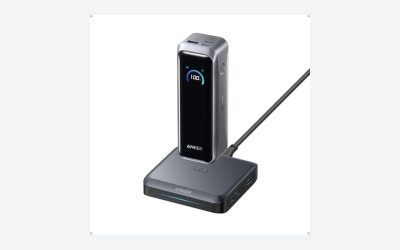
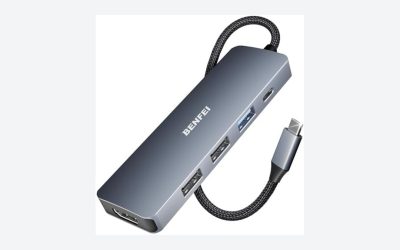
The Anker PowerExpand 6-in-1 USB-C PD Ethernet Hub brings display output, wired networking, peripheral connections and charging input into one compact accessory. For a portable gaming setup, that combination could reduce the number of separate adapters needed when moving from handheld play to a desk. Its appeal rests on that connection mix, rather than on any demonstrated gaming performance.
This review evaluates the supplied listing specifications, not detailed research. The exact configuration here has a Power Delivery input, HDMI, Ethernet, one USB-C data port and two additional USB data ports. The listing leaves several consequential details unspecified, including Ethernet speed, USB transfer rates and the power actually delivered to the host.
What this six-port configuration includes
| Product family and configuration | Anker PowerExpand 6-in-1 USB-C PD Ethernet Hub |
|---|---|
| Charging connection | Power Delivery input; listing describes use with a 65W wall charger |
| Display connection | HDMI, advertised up to 4K at 30Hz |
| Wired networking | Ethernet port; speed not specified |
| Data connections | One USB-C data port and two USB data ports; transfer rates not specified |
| Listed dimensions | 5.2 × 0.9 × 0.72 inches |
| Listed weight | Approximately 0.181 pounds |
| Listed package contents | Hub and welcome guide |
| Warranty | 18 months, according to the listing |
The port roles matter more than the total count. The USB-C data connection is listed separately from the Power Delivery input, so buyers should not treat those two sockets as interchangeable. Likewise, the evidence does not establish video output through the USB-C data port. HDMI is the explicitly advertised display connection.
A useful connection mix for a temporary gaming desk
The strongest reason to consider this hub is consolidation. Ethernet and HDMI sit alongside three data connections, giving a compatible host a potential route to a wired network, external screen and USB accessories without buying a separate adapter for each task. That is a sensible arrangement to investigate for a handheld that also serves as a small desktop computer.
However, the supplied evidence does not name supported handhelds, operating systems or specific peripheral combinations. It also does not state the connector shape of the two ports described simply as USB data ports. Before buying for a controller, keyboard, mouse or storage device, confirm both the physical connection and the host’s support for that accessory.
For Ethernet specifically, the listing confirms the presence of a port but gives no link-speed specification. That prevents a meaningful throughput assessment and is not enough to promise a latency improvement. Network equipment and the connection beyond the hub remain outside this evidence. Our gaming Ethernet cable guide can help with the cable side of a wired setup; it does not resolve the hub’s missing network specifications.
Charging: a 65W charger recommendation is not a host-output rating
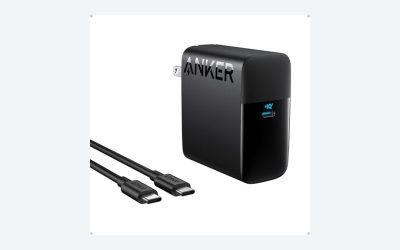
Anker describes connecting a 65W wall charger to the Power Delivery input for laptop pass-through charging. This establishes an intended powered-use scenario, but it does not establish that the attached computer or handheld receives 65W. The listing supplies neither a host-output wattage nor the supported voltage and current profiles.
For gaming on batteries, that distinction is central. The useful question is whether the complete charger, hub and device combination can supply enough power for the intended workload while maintaining or replenishing the battery. These specifications alone cannot answer it. Check the handheld’s charging requirements and obtain a confirmed host-output specification rather than treating the wall charger’s rating as a guaranteed delivery figure.
The package description names the hub and a guide, not a wall charger. Plan the charging setup separately rather than assuming this is a complete powered docking kit. The evidence also does not explain how charging behaves while display, network and USB accessories are active together, so no simultaneous-use charging guarantee is justified.
HDMI has a clear ceiling—and an unresolved lower-resolution question
The advertised HDMI maximum is 4K at 30Hz. That makes the display specification relatively clear for someone planning a 4K connection: this listing does not support a claim of 4K at 60Hz. Buyers prioritizing a higher-refresh 4K gaming display should not select this configuration expecting an undocumented capability.
Lower-resolution refresh options are not supplied. It would be equally unjustified to declare that every resolution is limited to 30Hz or to promise a particular higher-refresh mode at a lower resolution. Confirm the exact output mode required by your screen before choosing the hub.
Handheld compatibility needs its own check, too. The evidence does not establish that any particular device can send video through this adapter. A matching USB-C connection alone is not a sufficient basis for a purchase decision; verify that the host supports the required external-display operation.
Portable dimensions, incomplete travel details
At a listed 5.2 inches long and approximately 0.181 pounds, the hub has a modest stated carrying footprint. Its narrow dimensions suggest it could fit alongside other small accessories more readily than a larger desktop arrangement, though that is an inference from the measurements rather than a packing test.
The travel setup still needs to account for whatever power, display and network connections you intend to use. The listing does not supply the host-cable length, enclosure material, protective-case contents or durability information. Those omissions matter if your handheld sits on a stand, has a protective shell or must connect across an awkward desk layout. Check cable reach and connector clearance rather than assuming the compact body guarantees convenient placement.
Verdict: practical expansion if the missing details check out
The PowerExpand 6-in-1 USB-C PD Ethernet Hub offers a useful advertised mix for a portable device that occasionally moves to a wired desk setup. Its compact listed dimensions and combination of Ethernet, HDMI and USB data connections are the main attractions. Buy only after confirming host compatibility, required display mode and charging delivery. The unspecified network and USB speeds also make it a less certain choice for buyers who need documented throughput rather than basic connection expansion.
Sources: Supplied retailer listing for the Anker PowerExpand 6-in-1 USB-C PD Ethernet Hub.
Check the exact product and current offer on Amazon