Key takeaways
- A specification-based review of the GameSir X5 Lite, covering Type-C connectivity, phone and tablet fit, pass-through charging, and control limitations.
This review analyzes published product information.
As an Amazon Associate, we earn from qualifying purchases.
A mobile controller with room beyond phones
The GameSir X5 Lite combines a stretch-to-fit design, a Type-C connection, Hall-effect sticks and pass-through charging. Its particular appeal is the listed support for devices ranging from phones to selected small tablets. For portable gaming, that makes it worth considering if you want attached physical controls without committing to a phone-only setup.
The exact variant covered is the black X5 Lite with Type-C connectivity. The evidence supports a useful mobile and streaming feature set, but leaves important questions about charging power, case clearance and software compatibility unanswered. Those gaps matter more than broad promises of comfortable, responsive play.
The specifications that shape the purchase
| Item | Listed specification |
|---|---|
| Connection | Type-C connection to the mobile device |
| Maximum extension | Up to 213 mm |
| Named device support | iPhone 15/16, most Android phones, iPad mini 6/7 and compatible Android tablets |
| Sticks | Hall-effect sensing |
| Buttons and triggers | Cushioned membrane controls |
| Weight | 135.4 g |
| Listed size | 85 × 190 × 46 mm |
| Charging | Pass-through charging; power and protocol details not supplied |
| Customization | GameSir app settings, Turbo and selected button shortcuts |
Check the connector and fit, not just the device name
The listing describes a direct Type-C connection. Although its catalog metadata labels the product as a wireless phone accessory, that category label does not establish wireless operation. Buyers should treat this as the listed Type-C controller rather than assume Bluetooth support or a wireless mode for playing across the room.
GameSir names iPhone 15/16 and iPad mini 6/7 alongside broader Android support. That is more informative than an Android-only product title, but it is not an exhaustive compatibility matrix. In particular, the wording about most Android phones and compatible tablets leaves individual models unresolved. A matching connector alone is not sufficient evidence that every device will work.
The stated 213 mm extension is the key physical limit to check. Measure the span the controller would need to accommodate in your intended orientation. The listing does not supply a complete fitting envelope, including device thickness, connector clearance or camera-bump allowance. Case-on fit is also unspecified. If keeping a protective case attached is essential, confirm that combination before choosing the X5 Lite.
Pass-through charging helps, but the power specification is missing
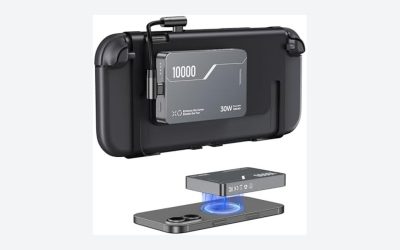
For battery-conscious handheld use, pass-through charging is the most consequential convenience here. The listing says the connected mobile device can charge while you play. That makes the X5 Lite a candidate for longer sessions near an outlet or portable power source without removing the controller simply to charge the device.
However, no charging wattage, supported charging protocol or device-specific charging behavior is supplied. There is therefore no basis for promising fast charging, compatibility with a particular power bank mode, or a battery percentage that rises during a demanding game. The listed feature establishes a charging path, not how much power reaches the device under load.
That distinction should guide accessory planning. If your purchase depends on a particular charger or power bank, seek confirmation of the full combination. Nor should pass-through charging be read as evidence of video output, hub functionality or additional data connectivity; none of those capabilities is established in the published listing information.
Hall-effect sticks with membrane buttons and triggers
The X5 Lite specifies Hall-effect sensing for its sticks, while the buttons and triggers use cushioned membranes. GameSir presents the sticks as suitable for aiming, movement and camera control, but the listing supplies no dead-zone measurements, calibration details or latency testing. The sensor type is a concrete feature; precision in a particular game remains unverified here.
The membrane controls are marketed for cushioned feedback and reduced operating noise. That may appeal if you prefer softer inputs for repeated actions or shared-space play. It is not evidence that the controller is silent, and no comparison establishes its noise level. The trigger description also does not resolve analog behavior or travel, an important unknown if your games depend on graduated trigger input.
Turbo support and an ABXY layout-switching function add flexibility. The GameSir app is said to customize supported settings, with some adjustments available through button combinations. However, the supplied shortcut descriptions overlap around M + A, so exact operation deserves checking in the controller instructions. The evidence also does not establish complete remapping or identical app features across operating systems.
Portable hardware, conditional game support
At a listed 135.4 g, the controller has a useful weight specification for judging the extra load added to a phone or tablet. Its listed dimensions help with bag planning, although the evidence does not clarify whether they describe its fully closed state. Textured grips are another stated feature, but their comfort cannot be determined from specifications. Consider the combined device-and-controller weight rather than the accessory alone.
The listing identifies supported mobile games and streaming options including Xbox Game Pass, Steam Link and Moonlight. These are intended use cases, not a guarantee that every game recognizes the controls. A direct controller connection also does not establish the responsiveness of the entire streaming setup. Game support, the host system and the network remain separate considerations.
This attached-device configuration is a different buying proposition from controlling a handheld connected to a television. If that is your main scenario, the site’s guide to wireless controllers for docked Steam Deck play addresses the more relevant controller format.
Verdict: promising fit flexibility, incomplete charging detail
The X5 Lite merits consideration for its listed phone-to-small-tablet reach, Hall-effect sticks and play-while-charging capability. It is best approached as a Type-C mobile controller whose suitability depends on your exact device and games. Confirm physical fit, controller support and charging requirements first. Buyers needing verified fast charging, detailed trigger specifications or assured case compatibility do not yet have enough information to settle those questions.
Sources: GameSir X5 Lite retailer listing and specifications.
Check the exact product and current offer on Amazon

How to Check Whether the X5 Lite Fits Your Device
The controller’s stretch design is listed for devices between roughly 105mm and 213mm along the clamped dimension, and for Android phones, USB-C iPhones, and small tablets up to about 8.4 inches. The number that matters is the length of your device in landscape orientation, with its case on, because a thick case adds to the measurement and can shift the Type-C port out of alignment. A worked example: a phone that measures 160mm long sits comfortably inside that range, while an 11-inch tablet at over 250mm does not. A small tablet near the upper edge of the range will stretch the grips to their limit.
| Device size (landscape length) | Expected fit |
|---|---|
| Under 105mm | Too small for the stated range |
| 105mm to about 170mm (typical phones) | Within the stated range |
| About 170mm to 213mm (large phones, small tablets) | Within range but near the stretch limit, so grip comfort can change |
| Over 213mm | Outside the stated range |
Setting It Up Step by Step
- Remove thick or bulky phone cases, since the Type-C plug needs a straight, firm connection.
- Choose the silicone pad that matches your device thickness from the included set, if the listing for your version supplies them.
- Slide the movable Type-C connector to line up with the port on your device.
- Stretch the controller, seat the device, and release the grips so they hold evenly on both sides.
- Open a game that supports gamepad input and confirm the buttons register.
- On Android, install the GameSir app if you want button mapping or firmware updates, which the listing describes as Android-only.
Who Should Buy the X5 Lite?
| If you… | Choose… |
|---|---|
| Want a controller with no battery to charge | The X5 Lite, because it is a wired design that draws no power of its own |
| Play in short sessions on a phone and want to keep it charged | The X5 Lite with a cable or power bank into its pass-through port |
| Need haptic feedback and rumble | A different controller, as the listing states the X5 Lite has no vibration |
| Use a large tablet over roughly 8.4 inches | A larger-format controller instead |
| Want wireless play on a stand or TV | A Bluetooth controller instead |
Common Mistakes With a Clamp-Style Controller
- Leaving a thick case on: it can prevent the plug from seating fully or put side stress on the port.
- Forgetting the iPhone requirement: only USB-C iPhones work, which excludes older Lightning models.
- Assuming charging speed: pass-through charging keeps the device powered, but the listing gives no wattage, so do not expect fast charging.
- Expecting every game to work: only titles with gamepad support recognize the buttons, so check your library first.
- Using it as a travel controller without protection: the stretch mechanism and port are exposed in a bag, so a small pouch helps.
Troubleshooting
- Device does not detect the controller: reseat the plug, remove the case, and try another cable if you are charging at the same time.
- Buttons register but the game ignores them: the title may not support gamepads, or its input settings may need switching to controller mode.
- Charging is slow or absent: test the power bank and cable separately, since pass-through depends on both.
- Grips feel loose: pick a thicker silicone pad, or check that the device sits centered.
- Sticks drift or feel rough: Hall-effect sticks are intended to resist drift, so persistent issues are worth raising under the seller’s return policy.
Questions
Does it need a battery or Bluetooth pairing?
No. It connects through the Type-C plug and the listing describes it as having no battery, so there is nothing to pair or charge.
Can I play with vibration?
The published specifications state that it has no vibration, so games will not send rumble feedback through it.
Are the sticks and buttons the same type?
No. The sticks use Hall-effect sensing, while the face buttons, triggers, and D-pad use membrane switches, which feel softer and less tactile than mechanical switches.
Does it work with cloud gaming apps?
Yes, as long as the app supports an Android or iOS gamepad. Cloud services that accept a standard controller typically recognize it as one.
Wired Versus Bluetooth Controllers for Mobile
| Factor | Wired clamp controller like the X5 Lite | Bluetooth mobile controller |
|---|---|---|
| Battery | None, powered through the connection | Needs its own charging |
| Latency | Wired link, usually lower | Wireless, generally slightly higher |
| Phone fit | Depends on width and port position | Often more flexible with a separate clip |
| Case compatibility | Case usually needs to come off | Case usually stays on |
| Portability | Compact and light at about 135 grams per the listing | Varies by model |
The main appeal of a wired controller is that it removes charging and pairing, while the main cost is the physical fit. If you swap phones often or prefer to keep a thick case on, a Bluetooth option may suit you better.
A Short Buying Checklist
- Measure your device’s landscape length with the case on.
- Confirm it has a USB-C port that supports video and data, and that an iPhone is a USB-C model.
- Decide whether you need rumble, because the specifications list none.
- Check that your favorite games accept a gamepad.
- Decide how you will charge during play: a cable, a power bank, or neither.
Gaming Habits That Suit a Clamp Controller
A stretch-fit controller makes the most sense for short, frequent sessions: a commute, a lunch break, or a few rounds before bed. Its low weight, listed at about 135 grams, keeps the combined device from tiring your hands, but a heavy phone on the clamp shifts the balance and can make long sessions less comfortable. Keep the screen angle comfortable, take breaks, and use a power bank only when needed, since the extra cable changes how the device sits in your hands.