Key takeaways
- Android and Retroid’s device configuration software
- System settings, file management, and basic Android utilities
- Controller-mapping and handheld-specific settings
- Emulation front-end or launcher features, depending on the installed firmware version
- Any legally licensed promotional software that a particular seller explicitly lists
What's inside
- Are Fangames Preloaded on the Retroid Pocket 5?
- What Software Comes With the Retroid Pocket 5?
- Which Types of Fangames Work?
- How to Install a Legally Obtained Android Fangame
- Installing a Fangame That Is Not an APK
- Storage and Battery Planning
- Legal and Safety Checks Before Installing
- Should You Buy the Retroid Pocket 5 for Fangames?
- Frequently Asked Questions
Are Fangames Preloaded on the Retroid Pocket 5?
No, fangames are not normally preloaded on the Retroid Pocket 5. The handheld ships with Android, Retroid’s system software, configuration tools, and standard device applications, but it is not supposed to include an unofficial collection of fan-made games, ROM hacks, or copyrighted commercial games.
- Are Fangames Preloaded on the Retroid Pocket 5?
- What Software Comes With the Retroid Pocket 5?
- Which Types of Fangames Work?
- How to Install a Legally Obtained Android Fangame
- Installing a Fangame That Is Not an APK
- Storage and Battery Planning
- Legal and Safety Checks Before Installing
- Should You Buy the Retroid Pocket 5 for Fangames?
- Frequently Asked Questions
That means buyers should expect to install fangames themselves. Android-compatible projects can usually be installed from a developer’s official download page, while fan-made games built for Windows, Linux, or another platform may require an Android port, a compatibility layer, or streaming from a computer.
What Software Comes With the Retroid Pocket 5?
The exact home-screen layout can change with firmware updates, but the software package generally consists of:
- Android and Retroid’s device configuration software
- System settings, file management, and basic Android utilities
- Controller-mapping and handheld-specific settings
- Emulation front-end or launcher features, depending on the installed firmware version
- Any legally licensed promotional software that a particular seller explicitly lists
It should not be confused with a preloaded game library. A launcher may display empty console categories, scan folders, or provide emulator shortcuts, but those functions do not mean that games are included.
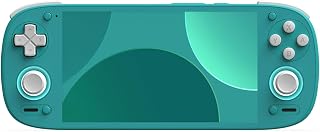
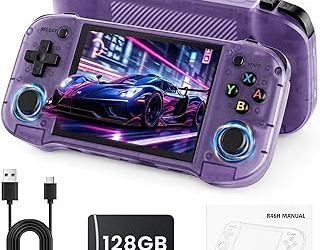
The Retroid Pocket 5 is an Android handheld with a 5.5-inch 1080p AMOLED display, built-in controls, Wi-Fi, Bluetooth, and a microSD card slot. Its hardware is suitable for Android games, indie ports, emulation, and game streaming, but compatibility depends on the individual fangame rather than on the word “fangame” itself.
Which Types of Fangames Work?
| Fangame format | Likely installation method | Retroid Pocket 5 outlook | What to check first |
|---|---|---|---|
| Android APK | Download, then install the APK | Usually the simplest option | Android version, ARM64 support, controller support |
| Android game bundle | Install APK and copy data files | Often workable | Whether the data belongs in Android/data, Android/obb, or an in-game folder |
| Native Linux build | Run through a compatible Android app or wrapper | Varies substantially | Required runtime, processor architecture, graphics API |
| Windows game | Windows compatibility layer or streaming | Game-dependent | DirectX version, controls, performance, and licensing |
| ROM hack or fan translation | Use with a legally obtained original game dump | Depends on the target console and emulator | Patch format, correct ROM version, and emulator compatibility |
| Browser-based game | Open in Chrome or another Android browser | Usually easy if controls are supported | Offline support, screen orientation, and gamepad input |
How to Install a Legally Obtained Android Fangame
For an Android-native fangame, the process is straightforward. Use the developer’s official page or a reputable open-source project page rather than an unofficial APK mirror. Confirm that the download is intended for Android and, where listed, supports 64-bit ARM devices.
- Download the APK or release package. The Retroid Pocket 5 uses Android, so an APK is the most direct format. If the developer supplies a checksum, compare it with the downloaded file.
- Copy the file to the handheld. You can download it directly, transfer it over USB, or place it on a microSD card. Create a folder such as
Downloads/Fangamesto keep installers separate from save data. - Allow installation from the file manager. Android may ask permission for the file manager or browser to install unknown applications. Enable it only for the app you trust, install the game, and disable the permission afterward.
- Install and open the game. If Android reports that the package is incompatible, do not repeatedly install random versions. Check whether the project requires a newer Android release, a 32-bit build, or a specific graphics API.
- Configure the controls. Use the game’s own controller settings first. If it only accepts touch input, Retroid’s key-mapping tool can map buttons to on-screen controls, although games with menus or analog aiming may need additional adjustment.
- Move large data files only as instructed. Some projects require an APK plus an asset archive. Follow the developer’s folder instructions exactly; placing files in the wrong Android directory can make the game appear to start without its levels, music, or textures.
Installing a Fangame That Is Not an APK
A Windows fangame cannot simply be copied to the Retroid Pocket 5 and expected to run as an Android application. There are three practical routes.
Use an Android port
An official or community-made Android port is the cleanest solution. Install the port’s APK and provide only the game assets requested by its documentation. This avoids trying to reproduce a desktop runtime on a handheld.
Use a compatibility layer
Some Windows games can run through Android compatibility software, but results vary. Older 2D games are more promising than titles that depend on modern DirectX features, anti-cheat systems, launchers, or obscure middleware. Expect to experiment with resolution, renderer, input mode, and frame-rate settings.
Stream from a computer
Streaming is often the most dependable choice for a demanding fangame. The game runs on the computer while the Retroid displays the video and sends controller input. For a 1080p stream at 60 frames per second, a practical network target is roughly 15–30 Mbps; at 20 Mbps, one hour uses about 9 GB of network data:
20 megabits/second ÷ 8 × 3,600 seconds ≈ 9,000 megabytes
That figure is data transferred over the network, not necessarily internet data if the computer and handheld are on the same home network. A 5 GHz or Wi-Fi 6 connection with low local congestion is preferable. Streaming also avoids filling the handheld’s storage with a large desktop installation.
Storage and Battery Planning
The Retroid Pocket 5’s internal storage is convenient for Android applications, while a microSD card is useful for larger game data and backups. Keep at least 10–15 GB free on the internal drive for Android updates, temporary installation files, shader caches, and save backups. A game that appears to need 3 GB may temporarily require more during extraction or an update.
Performance settings affect both playability and battery life. At the handheld’s 1080p display resolution, rendering four times as many pixels as 540p increases GPU workload even when the game itself is simple. If a fangame offers a resolution selector, start at 1280×720 or 1600×900, then raise it to 1920×1080 only if frame pacing remains stable.
| Situation | Recommended starting setting | Reason |
|---|---|---|
| Pixel-art 2D fangame | Native resolution, 60 fps | Low rendering demand; preserve crisp scaling |
| 3D Android fangame | 720p internal resolution, 30 or 60 fps | Reduces GPU load and heat while establishing stability |
| Windows game through compatibility software | 720p, lowest practical effects, 30 fps cap | A frame cap reduces spikes and power consumption |
| Streamed desktop fangame | 1080p at 60 fps, 15–30 Mbps | Uses the computer for rendering; network quality becomes the limitation |
Legal and Safety Checks Before Installing
“Fan-made” does not automatically mean “free of copyright restrictions.” A project may be original, licensed, open-source, freeware, or an unauthorized derivative. Read its license and download policy. For ROM hacks and fan translations, obtain the original game legally and patch your own dump instead of downloading a pre-patched commercial ROM from an unknown source.
- Prefer the project developer’s official release page or source repository.
- Check whether the game is freeware, open-source, or distributed under a specific license.
- Do not install an APK that demands unrelated permissions such as contacts or SMS access.
- Scan files when possible and avoid “modded” releases that promise unlocked paid content.
- Back up save files before changing versions or moving data folders.
Should You Buy the Retroid Pocket 5 for Fangames?
Choose it if the fangames you want are Android-native, support gamepads, or have a reliable Android port. It is also a sensible option if you mainly want to stream PC projects and use the handheld’s AMOLED screen and physical controls.
Look for another device category if your priority is running demanding modern Windows fangames locally with minimal configuration. A handheld PC with a desktop operating system will generally offer broader Windows compatibility, though it is typically larger, heavier, and more expensive.
The key buying decision is therefore not whether the Retroid Pocket 5 includes fangames—it does not—but whether the specific projects you want have Android builds, compatible console versions, or a streaming route. Check each game’s release notes before purchasing, and plan to install your own software after setup.
Frequently Asked Questions
Does the Retroid Pocket 5 include ROMs?
It should not be assumed to include copyrighted ROMs. The standard software package is the operating system and handheld utilities, not a commercial game collection.
Can I download fangames directly on the handheld?
Yes. Use the Android browser to download a legitimate APK or transfer one by USB or microSD card. Direct downloading is convenient, but verify the source and the required Android version.
Will every APK work?
No. The APK must be compatible with the device’s Android version, processor architecture, graphics requirements, and control method. A game that installs can still perform poorly or lack functional controller support.
Can I remove a fangame later?
Yes. Uninstall it through Android settings or the app menu, then remove leftover data folders only after backing up saves. Some games store saves in a separate folder that is not deleted automatically.