Key takeaways
- Buying a power bank without Power Delivery. The Deck will charge slowly or not at all while you play.
- Choosing a dock without checking the HDMI version for your TV and the output you want.
- Assuming every microSD card is equal. Look for A2 / U3 rated cards from reputable brands, and be cautious of unusually cheap listings, since counterfeit cards exist.
- Skipping the screen protector because the screen “feels tough.” Scratches are permanent, and the protector is cheap.
- Buying a case that does not fit the dock or charger you plan to carry.
- Ignoring airline rules: carry the power bank in the cabin and keep it under 100 Wh without special approval.
The best Steam Deck accessories to buy first are a tempered-glass screen protector, a fast microSD card, a protective carry case and a USB-C power bank rated for at least 45 W; a dock and a controller come after that. This order follows what each accessory protects or adds, from the most breakable part (the screen) to the nice-to-have extras. Below are the accessories that 2026 roundups repeatedly recommend, grouped by job, with a storage calculation and a power budget so you can size each purchase.
Quick Comparison of the Picks
| Accessory | Best for | Key specs | Price range |
|---|---|---|---|
| Tempered-glass protector (JSAUX, Ivoler, amFilm styles) | First purchase, protects the screen | 9H glass class, anti-fingerprint or matte options, alignment frame | Budget |
| Samsung microSD (Pro Plus or EVO Select class) | Cheap storage expansion | A2/U3 class, 256 GB to 1 TB | Mid |
| TeamGroup MP44S 2230 SSD | Faster internal upgrade | M.2 2230 NVMe, up to 2 TB class | Mid to upper-mid |
| Tomtoc G05 or JSAUX ModCase | Carrying and kickstand | Hard or semi-rigid shell, cable pocket, optional stand | Budget to mid |
| JSAUX 6-in-1 dock or M.2 dock | TV and desk play | HDMI up to 4K 120 Hz class, Ethernet, USB ports, 100 W pass-through | Budget to mid |
| Official Valve Steam Deck Docking Station | Simplest dock setup | HDMI 2.0, DisplayPort, Ethernet, USB-A ports | Mid |
| Anker or JSAUX power bank, 20,000 mAh class | Travel and flights | PD 45 W to 65 W output, USB-C in/out | Mid |
| Razer Barracuda X or SteelSeries Arctis GameBuds | Wireless audio | 2.4 GHz USB-C dongle or earbuds with ANC | Mid to upper-mid |
This list draws on maker specs and recurring picks from PC Gamer, GamesRadar, PCGamesN and similar outlets, not personal use. Confirm that each item fits your model, because the Steam Deck LCD and OLED differ in battery size and screen finish.
Screen Protector: Buy This First
The Steam Deck screen is the part most likely to get scratched in a bag. Tempered-glass protectors from brands like JSAUX, Ivoler and amFilm are common roundup picks, with alignment frames that make installation easier. Choose glossy for sharpest colors, anti-glare if you play near windows, or a matte finish if you want to reduce reflections. Because the LCD and OLED models differ in screen finish and fit, choose a protector listed for your exact model.
The trade-off is feel. Matte films reduce glare but add slight grain, and a poorly applied protector traps dust bubbles.
microSD Card: The Cheapest Storage
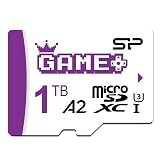
Samsung’s Pro Plus and EVO Select cards are the names roundups repeat, and an A2 / U3 class card works well for most games. The Deck’s base storage fills quickly, so an expansion card is the most cost-effective way to add libraries. Speed matters less than capacity for most games, though load times are slower than internal NVMe.
The trade-off is performance. A microSD card is slower than the internal drive, so keep large open-world games or heavy shader-cache titles on internal storage when you can.
2230 SSD Upgrade: Faster and Larger Internal Storage
PCGamesN picks the TeamGroup MP44S as its SSD, and 2230-sized NVMe drives like it fit the Deck’s internal slot. This is the best path if you want fast load times and a big internal drive. It does take opening the device and reinstalling SteamOS.
The trade-off is effort and warranty risk. If you are not comfortable with a screwdriver, a microSD card is the easier route.
Carry Case: Tomtoc G05 or JSAUX ModCase
Roundups name the Tomtoc G05 as a leading third-party case for most owners, and GamesRadar picks the JSAUX ModCase. Cases protect against drops and keep cables and the charger in one pocket. A ModCase adds a built-in stand for tabletop play.
The trade-off is bulk. A hard case adds weight, so choose a soft sleeve if you only commute with it.
Dock: JSAUX or the Official Valve Dock
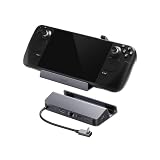
A dock lets you play on a TV with a controller. JSAUX’s 6-in-1 dock offers HDMI for 4K at 120 Hz class output, Ethernet, USB ports and 100 W pass-through charging, according to the maker. Valve’s official dock includes HDMI, DisplayPort, Ethernet and USB-A ports. JSAUX also sells an M.2 dock that adds an SSD slot, which PC Gamer highlights.
The trade-off is feature trade-offs. Check HDMI version, since the maximum resolution and refresh rate depend on both the dock and the TV, and the Deck’s GPU limits what runs at 4K.
Power Bank: For Flights and Long Sessions
A USB-C power bank with Power Delivery lets you play on trips. Anker and JSAUX 20,000 mAh models appear in roundups. A bank that supplies 45 W or more keeps up with the Deck’s charging needs while playing.
The trade-off is airline limits. Airlines generally restrict power banks to about 100 Wh, and a 20,000 mAh bank is roughly 74 Wh, which is within that range.
Audio: Wireless Headsets and Earbuds
GamesRadar picks the Razer Barracuda X, and PC Gamer picks the SteelSeries Arctis GameBuds for ANC and Qi charging. A USB-C dongle gives lower latency than Bluetooth, which matters for fast games.
Worked Calculation: Storage and Power
For storage, suppose your games average 40 GB. A 256 GB card holds about 6 games after the system overhead, a 512 GB card about 12, and a 1 TB card about 25. Divide the card capacity by 40 GB, then subtract about 10 percent for formatting and caches. That tells you how many titles you can keep installed.
For power, the Deck’s battery is about 40 Wh on the LCD model and about 50 Wh on the OLED, according to Valve’s specs. A 20,000 mAh bank at 3.7 V holds about 74 Wh; after conversion losses, roughly 55 to 60 Wh is usable. That is roughly one extra full charge for the LCD and a bit more than one for the OLED. Your actual runtime varies by game, brightness and TDP limit.
Pick by Situation
| Your situation | Start with | Why |
|---|---|---|
| Commuter or frequent traveler | Case, power bank, protector | Protects the device and covers long sessions away from outlets |
| Mostly docked at a TV | Dock, wireless controller, Ethernet cable | Stable output and wired network for downloads |
| Big library, 64 GB or 256 GB model | microSD card, then SSD upgrade | Storage fills first, so address it early |
| Online or competitive shooters | Wireless dongle headset, controller with paddles | Low-latency audio and extra inputs |
| Tight budget | Screen protector and a basic sleeve | The lowest-cost way to avoid expensive damage |
Common Mistakes
- Buying a power bank without Power Delivery. The Deck will charge slowly or not at all while you play.
- Choosing a dock without checking the HDMI version for your TV and the output you want.
- Assuming every microSD card is equal. Look for A2 / U3 rated cards from reputable brands, and be cautious of unusually cheap listings, since counterfeit cards exist.
- Skipping the screen protector because the screen “feels tough.” Scratches are permanent, and the protector is cheap.
- Buying a case that does not fit the dock or charger you plan to carry.
- Ignoring airline rules: carry the power bank in the cabin and keep it under 100 Wh without special approval.
What to Buy in What Order
- Screen protector. Cheapest insurance for the most breakable part.
- Carry case. Protects against knocks and keeps accessories together.
- microSD card. Adds games without opening the device.
- Power bank. Essential if you travel.
- Dock. When you want TV or monitor play.
- SSD upgrade, controller, headset. When your needs justify them.
Frequently Asked Questions
What is the first accessory to buy for a Steam Deck?
A tempered-glass screen protector. It costs little and protects the most expensive part of the device from scratches.
Do I need a dock for the Steam Deck?
Only if you want to play on a TV or monitor. For handheld play, a case and power bank are more useful.
Which microSD card is best for Steam Deck?
Fast A2-class cards from Samsung, such as Pro Plus and EVO Select, are repeated in roundups. Choose capacity that matches your library.
Can I use any USB-C charger?
Use a charger that supports Power Delivery. Valve ships a 45 W charger, and equivalent or higher PD chargers work in general.
Is a case necessary?
If you carry the Deck in a bag, a case is a sound investment. For home use only, you may skip it.
Do these accessories work with the OLED model?
Most do, but screen protectors, cases and battery upgrades can be model-specific. Check the listing for OLED or LCD compatibility.