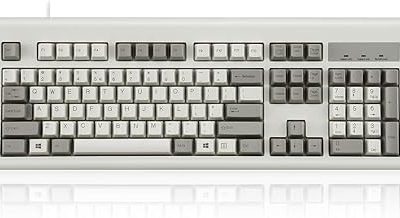
Tenkeyless keyboards have become the default choice for competitive players, and for good reason. Dropping the number pad frees up desk space, brings the mouse closer to your body for more natural aiming, and shaves weight for anyone who hauls their board to LANs. You lose almost nothing that matters for gaming and gain ergonomics you feel immediately.
Today’s TKL market spans magnetic Hall-effect analog boards, tactile mechanical switches, and quiet membrane options, so there’s a right fit for every budget and playstyle. Here are the best, along with a guide to choosing the switch and features that suit you.
Our top picks
 SteelSeries Apex Pro TKL Gen 3 Gaming
- Apex Pro is the only line of keyboards…
- Stop fast, start your next move faster
- Snaps to your latest key press to strafe…
 SteelSeries Apex 3 TKL RGB Gaming Keyboard
- The compact tenkeyless design is the most popular…
- Our whisper quiet gaming switches with anti-ghosting technology…
- Designed with IP32 Water & Dust Resistant for…
 Logitech G413 TKL SE Mechanical Gaming Keyboard
- Take your gaming skills to the next level:…
- PBT keycaps: Heat- and wear-resistant, this computer gaming…
- Tactile mechanical switches: Uncompromising performance is always within…
| Product | Key specs | |
|---|---|---|
| SteelSeries Apex Pro TKL Gen 3 Gaming | Apex Pro is the only line of keyboards… Stop fast, start your next move faster Snaps to your latest key press to strafe… | Check price |
| SteelSeries Apex 3 TKL RGB Gaming Keyboard | The compact tenkeyless design is the most popular… Our whisper quiet gaming switches with anti-ghosting technology… Designed with IP32 Water & Dust Resistant for… | Check price |
| Logitech G413 TKL SE Mechanical Gaming Keyboard | Take your gaming skills to the next level:… PBT keycaps: Heat- and wear-resistant, this computer gaming… Tactile mechanical switches: Uncompromising performance is always within… | Check price |
 Corsair K55 CORE TKL RGB Gaming Keyboard Corsair K55 CORE TKL RGB Gaming Keyboard | More Room to Make Big Plays: A compact,… Eight Zone RGB Backlighting: Create personalized lighting as… 300ml Spill Resistance: K55 CORE TKL is built… | Check price |
 Logitech G PRO X TKL Rapid Tenkeyless Logitech G PRO X TKL Rapid Tenkeyless | Tournament-Grade Responsiveness and Precision: The PRO X TKL… React Instantly and Perform at Your Peak: The… Optimize for Your Play Style: Achieve peak speed… | Check price |
 Razer Huntsman V3 Pro TKL Esports Gaming Razer Huntsman V3 Pro TKL Esports Gaming | CHOSEN BY PRO’S FOR ADVANCED FPS MOVEMENT Prioritize the latest input between two selected keys… A step up from traditional mechanical or optical… | Check price |
 AULA F87 Pro Wireless Mechanical Keyboard AULA F87 Pro Wireless Mechanical Keyboard | Tri-mode Connection Keyboard: AULA F87 Pro wireless mechanical… Hot-swap Custom Keyboard: This custom mechanical keyboard with… Advanced Structure and PCB Single Key Slotting: This… | Check price |
 Logitech G515 Lightspeed TKL Wireless Gaming Keyboard Logitech G515 Lightspeed TKL Wireless Gaming Keyboard | Mechanical Gaming Keyboard: The Logitech G515 LIGHTSPEED TKL… GL Brown Tactile Switches with Discernible Feedback: The… 36 Hours of Play: Keep playing wirelessly with… | Check price |
As an Amazon Associate we earn from qualifying purchases at no extra cost to you.
🎮 Get More From Your Setup — Free
Prime Gaming gives you free PC games every month, in-game loot, and a free Twitch channel sub — plus fast free shipping on all the gear above. New members get a 30-day free trial.
Watch: Best Tkl Gaming Keyboard — Video Review
How to Choose a TKL Gaming Keyboard
- Switch type: Analog Hall-effect switches enable rapid trigger and adjustable actuation; mechanical and membrane suit different feel and budgets.
- Actuation features: Rapid trigger and SOCD handling give competitive players a real edge in fast-paced games.
- Build and keycaps: PBT keycaps resist shine and wear far better than cheaper ABS caps over time.
- Connectivity: A detachable USB-C cable makes transport and cable management much easier.
- Extras: Media dials, OLED screens, and onboard profiles add convenience worth considering.
The Best TKL Gaming Keyboards Reviewed
SteelSeries Apex Pro TKL Gen 3
The flagship of the group, with OmniPoint analog magnetic switches, rapid trigger, an OLED screen, and PBT keycaps. It’s the do-everything competitive board.
SteelSeries Apex 3 TKL
A budget-friendly, whisper-quiet membrane board with 8-zone RGB and IP32 water resistance, ideal for gamers who want reliability without spending big.
Logitech G413 TKL SE
A no-nonsense tactile mechanical board with anti-ghosting and a clean, compact design. It’s the dependable value mechanical pick for cross-platform players.
Logitech G PRO X TKL Rapid
Hall-effect magnetic analog switches with rapid trigger, a detachable cable, and a volume roller make this a serious, portable competitive contender.
Razer Huntsman V3 Pro TKL
Analog optical switches with Snap Tap and adjustable actuation, plus a media dial and doubleshot PBT keycaps. It’s an esports-grade board with premium touches.
Frequently Asked Questions
What does TKL mean?
TKL stands for tenkeyless, meaning the keyboard omits the number pad on the right. This shrinks the footprint and brings your mouse hand closer for better ergonomics.
Are analog Hall-effect switches worth it?
For competitive players, yes. They allow adjustable actuation points and rapid trigger, letting you reset keys faster and gain a measurable responsiveness advantage.
Is a TKL keyboard bad for productivity?
Only if you rely heavily on a number pad for data entry. For most gaming and general use, the space savings outweigh the missing pad, and standalone numpads exist.
Do I need PBT keycaps?
They’re not essential, but PBT resists the greasy shine that ABS caps develop and lasts longer, so they’re a worthwhile upgrade on a keyboard you’ll use daily.
Final Thoughts
The SteelSeries Apex Pro TKL Gen 3 and Razer Huntsman V3 Pro TKL lead for competitive players who want analog switches and premium features, while the Logitech G413 TKL SE remains the smart, affordable mechanical choice.