Key takeaways
- Thermal capacity: A 280mm or 360mm AIO holds a clear lead under sustained all-core rendering. In gaming workloads, a strong dual-tower air cooler lands within a few degrees of it.
- Noise: AIOs add a pump to the acoustic equation, and cheaper units whine or gurgle. Air coolers have one moving part per fan and are typically quieter at matched temperatures.
- Clearance: Air coolers demand vertical height and can crowd tall RAM; AIOs need radiator space and thickness clearance at the top or front of the chassis.
- Reliability: A fan is trivially replaceable. A pump is a wear item, and a failed AIO usually means replacing the whole loop.
- Installation: Air coolers are one bracket and a couple of screws. AIOs involve radiator mounting, tube routing and pump headers, which is fiddlier in small cases.
- Value: Air coolers deliver noticeably more cooling per pound, especially at the budget end where AIOs cut corners on pump and fan quality.
Every gaming build eventually reaches the same fork in the road: a sealed all-in-one liquid cooler with a radiator bolted to the case, or a tower air cooler with a slab of aluminium fins sitting over the socket. Both keep a modern CPU inside its thermal limits. The difference shows up in noise, clearance, aesthetics, long-term reliability and, inevitably, what you have left over for the GPU.
That trade-off matters more in 2026 than it did a few years ago. Current Intel and AMD flagships push serious short-burst power, gaming loads are increasingly CPU-bound at 1440p with upscaling, and cases have shifted toward glass-heavy, airflow-restricted designs. At the same time, dual-tower air coolers have become dramatically more capable for the money, which has squeezed entry-level AIOs out of the value conversation almost entirely. Here’s how the two approaches actually compare.
Our top picks


As an Amazon Associate we earn from qualifying purchases at no extra cost to you. Ratings are shown as listed on Amazon.
⚡ Save on Your Next PC — Amazon Prime
Prime members get fast free shipping on the systems above, plus early access to Prime Day & Black Friday PC deals. New members get a 30-day free trial.
Watch: AIO vs Air Cooler: Which Is Best in 2026? — Video Review
Quick Verdict
Buy an AIO if you own a high-core-count CPU that sustains heavy all-core loads, run a compact or top-mounted-radiator case, or simply want the clean, uncluttered look of an empty socket area with a lit pump head. Buy a tower air cooler if you want the best cooling per pound, near-silent operation, and hardware that will still be working in a decade. For the overwhelming majority of gaming builds, a good dual-tower air cooler such as the Phantom Spirit 120 SE or Peerless Assassin 120 SE is the smarter buy.
Key Differences
- Thermal capacity: A 280mm or 360mm AIO holds a clear lead under sustained all-core rendering. In gaming workloads, a strong dual-tower air cooler lands within a few degrees of it.
- Noise: AIOs add a pump to the acoustic equation, and cheaper units whine or gurgle. Air coolers have one moving part per fan and are typically quieter at matched temperatures.
- Clearance: Air coolers demand vertical height and can crowd tall RAM; AIOs need radiator space and thickness clearance at the top or front of the chassis.
- Reliability: A fan is trivially replaceable. A pump is a wear item, and a failed AIO usually means replacing the whole loop.
- Installation: Air coolers are one bracket and a couple of screws. AIOs involve radiator mounting, tube routing and pump headers, which is fiddlier in small cases.
- Value: Air coolers deliver noticeably more cooling per pound, especially at the budget end where AIOs cut corners on pump and fan quality.
AIO Liquid Coolers
An AIO moves heat away from the socket and dumps it into a radiator mounted where airflow is best. That decoupling is the real advantage: the heat never sits above your motherboard warming VRMs and M.2 drives, and radiator surface area scales in a way a tower simply cannot. If you routinely run Blender, long compiles, heavy streaming encodes or a 16-core-plus chip at full tilt, a 360mm unit will hold higher sustained clocks and give you meaningful headroom for overclocking.
The costs are real, though. You are paying for a pump, a controller and often an LCD screen, none of which improve gaming frame rates. Pump failure is rare but terminal, and permeation slowly reduces coolant volume over the years. In small-form-factor builds an AIO can genuinely be the only option, but in a standard mid-tower it is often a stylistic choice dressed up as a performance one.
Tower Air Coolers
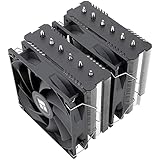
Modern dual-tower designs have closed the gap to a degree that surprises people. Six or seven heat pipes with direct-touch contact, twin 120mm PWM fans and a well-machined base give you enough dissipation for essentially any mainstream gaming CPU. The Phantom Spirit 120 SE, with seven pipes and AGHP 4.0, is the performance pick of the group; the Peerless Assassin 120 SE remains the value benchmark; and the Peerless Assassin 120 SE ARGB adds lighting and an aluminium top cover without changing the underlying six-pipe hardware.
There are options for other priorities too. The single-tower Assassin X120 Refined SE suits mid-range chips and tight cases where a dual tower simply will not fit. The be quiet! Pure Rock Pro 3 Black is the choice if acoustics are your absolute first concern, and the Peerless Assassin 120 Vision MAX ARGB Black adds a 5-inch IPS display for builders who want the show-off factor an AIO usually provides. All of them install in minutes and will outlive the CPU underneath.
Which Should You Buy?
- For pure gaming builds: pick a dual-tower air cooler — the Phantom Spirit 120 SE or Peerless Assassin 120 SE covers everything short of extreme overclocking.
- For heavy production workloads: pick a 360mm AIO for sustained all-core headroom.
- For quiet builds: pick air, with the Pure Rock Pro 3 Black or a low-RPM dual tower.
- For small cases or tall RAM: measure first, then choose an AIO or the compact Assassin X120 Refined SE.
- For showcase builds: pick the Peerless Assassin 120 Vision MAX ARGB Black if you want a screen without a pump.
Frequently Asked Questions
Do AIOs cool better than air coolers?
Under long, sustained all-core loads, yes — a 360mm unit wins. In gaming, where the CPU rarely draws maximum power, the difference between a good dual-tower air cooler and a mid-range AIO is usually small enough to be irrelevant.
How long does an AIO last?
Most quality units are rated for around five to seven years of use. Air coolers effectively last indefinitely, and a worn fan costs very little to swap out.
Will a dual-tower cooler fit my case?
Check your chassis’ maximum CPU cooler height, which is listed in every spec sheet. Most 120mm dual towers sit around 155mm tall and clear standard-height memory, but low-profile RAM is safer.
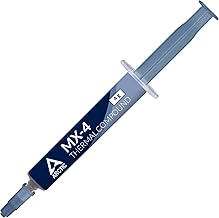
Is thermal paste included?
Thermalright and be quiet! coolers ship with paste and the mounting hardware for current AM5 and LGA 1851/1700 sockets, so no separate purchase is needed.
Final Verdict
Unless you have a specific reason to go liquid — sustained productivity workloads, a case that cannot take a tower, or a build where the aesthetic is the point — air cooling is the rational choice in 2026. A quality dual-tower cooler delivers most of an AIO’s gaming performance, less noise, zero pump risk and a far better price, freeing up budget for the component that actually drives your frame rate.