Key takeaways
- Choose a PS5 television by checking 4K 120 Hz inputs, VRR, HDR, latency, screen size, and room conditions instead of buying by badge alone.
The best TV for PS5 is not automatically the television with the highest advertised refresh number. It is the model that accepts the console’s useful video modes on the inputs you will actually use, keeps latency low in Game Mode, preserves enough HDR brightness for your room, and fits your viewing distance. Start with compatibility and placement, then compare picture quality. That order prevents paying for specifications the PS5 cannot use.
The short answer
For most PS5 owners, a 4K television with a native 120 Hz panel, HDMI support for 4K at 120 Hz, Variable Refresh Rate, Auto Low Latency Mode, and a well-implemented HDR game mode is the sensible target. OLED is compelling in a dim or controlled room because each pixel can turn off and transitions are fast. A capable Mini-LED LCD can be the better choice in a bright family room because it can sustain higher full-screen brightness and has no cumulative organic-panel wear concern.
Our top picks
 PlayStation®5 console
- From Jan
- PlayStation 5 Console - 1TB, includes wireless controller,…
- 1TB of Storage, keep your favorite games ready…
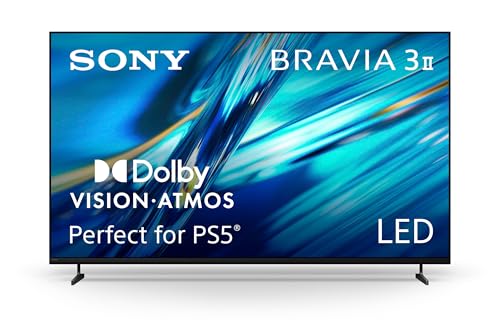 Sony 55 Inch BRAVIA 3 II LED
- Access SONY PICTURES CORE with Pure Stream and…
- Support for Dolby Vision and Dolby Atmos delivers…
- The XR Processor uses AI scene recognition to…
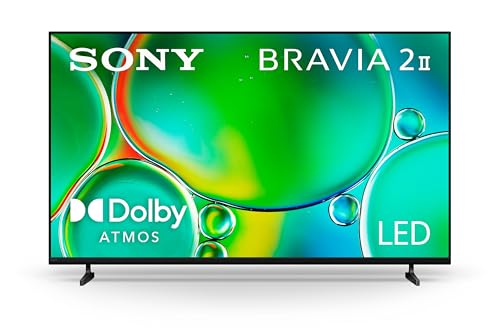 Sony 55 Inch BRAVIA 2 II LED
- The 4K Processor X1 delivers a lifelike picture…
- See natural and precise picture quality with a…
- EVERYTHING YOU STREAM
| Product | Key specs | |
|---|---|---|
| PlayStation®5 console | From Jan PlayStation 5 Console - 1TB, includes wireless controller,… 1TB of Storage, keep your favorite games ready… | Check price |
| Sony 55 Inch BRAVIA 3 II LED | Access SONY PICTURES CORE with Pure Stream and… Support for Dolby Vision and Dolby Atmos delivers… The XR Processor uses AI scene recognition to… | Check price |
| Sony 55 Inch BRAVIA 2 II LED | The 4K Processor X1 delivers a lifelike picture… See natural and precise picture quality with a… EVERYTHING YOU STREAM | Check price |
 Sony 50 Inch BRAVIA 3 LED 4K Sony 50 Inch BRAVIA 3 LED 4K | Get access to all your favorite streaming apps… Get access to all your favorite streaming apps,… Streaming high-bitrate, high-quality 4K UHD movies included with… | Check price |
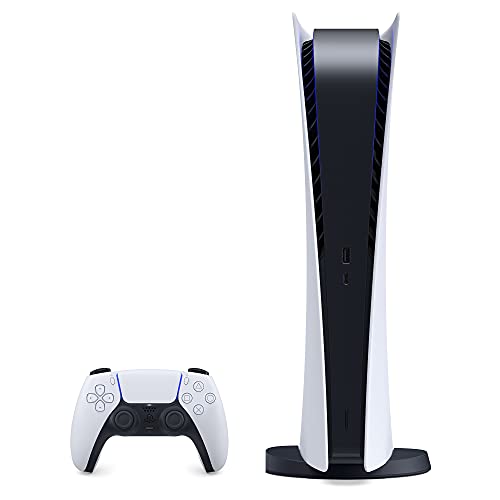 Sony PlayStation 5 PS5 Disc Version Gaming Sony PlayStation 5 PS5 Disc Version Gaming | CPU: x86-64-AMD Ryzen Zen 8 Cores / 16… bit Memory Ethernet (10BASE-T, 100BASE-TX, 1000BASE-T), IEEE 802.11 a/b/g/n/ac/ax, Bluetooth… | Check price |
As an Amazon Associate we earn from qualifying purchases at no extra cost to you.
Those are categories, not guarantees. Two televisions using the same panel technology may differ in tone mapping, input availability, bandwidth, processing, and firmware. Confirm the exact model number and screen size on the manufacturer’s specification page. Retail families sometimes change panel capability at smaller sizes.
Sony documents PS5 output and display troubleshooting in its official 4K and HDR support guide. Use that page and the television manual as the final compatibility references rather than relying on a marketplace title.
Build the shortlist around PS5 output
The PS5 targets 4K output and can deliver up to 120 Hz in supported games. A television does not turn a 30 fps title into native 120 fps; the game, console mode, and display must all support the chain. A native 120 Hz panel still has value because compatible performance modes can display more frequent frames and 24 fps film content divides evenly into 120.
Check these items on every candidate:
- at least one HDMI input explicitly supporting 4K 120 Hz;
- VRR support over the resolution and refresh range used by PS5;
- an automatic or easily selected low-latency Game Mode;
- HDR10 handling with usable brightness and local contrast;
- enough compatible inputs for PS5 plus any Xbox, PC, receiver, or soundbar;
- eARC on the audio-return input if sound is routed to external equipment.
Do not treat the phrase “HDMI 2.1” as a complete specification. HDMI Licensing Administrator explains that features are implemented individually; buyers must check the supported feature set rather than infer it from a version label. The HDMI gaming features overview describes VRR, ALLM, and related capabilities.
OLED or Mini-LED for a PS5 room?
OLED gives dark-room games convincing black levels because light is controlled per pixel. Fast pixel response also keeps motion edges clear. It is especially attractive for cinematic single-player games, nighttime play, and seating that spreads off-axis. The tradeoffs are lower sustained brightness on very large bright scenes on many models, reflective-room performance that varies by coating, and the need to use built-in protection features sensibly.
Mini-LED is an LCD architecture with many backlight zones. Strong models can become much brighter than OLED and resist daylight washout. They are useful for sports, mixed family viewing, bright HDR highlights, and rooms where curtains stay open. Local dimming cannot control every pixel, so bright HUD elements or subtitles can produce halos in dark scenes. Viewing angles also vary.
Neither technology wins every setup. Compare the room and use pattern in the site’s OLED versus Mini-LED gaming guide before paying for a panel badge.
Input lag and response time are different
Input lag is the time between the console sending a frame and the television showing it. Pixel response describes how quickly the panel changes between shades. A display can have fast pixels but add processing delay, or low processing delay but slower LCD transitions. Both influence feel and motion, but they are not interchangeable.
Game Mode usually removes motion interpolation, noise reduction, and other processing that adds delay. Verify that low latency remains active with HDR and VRR enabled. Some televisions expose different settings for each HDMI input or picture mode. Our gaming TV input-lag guide explains how to separate configuration problems from panel limitations.
Avoid invented universal thresholds. A measured figure depends on resolution, refresh rate, test method, and firmware. Favor independent measurements that state the signal mode and methodology. Manufacturer specifications establish compatibility, but they rarely substitute for latency measurements.
HDR needs more than an HDR badge
PS5 supports HDR10. A useful HDR presentation needs contrast, brightness control, and correct tone mapping, not merely the ability to accept an HDR signal. OLED’s black floor can produce strong perceived contrast in a dark room. Mini-LED can create brighter highlights but may trade shadow precision for blooming control.
Look for a Game HDR mode that does not become dramatically duller or clip highlight detail. Sony provides console-side HDR adjustment screens; follow the on-screen procedure after the television is in its intended HDR Game Mode. Recalibrate if you change picture mode or major tone-mapping settings.
Dolby Vision support can matter for streaming apps and other devices, but PS5 gaming compatibility should be evaluated on the modes the console actually outputs. Do not pay a premium for an unused gaming format without checking current PlayStation documentation.
Choose size from distance, not status
A larger screen increases immersion, but an oversized display can make a low-resolution performance mode easier to notice and can be tiring at a desk-like distance. A smaller screen may also omit the panel or input features found on larger members of the same series.
Mark the proposed width on the wall with removable tape. Confirm that the center of the screen will be near seated eye level, the stand fits the furniture, and ventilation clearances match the manual. Account for the feet position: some televisions use wide feet rather than a central pedestal.
At a close distance, 42- to 48-inch televisions can function like large monitors. Across a living room, 55 or 65 inches is a common starting range, but room geometry matters more than a generic chart. If subtitles, HUD corners, or competitive awareness require frequent head movement, reduce size or increase distance.
Audio and HDMI-port planning
Count ports before ordering. If a television has only two high-bandwidth inputs and one doubles as eARC, a PS5, another console, and a receiver can exceed the layout. An AV receiver or switch must pass the exact video modes required; an older device in the chain can silently reduce the output to 60 Hz or disable VRR.
For a soundbar, connect according to both manuals. eARC is generally the cleanest route for television apps and console audio, but supported audio formats differ. The PS5 sound troubleshooting documentation describes console output choices. Select a format supported end to end rather than assuming the most impressive name is best.
Setup checklist after installation
Use a known high-bandwidth cable and the correct HDMI port. On some televisions, enhanced input mode must be enabled per port. Update the TV and PS5 firmware before diagnosing missing features, but record current settings first.
Then:
- Enable the television’s Game Mode for the PS5 input.
- In PS5 Screen and Video settings, confirm resolution, 120 Hz Output, VRR, and HDR choices.
- Open the console’s video information screen and verify detected modes.
- Test one known 120 Hz title rather than assuming every game supports it.
- Check HDR calibration in the final picture mode.
- Confirm audio routing and lip synchronization.
If the screen blanks, test direct PS5-to-TV connection before blaming the console. Remove receivers and switches temporarily, try the specified port, and lower one output setting at a time. Sony’s Safe Mode guidance defines recovery options, but routine display diagnosis should begin with the cable and signal chain.
Buying tiers without fragile model claims
Recommended products
As an Amazon Associate, we may earn from qualifying purchases.
- PS5-focused option: Sony 43-Inch BRAVIA 3 II 4K HDR Google TV
- Mini-LED value option: TCL 55-Inch QM6K Mini-LED QLED 4K TV
- 144Hz VRR alternative: iFFALCON 55-Inch U85 Mini-LED 4K TV
Instead of declaring one permanent winner, match a product tier to the room:
- Compact OLED: suitable for close seating and controlled light; verify that the chosen size retains 120 Hz and VRR.
- Mainstream OLED: strong dark-room contrast and broad viewing angles for mixed cinematic gaming.
- Midrange Mini-LED: useful in bright rooms when strong local dimming and 120 Hz inputs are documented.
- Premium Mini-LED: suited to high ambient light and large HDR highlights, with blooming and off-angle performance checked independently.
- Budget 120 Hz LCD: prioritize genuine native refresh, VRR range, and measured Game Mode latency over decorative gaming menus.
Prices and firmware change. Use the current model specification, manual, and independent signal-mode measurements on the day of purchase.
Common mistakes
Do not buy a 144 Hz television solely because 144 is larger than 120; PS5’s relevant ceiling in supported games is 120 Hz. Do not confuse motion-rate marketing with native panel refresh. Do not assume every HDMI input has equal bandwidth. Do not leave motion interpolation active for competitive games. Finally, do not copy picture settings from another size or room without checking the result.
Final recommendation
Choose a PS5 television by verifying 4K 120 Hz, VRR, Game Mode, HDR behavior, and port allocation on the exact size. Pick OLED for pixel-level blacks and controlled-room viewing; pick Mini-LED when bright-room output and broad mixed use matter more. A properly configured midrange TV often provides a better PS5 experience than a premium panel connected to the wrong port with processing left on.
Sources
- PlayStation: PS5 4K resolution and HDR
- PlayStation: Change PS5 audio output
- HDMI.org: Gaming features
- PlayStation: Safe Mode