
Key takeaways
- Pro: Supports 4K at 60Hz over HDMI.
- Pro: Six-in-one format offers broader expansion than a basic adapter.
- Con: Ethernet is not specified in the provided listing.
A handheld gaming PC can turn a small bedroom, office, or living-room corner into a surprisingly capable gaming station. The trouble starts when the desk is already crowded: the ROG Ally needs charging, a monitor may need HDMI, wired internet can be useful for large downloads and multiplayer, and a keyboard, mouse, or controller all compete for limited ports. A dock can turn one USB-C connection into a cleaner setup, but not every model includes Ethernet—or provides the same display and charging features.
This roundup focuses on docks that work with the ROG Ally or closely related handhelds, with special attention to Ethernet availability, display output, charging support, and price. These are the best options to consider in 2026, ranked in the order provided. Where a listing does not clearly specify Ethernet, that limitation is called out rather than assumed.
As an Amazon Associate we earn from qualifying purchases at no extra cost to you. Product prices and availability are accurate as of the date shown and are subject to change.




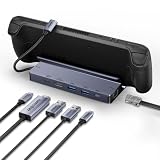

Quick Picks
| Product | Best for | Price |
|---|---|---|
| Anker Steam Deck Dock, 6-in-1 4K@60Hz HDMI Docking Station for Steam Deck | Simple 4K display docking | $29.99 |
| JSAUX 5-in-1 Docking Station for Steam Deck/ROG Ally X/Legion Go S-HB0602 | ROG Ally X owners wanting a compact dock | $27.99 |
| JSAUX 6-in-1 Docking Station for Steam Deck/ROG Ally X/Legion Go S-HB0603 | More connectivity than a basic dock | $35.99 |
| TanReginal 6-in-1 ROG Ally Hub | High-refresh HDMI and wired networking | $33.99 |
| SABRENT 6-Port USB-C Dock for ROG Ally X, Steam Deck, 4K HDMI (DS-RA6P) | ROG Ally X and Steam Deck setups | $29.99 |
| BENFEI Steam Deck Dock, 6-in-1 USB C Hub | Lowest-price Ethernet dock | $22.99 |
| BENFEI 4K@144Hz Steam Deck Dock, 6-in-1 USB C Hub | High-refresh gaming displays | $27.99 |
| WAVLINK Gaming Dock, HDMI 2.1, Single 4K@144Hz | HDMI 2.1 display setups | $29.99 |
How We Picked
We prioritized docks with clearly stated compatibility for the ROG Ally, ROG Ally X, or equivalent handheld gaming PCs. We also looked at the features that matter most in a permanent room setup: Ethernet for a wired connection, HDMI resolution and refresh-rate support, USB expansion, and power-delivery information.
Not every product listing provides the same level of detail. A dock may be described as 5-in-1 or 6-in-1 without listing every port in the supplied product name. We do not fill in those gaps with assumptions. Instead, we explain what is clearly stated and identify when a buyer should confirm the port layout before ordering. Prices range from $22.99 to $35.99, so the most expensive option is not automatically the best value.
The 8 Best Picks
1. Anker Steam Deck Dock, 6-in-1 4K@60Hz HDMI Docking Station for Steam Deck
Anker’s dock is a sensible choice for a desk or TV cabinet where the main goal is turning a handheld into a larger-screen gaming system. Its headline feature is HDMI output up to 4K at 60Hz, a useful target for everyday monitors and televisions. The 6-in-1 design also promises more flexibility than a single-purpose display adapter, though the supplied product information does not identify Ethernet specifically. That makes this a better general docking candidate than a confirmed wired-network pick.
- Pro: Supports 4K at 60Hz over HDMI.
- Pro: Six-in-one format offers broader expansion than a basic adapter.
- Con: Ethernet is not specified in the provided listing.
Skip it when: wired networking is essential and you do not want to verify the port list first. At $29.99, it is best for buyers who value a straightforward HDMI dock.
2. JSAUX 5-in-1 Docking Station for Steam Deck/ROG Ally X/Legion Go S-HB0602
The JSAUX S-HB0602 is aimed at owners of several popular handheld PCs, including the ROG Ally X. Its 5-in-1 layout should appeal to someone who wants a compact connection point without moving to a larger desktop hub. The compatibility naming is helpful for buyers comparing Steam Deck, ROG Ally X, and Legion Go setups, but the supplied information does not state a display limit, charging wattage, or Ethernet port. That means its strongest case is convenience and device compatibility rather than a clearly documented high-performance feature set.
- Pro: Explicitly lists compatibility with the ROG Ally X.
- Pro: Five-in-one design keeps a small setup organized.
- Con: Ethernet and key video specifications are not stated here.
Skip it when: you need a confirmed Ethernet connection or a published high-refresh display specification. At $27.99, it fits a basic, space-conscious setup.
3. JSAUX 6-in-1 Docking Station for Steam Deck/ROG Ally X/Legion Go S-HB0603
The S-HB0603 expands on JSAUX’s 5-in-1 option with a 6-in-1 design, making it the more versatile choice between the two when an additional connection could simplify your room. It names the Steam Deck, ROG Ally X, and Legion Go, so it is positioned as a multi-handheld dock rather than a device-specific accessory. However, the supplied product facts do not identify Ethernet, HDMI performance, or charging wattage. Buyers should therefore treat it as a connectivity upgrade over the S-HB0602, not as a confirmed wired-network or high-refresh solution.
- Pro: Six-in-one design provides more expansion than the S-HB0602.
- Pro: Lists compatibility with the ROG Ally X and other handhelds.
- Con: The provided details do not confirm Ethernet or display limits.
Skip it when: your purchase depends on a specific HDMI refresh rate or wired Ethernet. At $35.99, it needs to match your port requirements before it makes sense.
4. TanReginal 6-in-1 ROG Ally Hub
This TanReginal dock is the most explicitly feature-packed option in the list for an ROG Ally-focused setup. It includes 4K at 120Hz HDMI, a Gigabit Ethernet port, 100W PD fast charging, and dual USB 3.2 ports. Those specifications address the core needs of a desk setup: display output, wired networking, charging, and fast peripheral connectivity. It is also described for the ROG Xbox Ally X, Steam Deck, and Legion Go. At $33.99, it costs more than the budget BENFEI, but the clearer feature set makes it easier to match with a demanding setup.
- Pro: Includes Gigabit Ethernet and 100W PD charging.
- Pro: Supports 4K at 120Hz HDMI and dual USB 3.2 ports.
- Con: It is not the lowest-priced dock in this roundup.
Skip it when: your monitor does not need high-refresh 4K or your setup has no use for wired networking. Otherwise, it is the clearest all-around pick.
5. SABRENT 6-Port USB-C Dock for ROG Ally X, Steam Deck, 4K HDMI (DS-RA6P)
SABRENT’s DS-RA6P is built around broad handheld compatibility and 4K HDMI output. It specifically names the ROG Ally X and Steam Deck, which makes it a practical candidate for households with more than one handheld platform. The 6-port format gives it room for more accessories than a minimal adapter. The supplied product name does not specify Ethernet, charging wattage, or HDMI refresh rate, so buyers should confirm those details if they are central to the room’s setup. Its $29.99 price keeps it competitive with other general-purpose docks.
- Pro: Explicitly supports the ROG Ally X and Steam Deck.
- Pro: Provides 4K HDMI output in a 6-port design.
- Con: Ethernet is not identified in the provided specifications.
Skip it when: you require confirmed Gigabit Ethernet or a stated high-refresh HDMI mode. It is better suited to a flexible HDMI-first setup.
6. BENFEI Steam Deck Dock, 6-in-1 USB C Hub
BENFEI’s first dock is the value leader for buyers who specifically want Ethernet without spending much. It includes 1Gbps Ethernet, HDMI up to 4K at 60Hz, one USB-C port, two USB 3.0 ports, and PD 100W charging. The combination covers the essentials for a desk: wired internet, an external display, accessories, and power delivery. It is listed for the Steam Deck, including the OLED model, and the ROG Ally. The $22.99 price is the lowest in the group, making it an especially appealing choice for a secondary room or starter setup.
- Pro: Includes 1Gbps Ethernet and 100W PD charging.
- Pro: Offers 4K at 60Hz HDMI plus one USB-C and two USB 3.0 ports.
- Con: HDMI tops out at 60Hz in the supplied specification.
Skip it when: you want 4K at 120Hz or 144Hz. For a conventional 4K monitor or TV, it is the strongest budget pick.
7. BENFEI 4K@144Hz Steam Deck Dock, 6-in-1 USB C Hub
This BENFEI model is the step-up choice for buyers who want Ethernet and a faster display mode. It lists HDMI at 4K and 144Hz, while also advertising 8K at 30Hz, 1Gbps Ethernet, one USB-C port, two USB 3.0 ports, and PD 100W charging. It supports the Steam Deck, including the OLED version, and the ROG Ally. At $27.99, it costs only $5 more than BENFEI’s 4K-at-60Hz dock, so the higher refresh-rate specification gives it a compelling value advantage for compatible displays.
- Pro: Combines 4K at 144Hz HDMI with 1Gbps Ethernet.
- Pro: Includes 100W PD charging and three USB expansion ports.
- Con: A 144Hz display mode may be unnecessary for a standard TV.
Skip it when: your screen is limited to 60Hz and you prefer the lowest possible price. Otherwise, this is the best performance-value option.
8. WAVLINK Gaming Dock, HDMI 2.1, Single 4K@144Hz, 100W PD in
WAVLINK’s gaming dock targets buyers who want HDMI 2.1 and a single 4K display at 144Hz. That makes it a focused choice for a gaming monitor rather than a general-purpose multi-display workstation. It also lists 100W PD input, which suits a docked handheld setup that needs charging while connected to the screen. Ethernet is not specified in the supplied product name, so it should not be treated as a confirmed wired-network dock without checking the full port list. At $29.99, it sits in the middle of the price range.
- Pro: Supports a single 4K display at 144Hz.
- Pro: Uses HDMI 2.1 and lists 100W PD input.
- Con: Ethernet is not confirmed in the provided details.
Skip it when: Ethernet is a must-have or you need multiple display outputs. It is a strong focused pick for one high-refresh gaming monitor.
Buying Guide
Do you need Ethernet?
If your handheld sits near a router, Ethernet can provide a direct wired connection for downloads and online play. Look for an explicitly stated 1Gbps or Gigabit Ethernet port. Do not assume a 5-in-1 or 6-in-1 dock includes networking; several products here do not identify Ethernet in the supplied specifications.
Which HDMI specification fits your screen?
For a typical television or office monitor, 4K at 60Hz is the most straightforward target. A gaming monitor capable of 120Hz or 144Hz calls for a dock that specifically lists the matching mode. The BENFEI high-refresh model and WAVLINK dock are better aligned with 144Hz displays, while the TanReginal dock lists 4K at 120Hz.
How much charging support is enough?
Compare the dock’s power-delivery specification with the charger and handheld you plan to use. The TanReginal, both BENFEI models, and WAVLINK listings include 100W charging-related specifications. Remember that a dock’s maximum input or pass-through figure does not automatically mean the handheld receives the entire amount; confirm the manufacturer’s detailed power behavior before buying.
Our Verdict
The TanReginal 6-in-1 hub is the best overall match for the search term “best dock for ROG Ally with Ethernet port” because it clearly combines Gigabit Ethernet, 4K at 120Hz HDMI, 100W PD charging, and dual USB 3.2 ports. For the best value, choose the BENFEI 4K@144Hz model: it adds 1Gbps Ethernet and high-refresh HDMI at $27.99. If price is the priority, the $22.99 BENFEI 4K@60Hz dock delivers the most essential features for less.
FAQ
What is the best ROG Ally dock with Ethernet?
The TanReginal 6-in-1 hub is the strongest overall match because its listing explicitly includes a Gigabit Ethernet port, 4K at 120Hz HDMI, 100W PD charging, and dual USB 3.2 ports.
Is 1Gbps Ethernet enough for the ROG Ally?
For a wired home network, 1Gbps Ethernet is a substantial connection speed and is clearly listed on both BENFEI docks. Your actual performance will also depend on the router, network service, cables, and server.
Which dock is best for a 144Hz monitor?
The BENFEI 4K@144Hz dock and WAVLINK Gaming Dock both list 4K at 144Hz. The BENFEI is the better choice if you also need explicitly stated 1Gbps Ethernet.
Can I use a Steam Deck dock with an ROG Ally?
Compatibility depends on the specific model and port layout. Several products here explicitly name the ROG Ally or ROG Ally X, including the BENFEI docks, TanReginal hub, and SABRENT DS-RA6P. Check the full product specifications before ordering.





